Affiliate disclosure: As an Amazon Associate we earn from qualifying purchases. This post contains affiliate links — we may earn a small commission at no extra cost to you. This never affects our picks. Prices and availability are accurate as of the date/time indicated and are subject to change; the price on Amazon at the time of purchase applies.
- Quick Comparison Table
- 1. AMD Ryzen 5 7600X3D: Best for Gaming-First AM5 Builds
- 2. AMD Ryzen 7 7700: Best for Mixed Gaming and Productivity
- 3. Intel Core Ultra 5 250K Plus: Best for Multitasking
- 4. Intel Core i5-14400F: Best for Existing LGA 1700 Boards
- How to Choose
- Frequently Asked Questions
- About the Author
- Related Articles
Quick answer: For the best CPUs under 300, the AMD Ryzen 5 7600X3D is our first pick for gaming-focused AM5 builds. The Ryzen 7 7700 suits mixed work and play, the Intel Core Ultra 5 250K Plus favors multitasking, and the Core i5-14400F fits an existing LGA 1700 board.
Choosing a processor in this class comes down to platform, core layout and what else you plan to run besides games. This guide compares four desktop CPUs using the specifications published in each listing, such as core counts, clocks, cache and socket. We did not run our own benchmarks, so performance comments are general class statements. Only four models in our store fit the topic cleanly, so the list is shorter than usual rather than padded with unrelated parts.
Quick Comparison Table
| # | Model | Key specs (per listing) | Best for |
|---|---|---|---|
| 1 | AMD Ryzen 5 7600X3D | AM5, 6 cores, 4.1GHz, boxed, no cooler included | Gaming-first AM5 builds |
| 2 | AMD Ryzen 7 7700 | 3.8GHz, 32MB L3 cache | Mixed gaming and productivity |
| 3 | Intel Core Ultra 5 250K Plus | 18 cores (6 P-cores + 12 E-cores), up to 5.3GHz | Multitasking and streaming |
| 4 | Intel Core i5-14400F | LGA 1700, F-series processor | Upgrading an existing LGA 1700 board |
1. AMD Ryzen 5 7600X3D: Best for Gaming-First AM5 Builds
Specs per the listing: Raphael, socket AM5, 4.1GHz, 6 cores, boxed processor, heatsink not included.
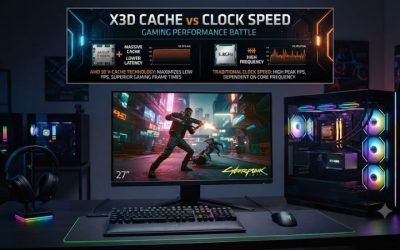
The X3D name means this chip carries stacked 3D V-Cache, and that extra cache is what gaming players pay for. Six cores are plenty for current games, and the AM5 platform keeps the door open for later upgrades. It is the pick when the graphics card gets most of your attention and background tasks stay light.
Note the listing says the heatsink is not included, so budget for a separate cooler. Compatible motherboards require DDR5 memory, which raises the total platform cost compared with older sockets.
- Pros: 3D V-Cache design aimed at games; AM5 upgrade path; six cores; modern platform
- Cons: no cooler in the box; needs DDR5 and an AM5 board; fewer cores for heavy rendering

AMD RYZEN 5 7600X3D Raphael AM5 4.1GHZ 6-CORE Boxed Processor - HEATSINK NOT Included
Included for 'Best CPUs Under 300 for Gaming and Multitasking' as a representative home product in this roundup; selection reflects the product set returned for this topic.
View on Amazon2. AMD Ryzen 7 7700: Best for Mixed Gaming and Productivity
Specs per the listing: AMD Ryzen 7 7700 processor, 3.8GHz base, 32MB L3 cache.
The Ryzen 7 class means eight cores in the usual configuration, which gives more room for video editing, compiling code and streaming while a game runs. It sits on the same AM5 socket as the 7600X3D, so motherboard and memory choices are identical. Gaming performance is strong, though the gaming-focused cache design above can pull ahead in cache-heavy titles.
The non-X naming suggests a lower power target than X models, which can make cooling simpler. Check the maker page for whether a cooler ships with this exact listing.
- Pros: more cores for creative work; 32MB L3 cache; AM5 platform; modest power draw for its class
- Cons: pricier than six-core options in this class; cooler inclusion not stated

AMD Ryzen 7 7700 Processor 3.8 GHz 32 MB L3
Included for 'Best CPUs Under 300 for Gaming and Multitasking' as a representative home product in this roundup; selection reflects the product set returned for this topic.
View on Amazon3. Intel Core Ultra 5 250K Plus: Best for Multitasking
Specs per the listing: Intel Core Ultra 5 250K Plus, 18 cores (6 P-cores and 12 E-cores), up to 5.3GHz.
The hybrid design pairs performance cores for games with a large block of efficiency cores for background work. That makes it a good fit for people who play while streaming, running browsers, or exporting video. The K suffix signals an unlocked multiplier for tuning.
The listing does not name the socket, so confirm the board requirement on Intel’s page before buying. Newer Intel generations use a different socket than the 14th generation chip below, so you cannot assume your old board will work.
- Pros: 18 cores for heavy multitasking; high boost clock; unlocked design
- Cons: socket not shown in the title; likely needs a newer motherboard; cooling needs for unlocked chips

Intel Core Ultra 5 processor 250K Plus, 18 cores (6 P-cores + 12 E-cores) up to 5.3 GHz
Included for 'Best CPUs Under 300 for Gaming and Multitasking' as a representative home product in this roundup; selection reflects the product set returned for this topic.
View on Amazon4. Intel Core i5-14400F: Best for Existing LGA 1700 Boards
Specs per the listing: Intel Core i5-14400F, LGA 1700, model BX8071514400F.
This is the practical upgrade for anyone already holding an LGA 1700 motherboard from the 12th or 13th generation. The F suffix means there is no integrated graphics, so you need a discrete graphics card or the screen stays blank. For a gaming rig that already has a GPU, that is not a problem.
Boxed Intel parts at this tier often include a stock cooler, but the listing does not say so. Check your motherboard BIOS version before purchase, since some older boards need an update to recognize newer chips.
- Pros: drops into LGA 1700 boards; works with DDR4 or DDR5 boards depending on the board; good value tier
- Cons: no integrated graphics; BIOS update may be needed; older platform

Intel Core i5-14400F LGA 1700 Processor BX8071514400F
Included for 'Best CPUs Under 300 for Gaming and Multitasking' as a representative home product in this roundup; selection reflects the product set returned for this topic.
View on AmazonHow to Choose
Start with the socket you already own
The most economical upgrade is the one that keeps your motherboard. If you own an AM5 board, the two Ryzen chips drop in. If you own an LGA 1700 board, the i5-14400F fits. A new platform adds a motherboard and often new memory, so include those costs before comparing processors.
Decide how many cores you really need
For gaming alone, six fast cores are enough today. Add more cores if you stream, edit video, run virtual machines or keep many applications open. Look at the core layout as well as the count: the 18-core hybrid part uses many small efficiency cores that help background tasks but do not speed up a single game thread.
Check cooler, graphics and memory requirements
Some listings say the heatsink is not included, so plan a separate cooler. An F-series chip has no integrated graphics, which means a graphics card is mandatory. AM5 boards use DDR5 memory only, while LGA 1700 boards come in DDR4 and DDR5 versions, so check your board before ordering memory.
Match the CPU to your graphics card
A fast processor paired with a weak graphics card wastes budget at higher resolutions. If you play at 1440p or 4K, the graphics card matters more than the difference between these chips. Put extra money into the GPU first unless you play processor-heavy simulation or esports titles at very high frame rates.
Plan the rest of the build around the chip
A processor is only one part of the system. Check that your power supply has enough capacity and the right connectors for the board you pick, and that the case has room for the cooler you plan to use. Look at the motherboard’s VRM and BIOS notes on the maker page, because budget boards can limit what a processor does under sustained load. Finally, decide whether you want an upgrade path: a newer socket usually accepts later processors, while an older socket is a one-time upgrade. Reading each listing closely also helps: confirm the exact model number, because near-identical names often hide different generations or cooler inclusions.
Frequently Asked Questions
Which CPU is best for gaming in this list?
The Ryzen 5 7600X3D is aimed squarely at gaming thanks to its stacked cache. The Ryzen 7 7700 and the Intel options also run modern games well, so choose by platform and extra workloads.
Do I need a separate CPU cooler?
The 7600X3D listing says the heatsink is not included. For the others, the listing does not state it, so check the maker page and plan to buy an aftermarket cooler if unsure.
What does the F in i5-14400F mean?
It means the processor has no integrated graphics. You must install a discrete graphics card to get a display output.
Will these CPUs work with DDR4 memory?
The AM5 Ryzen chips require DDR5. The i5-14400F works with whatever memory type your LGA 1700 board supports. Check the Core Ultra requirements on Intel’s page.
Is a higher core count worth it for gamers?
Only if you multitask. Games benefit more from clock speed and cache than from extra efficiency cores, so six strong cores often suffice.