- Top Pick: VSDINSIDE K1 Pro Macro Keyboard, Wired Only Full-Key Programmable On-Board Keypad, Custom Gaming Streaming Mechanical Keyboards with Screen & Knob, Gasket, RGB Backlit, Hot Swappable Shortcut Pad
- Best Value: AULA S99 Wireless Keyboard,99 Key Computer Gaming Keyboards with Number Pad
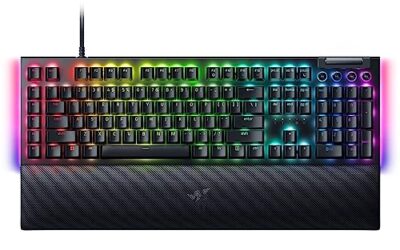
- Premium Choice: Redragon S101-3 PRO Gaming Keyboard and Mouse, RGB Backlit Programmable Keyboard Mouse with Software, Independent Macro Record Keys, Value Combo Set, New Update Version
A keyboard is the one piece of gear a programmer touches for eight-plus hours a day, yet it is often the last thing developers upgrade. The right board reduces finger fatigue during long refactors, gives you tactile confidence on every keystroke, and can shave real seconds off repetitive edits with programmable macros and clean layouts.
For coding specifically, the priorities differ from gaming: consistent switch feel, a layout that keeps your hands on home row, dedicated or easily remappable keys, and low latency whether wired or wireless. This roundup gathers boards that programmers actually reach for in 2026, from compact 75% layouts to full-size options with dedicated numpads for anyone living in spreadsheets or terminals.
As an Amazon Associate we earn from qualifying purchases at no extra cost to you.





🛒 Best Price Today on Amazon
Prime members get fast, free shipping on everything above, plus member-only deals. New members get a 30-day free trial — cancel anytime.
How to Choose
- Switch type: Tactile browns (like the Keychron Super Brown) are the coder favorite, giving a bump for feedback without the loud click of blues that annoys open offices.
- Layout size: A 75% or 96% board keeps arrow keys and function row while saving desk space; only go full-size if you need a dedicated numpad daily.
- Programmability: QMK/VIA support (Keychron K3) or bundled macro software lets you bind shortcuts, layers, and text snippets that speed up real workflows.
- Wireless vs wired: Bluetooth multi-device pairing is convenient across a laptop and desktop, but wired guarantees zero latency and no charging interruptions during deep work.
- Hot-swap sockets: Hot-swappable boards let you change switch feel without soldering, so you can tune the board as your preferences evolve.
The Best Picks Reviewed
Keychron K4 (96% Layout, Super Brown Switch, Wireless/Wired)
The all-rounder for developers. Its 96% layout squeezes a numpad, arrows, and function row into a footprint smaller than full-size, and the tactile Super Brown switches are ideal for long coding sessions. Bluetooth 5.1 pairs with up to three devices, and wired USB-C gives you a latency-free fallback.
Keychron K3 Version 2 (75% Low-Profile, QMK)
For minimalists and laptop-adjacent setups, the low-profile K3 is superb. QMK firmware means you can remap every key and build coding layers, while the slim height keeps wrists neutral. The 75% layout preserves arrows and function keys that IDE users rely on.
Logitech G413 SE (Full-Size Mechanical)
A no-nonsense, reliable full-size board at a friendly price. The tactile mechanical switches feel consistent, the aluminum top plate resists flex during heavy typing, and there is nothing to configure if you just want a dependable keyboard that works out of the box.
Redragon S101-3 PRO (Programmable, Macro Keys)
The budget pick with real macro chops. Independent macro-record keys and included software let you bind repetitive command sequences, and it ships as a keyboard-and-mouse combo, which is handy for a fresh workstation on a tight budget.
VSDINSIDE K1 Pro Macro Keypad (Programmable, Knob and Screen)
Not a main board but a brilliant companion. This hot-swappable macro pad with a knob and small screen sits beside your primary keyboard for build commands, git actions, and window management, keeping your hands off the mouse for common tasks.
Frequently Asked Questions
Are mechanical keyboards actually better for programming?
Most developers find tactile mechanical switches reduce typos and fatigue because each keystroke gives clear feedback. The improvement is subjective, but the consistency and durability are objective advantages over membrane boards.
Do I need a numpad as a programmer?
Only if you regularly enter numeric data or use numpad-based shortcuts. Many coders prefer 75% boards without one to keep the mouse closer; a 96% layout like the K4 is a good compromise.
Is wireless latency a problem for coding?
No. Unlike competitive gaming, coding does not require sub-millisecond input, so Bluetooth is perfectly fine. Wired is still nice for guaranteed uptime and never needing to charge.
What are hot-swappable switches and do I need them?
Hot-swap sockets let you pull and replace switches by hand, no soldering required. They are worth it if you like experimenting with switch feel, but not essential if you already know your preference.
Final Thoughts
The Keychron K4 is our top recommendation for 2026 thanks to its balanced 96% layout, tactile browns, and flexible connectivity. Pair it with a VSDINSIDE macro pad if you want to automate your build-and-commit workflow, or choose the low-profile K3 if you prefer a slim, QMK-programmable board. Any of these will make your daily eight hours at the keyboard noticeably more comfortable.