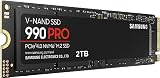
Every gaming PC build eventually hits the same fork in the road: do you spend your storage budget on an NVMe drive that plugs straight into the motherboard, or a 2.5-inch SATA SSD that connects with a cable? Both are solid state, both are dramatically faster than the mechanical drives they replaced, and both will run any game in your library. The difference is how much headroom you get, what your system can actually accept, and how far your money stretches per terabyte.
That trade-off matters more in 2026 than it did five years ago. Modern titles routinely occupy 100–200GB, asset streaming engines pull data continuously rather than in one big load screen, and DirectStorage-enabled games on Windows can decompress textures on the GPU — a pipeline designed around NVMe latency, not SATA. At the same time, the price gap between the two formats has narrowed to the point where the decision often comes down to which ports your machine has free. Here’s how the two stack up, and which drives are worth your money right now.
As an Amazon Associate we earn from qualifying purchases.


⚡ Save on Your Next PC — Amazon Prime
Prime members get fast free shipping on the systems above, plus early access to Prime Day & Black Friday PC deals. New members get a 30-day free trial.
Watch: NVMe vs SATA SSD: 2026 Speed Comparison — Video Review
Quick Verdict
If your motherboard or laptop has a free M.2 slot, buy NVMe — the performance is several times higher for a small premium, and there’s no practical downside. If you’re upgrading an older desktop, a pre-2018 laptop, a console-adjacent HTPC, or you simply want the cheapest possible terabyte for a bulk game library, a SATA SSD like the Samsung 870 EVO or Crucial BX500 is still an excellent, no-drama purchase that will feel enormously faster than any hard drive.
Key Differences
- Interface and bandwidth: SATA III is hard-capped at 6Gb/s, which works out to roughly 550MB/s in the real world. NVMe rides directly on PCIe lanes, delivering around 3,500MB/s on Gen3, 7,000MB/s on Gen4, and up to 14,000MB/s on Gen5.
- Form factor and cabling: SATA drives are 2.5-inch units needing a data cable and a SATA power lead from your PSU. NVMe drives are gumstick-sized M.2 2280 sticks that screw flush to the board — cleaner builds, but only if you have a free slot.
- Random access and latency: The bigger practical gap isn’t sequential speed but 4K random I/O. NVMe supports far deeper command queues and posts latency measured in tens of microseconds, which is what shortens shader compilation, level streaming, and Windows boot.
- Actual game load times: Honest expectation setting — on most current titles NVMe saves a few seconds over SATA, not minutes. On DirectStorage titles and open-world games with aggressive streaming, the gap widens noticeably.
- Cost per terabyte: SATA remains the cheapest way to buy flash storage, and budget models undercut entry-level NVMe consistently. For a 4–8TB game library, that difference adds up.
- Heat and power: SATA drives run cool and sip power, making them ideal for laptops and small cases. Gen4 and Gen5 NVMe drives can thermally throttle under sustained writes and often want a heatsink.
NVMe SSDs: The Default Choice for New Builds
An NVMe drive should be your boot device in any system built in the last several years. Windows feels snappier, game installs and patches finish in a fraction of the time, and video capture or shader cache rebuilds stop being bottlenecks. Crucially, NVMe is the only path forward for DirectStorage-optimised games, and it’s a hard requirement for PlayStation 5 internal storage expansion, where Sony specifies a Gen4 drive with a heatsink.
The nuance worth knowing is that not all NVMe drives are equal. Budget DRAM-less models rely on Host Memory Buffer and can slow sharply once their SLC cache fills during large writes, occasionally dropping below SATA speeds on sustained transfers. For gaming specifically, Gen4 hits the sweet spot in 2026: Gen5 costs more, runs hotter, and delivers almost no measurable frame-time or load-time advantage in games today.
SATA SSDs: Still the Value King for Bulk Storage
SATA’s advantage is universality. Any desktop from the last fifteen years and most laptops before the M.2 transition will take one, making drives like the PNY CS900 and the fanxiang S101 the simplest possible upgrade for an ageing machine. Swapping a hard drive for a SATA SSD remains the single biggest perceived speed improvement you can buy — boot times collapse, and games stop stuttering as they stream assets from a spinning platter.
For gaming libraries specifically, SATA earns its place as a secondary drive. Games that aren’t latency-sensitive — older titles, single-player back catalogues, emulation libraries — load essentially the same from SATA as from NVMe. The Samsung 870 EVO is the endurance and reliability benchmark here, with a DRAM cache and a long track record; the Crucial BX500, TEAMGROUP T-Force Vulcan Z, and Fikwot FX815 are DRAM-less budget options that trade sustained-write consistency for a lower cost per terabyte.
Which Should You Buy?
- For a new gaming build or a Windows boot drive: pick a Gen4 NVMe every time — the premium over SATA is small and the headroom is enormous.
- For reviving an older desktop or pre-2018 laptop: pick SATA. The PNY CS900 or fanxiang S101 will transform a hard-drive system for very little money.
- For a large secondary game library: pick SATA. The Crucial BX500 or T-Force Vulcan Z gets you the most terabytes per pound spent, and load-time differences on most titles are marginal.
- For long-term reliability and heavy write workloads: pick the Samsung 870 EVO — its DRAM cache and TBW rating hold up far better under sustained use than DRAM-less rivals.
- For a mixed setup on a budget: run both. A modest NVMe for Windows and your three or four most-played titles, paired with a 1TB SATA drive like the Fikwot FX815 for everything else, is the best value configuration in 2026.
Frequently Asked Questions
Will NVMe actually make my games load faster?
Yes, but expect seconds rather than a transformation. Most engines are still partly CPU-bound during loading. Games built around DirectStorage and heavy asset streaming show the clearest gains.
Can I use an NVMe and a SATA SSD in the same PC?
Absolutely, and it’s a smart approach. Just check your motherboard manual — on many boards, populating a second M.2 slot disables one or two SATA ports because they share PCIe lanes.
Is SATA obsolete in 2026?
No. The interface hasn’t advanced, but SATA SSDs remain widely supported, cheap per terabyte, cool-running, and perfectly adequate for storing and playing the overwhelming majority of games.
Do I need a Gen5 NVMe for gaming?
Not yet. No current game meaningfully benefits from Gen5 bandwidth, and Gen4 drives run cooler and cost less. Save the difference and put it toward capacity or your GPU.
Final Verdict
NVMe is the right answer for your primary drive if your hardware supports it — faster, cleaner to install, and future-proofed for the streaming-heavy engines becoming standard. But SATA is far from finished: for older systems, bulk libraries, and anyone maximising terabytes per pound, a proven drive like the Samsung 870 EVO or Crucial BX500 remains one