Storage prices have swung wildly over the past two years, and the sub-$100 tier is where the confusion peaks. One week a 1TB Gen 4 drive is a steal; the next, a flash shortage pushes it out of reach and a slower 500GB model takes its place on the shelf. Add in the marketing noise around PCIe 5.0 and 14,000 MB/s headline numbers, and it’s easy to overspend on speed your games will never actually use — or, worse, to save $15 on a DRAM-less drive that stutters the moment you start copying a 90GB install.
This guide cuts through that. Below you’ll find the SSDs we’d actually put in a gaming rig or a PS5 on a tight budget in 2026, plus the handful of models worth stretching for if your budget has room. We cover what specs genuinely matter for gaming loads, which capacities make sense at this price, and where the diminishing returns kick in. Note that street prices move fast — a couple of the premium drives listed here sit above $100 at full retail and only qualify during sales, so we’ve flagged that clearly in each review.
As an Amazon Associate we earn from qualifying purchases at no extra cost to you.


⚡ Save on Your Next PC — Amazon Prime
Prime members get fast free shipping on the systems above, plus early access to Prime Day & Black Friday PC deals. New members get a 30-day free trial.
Watch: Best SSD Under $100 — Video Review
How to Choose SSD Under $100
- Capacity over raw speed: A 1TB drive at 5,000 MB/s beats a 500GB drive at 7,000 MB/s for almost every gamer. Modern titles run 100–150GB each, and a half-terabyte drive fills up after four installs. Buy the space first.
- PCIe 4.0 is the sweet spot: Gen 4 drives hit 5,000–7,500 MB/s, well past what DirectStorage and the PS5 need. Gen 5 doubles that on paper but costs far more, runs hotter, and delivers load-time gains measured in fractions of a second.
- Watch for DRAM-less designs: Most budget NVMe drives skip the DRAM cache and borrow system memory instead. That’s fine for gaming and general use, but sustained large file transfers will slow noticeably once the SLC cache is exhausted. Check the spec sheet if you move big files often.
- Confirm the form factor and slot: Nearly everything here is M.2 2280 — the standard 80mm stick. Verify your motherboard has a free M.2 slot wired for PCIe 4.0, and that a PS5 drive fits under the console’s heatsink clearance.
- Check endurance and warranty: Look for a five-year warranty and a TBW rating that matches your usage. Anything above 600 TBW per terabyte is plenty for a gaming drive that’ll be replaced long before it wears out.
The Best Picks Reviewed
Kingston NV3 1TB
This is the value champion of the group and the one drive here that reliably lands under $100. At up to 6,000 MB/s on PCIe 4.0, it loads games as fast as anything short of a Gen 5 flagship, and 1TB is the minimum capacity we’d recommend in 2026. It’s DRAM-less, so sustained writes taper off during huge transfers, but for installing and playing games it’s genuinely hard to beat at the price.
SanDisk Optimus 5100 500GB
A solid pick if you need a secondary drive or a cheap boot volume rather than a primary game library. Up to 6,600 MB/s read is quick for the money, and SanDisk’s controller handles small random reads well, which is what actually matters for level loading. Just be realistic about 500GB — that’s three or four modern installs before you’re managing space.
Samsung 990 PRO 1TB
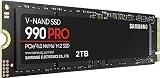
The 990 PRO remains the benchmark for a well-rounded Gen 4 drive: 7,450 MB/s reads, a proper DRAM cache, excellent sustained write behavior, and Samsung’s Magician software for firmware and health monitoring. It regularly dips near or just under $100 during sales events, and at that price it’s the best drive on this list. At full retail it sits above our cap, so wait for a discount.
Samsung 990 PRO 2TB
Same excellent controller and NAND, double the space, and consistently above $100 — we’re including it because it’s the drive most readers should upgrade to if their budget stretches. The 2TB model also has a larger SLC cache and higher endurance rating, so it holds peak speeds longer during big installs. Worth watching for a deep discount.
Samsung 9100 PRO 1TB
Samsung’s PCIe 5.0 flagship pushes up to 14,700 MB/s, and it’s a legitimately impressive piece of hardware for content creation and heavy sequential workloads. For gaming, though, the real-world gain over a 990 PRO is negligible, and it costs several times our budget while running considerably hotter. Buy it for a workstation, not a gaming build under $100.
Frequently Asked Questions
Is a PCIe 5.0 SSD worth it for gaming in 2026?
Not at this budget, and honestly not at most budgets. Game load times are limited by CPU decompression and engine overhead far more than by raw sequential throughput, so a Gen 5 drive typically saves under a second versus a good Gen 4 model. Put the money toward capacity or a GPU upgrade instead.
Can I use these drives in a PlayStation 5?
Yes, provided the drive is M.2 2280 and rated for PCIe 4.0 with at least 5,500 MB/s sequential read, which the Kingston NV3, SanDisk Optimus 5100, and both 990 PRO models all meet. You’ll need a heatsink — either a model that ships with one or an inexpensive aftermarket sink that fits within Sony’s clearance limits.
Does DRAM-less mean the drive is bad?
No. DRAM-less drives use a slice of your system RAM via Host Memory Buffer, which works well for gaming, browsing, and general use. The tradeoff shows up in sustained multi-gigabyte writes and heavy multitasking, where a DRAM-equipped drive like the 990 PRO holds its speed better.
How much SSD capacity do I actually need?
1TB is the practical floor for a gaming PC in 2026 — enough for Windows plus roughly six to eight modern titles. If you keep a large library installed or record gameplay, 2TB is the more comfortable target. A 500GB drive makes sense only as a secondary or boot-only volume.
Final Thoughts
For most gamers shopping under $100, the Kingston NV3 1TB is the straightforward answer: it’s the only drive here that consistently fits the budget while delivering the capacity and PCIe 4.0 speed that modern games actually need. If you catch a sale, the Samsung 990 PRO 1TB is the better drive in every technical respect — DRAM cache, sustained write performance, and long-term reliability — and is well worth waiting for. Those needing a cheap secondary drive should look at the SanDisk Optimus 5100 500GB, and anyone with a larger budget should skip Gen 5 entirely and put the savings toward the 2TB 990 PRO.