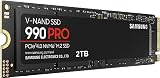
- Top Pick: Samsung SSD 990 PRO 2TB, PCIe 4.0 M.2 2280, Up to 7,450 MB/s
- Best Value: WD_Black SN7100 2TB NVMe SSD – Gen4 PCIe, M.2 2280, Up to 7,250 MB/s Read Speed, Up to 6,900 MB/s Write Speed, Next Gen TLC 3D NAND, for Laptops, Handheld Gaming Devices – WDS200T4X0E
- Premium Choice: Samsung SSD 9100 PRO 2TB, PCIe 5.0×4 M.2 2280, Up to 14,700MB/s
Storage is the one upgrade that changes how a gaming PC feels before it changes how it benchmarks. In 2026, the decision comes down to two mature options: an M.2 NVMe SSD that plugs straight into the motherboard and moves data over PCIe lanes, or a 2.5-inch SATA SSD that connects with the same cable standard hard drives have used for two decades. Both are solid state, both are dramatically faster than spinning rust, and both will run every game you own.
What separates them is headroom. Modern engines stream assets continuously, DirectStorage-enabled titles decompress textures on the GPU, and open-world games can push several gigabytes per second during traversal. SATA’s ceiling hasn’t moved since 2013. M.2 NVMe has gone through three generational jumps in that time — and prices have fallen far enough that the “budget” argument for SATA is weaker than it has ever been.
As an Amazon Associate we earn from qualifying purchases at no extra cost to you. Product prices and availability are accurate as of the date shown and are subject to change.


⚡ Save on Your Next PC — Amazon Prime
Prime members get fast free shipping on the systems above, plus early access to Prime Day & Black Friday PC deals. New members get a 30-day free trial.
Watch: M.2 vs SATA SSD: Which to Choose in 2026? — Video Review
Quick Verdict
Buy an M.2 NVMe drive if your motherboard has a free slot — it’s faster, cable-free, and now costs roughly the same per terabyte as SATA. Choose a SATA SSD only when you’re out of M.2 slots, reviving an older desktop or laptop, or adding cheap bulk capacity for a library of games you rarely load.
Key Differences
- Interface ceiling: SATA III tops out near 550 MB/s. PCIe Gen4 M.2 drives like the Samsung 990 PRO or Acer Predator GM7 hit around 7,400 MB/s, and the Gen5 Samsung 9100 PRO reaches 14,700 MB/s.
- Random performance: NVMe handles deep command queues natively, delivering far higher 4K random IOPS — the metric that actually governs shader compilation, level streaming and Windows responsiveness.
- Installation: M.2 drives screw directly to the board with no cables. SATA needs a data cable, a power lead and a drive bay or mounting bracket.
- Thermals: SATA drives barely warm up. Fast Gen4 and Gen5 M.2 SSDs run hot and want a motherboard heatsink to avoid throttling under sustained writes.
- Console support: The PS5 expansion slot accepts Gen4 M.2 2280 drives only. SATA SSDs can only be attached over USB for PS4 titles.
- Price per gigabyte: Once a meaningful gap, now largely closed. Value Gen3 and Gen4 drives such as the Silicon Power 2TB or Crucial P310 sit close to SATA pricing at the same capacity.
M.2 NVMe SSDs
M.2 is a form factor; NVMe is the protocol that makes it fast. The combination bypasses the legacy AHCI stack and talks to the CPU over four PCIe lanes, which is why load screens, alt-tabbing and shader caches all feel snappier. For most gamers a Gen4 drive remains the sweet spot: the WD_Black SN7100 is efficient enough for handhelds and laptops, the Crucial P310 is a strong value pick, and the Predator GM7 is a common PS5 choice thanks to its 7,400 MB/s rating.
Gen5 is the new frontier. The Samsung 9100 PRO more than doubles Gen4 sequential throughput, which matters for content creation, large game builds and DirectStorage-heavy titles — though in most 2026 games the real-world load-time gain over a 990 PRO is measured in fractions of a second. Check your motherboard first: Gen5 M.2 slots are still limited to newer AMD and Intel platforms, and these drives genuinely need active or substantial passive cooling.
SATA SSDs
A SATA SSD is the pragmatic choice, not the exciting one. Against a mechanical hard drive it’s transformative — random access is orders of magnitude better — and against NVMe it’s perfectly adequate for anything that isn’t streaming assets aggressively. Competitive shooters, older single-player titles and emulators run essentially identically. Where you’ll notice the difference is in big open worlds, fast travel and any engine that leans on high-bandwidth texture streaming.
Its real advantage is flexibility. Most desktops have four to eight SATA ports but only one or two M.2 slots, and populating a second M.2 slot sometimes disables SATA ports or steals lanes from the GPU. Older laptops with a 2.5-inch bay and no M.2 socket have no other upgrade path at all. As a secondary library drive sitting alongside a fast NVMe boot disk, SATA still earns its place.
Which Should You Buy?
- For a new gaming PC build: A 2TB Gen4 M.2 drive — the Samsung 990 PRO or WD_Black SN7100 — as your single boot and games disk.
- For PS5 storage expansion: A Gen4 M.2 2280 drive with a heatsink, such as the Acer Predator GM7.
- For the best value per terabyte: The Crucial P310 or Silicon Power 2TB Gen3x4, both still far quicker than any SATA drive.
- For creators and future-proofing: The Samsung 9100 PRO on a Gen5-capable board.
- For an older PC, laptop or overflow library: A 2.5-inch SATA SSD is the sensible, cable-friendly answer.
Frequently Asked Questions
Is M.2 always faster than SATA?
No. M.2 is only a connector shape, and some M.2 drives run the SATA protocol at the same 550 MB/s limit. Look explicitly for “NVMe” and a PCIe generation in the specifications.
Will an NVMe SSD raise my frame rate?
Rarely in average FPS, but it reduces traversal stutter and shortens load times in streaming-heavy open-world games. The GPU and CPU still determine your framerate.
Do I need PCIe Gen5 for gaming in 2026?
Not yet. Gen4 drives saturate what current engines request, and Gen5 gains show up mainly in large file transfers and professional workloads rather than gameplay.
Can I use M.2 and SATA drives together?
Yes, and it’s a good setup. Run the OS and current games on NVMe and keep archives on SATA — just check whether your board shares lanes between the second M.2 slot and certain SATA ports.
Final Verdict
M.2 NVMe has won on merit: it’s faster, tidier, console-compatible and now priced within touching distance of SATA. Unless you’re constrained by an older system or an occupied M.2 slot, buy a 2TB Gen4 drive and don’t look back — SATA remains a fine second drive, but it’s no longer the one to build around.