The Xbox Series S punches well above its size, and pairing it with the right monitor unlocks its full potential. Since the console targets 1440p and supports high frame rates in many titles, a good QHD display with a fast refresh rate and low input lag lets you enjoy smooth, sharp gaming without the cost of a full 4K setup.
We’ve focused on monitors that complement the Series S specifically, balancing resolution, speed, and console-friendly features like HDMI and FreeSync. Below are our top picks for 2026, from immersive curved panels to compact portable options, followed by a buying guide to help you match a display to your console.
As an Amazon Associate we earn from qualifying purchases.






How to Choose a Monitor for Xbox Series S
- Resolution: The Series S targets 1440p, so a QHD monitor is the ideal match to enjoy sharp visuals without wasting console power.
- Refresh rate: Many games support high frame rates, so aim for a 120Hz-plus panel to take advantage of smooth performance.
- Adaptive sync: FreeSync compatibility keeps gameplay tear-free, an important feature for a smooth console experience.
- Connectivity: Ensure the monitor has HDMI, since that’s how you’ll connect the Series S, and check for enough ports for other devices.
- Size and space: Choose a size that fits your setup, whether a large curved panel for immersion or a compact display for tight spaces.
The Best Xbox Series S Monitors Reviewed
LG 27GS60QC Ultragear 27-Inch Curved
This 27-inch curved QHD panel runs 180Hz with FreeSync and HDR10, a superb match for the Series S with immersive curvature and console-friendly features.
Acer Nitro EDA270U 27-Inch Curved
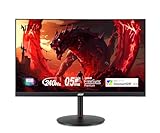
The Nitro pairs WQHD resolution with a 180Hz refresh, FreeSync Premium, and dual HDMI, delivering smooth, sharp curved gaming ideal for the console.
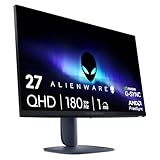
Alienware AW2725DM 27-Inch
For a premium flat option, this 27-inch WQHD Fast IPS panel offers 180Hz, HDMI 2.1, and vivid color, a high-quality display that flatters the Series S.
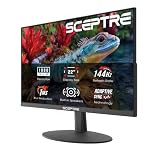
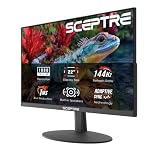
Sceptre C248W 24-Inch Curved
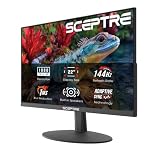
A budget-friendly pick, this 24-inch 1080p curved monitor with dual HDMI and built-in speakers is a simple, affordable way to game on your Series S.
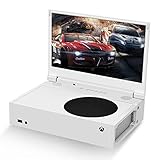
G-STORY 12.5″ Portable Monitor
Designed specifically for the Series S, this compact 1080p portable monitor with FreeSync is perfect for travel or a tidy, space-saving console setup.
Frequently Asked Questions
What resolution monitor is best for the Series S?
1440p (QHD) is ideal, since the Series S targets that resolution. It delivers sharp visuals without the console straining for unnecessary 4K output.
Does the Series S support high refresh rates?
Yes, many games support up to 120Hz on the Series S, so a 120Hz-or-higher monitor lets you enjoy smoother gameplay where available.
Do I need HDMI 2.1 for the Series S?
HDMI 2.1 helps unlock the highest frame rates, but the Series S works well with standard HDMI too. It’s a nice bonus rather than a strict requirement.
Is a portable monitor good for the Series S?
Absolutely. Options like the G-STORY are made for it, offering a compact, travel-friendly display that’s perfect for gaming on the move.
Final Thoughts
The LG 27GS60QC is our top pick for the Series S, pairing QHD sharpness with 180Hz smoothness and immersive curvature. The Alienware AW2725DM is a great premium flat option, while the G-STORY portable monitor wins for travel and tight spaces.