Gaming laptops pack desktop-class GPUs and CPUs into a chassis with limited airflow, and under sustained load that combination leads to thermal throttling, sluggish frame rates, and a keyboard that gets uncomfortably warm. A quality cooling pad pulls extra heat away from the underside of the laptop, letting internal fans work less and clock speeds stay higher for longer gaming sessions.
This guide breaks down what actually matters when shopping for a laptop cooling pad in 2026, then reviews six popular options ranging from budget-friendly multi-fan pads to premium adaptive coolers, so you can match a solution to your laptop size and cooling needs.


As an Amazon Associate we earn from qualifying purchases at no extra cost to you.





🎮 Get More From Your Setup — Free
Prime Gaming gives you free PC games every month, in-game loot, and a free Twitch channel sub — plus fast free shipping on all the gear above. New members get a 30-day free trial.
Watch: Best Cooling Pad For Gaming Laptop — Video Review
How to Choose a Cooling Pad For Gaming Laptop (2026)
- Laptop size compatibility: Check the pad’s supported screen-size range (commonly 12″-17″ or up to 19.3″) and confirm your laptop’s footprint fits within the fan zones.
- Fan count and airflow: More fans generally mean broader, more even coverage, but airflow (CFM) and fan speed matter more than raw count for actual cooling performance.
- Noise level: Look for pads advertising quiet operation, especially if you game with a headset off or in a shared space; fan speed controls help balance cooling versus noise.
- Ergonomics and height adjustment: Multiple height/incline settings improve typing angle and viewing comfort while also increasing clearance for better airflow underneath the chassis.
- Power and port usage: Most pads draw power via USB, so consider how many USB ports they use, whether they include pass-through ports, and if RGB lighting or smart fan control adds meaningful value versus battery/power drain.
The Best Cooling Pad For Gaming Laptop (2026)s Reviewed
havit HV-F2056
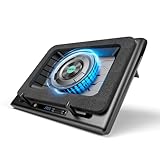
A reliable budget pick with three quiet fans and a slim, portable design that suits 15.6″-17″ laptops without adding much bulk to a travel setup.
llano V12 Gaming Laptop Cooling Pad
This stand-style cooler emphasizes ergonomic elevation alongside active cooling, making it a solid choice for gamers who also want a better typing and viewing angle.
Kootek Laptop Cooling Pad
With five fans covering a wide 12″-17″ range, the Kootek pad delivers strong, even airflow at a reasonable price point, making it a versatile all-rounder.
Razer Laptop Cooling Pad Adaptive Smart
Razer’s adaptive smart fan control automatically adjusts cooling intensity based on laptop temperature, offering a premium, hands-off experience for serious gaming rigs.
llano V12 Laptop Cooling Pad Stand
A close sibling to llano’s other V12 model, this stand-focused variant prioritizes a sturdy elevated platform paired with dependable cooling performance.
Related Guides
- What's The Best Gaming Laptop (2026)
- Best Light Gaming Laptop (2026)
- Laptop Three Screens (2026)
- Laptop Backpacks Reviews (2026)
Frequently Asked Questions
Do cooling pads actually lower laptop temperatures?
Yes, though results vary by model and laptop design; most quality pads reduce CPU/GPU temperatures by several degrees, which can meaningfully reduce thermal throttling during demanding games.
How many fans do I really need?
For most 15-17 inch gaming laptops, three to five well-placed fans provide sufficient airflow; pads with more fans (like nine-fan designs) are best for larger laptops or users prioritizing maximum coverage.
Will a cooling pad drain my laptop’s battery faster?
Cooling pads are typically USB-powered and draw power from the laptop, so they use some battery when unplugged, but the effect is minor compared to the laptop’s own GPU and CPU power draw under load.
Does RGB lighting affect cooling performance?
No, RGB lighting is purely cosmetic and has no impact on airflow or thermal performance; it may draw slightly more power through the USB connection but doesn’t affect cooling capability.
Final Thoughts
For most gamers, the Kootek Laptop Cooling Pad offers the best balance of coverage and value, while the Razer Adaptive Smart pad is the top choice for enthusiasts wanting automated, premium-grade thermal management, and the ChillCore A21 stands out for larger laptops needing maximum multi-fan airflow.