- Top Pick: JSAUX 2-Pack Ultra HD Screen Protector for Steam Deck OLED/LCD
- Best Value: JSAUX 6-in-1 Docking Station for Steam Deck/ROG Ally X/Legion Go S-HB0603
- Premium Choice: JSAUX PC0104 ModCase Compatible with Steam Deck, Steam Deck Case Comprehensive Protection Include Detachable Front Shell, Body Protective Shell, Metal Bracket and Strap – Basic Set
🛒 Best Price Today on Amazon
Prime members get fast, free shipping on everything above, plus member-only deals. New members get a 30-day free trial — cancel anytime.
- Top Steam Deck Accessories Picks for 2026
- Best Steam Deck Accessories at a Glance
- 1. JSAUX 4-in-1 USB-C Dock for Steam Deck and Handhelds, HDMI 2.0 4K@60Hz, 100W PD
- 2. tomtoc Carrying Case Compatible with Steam Deck and Steam Deck OLED, Hard Shell
- 3. 3 Pack Screen Protectors for Steam Deck OLED, Ultra HD Tempered Glass 9H
- 4. eXtremeRate Replacement Thumbsticks for Steam Deck LCD, Custom Analog Stick
- 5. JSAUX PC0104 ModCase Compatible with Steam Deck, Comprehensive Protection
- 6. JSAUX Cooling Fan for Steam Deck, Innovative Cooler with Stand
- How to Build a Steam Deck Starter Kit
- Frequently Asked Questions
- Related Guides
- About the Author
- About the Author
- Related Articles
- Related Articles
- Related Guides
Top Steam Deck Accessories Picks for 2026
Here are our current top steam deck accessories picks, compared on real Amazon owner reviews, price, and features. Live prices update below.
As an Amazon Associate we earn from qualifying purchases at no extra cost to you.



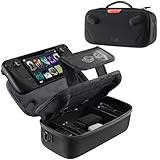



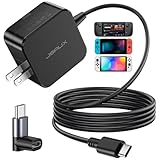
The Steam Deck has matured into a real handheld gaming platform, and the accessories around it have followed. The right kit can turn the Deck from a great handheld into a versatile machine that docks to your TV, travels safely in a backpack and survives modding and repair. Before you buy anything, one fact shapes every choice: Steam Deck comes in two main hardware variants — the original LCD models and the OLED refresh, which has a slightly different screen size, panel and internal layout. Some accessories work across both models, others fit only one, and the right pick depends on which Deck you own.
This guide rounds up the best Steam Deck accessories in 2026 across the categories owners actually buy: a USB-C dock with HDMI for TV play, hard carrying cases for travel, OLED-specific tempered-glass screen protectors, LCD-only thumbstick replacements for modders, a comprehensive ModCase for drop protection, and an external cooling fan with stand. JSAUX dominates the third-party accessory market and shows up multiple times here for good reason; tomtoc covers the premium case category. Below is a six-strong at-a-glance comparison, then a closer look at each accessory with LCD vs OLED notes, and a buyer’s guide built around the ‘starter kit’ combo most owners should consider first.
Best Steam Deck Accessories at a Glance
| Accessory | Best For | Standout Spec | Approx Price |
|---|---|---|---|
| JSAUX 4-in-1 USB-C Dock | TV play with HDMI 2.0 | 4K@60Hz HDMI 2.0, 100W PD | around $20 |
| tomtoc Hard Carrying Case | Travel protection | Hard shell, fits LCD and OLED | around $31 |
| 3-Pack Screen Protectors (OLED) | OLED screen protection | Tempered glass, OLED-specific | around $8 |
| eXtremeRate Thumbsticks (LCD only) | LCD stick replacement / mod | Replacement thumbsticks, LCD only | around $10 |
| JSAUX PC0104 ModCase | Drop protection + grip | Full ModCase with grip | around $27 |
| JSAUX Cooling Fan with Stand | Cooling during long sessions | External fan plus stand | around $32 |
1. JSAUX 4-in-1 USB-C Dock for Steam Deck and Handhelds, HDMI 2.0 4K@60Hz, 100W PD

JSAUX 4-in-1 Docking Station for ROG Xbox Ally X/Steam Deck/LegionGo-HB0503 | 4K@60Hz HDMI, Raised-Base Stand, 100W PD Fast Charging, 2 USB 2.0 Ports, Widely Compatible with SteamOS & Windows Handhelds


As an Amazon Associate we earn from qualifying purchases. Product prices and availability are accurate as of the date/time indicated.
The JSAUX 4-in-1 USB-C dock is the essential TV-play pick for Steam Deck owners. It turns the Deck’s single USB-C port into a small home theatre node: HDMI 2.0 output up to 4K at 60Hz, 100W power delivery passthrough so the Deck keeps charging while docked, plus extra USB-A ports for a controller and a hub for peripherals. At around $20 it is the cheapest way to put your Steam Deck on a big screen.
This is the accessory to buy first if you want the Steam Deck to double as a couch console. JSAUX is the dominant third-party Steam Deck dock brand and their 4-in-1 cleanly covers the practical case: connect HDMI to the TV, USB-A to a wireless controller receiver, a USB-C charger for power passthrough, and you are playing. HDMI 2.0 at 4K@60Hz handles modern displays comfortably, and 100W power delivery means you can run the Deck at full performance without draining the battery.
Compatible with both Steam Deck LCD and OLED via the standard USB-C port. Generic enough that it also works with other USB-C handhelds and laptops, which adds value if you have more than one device. As a single starter accessory this is the strongest case in the list.
Pros: Cheap, well-engineered USB-C dock, HDMI 2.0 4K@60Hz, 100W power delivery passthrough, JSAUX brand reputation.
Cons: Generic USB-C hub design, not a styled Deck-only product.
2. tomtoc Carrying Case Compatible with Steam Deck and Steam Deck OLED, Hard Shell
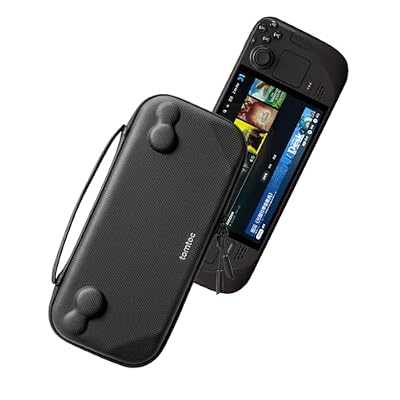
tomtoc Slim Carrying Case for Steam Deck/OLED, Protective Travel Bag | Portable Hard Shell Cover for Steam Deck & Accessories, Lightweight Odorless Felt Storage Bag, Soft Interior for Daily Travel





As an Amazon Associate we earn from qualifying purchases. Product prices and availability are accurate as of the date/time indicated.
The tomtoc hard carrying case is the travel protection pick of this list. It is a hard-shell zippered case specifically sized for the Steam Deck, compatible with both LCD and OLED variants, and is a notable step up in build from the basic carry pouch that ships in the box. At around $31 it is the standout case if you want to put the Deck in a backpack and forget about it.
This is the accessory for anyone who travels with the Deck or commutes with it. The hard shell resists crushing in a packed bag, the internal padding cushions against drops and bumps, and the case is shaped so the Deck fits snugly without rattling around. tomtoc has a strong reputation in carrying cases generally and that pedigree shows in the materials and stitching here.

Compatible with both LCD and OLED Decks thanks to their nearly identical external dimensions. If you primarily use your Deck at home this is a nice-to-have, but if you take it to friends’ houses, hotel rooms or long commutes it is a near-essential.
Pros: Hard shell crush resistance, premium tomtoc build, fits LCD and OLED Steam Deck, well-stitched interior.
Cons: More expensive than basic pouches; bulkier than soft sleeves.
3. 3 Pack Screen Protectors for Steam Deck OLED, Ultra HD Tempered Glass 9H
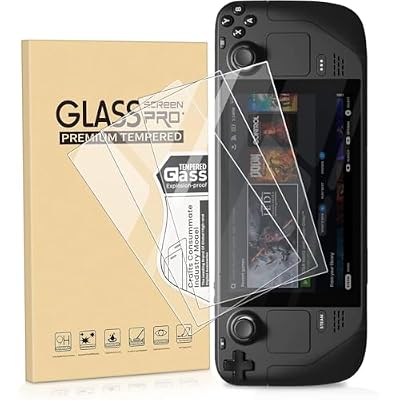
Gomass 3 Pack Screen Protector for Steam Deck OLED, Ultra HD Tempered Glass Protector 9H Hardness Easy to Install Come with Toolkits


As an Amazon Associate we earn from qualifying purchases. Product prices and availability are accurate as of the date/time indicated.
This 3-pack of tempered-glass screen protectors is the OLED-specific pick. Steam Deck OLED has a slightly larger and differently shaped display than the original LCD Deck, so protectors are typically sold for one or the other rather than both. This pack is sized for the OLED and uses 9H tempered glass with full transparency to preserve the display’s quality. At around $8 for three it is the cheapest insurance you can buy.
This is the accessory for any OLED Deck owner. The OLED panel is sharper and more vibrant than the LCD original, which makes it more rewarding to look at and more expensive to repair if scratched. Tempered glass at 9H hardness resists keys-in-bag scratches and surface contact, and a 3-pack means you have spares if your first install goes wrong (and the first one often does).
Critical compatibility note: this pack is for the OLED model only. The original Steam Deck LCD has different screen dimensions and needs an LCD-specific protector. If you own an LCD Deck, look for a protector specifically labelled for that model.
Pros: OLED-specific fit, three-pack of 9H tempered glass, transparent and cheap insurance.
Cons: OLED model only — does not fit original Steam Deck LCD.
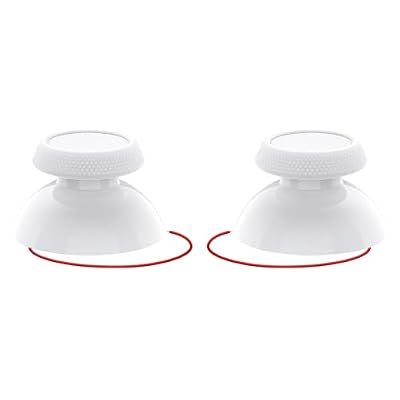
4. eXtremeRate Replacement Thumbsticks for Steam Deck LCD, Custom Analog Stick

eXtremeRate Replacement Thumbsticks for Steam Deck LCD, Custom Analog Stick Joystick Repair Kit for Steam Deck OLED Handheld Console with Original Touch Sensing, Anti-Slip Texture Grip - Frosted White



As an Amazon Associate we earn from qualifying purchases. Product prices and availability are accurate as of the date/time indicated.
The eXtremeRate replacement thumbsticks are the mod-and-repair pick of the list, and they fit only the original Steam Deck LCD. They are replacement analog stick modules for users who want to swap stock sticks for repair (after drift), customisation, or a different colour and feel. At around $10 they are an inexpensive part for someone comfortable with a screwdriver and patience.
This is the accessory for the LCD Steam Deck owner whose sticks have developed drift, or who simply wants to mod the Deck’s look. eXtremeRate has a strong reputation in controller mod parts and the replacement sticks are a known fix that often gets a Deck working like new again. Be honest about the install: this is a soldering-and-disassembly job, not a plug-and-play upgrade, and you should follow a video guide before attempting it.

Critical compatibility note: these sticks fit the LCD model only. The Steam Deck OLED uses revised internal components and these specific replacements do not drop into an OLED. OLED owners should look for OLED-specific replacement sticks if needed.
Pros: Affordable LCD stick replacement, eXtremeRate brand pedigree, fixes drift and enables mods.
Cons: LCD Steam Deck only; install requires disassembly and soldering skills.
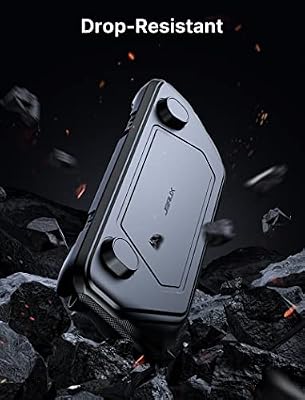
5. JSAUX PC0104 ModCase Compatible with Steam Deck, Comprehensive Protection

JSAUX PC0104 ModCase Compatible with Steam Deck, Steam Deck Case Comprehensive Protection Include Detachable Front Shell, Body Protective Shell, Metal Bracket and Strap - Basic Set




As an Amazon Associate we earn from qualifying purchases. Product prices and availability are accurate as of the date/time indicated.
The JSAUX PC0104 ModCase is the comprehensive day-to-day protection pick. It is a wraparound case that adds grip and drop protection to the Deck while keeping all ports, buttons and the screen accessible. At around $27 it is the standout pick for owners who use the Deck heavily and want to shield it from drops and scuffs without removing it for every session.
This is the accessory to choose for everyday handling. The ModCase is designed for the Deck specifically, not a generic device, so cutouts line up exactly and the case adds grip in just the right places to make long sessions more comfortable. JSAUX builds these cases specifically for handheld gaming and the fit-and-feel is much better than generic third-party shells.
Often paired with the JSAUX dock and a tomtoc carrying case as the ‘starter kit’ combo most owners settle on. Verify which Steam Deck variant the specific listing fits — JSAUX makes ModCases for both LCD and OLED, with minor internal cutout differences.
Pros: JSAUX brand specialised in Steam Deck, comprehensive wraparound protection plus grip, well-engineered cutouts.
Cons: Adds bulk and weight; verify the listing matches your LCD or OLED variant.
6. JSAUX Cooling Fan for Steam Deck, Innovative Cooler with Stand

JSAUX Cooling Fan for Steam Deck/Steam Deck OLED, Innovative Stand Cooler | Innovative Cooler with Stand-GP0201


As an Amazon Associate we earn from qualifying purchases. Product prices and availability are accurate as of the date/time indicated.
Rounding out the list is the JSAUX cooling fan with stand, the pick for long sessions and demanding titles. The Steam Deck’s internal cooling is well-engineered but the chassis is small, and during long, heavy gaming sessions the SoC can run warm and throttle slightly. An external fan and stand pulls hot air away and lets you play with the Deck propped up at a comfortable angle. At around $32 it is the niche pick for serious users.

This is the accessory for owners who play long sessions of demanding games — modern AAA titles at higher TDP, emulated PS3 or Switch games, or anything where the Deck runs warm for an hour or more. The external fan helps the Deck stay closer to its sustained performance ceiling and reduces fan noise from the internal cooler having to work as hard. The stand doubles as a desktop dock-ish setup, leaving your hands free to use a controller.
Honest assessment: many users will not need this. If you play short sessions of less demanding games on the Deck, the internal cooling is fine. It earns its place mostly for heavy users and emulation enthusiasts who push the hardware hard.
Pros: External cooling for long sessions, integrated stand for hands-free play, JSAUX Deck-focused build.
Cons: Niche use case for heavier users; many casual owners will not benefit.
How to Build a Steam Deck Starter Kit
Before buying anything, confirm which Steam Deck you own: LCD (original) or OLED (refresh). The two have nearly identical external dimensions but slightly different screens, internal components and cooling, and several accessories are sold for one model only. The screen protectors in this guide are OLED-specific. The replacement thumbsticks are LCD-only. The dock, carrying case and ModCase work across both with minor variant matching. When in doubt, read the listing carefully — accessory makers usually label compatibility prominently.
For most owners, the strongest ‘starter kit’ is the dock, carrying case and screen protector combo. The JSAUX 4-in-1 dock at around $20 unlocks TV play, the tomtoc hard case at around $31 keeps the Deck safe in a bag, and tempered-glass screen protectors at around $8 are cheap insurance against scratches. Those three together cost roughly $60 and cover the everyday scenarios most people actually encounter. If you only buy one accessory, make it the dock — it unlocks a whole new use case.
If you handle the Deck a lot and worry about drops, add the JSAUX ModCase for around $27. It transforms day-to-day handling: better grip, more drop resistance and a more rugged feel for travel and outdoor use. Owners who use the Deck heavily often report this is the accessory they wish they had bought sooner, and it pairs neatly with the carrying case for total protection on the go.
The cooling fan and replacement thumbsticks are niche picks for specific use cases. The JSAUX cooling fan is genuinely useful only for long sessions of demanding games or emulation work — most owners will not need it. The eXtremeRate thumbsticks are an LCD-only repair-and-mod part for users dealing with stick drift or wanting to customise their hardware, and require some disassembly skill. Match what you buy to how you actually use the Deck. JSAUX remains the dominant brand across the third-party Steam Deck ecosystem, with tomtoc the best alternative for premium carrying cases, and you can build a complete kit confidently from these two names.
Frequently Asked Questions
Which Steam Deck do I have — LCD or OLED?
The original Steam Deck (2022) is the LCD model. The Steam Deck OLED (late 2023) has a brighter OLED display and revised internals. Check your receipt, the box or Settings > System on the Deck to confirm. Accessory compatibility matters: screen protectors and thumbsticks especially are often sold for one variant only.
Do I need a dock for the Steam Deck?
Only if you want to play on a TV or external monitor. A USB-C dock like the JSAUX 4-in-1 lets you connect HDMI, USB peripherals and a power input for passthrough charging. If you want the Deck to double as a couch console, the dock is the single best accessory to buy first.
Are JSAUX accessories any good?
Yes. JSAUX is the dominant third-party Steam Deck accessory brand and makes a wide range — docks, cases, cooling fans and more — that fit the Deck specifically. Build quality is good for the price, listings clearly state LCD vs OLED compatibility, and the brand is the safe default for most Steam Deck accessory shopping.
Will a Steam Deck case fit both LCD and OLED?
Many cases, including the tomtoc here, fit both because the external dimensions are very close. ModCases that wrap tightly often have separate variants for minor port and cutout differences. Always check the listing for the model name you own before buying.
Related Guides
- Best Gaming PCs
- Best Gaming Monitors
- Best Gaming Headsets
- Best Gaming Mice
- Best Gaming Keyboards
- Best Gaming Routers
- Best Gaming Chairs
About the Author
Aisha Patel is the Build Guides and Networking Editor at PC Gaming Universe. A trained network engineer with twelve years of hands-on PC building, she writes about gaming hardware with a systems-engineering eye — focusing on real-world thermals, sustained performance, warranty and support, and the practical trade-offs buyers face between budget brands and established names.
Affiliate Disclosure: As an Amazon Associate, we earn from qualifying purchases. If you click a link and make a purchase, we may earn a small commission at no extra cost to you. Prices and availability are accurate as of publication and may change.
Related Articles
Looking for more on this topic? Browse the hand-picked guides below — each one applies the same scoring rubric used in this review.
Top picks from this guide
eXtremeRateeXtremeRate Replacement Thumbsticks for Steam Deck LCD, Custom Analog Stick…$10 \xc2\xb7 97/100JSAUXJSAUX PC0104 ModCase Compatible with Steam Deck, Steam Deck Case…$27 \xc2\xb7 96/100JSAUXJSAUX Cooling Fan for Steam Deck/Steam Deck OLED, Innovative Stand…$32 \xc2\xb7 96/100JSAUXJSAUX 4-in-1 Docking Station for ROG Xbox Ally X/Steam Deck/LegionGo-HB0503…$20 \xc2\xb7 95/100