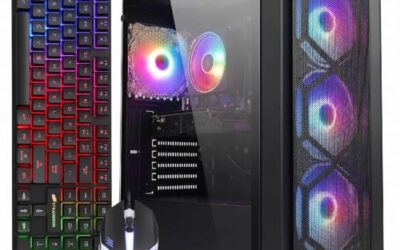
Affiliate disclosure: As an Amazon Associate we earn from qualifying purchases. This post contains affiliate links — we may earn a small commission at no extra cost to you. This never affects our picks. Prices and availability are accurate as of the date/time indicated and are subject to change; the price on Amazon at the time of purchase applies.
- Quick Comparison Table
- 1. CyberPowerPC Ryzen 7 8700F + RTX 5060 Ti 8GB: Best for balanced gaming
- 2. CyberPowerPC Core i5-14400F + RTX 5060 8GB: Best for 1080p gaming
- 3. CyberPowerPC Ryzen 7 9800X3D + RTX 5070 Ti 16GB: Best for a high-end build
- 4. CyberPowerPC Ryzen 5 5500 + Radeon RX 6500 XT 4GB: Best for entry-level play
- How to Choose
- Frequently Asked Questions
- About the Author
- Related Articles
Quick answer: The best prebuilt gaming PCs in this store are all CyberPowerPC towers. The Ryzen 7 8700F with RTX 5060 Ti is our balanced pick, the Core i5-14400F with RTX 5060 suits 1080p, the Ryzen 7 9800X3D with RTX 5070 Ti is the high-end option, and the RX 6500 XT model is entry level.
A prebuilt gaming PC saves you assembly time, but the parts list matters more than the name on the case. This guide compares four CyberPowerPC systems using the specs in each listing: CPU, graphics card, memory, storage and Windows version. We did not run our own benchmarks, so we avoid frame-rate claims. The store only lists one brand of prebuilt, so the options differ by tier rather than by maker, and we say so up front.
Quick Comparison Table
| # | Model | Key specs (per listing) | Best for |
|---|---|---|---|
| 1 | CyberPowerPC Ryzen 7 8700F + RTX 5060 Ti 8GB | Ryzen 7 8700F, RTX 5060 Ti 8GB, 16GB DDR5, 1TB PCIe 4.0 SSD, WiFi ready, Windows 11 Home | Balanced 1080p to 1440p gaming |
| 2 | CyberPowerPC Core i5-14400F + RTX 5060 8GB | Core i5-14400F, RTX 5060 8GB, 16GB DDR5, 1TB PCIe 4.0 SSD, WiFi ready, Windows 11 Home | Solid 1080p gaming |
| 3 | CyberPowerPC Ryzen 7 9800X3D + RTX 5070 Ti 16GB | Ryzen 7 9800X3D, RTX 5070 Ti 16GB, 32GB DDR5, 2TB PCIe 4.0 SSD, WiFi ready, Windows 11 Home | High-end 1440p and beyond |
| 4 | CyberPowerPC Ryzen 5 5500 + Radeon RX 6500 XT 4GB | Ryzen 5 5500, RX 6500 XT 4GB, 8GB DDR4, 500GB PCIe 4.0 SSD, WiFi ready, Windows 11 Home | Entry-level and esports titles |
1. CyberPowerPC Ryzen 7 8700F + RTX 5060 Ti 8GB: Best for balanced gaming
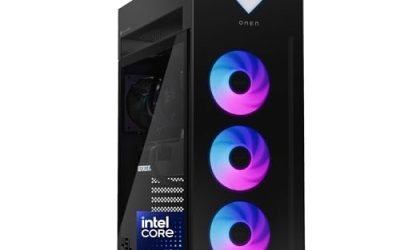
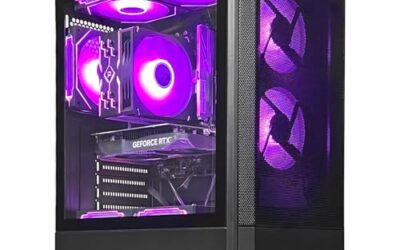
Specs per the listing: Gamer Master, AMD Ryzen 7 8700F, GeForce RTX 5060 Ti 8GB, 16GB DDR5, 1TB PCIe 4.0 SSD, WiFi ready, Windows 11 Home (model GMA2900A3).
This system sits in the middle and offers the best balance of parts. An 8-core Ryzen 7 with an RTX 5060 Ti is a sensible pairing for 1080p and 1440p gaming, and 16GB of DDR5 plus a 1TB PCIe 4.0 SSD is a modern baseline.
The limits are in the details: the graphics card has 8GB of video memory, which can run tight at high texture settings in newer games, and 16GB of system memory is the minimum we would want. Both are upgradable, so check the maker page for the motherboard and power supply specs before planning upgrades.
- Pros: Eight-core Ryzen 7 with an RTX 5060 Ti; DDR5 memory and a 1TB PCIe 4.0 SSD; Windows 11 Home included
- Cons: 8GB video memory is tight for the future; Power supply and case details not listed

CyberPowerPC Gaming PC, AMD Ryzen 7 8700F, GeForce RTX 5060 Ti 8GB | Gamer Master, 16GB DDR5, 1TB PCIe 4.0 SSD, WiFi Ready & Windows 11 Home (GMA2900A3)
Included for 'Best Prebuilt Gaming PCs: CyberPowerPC RTX 5060 to RTX 5070 Ti' as a representative home product in this roundup; selection reflects the product set returned for this topic.
View on Amazon2. CyberPowerPC Core i5-14400F + RTX 5060 8GB: Best for 1080p gaming
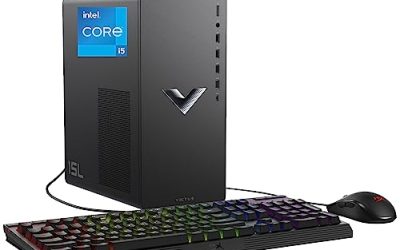
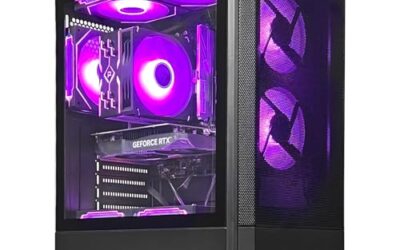
Specs per the listing: Gamer Xtreme, Intel Core i5-14400F, GeForce RTX 5060 8GB, 16GB DDR5, 1TB PCIe 4.0 SSD, WiFi ready, Windows 11 Home (model GXiVR8060A47).
The i5-14400F with an RTX 5060 is a classic 1080p gaming combination. The F suffix means the processor has no integrated graphics, so the dedicated card does all the work, which is normal for a gaming PC. DDR5 memory and a 1TB SSD match the tier above.
The difference from the 5060 Ti model is the graphics card tier, and the processor is a mid-range 14th Gen part. If you plan to play at 1440p with higher settings, the next tier gives more headroom. For a steady 1080p system, this one is a sensible choice.
- Pros: Mid-range Intel CPU with RTX 5060; 16GB DDR5 and 1TB PCIe 4.0 SSD; Suited to 1080p
- Cons: 8GB video memory; Less headroom than the 5060 Ti model

CyberPowerPC Gaming PC, Intel Core i5-14400F, GeForce RTX 5060 8GB | Gamer Xtreme, 16GB DDR5, 1TB PCIe 4.0 SSD, WiFi Ready & Windows 11 Home (GXiVR8060A47)
Included for 'Best Prebuilt Gaming PCs: CyberPowerPC RTX 5060 to RTX 5070 Ti' as a representative home product in this roundup; selection reflects the product set returned for this topic.
View on Amazon3. CyberPowerPC Ryzen 7 9800X3D + RTX 5070 Ti 16GB: Best for a high-end build
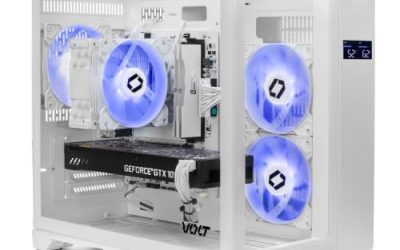
Specs per the listing: Gamer Supreme, AMD Ryzen 7 9800X3D, GeForce RTX 5070 Ti 16GB, 32GB DDR5, 2TB PCIe 4.0 SSD, WiFi ready, Windows 11 Home (model SLC8480A10).
This is the high-end tower in the list. The 9800X3D is a gaming-focused processor, the RTX 5070 Ti has 16GB of video memory, and the system comes with 32GB DDR5 and a 2TB SSD, so you are less likely to need immediate upgrades.
It is also the most demanding to evaluate: the title does not list the cooler, power supply or case details, so check the maker page. If you only play at 1080p, this is more system than you need; it makes sense for 1440p and high-refresh gaming.
- Pros: 16GB video memory and 32GB system memory; 2TB storage; Gaming-focused 9800X3D CPU
- Cons: More system than 1080p players need; Cooling and PSU details not listed

CyberPowerPC Gaming PC, AMD Ryzen 7 9800X3D, GeForce RTX 5070 Ti 16GB | Gamer Supreme, 32GB DDR5, 2TB PCIe 4.0 SSD, WiFi Ready & Windows 11 Home (SLC8480A10)
Included for 'Best Prebuilt Gaming PCs: CyberPowerPC RTX 5060 to RTX 5070 Ti' as a representative home product in this roundup; selection reflects the product set returned for this topic.
View on Amazon4. CyberPowerPC Ryzen 5 5500 + Radeon RX 6500 XT 4GB: Best for entry-level play
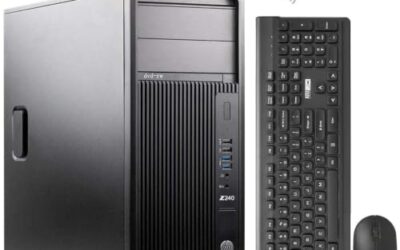
Specs per the listing: Gamer Master, AMD Ryzen 5 5500, Radeon RX 6500 XT 4GB, 8GB DDR4, 500GB PCIe 4.0 SSD, WiFi ready, Windows 11 Home (model GMA3100A3).
This is the entry system. A 6-core Ryzen 5 5500 with an RX 6500 XT is aimed at esports and older titles at 1080p. It is the simplest way into a ready-made PC with Windows installed.
The specs are modest: 8GB DDR4 and 500GB storage fill up quickly, and the card has only 4GB of video memory, which limits newer games. Plan on adding memory and storage, and check the maker page for upgrade paths. For modern AAA gaming, step up a tier.
- Pros: Lowest entry tier in the list; Ryzen 5 5500 six-core CPU; WiFi ready with Windows 11 Home
- Cons: Only 4GB video memory; 8GB DDR4 and 500GB storage are limited

CyberPowerPC Gaming PC, AMD Ryzen 5 5500, Radeon RX 6500 XT 4GB | Gamer Master, 8GB DDR4, 500GB PCIe 4.0 SSD, WiFi Ready & Windows 11 Home (GMA3100A3)
Included for 'Best Prebuilt Gaming PCs: CyberPowerPC RTX 5060 to RTX 5070 Ti' as a representative home product in this roundup; selection reflects the product set returned for this topic.
View on AmazonHow to Choose
Read the parts, not the label
Check the CPU, graphics card, memory, storage and power supply. The graphics card matters most for gaming. Compare the GPU tier and video memory first, then check that the CPU does not hold it back. A strong GPU with a weak CPU wastes money, and the reverse is true as well. Also match the monitor: a 1080p screen does not need a flagship card, while a 1440p high-refresh screen rewards one. Think about where the tower will sit too, since cases differ in size and airflow and the title rarely describes them.
Memory, storage and upgrades
16GB DDR5 is the baseline today; 8GB is too little for modern games. Storage of 1TB is comfortable, 500GB fills quickly. Check the maker page for free memory slots, M.2 slots and the power supply wattage so you know what you can add later.
Brand and support
All four systems here are from one brand, so judge by tier and by the exact parts. Read warranty and support terms on the maker page. Prebuilt cases and motherboards can be proprietary, which affects upgrades, so look for notes on standard parts.
What to skip
Skip systems whose title does not name the graphics card. Skip towers with 8GB RAM unless you plan to upgrade. Skip anything that looks like a laptop or an all-in-one when you want a tower, and be wary of listings that do not state the Windows version.
Frequently Asked Questions
Is a prebuilt better than building my own?
It saves assembly time and comes with a warranty from one company. Building can give you better parts choices. If you value convenience, a prebuilt is fine, but read the parts list carefully.
How much RAM do I need?
Start with 16GB for gaming. 32GB helps with streaming, editing and heavy multitasking. The 8GB system here is best treated as a base to upgrade.
Is 8GB of video memory enough?
It works for 1080p and many 1440p games, but newer titles can use more at high textures. The RTX 5070 Ti system with 16GB gives more headroom. Choose by the resolution you play at.
Can I upgrade a prebuilt later?
Usually yes for memory, storage and the graphics card, but proprietary parts can limit options. Check the maker page for power supply size and slot layout before buying.
Why are all the options the same brand?
Only CyberPowerPC systems were available in the store for this type when we wrote the guide. We kept to four distinct tiers instead of padding the list with unrelated items.