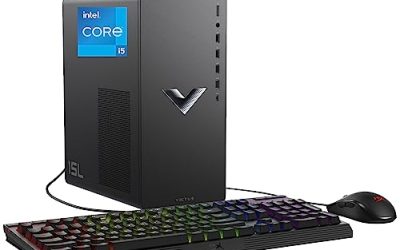
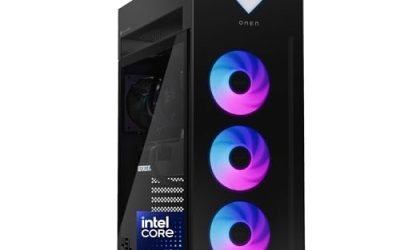
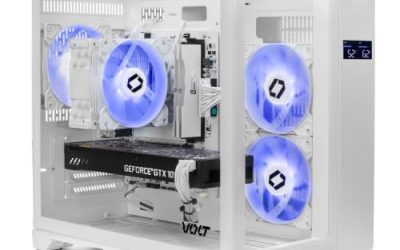
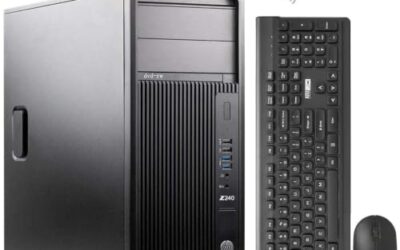
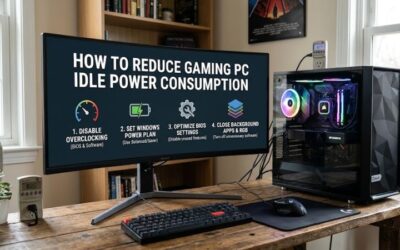
A dual monitor setup changes what a gaming PC has to do. The graphics card no longer feeds one screen; it drives your game on a high-refresh primary display while a second monitor runs Discord, a browser, game guides or hardware monitoring. That second screen is not free: it needs its own display output, a slice of GPU attention, and enough memory and CPU headroom for everything you keep open beside the game.
The five prebuilt desktops below are chosen for exactly that two-screen workload. Every pick uses an NVIDIA GeForce RTX graphics card, the class of GPU that typically ships with multiple DisplayPort and HDMI outputs, and they span budget, mid-range and premium tiers. Around the graphics card, we weighed VRAM, core counts for multitasking, and memory capacity, because a second monitor invites you to keep far more applications running at once.
As an Amazon Associate, we earn from qualifying purchases.
Table of Contents
- Quick Answer
- Skytech Nebula (Ryzen 5 5500, RTX 4060)
- Skytech Chronos (Ryzen 7 7700X, RTX 4070)
- Alienware Aurora R16 (Core i7-14700F, RTX 4070 Super)
- CyberPowerPC Gamer Xtreme VR (Core i9-14900KF, RTX 4070 Super)
- iBUYPOWER Y60 (Ryzen 9 7900X, RTX 4070 Ti Super)
- How to Choose a Prebuilt Gaming PC for Dual Monitors
- Who Should Skip These Prebuilt PCs
- FAQ
- Conclusion
Quick Answer
For most dual monitor gamers, the Skytech Chronos is the balanced pick: a Ryzen 7 7700X, an RTX 4070 with 12GB of VRAM and 32GB of DDR5 handle a 1440p game on the main screen while a second display runs chat and guides. The Skytech Nebula covers two 1080p screens on a budget, and the iBUYPOWER Y60 suits dual 1440p or 4K-plus-secondary setups.
Skytech Nebula (Ryzen 5 5500, RTX 4060)
The Nebula is the budget-tier way into a two-screen desk. Its RTX 4060 is a modern card with the multi-output layout this setup needs, so one cable feeds your primary gaming monitor and another feeds the secondary display. The 8GB of GDDR6 is sized for 1080p gaming, which pairs naturally with the most common dual monitor arrangement: a fast 1080p screen for the game and a cheaper 1080p panel beside it.
The compromises are memory and platform. The 16GB of DDR4 is adequate for a game plus a browser and chat apps, but memory fills quickly once a guide-heavy browser session, voice chat and a few utilities are all open. The 1TB NVMe SSD is fast and reasonably roomy for a starter library. Treat this as the right tier for esports titles and lighter games across two 1080p screens, rather than a dual 1440p build.
Specs
- Processor: AMD Ryzen 5 5500, 3.6GHz base, 4.2GHz Turbo Boost, 6 cores
- Graphics: NVIDIA GeForce RTX 4060, 8GB GDDR6
- Display outputs: not stated
- Memory: 16GB DDR4 3200
- Storage: 1TB NVMe SSD
- Power supply: 650W Gold
- Wireless: Wi-Fi (802.11AC)
- Operating system: Windows 11 Home
- Model: ST-NEBULA-1343-B-AM
Skytech Chronos (Ryzen 7 7700X, RTX 4070)
The Chronos is the mid-range sweet spot for a dual monitor desk. The RTX 4070 brings 12GB of GDDR6X, enough VRAM to game at 1440p on the primary display while the second screen stays busy, and its eight-core Ryzen 7 7700X boosts to 5.4GHz, which keeps frame rates high in CPU-sensitive games while background tasks run on the side monitor’s apps.
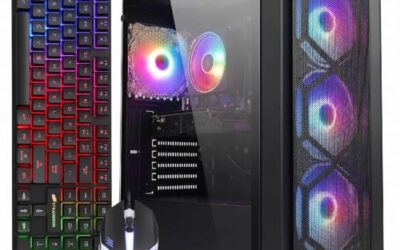
Memory is where this configuration pulls ahead of the budget tier: 32GB of DDR5 means the game, a browser full of tabs, Discord and monitoring tools can all stay resident without swapping to disk. Storage is the one compromise, a single 1TB NVMe drive, so plan on a second drive later. Skytech includes an RGB keyboard and mouse in the box. For a single prebuilt running a 1440p main screen plus a productive second screen, this is the configuration most buyers should start from.
Specs
- Processor: AMD Ryzen 7 7700X, 4.5GHz base, 5.4GHz Max Boost, 8 cores
- Graphics: NVIDIA GeForce RTX 4070, 12GB GDDR6X
- Display outputs: not stated
- Memory: 32GB DDR5 RGB
- Storage: 1TB NVMe SSD
- Power supply: 650W Gold
- Wireless: Wi-Fi (802.11AC)
- Operating system: Windows 11 Home
- Extras: RGB gaming keyboard and mouse included
- Model: ST-CHRONOS2-0990-B-AM
Alienware Aurora R16 (Core i7-14700F, RTX 4070 Super)
The Aurora R16 suits buyers who want a manufacturer-built system with included onsite service behind their two-screen setup. Its Core i7-14700F pairs eight performance cores with twelve efficiency cores, a split that fits dual monitor habits well: the game holds the fast cores while the second screen’s browser, chat and utility apps spill onto the efficiency cores. The RTX 4070 Super and its 12GB of GDDR6X support 1440p gaming on the primary display with headroom to spare.
Memory is 32GB of DDR5 at 5600MHz, the comfortable level for keeping everything open at once. Storage is a single 1TB SSD, the main limitation for a large library, though adding a drive later is straightforward. Dell includes one year of onsite, in-home service, a genuine differentiator if your desk is also your work or study station and downtime is costly. Cooling type is not stated in the listing data for this configuration.
Specs
- Processor: Intel Core i7-14700F, 2.1GHz base, 20 cores (8 performance, 12 efficiency)
- Graphics: NVIDIA GeForce RTX 4070 Super, 12GB GDDR6X
- Display outputs: not stated
- Memory: 32GB DDR5, 5600MHz
- Storage: 1TB SSD
- Cooling: not stated
- Operating system: Windows 11 Home
- Support: 1 Year Onsite Service included
- Model: AWAUR16-7042BLK-PCA
CyberPowerPC Gamer Xtreme VR (Core i9-14900KF, RTX 4070 Super)
This Gamer Xtreme VR configuration is built around multitasking headroom, which is precisely what a second monitor demands. The Core i9-14900KF offers 24 cores, the most in this roundup, so a demanding game, a crowded browser, voice processing and background utilities compete far less for CPU time. The RTX 4070 Super again provides 12GB of VRAM for 1440p play on the main display while the auxiliary screen handles everything else.
Storage also stands out: a 2TB PCIe Gen4 SSD gives both fast loading and capacity for a large game library. Memory is 32GB of DDR5, matching the other premium picks. It is a full-size tower at 37.5 pounds and roughly 20 inches tall, so check that your desk or floor space fits it alongside two monitors. Gamers who treat the second screen as a full second workspace will feel the difference most.
Specs
- Processor: Intel Core i9-14900KF, 3.2GHz base, 24 cores
- Graphics: NVIDIA GeForce RTX 4070 Super, 12GB
- Display outputs: not stated
- Memory: 32GB DDR5
- Storage: 2TB PCIe Gen4 SSD
- Wireless: Wi-Fi (802.11ac)
- Operating system: Windows 11 Home
- Dimensions: 17.56 x 9.25 x 20 inches
- Weight: 37.5 pounds
- Model: GXiVR8080A38
iBUYPOWER Y60 (Ryzen 9 7900X, RTX 4070 Ti Super)
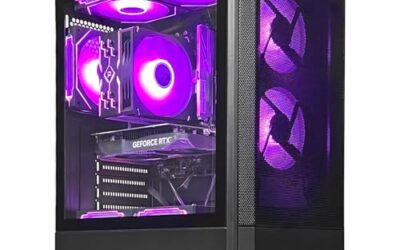
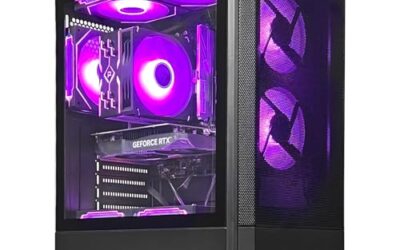
The Y60 is the premium pick for the most demanding two-screen arrangement: a 4K or high-refresh 1440p primary monitor with a second display alongside. Its RTX 4070 Ti Super carries 16GB of VRAM, the most here, which matters when the main screen runs at higher resolutions and texture settings climb. The twelve-core Ryzen 9 7900X gives the side screen’s applications, and any content work you do on the second monitor, plenty of threads.
Like the CyberPowerPC, it pairs that power with a 2TB NVMe SSD. The 32GB of DDR5 RGB memory runs at 5200MHz, and the HYTE Y60 case uses tempered glass panels, which suits a desk where the PC sits visibly beside the two monitors. If your setup mixes high-resolution gaming on one screen with a genuinely busy second screen, this is the configuration with the fewest compromises here.
Specs
- Processor: AMD Ryzen 9 7900X, 12 cores
- Graphics: NVIDIA GeForce RTX 4070 Ti Super, 16GB
- Display outputs: not stated
- Memory: 32GB DDR5 RGB, 5200MHz
- Storage: 2TB NVMe SSD
- Wireless: Wi-Fi Ready
- Operating system: Windows 11 Home
- Case: HYTE Y60 with tempered glass
- Model: Y60BA9N47TS03
How to Choose a Prebuilt Gaming PC for Dual Monitors
Start with the graphics card’s outputs. Both monitors connect to the GPU, not the motherboard, so confirm the specific card in the configuration offers at least two outputs, and prefer DisplayPort for the primary gaming screen, since it carries the highest refresh rates, with HDMI as a natural fit for the secondary display. Exact output counts vary by card model and are not stated for the configurations here, so check the listing for the exact system before ordering.
Next, match VRAM and GPU tier to your primary screen. A second monitor showing chat or a browser costs little performance, but the game screen sets the real requirement: 8GB suits dual 1080p, 12GB is the comfortable level for a 1440p main display, and 16GB gives headroom for 4K or high-refresh 1440p with demanding settings.
Then count cores and memory for your multitasking style. The whole point of a second screen is keeping more open, so six cores is a workable floor, eight or more cores stay smoother with CPU-heavy games, and hybrid Intel designs absorb background apps on efficiency cores. Treat 16GB of RAM as the minimum and 32GB as the comfortable level once a browser, voice chat and utilities live permanently on the second screen. Finally, think about the desk itself: a full-size tower, two monitors and their cables need space and cable management.
Who Should Skip These Prebuilt PCs
Skip these systems if you only ever game on a single monitor; a GPU-focused single-screen build spends the same budget more directly. Ultrawide owners should also look elsewhere, since one wide display replaces the two-screen arrangement these picks are chosen for. Buyers who want three or more monitors for simulation cockpits should verify output counts model by model or consider a dedicated multi-display build. And if you enjoy selecting every component yourself, a custom build will always fit your desk more precisely.
FAQ
Does a second monitor lower gaming performance?
Only slightly, as long as the second screen shows lightweight content such as chat, a browser or a guide. The GPU still renders the game on the primary display, and the extra desktop costs little. Playing video or a second game on the side screen costs more, which is why the stronger picks here pair faster GPUs with 32GB of memory.
How do I connect two monitors to one of these PCs?
Connect both monitors to the graphics card’s outputs, using DisplayPort for the primary gaming screen where possible and HDMI or a second DisplayPort for the auxiliary screen. Avoid the motherboard’s video ports, which are inactive or limited on systems with a dedicated GPU. Exact output counts vary by card, so confirm them before buying.
Is 16GB of RAM enough for a dual monitor setup?
It is workable for a game plus a few light apps, as the Nebula shows, but a second monitor encourages heavier multitasking. With a browser full of tabs, voice chat and monitoring utilities open at once, 32GB is noticeably smoother, which is why four of the five systems here include it.
Can these PCs run two monitors at different resolutions and refresh rates?
Yes. Windows handles mixed setups, such as a 1440p high-refresh primary screen beside a 1080p secondary display, and each monitor runs at its own settings. Match the GPU tier to the primary screen, since that display sets the real performance requirement.
Conclusion
For most two-screen desks, the Skytech Chronos balances a 1440p-capable RTX 4070, eight fast cores and 32GB of memory at the mid-range tier. The Nebula is the sensible budget start for dual 1080p, the Aurora R16 adds manufacturer onsite service, and the CyberPowerPC Gamer Xtreme VR and iBUYPOWER Y60 are the premium choices for gamers whose second monitor is a full second workspace.
Product and ASIN Reference
| Product | ASIN |
|---|---|
| Skytech Nebula (ST-NEBULA-1343-B-AM) | B0D9KVXPP6 |
| Skytech Chronos (ST-CHRONOS2-0990-B-AM) | B0CJDF76BC |
| Alienware Aurora R16 (AWAUR16-7042BLK-PCA) | B0DKG8G5J3 |
| CyberPowerPC Gamer Xtreme VR (GXiVR8080A38) | B0DCMPPD9X |
| iBUYPOWER Y60 (Y60BA9N47TS03) | B0DDZ92PD5 |