
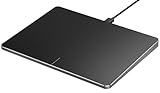
- Top Pick: ProtoArc T1 Plus Bluetooth Trackpad for Win 11/10, Grey Black
- Best Value: ProtoArc T1 Wired Large USB Trackpad for Windows 11/10, Grey Black
- Premium Choice: Polarmeta Wireless Trackpad for Mac & Windows with 2.4G USB, 7.5” Glass Surface Touchpad High Precision Multi-Gesture Control, Rechargeable & Portable Track Pad for Computer, MacBook, iMac, Laptop, PC
Trackpads are no longer just a laptop compromise. A quality standalone trackpad for your PC brings smooth multi-touch gestures, precise cursor control, and a clutter-free desk to any Windows or Mac setup, and for many users the gesture navigation is genuinely faster than a mouse for everyday tasks.
This review looks at the best trackpads for PC, spanning wired and wireless models, large glass surfaces, and portable aluminum designs. Whether you want to replace your mouse entirely or add gesture control alongside it, there is an option here that fits your desk and your platform.
As an Amazon Associate we earn from qualifying purchases at no extra cost to you.



🎮 Get More From Your Setup — Free
Prime Gaming gives you free PC games every month, in-game loot, and a free Twitch channel sub — plus fast free shipping on all the gear above. New members get a 30-day free trial.
Watch: Track Pad For PC — Video Review
Design & Build
Build approaches vary meaningfully. The ProtoArc T1 Plus Bluetooth and T1 wired models offer a clean grey-black aesthetic with responsive surfaces, while the ProtoArc slim aluminum wired trackpad brings a premium, MacBook-like glass-and-metal feel in white and silver. The Polarmeta wireless stands out with a large 7.5-inch glass surface for expansive gestures, and the Homiguar 3-in-1 adds triple connectivity for flexibility across devices. Amazon’s Multi-Touch Trackpad keeps things compact and rechargeable at 6.4 inches. All prioritize a smooth, low-friction surface, which is the single most important factor in how a trackpad feels day to day.
Performance
The best trackpads here deliver precise, responsive tracking with support for the full range of Windows and Mac multi-touch gestures, from two-finger scrolling to three and four-finger window management. The large glass surfaces on the Polarmeta and premium ProtoArc models give gestures room to breathe and feel the most natural. Wired options like the ProtoArc T1 and slim aluminum trackpad offer zero latency and no charging, ideal for a permanent desk, while Bluetooth and 2.4G models add cable-free convenience. Multi-device pairing on the Homiguar lets you switch between a laptop and desktop seamlessly. Battery life on the rechargeable wireless units comfortably covers weeks of use.
Pros & Cons
- Smooth multi-touch gestures that speed up everyday navigation.
- Clutter-free desk with no need to swing a mouse around.
- Wired and wireless options to suit permanent desks or flexible setups.
- Large glass surfaces on premium models for natural, expansive gestures.
- Not ideal for gaming or precision tasks where a mouse still wins.
- Gesture support varies between Windows and Mac, so check compatibility.
- Learning curve for users switching from a lifetime of mouse use.
Alternatives to Consider
If you game or do pixel-precise design work, a good mouse remains the better primary tool, with a trackpad as a gesture supplement. Users who want the most Mac-like experience should look at the premium ProtoArc glass models, while those switching frequently between devices will value the Homiguar’s 3-in-1 connectivity over single-mode options.
Related Guides
- Best 43 Inch Gaming TV (2026)
- Best Gaming Names (2026)
- Best HDMI Capture Card (2026)
- Best Handheld Gaming System (2026)
- Best Stream Deck Mini (2026)
Frequently Asked Questions
Can a trackpad replace my mouse?
For browsing, office work, and general navigation, yes. Gesture control is often faster. For gaming and precision design, a mouse is still better.
Do these work with Windows and Mac?
Most support both, though gesture sets differ by platform. Models like the Polarmeta are explicitly designed for Mac and Windows compatibility.
Should I choose wired or wireless?
Wired trackpads like the ProtoArc T1 offer zero latency and no charging, while wireless models add a clean, cable-free desk.
Is a bigger surface better?
Generally yes. Larger glass surfaces like the Polarmeta’s 7.5-inch pad give gestures more room and feel more natural to use.
Verdict
A standalone trackpad is a refreshing, clutter-cutting upgrade for anyone comfortable with gesture navigation. The ProtoArc T1 Plus is our all-round pick for its responsive surface and wireless convenience, while the Polarmeta wins for its large glass gesture area. Match wired or wireless and platform to your needs, and you may find you reach for the mouse far less often.









