🛒 Best Price Today on Amazon
Prime members get fast, free shipping on everything above, plus member-only deals. New members get a 30-day free trial — cancel anytime.
Understanding the future of pc gaming requires examining how neural reconstruction, fast PCIe bandwidth, and modern graphics APIs work together. Modern games use direct storage pipelines and AI frame generation to push image quality far beyond native rasterization limits. Selecting compatible hardware maintains smooth gameplay.
What the Future of PC Gaming Really Comes Down To
Next generation graphics engines rely on hardware features that bypass traditional CPU processing bottlenecks. Real-time path tracing, machine learning reconstruction, and fast asset streaming define how software runs on modern hardware. Upgrading storage, memory speed, and GPU capabilities ensures full support for upcoming game titles.
Neural Rendering and Frame Reconstruction
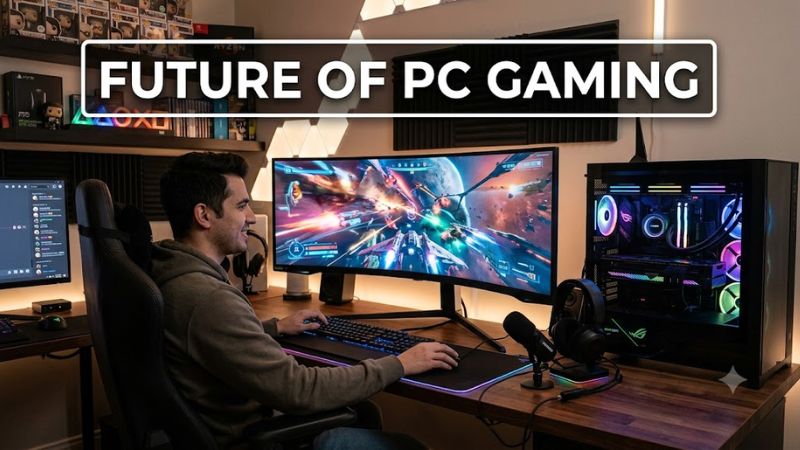
Neural rendering changes how GPUs generate frames by using machine learning models to infer high-resolution details from low-resolution source inputs. The future of pc gaming relies on hardware accelerators like NVIDIA Tensor Cores or AMD AI Accelerators to run DLSS 3.5 frame generation and ray reconstruction with minimal overhead.
In Cyberpunk 2077 at 3840×2160 on the Ray Tracing Overdrive preset, TechPowerUp benchmarks show DLSS Frame Generation increases performance from 24 FPS to 82 FPS on an NVIDIA GeForce RTX 4080 Super. Operating this technology requires a graphics card built on PCIe 4.0 architecture along with updated display drivers on Windows 11.
DirectStorage and Rapid Asset Streaming
Game developers now design vast open worlds assuming data transfers directly from storage to GPU VRAM without CPU decompression delays. DirectStorage 1.2 utilizes bypass pipelines to deliver gigabytes of texture assets in milliseconds, eliminating loading screens and reducing in-game geometry pop-in across demanding titles.
Benchmark testing in Forspoken shows scene load times drop from 8.2 seconds on a SATA SSD down to 1.1 seconds on a PCIe 4.0 NVMe drive delivering 7,000 MB/s read speeds. Utilizing this storage architecture requires an M.2 NVMe SSD formatted to NTFS, an active DirectX 12 Ultimate GPU, and Microsoft Windows 11 version 22H2 or newer.
Multi-Chiplet Processors and High Memory Bandwidth
Modern CPU architectures use chiplet designs and expanded L3 cache layers to process complex physics and artificial intelligence calculations efficiently. The future of pc gaming relies heavily on high memory bandwidth, making fast dual-channel DDR5 system RAM critical for preventing frame time spikes in crowded multiplayer matches.
Testing in Shadow of the Tomb Raider at 1920×1080 Highest settings demonstrates that an AMD Ryzen 7 7800X3D with 96MB of 3D V-Cache delivers 285 FPS compared to 210 FPS on standard non-V-Cache processors according to Eurogamer testing. This hardware requires an AM5 socket motherboard, DDR5 RAM modules, and an ATX 3.0 power supply.
What Does Not Help Future Gaming Performance
Third-party RAM optimizer applications and registry booster scripts fail to improve frame rates or system stability in modern games. Windows 11 manages system memory allocation dynamically, rendering manual memory purging software ineffective and occasionally causing background application crashes or stuttering during heavy gameplay.
Disabling Windows telemetry services or altering core OS registry keys does not increase GPU utilization or processing capacity. Modifying operating system settings often breaks background service dependencies required by game launchers, modern anti-cheat software, and graphics driver updates without offering any measurable performance benefit.
How to Prepare Your Rig for Next-Gen Tech: Step by Step
Preparing your system for the future of pc gaming involves configuring key BIOS options and operating system parameters to maximize hardware throughput. Enabling direct access protocols allows the graphics card and processor to communicate efficiently. Following these steps ensures your PC utilizes its full bandwidth capabilities.
| Setting | Where | Effect | Risk | | Resizable BAR | System BIOS Advanced PCIe Settings | Allows CPU full access to GPU VRAM buffer | System fails to boot if motherboard CSM is active (disable CSM to undo) | | Hardware Accelerated GPU Scheduling | Windows Settings Display Graphics | Offloads frame scheduling directly to GPU | Minor driver instability on legacy GPU hardware (toggle off to undo) | | EXPO / XMP Profile | System BIOS Memory Configuration | Runs RAM at rated frequency and tight timings | System instability if RAM profile exceeds CPU IMC limits (clear CMOS to undo) | | DirectStorage Optimization | Windows Terminal PowerShell Command | Verifies NVMe bypass driver path for fast IO | Incorrect storage drive formatting prevents feature use (reformat to NTFS) |
Enable Resizable BAR in System BIOS
Resizable BAR removes the traditional 256MB CPU-to-GPU transfer limit, allowing the processor to access the entire graphics memory pool simultaneously. This protocol reduces transfer latency when loading complex environment textures and geometry shaders directly into VRAM during intense rendering sequences in modern titles.
To activate Resizable BAR, enter your motherboard BIOS setup during startup, disable the Compatibility Support Module (CSM), and enable Above 4G Decoding alongside Re-Size BAR Support. Verify operation in NVIDIA Control Panel under System Information or AMD Software Adrenalin Edition, and revert BIOS settings if booting fails.
Turn On Hardware Accelerated GPU Scheduling
Hardware Accelerated GPU Scheduling offloads memory management tasks from the CPU to a dedicated scheduler processor located on the graphics card. For the future of pc gaming, this setting is mandatory for running frame generation technologies like DLSS 3 without introducing processing latency or frame delivery delays.
In Windows 11, navigate to Settings, open System, select Display, click Graphics, and select Change Default Graphics Settings to toggle Hardware-accelerated GPU scheduling to On. Restart the PC, confirm active status inside HWiNFO64 software under the GPU details tab, and toggle the switch back to Off if display flickering occurs.
Configure EXPO or XMP Memory Profiles
Operating system memory defaults to baseline JEDEC frequencies unless high-performance profiles are explicitly enabled within system firmware settings. Activating AMD EXPO or Intel XMP configures rated RAM clock speeds, operating voltages, and primary sub-timings required to prevent CPU memory controller bottlenecks during gaming.
Reboot your computer, press Delete to enter BIOS, locate the Overclocking or Memory section, select Profile 1 under EXPO or XMP, and save changes before exiting. Verify target memory speeds inside Windows Task Manager under Performance Memory, and reset BIOS settings to default parameters if the system experiences boot failure.
Optimize PCIe NVMe Drive Storage Pipelines
High-speed PCIe 4.0 and PCIe 5.0 M.2 NVMe SSDs require proper configuration to handle modern direct-to-GPU data streaming protocols efficiently. Installing motherboard vendor NVMe drivers rather than generic Microsoft storage drivers ensures low-latency queue depth processing and maintains peak sequential transfer rates under load.
Open Windows Terminal as Administrator and execute the command fsutil devdrv query to confirm bypass IO compatibility across your primary NVMe installation. Check drive transfer speeds using CrystalDiskMark to ensure read speeds match manufacturer ratings, and reinstall standard storage drivers via Device Manager if errors appear.
Frequently Asked Questions
Navigating hardware requirements and technical shifts requires understanding how upcoming game software interacts with modern PC components. Addressing common questions regarding system memory, storage interfaces, rendering pipelines, and streaming technology helps clarify upgrade priorities. Below are clear answers to key hardware questions.
Will System RAM Capacity Matter More Than Speed for Future Games?
System RAM capacity matters more than clock speed once game memory demands exceed thirty-two gigabytes of physical system memory. As software developers build larger game worlds with detailed asset streaming, running out of memory forces the system to page data to storage, causing severe frame drops regardless of memory clock speed.
When evaluating hardware options for the future of pc gaming, equipping thirty-two or sixty-four gigabytes of DDR5 memory provides sufficient headroom for high-end titles. Benchmarks in Hogwarts Legacy show that systems with 32GB of DDR5-6000 RAM maintain consistent 1% low frame rates compared to stuttering observed on 16GB systems.
Does DirectStorage Require a PCIe 5.0 Drive for Best Performance?
DirectStorage does not require a PCIe 5.0 NVMe SSD to deliver fast game loading times and asset streaming performance. A high-quality PCIe 4.0 M.2 NVMe SSD with sequential read speeds above 5,000 MB/s provides sufficient transfer bandwidth to satisfy DirectX 12 Ultimate asset bypass requirements in modern titles without bottlenecking.
In Ratchet and Clank Rift Apart testing, load times between portals measured 1.2 seconds on a PCIe 4.0 SSD compared to 1.1 seconds on a PCIe 5.0 drive, demonstrating diminishing returns for current software. Ensure your motherboard supports PCIe 4.0 x4 modes on the primary M.2 slot to achieve optimal storage bandwidth.
How Does Neural Rendering Impact GPU VRAM Memory Allocation?
Neural rendering increases overall VRAM allocation because machine learning models and optical flow vectors require dedicated frame buffer space. Features such as DLSS Frame Generation and ray reconstruction store extra frame history data in VRAM, increasing memory usage by one to two gigabytes depending on render resolution.
Running modern games at 3840×2160 resolution with full path tracing requires a graphics card featuring at least 16GB of VRAM to avoid texture swapping. Selecting GPUs with broad PCIe 4.0 x16 interface bandwidth ensures that data transfers between system RAM and local frame buffers do not choke frame delivery rates.
Will Cloud Streaming Replace Local High End PC Gaming Hardware?
Cloud streaming will not replace local high-end PC gaming hardware for enthusiasts who demand low input latency and uncompressed display output. While platforms like NVIDIA GeForce NOW offer high GPU performance remotely, network encoding compression and internet ping variance create input delay that local hardware eliminates.
For competitive gaming, the future of pc gaming relies on native hardware execution to achieve ultra-fast system responsiveness on 240Hz or 360Hz gaming monitors. Maintaining a local PC powered by a dedicated GPU and CPU remains the primary choice for players seeking maximum image clarity, low latencies, and total system control.
Final Thoughts
Preparing your system for the future of pc gaming involves building a balanced hardware platform that supports modern streaming and AI acceleration technologies. Pairing a multi-core processor with fast DDR5 memory, a PCIe 4.0 NVMe SSD, and a feature-rich graphics card ensures long-term performance across upcoming titles.