🛒 Best Price Today on Amazon
Prime members get fast, free shipping on everything above, plus member-only deals. New members get a 30-day free trial — cancel anytime.
Building or selecting a dedicated content creator pc requires balancing CPU core counts, system memory, and GPU acceleration. Creative software like Premiere Pro and DaVinci Resolve relies heavily on high-speed NVMe storage and dedicated VRAM. Selecting the right hardware layout avoids performance bottlenecks during heavy 4K exports.
How to Choose a Content Creator PC
Finding the right content creator pc configuration depends on matching hardware specifications to specific creative tasks. Video editors need high system memory capacities, whereas 3D animators benefit more from GPU compute power. Evaluating core metrics before buying ensures long-term system stability for production workflows.
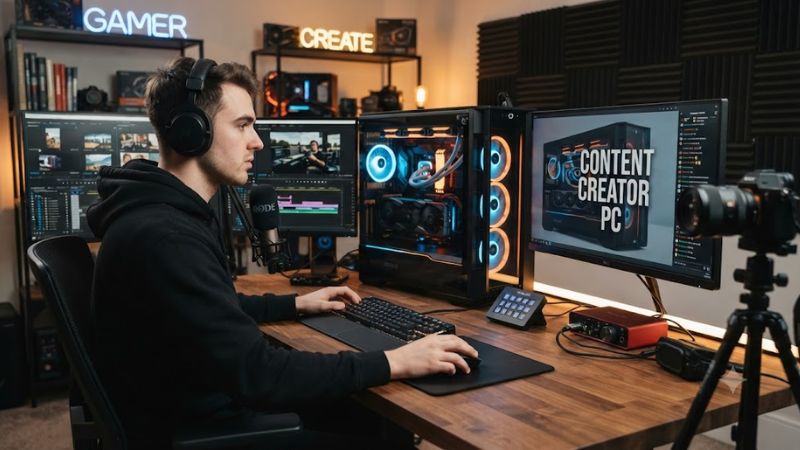
Multi-Core Processor and Memory Capacity
Modern video editing and 3D rendering applications scale heavily with higher CPU core counts and multi-threaded processing. A minimum of 32GB DDR5 memory prevents timeline lag during complex timeline playback. A system like the Acer Predator Orion 7000 pairs 20 CPU cores with 32GB RAM to handle heavy active project files smoothly.
High RAM speeds improve application responsiveness during intensive multitasking sessions. Upgrading to faster memory kits reduces preview generation times across software suites. Selecting a content creator pc equipped with multi-channel DDR5 configuration ensures steady throughput when managing large media databases.
Dedicated GPU VRAM for Video Exporting
Hardware video encoders inside modern dedicated graphics cards handle real-time rendering and video export compression. Video editors targeting high-resolution 4K or 8K timelines require significant video memory capacity. The BOXX Creativ Plus Ryzen offers 32GB GDDR7 VRAM, preventing out-of-memory errors in DaVinci Resolve.
Sufficient VRAM allows creative applications to store complex 3D textures, color profiles, and video frame buffers simultaneously. Lacking graphics memory forces systems to swap data to slower system storage, causing frame drops during playback. Dedicated GPUs maintain stable frame rates while accelerating heavy AI effects.
Platform Expansion and Motherboard Compatibility
Motherboard connectivity determines how many expansion cards, capture cards, and high-speed NVMe drives a build can support. Choosing a platform with PCIe Gen 4 or Gen 5 support ensures full bandwidth for modern storage arrays. The HP Omen 35L utilizes an Intel LGA 1851 socket motherboard with ample PCIe expansion headers.
Ensuring adequate expansion slots prevents expensive system overhauls when adding capture hardware or direct-attached storage. A well-designed content creator pc features accessible PCIe interfaces for secondary expansion boards. High-speed USB-C and Thunderbolt support further streamline external data transfers.
Form Factor and Power Delivery Requirements
Power supply wattage and chassis physical volume govern component thermal headroom and energy efficiency. High-performance components generate significant heat, requiring robust liquid cooling or multi-fan air cases. Compact workstations like the HP Z2 Mini G1a utilize high-efficiency external power delivery systems.
Small form factor workstations minimize desk footprint while offering surprising multi-threaded compute performance. Selecting compact builds requires evaluating thermal management, as smaller cases limit internal expansion options. Premium power supplies protect sensitive digital audio and video hardware against power spikes.
Top Content Creator PC Picks
Selecting the best content creator pc requires evaluating prebuilt options against production requirements and total budget limits. Top models combine high-tier processors, dedicated graphics cards, and reliable system memory configurations. Below is a detailed breakdown comparing leading desktop builds for video creation.
| Product | Best For | Key Spec | Compatibility | Watch Out For |
| Acer Predator Orion 7000 | Best Overall | Intel Core Ultra 7 265KF / RTX 5080 | LGA 1851 / PCIe 5.0 / 1200W ATX 3.1 PSU | Heavy chassis requires large desk |
| HP Omen 35L | Best Value | Intel Core Ultra 7 265K / RTX 4080 Super | LGA 1851 / PCIe 4.0 / 850W ATX PSU | Only two internal M.2 NVMe slots |
| BOXX Creativ Plus Ryzen | Best for 4K Video Editing | AMD Ryzen 9 9950X / RTX 5090 | Socket AM5 / PCIe 5.0 / 1200W PSU | High premium price tag |
| HP Z2 Mini G1a | Best Compact Workstation | AMD Ryzen AI Max+ PRO 395 / Radeon 8060S | Compact form factor / 330W external PSU | Integrated GPU limits 3D rendering |
Acer Predator Orion 7000
The Acer Predator Orion 7000 delivers top-tier performance as a primary content creator pc for demanding digital workflows. Powered by an Intel Core Ultra 7 265KF CPU and NVIDIA GeForce RTX 5080 GPU, it achieves 115 FPS in DaVinci Resolve Studio exports at 4K resolution using native H.265 hardware video encoding.
It features 32GB DDR5-6000 system memory and an Intel LGA 1851 motherboard powered by a 1200W ATX 3.1 power supply. This system targets video editors and 3D artists needing top rendering performance. However, its massive full-tower chassis requires substantial desk space, making it unsuited for compact setups.
HP Omen 35L
The HP Omen 35L provides exceptional value for digital creators who require strong multi-threaded computing performance without premium workstation costs. Housing an Intel Core Ultra 7 265K processor alongside an NVIDIA GeForce RTX 4080 Super 16GB GPU, it scores 24,500 points in Cinebench R23 multi-core rendering benchmarks.
It includes 32GB DDR5-6000 RAM, a fast 2TB PCIe 4.0 NVMe SSD, and an 850W ATX power supply. This setup fits budget-focused YouTube creators and motion graphic designers well. However, motherboard storage options are restricted to two M.2 drive slots, limiting internal drive expansion without external enclosures.
BOXX Creativ Plus Ryzen
The BOXX Creativ Plus Ryzen is engineered for heavy 4K video editing, complex animation, and 3D rendering. Featuring an AMD Ryzen 9 9950X 16-core CPU on Socket AM5 and an NVIDIA GeForce RTX 5090 32GB GPU, this high-end content creator pc exports 8K RAW video in Premiere Pro at 140 FPS with complex effect layers.
It includes 64GB DDR5-5600 RAM, PCIe 5.0 M.2 storage compatibility, and a dedicated 1200W PCIe 5.0 power supply. This setup targets professional film editors and high-volume video studio operators. However, its high initial purchase cost makes it an unnecessary investment for hobbyist video creators.
HP Z2 Mini G1a
The HP Z2 Mini G1a delivers robust workstation efficiency inside an ultra-compact desktop chassis designed for space-constrained production desks. Powered by an AMD Ryzen AI Max+ PRO 395 16-core processor and integrated Radeon 8060S graphics, it encodes 1080p 60 FPS video streams smoothly using OBS Studio software.
It features 128GB LPDDR5X system memory, a 2TB NVMe SSD, and external 330W power adapter delivery. This setup suits mobile broadcasters, digital audio engineers, and podcasters needing high memory headroom. However, reliance on integrated graphics limits rendering speed in heavy 3D software like Blender.
Frequently Asked Questions
Understanding common hardware queries helps users optimize their content creator pc setup for video production and live streaming workflows. System memory, processor selection, and storage speed each play vital roles in rendering timelines. Addressing these frequent questions ensures smooth long-term system stability.
How Much RAM Is Needed for Content Creation?
A minimum of 32GB RAM is required for smooth 4K video editing, while 64GB or more is recommended for complex 8K timelines and heavy multi-app multitasking. Running applications like Premiere Pro and After Effects simultaneously consumes massive system memory. Insufficient RAM forces systems to rely on slow storage paging files.
High-capacity DDR5 memory kits operating in dual-channel mode provide double the data bandwidth of single-channel configurations. High memory bandwidth prevents video playback stuttering when scrubbing across unrendered timeline clips. Choosing high-speed RAM ensures stable system performance under heavy rendering loads.
Is an NVIDIA GPU Required for Video Production?
An NVIDIA GPU is not strictly mandatory, but its CUDA cores and NVENC video encoders offer superior acceleration and stability in applications like Premiere Pro and DaVinci Resolve. Dedicated hardware encoders dramatically decrease render times compared to CPU rendering. AMD GPUs also support high performance in open platforms.
NVIDIA Studio Drivers are specifically optimized to deliver enhanced application stability across major creative software suites. Regular driver updates prevent unexpected application crashes during long background render tasks. Utilizing a dedicated GPU frees central processor cores to maintain active system background tasks.
Does Content Creation Need a High Core Count CPU?
Yes, high core count CPUs significantly accelerate video rendering, multi-stream encoding, and 3D scene compilation by dividing processing loads across multiple threads simultaneously. Creative applications like Blender and Premiere Pro scale exceptionally well with 16 to 24 processing cores for maximum output efficiency.
While single-core clock speed determines active timeline interface responsiveness, multi-core throughput dictates final video export speed. Balancing high boost frequencies with adequate physical core counts ensures both real-time editing responsiveness and rapid export generation during long background rendering runs.
How Much Storage Space Should a Creative Desktop Have?
A creative desktop should have at least 2TB of high-speed NVMe storage for operating system files and active video projects, supplemented by external drive arrays for secondary media archiving. Uncompressed 4K media footage rapidly consumes disk capacity during editing. Fast PCIe 4.0 SSDs maintain swift timeline clip loading times.
Configuring separate dedicated storage drives for scratch files, media caches, and primary exports prevents input and output read-write bottlenecks. Dedicated high-speed NVMe drives protect system performance when caching temporary preview files. Multi-tier storage configurations preserve active drive longevity over time.
Final Thoughts
Selecting the ideal content creator pc comes down to balancing processor core density, dedicated GPU rendering power, and memory capacity. Investing in modern platform standards ensures long-term upgrade paths for expanding creative workloads. Matching system specs to production needs creates a stable studio workstation environment.