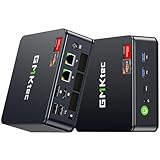
- Top Pick: Valve Steam Deck OLED 1TB Handheld Gaming Console
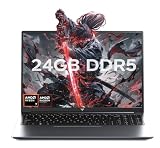
- Best Value: VALVE Steam Deck OLED 1TB SSD + 16GB RAM (International Version) – 7.4" inch, 90Hz, 1280 x 800px, SteamOS 3.0, Handheld Gaming Console
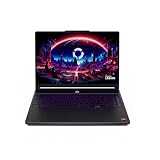
- Premium Choice: Valve Steam Deck OLED 2TB Handheld Gaming Console, 7.4" HDR 90Hz Display, Wi-Fi 6E, PC Gaming, with 7-in-1 Kit: Carrying Case, Hub, Controller, 2*Protective Cases, Screen Protector, 32GB USB
The debate over SteamOS versus Windows for gaming has never been louder than it is in 2026. What was once a niche argument among Linux enthusiasts has become a mainstream decision point, largely thanks to the runaway success of handhelds like the Valve Steam Deck OLED. When Valve proved that a Linux-based, console-style operating system could run thousands of Windows games flawlessly through Proton, it reset everyone’s expectations of what “PC gaming” even means.
Yet Windows still dominates the desktop, and for good reason. It runs virtually every game ever made, supports anti-cheat systems that many competitive titles require, and remains the default target for developers. Below we break down where each operating system genuinely shines, so you can decide whether a streamlined SteamOS handheld or a do-everything Windows rig deserves your money this year.
As an Amazon Associate we earn from qualifying purchases at no extra cost to you. Product prices and availability are accurate as of the date shown and are subject to change.


⚡ Save on Your Next PC — Amazon Prime
Prime members get fast free shipping on the systems above, plus early access to Prime Day & Black Friday PC deals. New members get a 30-day free trial.
Watch: Steamos Vs Windows For Gaming — Video Review
Quick Verdict
If you want a plug-and-play, battery-efficient experience built around your Steam library, SteamOS on a device like the Valve Steam Deck OLED 1TB is hard to beat. If you play competitive shooters with kernel-level anti-cheat, use Game Pass, or want zero compatibility guesswork, Windows remains the safer all-rounder. Most players are best served by matching the OS to the hardware: SteamOS for handhelds, Windows for a flexible desktop.
SteamOS
SteamOS 3.0 is the version that finally made Linux gaming approachable. Built on Arch Linux with a custom Proton compatibility layer, it translates Windows game calls to Linux on the fly, and the results are remarkable. On the Steam Deck OLED, the interface boots straight into a controller-friendly Big Picture mode, suspend-and-resume works like a Nintendo Switch, and power management squeezes far more playtime out of the battery than any Windows handheld manages.
The trade-offs are real but shrinking. A handful of competitive games with aggressive anti-cheat still refuse to launch, and occasionally a new release needs a community tweak before it runs perfectly. For the vast majority of single-player and co-op libraries, though, SteamOS is now a genuine set-it-and-forget-it platform. The VALVE Steam Deck OLED 512GB model is the value sweet spot for anyone who wants to try it without paying for the top-tier storage.
Windows
Windows is the incumbent champion, and its biggest strength is that nothing is off-limits. Every storefront, every launcher, every anti-cheat solution, and every emulator runs natively. If you play Fortnite, Valorant, or other titles that lean on kernel-level protection, Windows is currently the only sure bet. It is also the natural home for Xbox Game Pass, modding communities, and productivity work between gaming sessions.
The downside is overhead. Windows handhelds drain batteries faster, background updates interrupt at the worst moments, and the desktop interface was never designed for a 7-inch touchscreen. On a proper desktop or a powerful handheld you plan to dock, none of that matters much. Windows also gives you an easy upgrade path, letting you swap GPUs and drives in a way a locked-down handheld never will.
Which Should You Choose?
- Choose SteamOS if your library lives on Steam and you value battery life and instant suspend on a handheld.
- Choose Windows if you play anti-cheat competitive shooters or rely on Game Pass and multiple launchers.
- Choose SteamOS if you want a low-maintenance, console-like experience with minimal setup.
- Choose Windows if you want a single machine for gaming, streaming, and general desktop productivity.
- Consider both by picking a Steam Deck OLED for portable play and keeping a Windows desktop for everything else.
Frequently Asked Questions
Can SteamOS run non-Steam games?
Yes. You can add Epic, GOG, and other launchers through desktop mode or tools like Heroic, though setup takes a few extra steps compared with Steam’s one-click installs.
Does Windows run better than SteamOS on the same hardware?
Raw performance is often within a few frames of each other, but SteamOS usually wins on battery efficiency and thermals thanks to its lightweight design.
Will anti-cheat games ever work on SteamOS?
Some already do when developers enable Proton support. Others remain blocked by choice, so check ProtonDB for any competitive title before you buy.
Can I install Windows on a Steam Deck?
Absolutely. The Steam Deck OLED supports dual-booting or a full Windows install, letting you switch operating systems depending on what you want to play.
Final Verdict
There is no universal winner in 2026, only the right tool for your setup. SteamOS has matured into a superb handheld operating system that makes a device like the Valve Steam Deck OLED feel effortless, while Windows keeps its crown as the flexible, everything-runs desktop platform. Match the OS to how and where you actually play, and you will be happy either way.