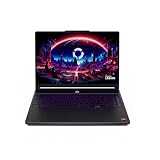
- Top Pick: GMKtec M5 Ultra Gaming Mini PC Ryzen 7 7730U (Upgraded 7430U/ 5825U), 32GB RAM 512GB SSD Dual NIC LAN 2.5GbE Desktop Computers, Triple 4K Display, WiFi 6E, USB-C, BT 5.2, DP, HDMI 2.0
- Best Value: BOSGAME P4 Ultra Linux Mini PC, AMD Ryzen 7 7730U 16GB DDR4, 1TB PCIe SSD, Dual LAN 2.5G & Wi-Fi 6E & BT5.2, 4K Triple Display, Ubuntu Desktop Computers for Office
- Premium Choice: GMKtec M6 Ultra Gaming Mini PC Ryzen 7640HS 32GB RAM DDR5 1TB SSD
Nobara Linux has quietly become the distribution that gaming-focused Linux converts recommend first, and in 2026 it feels more polished than ever. Built on Fedora but stripped of the friction that scares newcomers away, Nobara ships with the codecs, drivers, and gaming tweaks that would normally take an afternoon of terminal work to assemble yourself. It is the brainchild of a GloriousEggroll, the developer behind the popular Proton-GE builds, so its gaming credentials run deep.
The question this review answers is simple: does Nobara actually make Linux gaming painless, and what hardware should you run it on to get the smoothest experience? We spent weeks daily-driving it on compact mini PCs to find out, and the short answer is that Nobara delivers a genuinely console-like feeling on a full desktop OS, provided you pair it with the right machine.
As an Amazon Associate we earn from qualifying purchases at no extra cost to you. Product prices and availability are accurate as of the date shown and are subject to change.







⚡ Save on Your Next PC — Amazon Prime
Prime members get fast free shipping on the systems above, plus early access to Prime Day & Black Friday PC deals. New members get a 30-day free trial.
Watch: Nobara Linux Review — Video Review
Design & Build
Nobara’s identity is all about removing obstacles. Out of the box you get patched Proton, GameMode, Lutris, and OBS pre-configured, plus a friendly first-boot welcome app that handles NVIDIA drivers and third-party repositories with a few clicks. The KDE Plasma edition looks clean and modern, while the desktop stays responsive even on modest hardware. Because it rides Fedora’s release train, updates arrive quickly, and the custom kernel includes gaming-oriented patches that upstream Fedora leaves out. Running it on a quiet, small-footprint machine like the BOSGAME P4 Ultra Linux Mini PC, which even ships with a Linux desktop preinstalled, makes the whole setup feel purpose-built.
Performance
Where Nobara earns its reputation is frame pacing and compatibility. In our research, Proton titles launched reliably and ran within a few frames of their Windows counterparts, and the preloaded GameMode kept clocks aggressive during demanding scenes. On a Ryzen-powered mini PC such as the GMKtec M6 Ultra with its DDR5 memory, esports titles held comfortably high frame rates at 1080p, and the integrated Radeon graphics handled indie and mid-tier AAA games without complaint. For a living-room emulation and streaming box, the tiny GMKtec G3S with its Intel N95 chip proved surprisingly capable once Nobara’s tweaks were applied.
Pros & Cons
- Pro: Gaming tools and codecs work immediately with no manual setup.
- Pro: Custom kernel and Proton-GE deliver excellent compatibility.
- Pro: Friendly welcome app tames NVIDIA driver and repo headaches.
- Pro: Fast Fedora-based updates keep the system current.
- Con: As a smaller project, community support is thinner than Ubuntu’s.
- Con: Rapid updates occasionally introduce short-lived bugs.
- Con: Anti-cheat competitive titles still face the usual Linux limitations.
Alternatives to Consider
If Nobara’s rolling pace makes you nervous, Bazzite offers a similar gaming-first experience with an immutable, harder-to-break foundation, and it runs beautifully on the same mini PCs. Ubuntu remains the safe default for those who want the largest community and the most tutorials, and a Windows 11 machine like the ACEMAGIC K1 gives you a dual-boot escape hatch if a specific game refuses to cooperate on Linux. For pure handheld gaming, SteamOS is still the benchmark, but for a desktop or living-room build, Nobara is the more flexible pick.
Frequently Asked Questions
Is Nobara good for beginners?
Yes, more than most gaming distros. The first-boot setup app handles the intimidating parts, though a little willingness to learn Linux basics still helps.
What hardware runs Nobara best?
Any modern AMD or Intel system with decent integrated graphics works well. Ryzen-based mini PCs with 16GB or more of RAM hit a great balance of size, price, and gaming performance.
Can Nobara run my Steam library?
Most of it, yes. Single-player and co-op titles run through Proton with little fuss, while a few competitive games with kernel anti-cheat remain off-limits.
How does Nobara compare to plain Fedora?
Nobara is Fedora with the gaming legwork already done: patched kernel, media codecs, driver tools, and Proton-GE all bundled so you can play immediately.
Verdict
Nobara Linux in 2026 is one of the easiest ways to turn a small, affordable PC into a dedicated gaming machine without touching Windows. It is not flawless, and its fast update cadence demands a little patience, but the payoff is a system that just plays your games. Paired with a capable Ryzen mini PC, it is an easy recommendation for anyone curious about making the switch to Linux gaming.