🛒 Best Price Today on Amazon
Prime members get fast, free shipping on everything above, plus member-only deals. New members get a 30-day free trial — cancel anytime.
Choosing the best usb microphone for streaming depends on your room, keyboard noise, streaming software, and budget. A dynamic microphone can suit a noisy gaming desk, while a condenser offers flexibility in a quieter room. These four options cover different streaming needs, from straightforward voice capture to advanced audio control.
How to Choose a USB Microphone for Streaming
The right microphone should capture your voice clearly without making your streaming setup difficult to manage. Before comparing models, consider your room acoustics, microphone placement, connection type, and controls. These factors often matter more than decorative lighting or a long list of recording specifications.
1. Dynamic vs. Condenser Microphones
Dynamic microphones are a sensible starting point for streamers working in bedrooms, shared spaces, or ordinary gaming rooms. They are commonly used close to the mouth, which can help make your voice louder relative to nearby keyboard clicks and room noise. However, a dynamic capsule does not automatically remove unwanted sounds.
Condenser microphones can capture detailed vocal performances and work well in quieter environments. Their sensitivity and actual pickup behavior vary by model, so choosing a condenser does not automatically mean receiving better audio. Room reflections, microphone distance, gain, and speaking technique all influence the final recording.
2. Pickup Patterns and Microphone Placement
A cardioid pickup pattern focuses primarily on sound arriving from the front while reducing sensitivity toward the rear. It is usually a practical choice for solo gaming commentary, where the microphone should prioritize one speaker rather than the entire room.
Omnidirectional, bidirectional, and stereo modes serve different purposes. They can be useful for group conversations, interviews, or spatial recordings, but they are unnecessary for many solo streamers. Place the microphone close enough to capture your voice clearly without obstructing your monitor, keyboard, or face on camera.
3. USB Connectivity and Audio Monitoring
USB microphones generally connect directly to a compatible computer without requiring a separate audio interface. Check whether the supplied cable ends in USB-C or USB-A, whether an adapter is included, and whether the manufacturer’s software supports your operating system. USB compatibility alone does not establish that every advanced software feature will work on every platform.
A headphone output can let you monitor microphone audio directly, depending on the model and its controls. This is useful for identifying excessive gain, plosive sounds, and distracting background noise before going live. Check whether you need direct monitoring, software monitoring, or both, especially if you are sensitive to audible delay.
4. Controls, Software, and Desk Space
A physical mute control is useful when you need to cough, talk privately, or pause commentary during a match. Gain controls and visible mute indicators can also reduce mistakes while streaming. If you regularly adjust audio levels, prioritize accessible controls over appearance alone.
Consider the included stand, mounting thread, cable routing, and available desk space. A boom arm can improve positioning, but it may require a separate purchase and must support the microphone’s weight. Software mixing can also be valuable when you need to balance a game, voice chat, music, and microphone input independently.
Top USB Microphones for Streaming
The following picks target different priorities rather than claiming that one microphone sounds best for every voice or room. The comparison emphasizes manufacturer-documented features, connection options, and practical limitations. Prices and promotions change frequently, so compare current US listings for the exact model before buying.
| Product | Best For | Key Spec | Compatibility | Watch Out For |
| Shure MV6 | Overall streaming setup | Dynamic capsule, cardioid pattern, onboard DSP | USB-C; PC and Mac workflows | Primarily designed for close, single-speaker use |
| Elgato Wave:3 | Software audio control | Condenser capsule, cardioid pattern, Wave Link ecosystem | Compatible computer and supported software | Condenser pickup can capture room noise |
| HyperX QuadCast 2 | Gaming setups and multiple pickup patterns | Three condenser capsules, four patterns, USB-C | PC, Mac, PS5, Nintendo Switch, Steam Deck | Extra patterns are unnecessary for many solo streamers |
| Samson Q2U | Entry-level streaming and future flexibility | Dynamic capsule, USB and XLR connections | Compatible USB host; XLR requires audio equipment | Fewer advanced integrated controls than some alternatives |
1. Shure MV6 — Best Overall for Gaming Streams
The Shure MV6 is a strong starting point for streamers who want a dedicated voice microphone without building a separate audio-interface setup. Its dynamic capsule and cardioid pattern suit close-range commentary, while its USB-C connection and 3.5 mm headphone output support a straightforward desktop recording workflow.
Its manufacturer-listed features include Auto Level Mode, a real-time denoiser, a high-pass filter, and Digital Popper Stopper processing. These controls can help manage changing speaking levels, unwanted low-frequency noise, and plosive sounds. The microphone records at 16- or 24-bit resolution with supported sample rates of 44.1 or 48 kHz.
The important limitation is that digital processing cannot correct every acoustic problem. A keyboard directly beside the microphone, a loud PC fan, or a reflective room can still affect the recording. The MV6 also relies on USB-C rather than providing an XLR output for a conventional external audio interface.
Choose this model if you want integrated voice-processing options and a relatively simple streaming workflow. Consider a USB/XLR hybrid instead if adding conventional audio hardware later is a priority.
2. Elgato Wave:3 — Best for Software Audio Control
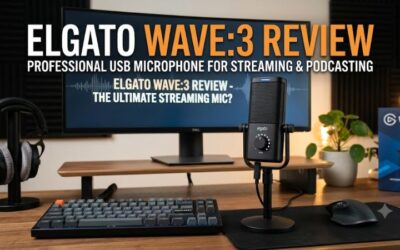
The Elgato Wave:3 is worth considering when streaming involves several audio sources and you want more control over how they reach your broadcast. It is a USB condenser microphone with a cardioid pickup pattern, intended for creators who want microphone capture and software-based audio management in one workflow.
Its main attraction is the Wave Link software ecosystem, which supports audio routing and mixing for compatible sources and applications. This can be useful when balancing game audio, voice chat, music, and microphone levels. Confirm current software support and feature availability for your operating system before building your entire workflow around it.
The trade-off is that a condenser microphone can capture unwanted room sound, depending on its placement, gain, and environment. Software mixing also takes time to configure, and routing features do not automatically improve the raw sound of a poorly positioned microphone.
Choose the Wave:3 if audio routing is a central part of your streaming setup. If you only need one voice input for OBS or Discord, a simpler microphone may provide everything you actually use.
3. HyperX QuadCast 2 — Best for Gaming Setups and Multiple Speakers
The HyperX QuadCast 2 combines a condenser microphone with four selectable pickup patterns: cardioid, omnidirectional, bidirectional, and stereo. Its USB-C connection, 3.5 mm headphone output, tap-to-mute control, and included stand make it a flexible choice for streamers who value convenient physical controls.
HyperX lists three 14 mm electret condenser capsules and a frequency response of 20 Hz to 20 kHz. The microphone supports recording at up to 24-bit, 96 kHz, and its pattern options make it suitable for more than one recording arrangement. Supported platforms include PC, Mac, PS5, Nintendo Switch, and Steam Deck, although software features can differ by platform.
The main drawback is that additional pickup patterns are not a substitute for good microphone placement. Omnidirectional and bidirectional modes can capture more surrounding sound than a solo streamer wants, while a condenser capsule may pick up nearby mechanical keys. The microphone also occupies desk space with its included stand.
Choose the QuadCast 2 if you want physical controls, multiple pickup patterns, and a gaming-oriented design. If you stream alone and rarely change recording modes, a simpler cardioid microphone may be more practical.
4. Samson Q2U — Best for Beginners Who Want an Upgrade Path
The Samson Q2U is a dynamic microphone worth considering for first-time streamers who want USB connectivity now and the option of using conventional audio equipment later. Its USB and XLR outputs provide flexibility beyond a USB-only microphone, making it useful for a setup that may eventually grow into a more traditional recording chain.
The dynamic capsule and cardioid pattern suit close-range speech, including gaming commentary and voice chat. USB operation avoids the need for a separate interface, while XLR operation allows connection to compatible audio equipment. The XLR route requires an appropriate cable and interface or mixer, so it is not a completely self-contained upgrade.
The trade-off is a more basic feature set than microphones with integrated digital processing or advanced software routing. You should also verify the exact package contents, because included accessories and cable configurations can vary by bundle or seller.
Choose the Q2U if flexibility and a simple entry point matter more than elaborate software controls. If you want integrated noise processing and automatic level management, compare it with a model such as the Shure MV6 before deciding.
FAQ
What is the best USB microphone for streaming on a budget?
The best budget choice depends on whether you prioritize simple voice capture, software controls, or upgrade flexibility. The Samson Q2U is worth considering for its USB and XLR connectivity, while a simpler USB-only microphone may suit someone who wants fewer setup decisions. Compare current US prices and confirm which accessories are included before purchasing.
Is a dynamic or condenser microphone better for streaming?
A dynamic microphone is often a practical choice for a noisy gaming room, while a condenser can work well in a quieter environment. Neither type automatically rejects every unwanted sound. Microphone distance, gain, room reflections, and the direction of your keyboard relative to the microphone all affect what your audience hears.
Do I need an audio interface for a USB streaming microphone?
No, a USB microphone designed for direct computer connection generally does not require a separate audio interface. An interface becomes relevant if you choose to use an XLR connection, add compatible audio equipment, or need capabilities beyond your USB microphone’s built-in features. Check the specific model’s connections before buying additional hardware.
Will a better microphone improve my stream’s audio quality?
A better-suited microphone can improve voice clarity, but it cannot compensate for every recording problem. Position it close to your mouth, adjust gain so normal speech is clear without clipping, and listen to a local recording before streaming. If keyboard noise remains distracting, change the microphone’s position before relying on aggressive noise suppression.
Final Thoughts
The best usb microphone for streaming is the one that suits your room, voice, and workflow rather than simply offering the most features. Start with the Shure MV6 for integrated voice processing, consider the Elgato Wave:3 for software mixing, or choose the HyperX QuadCast 2 for pickup flexibility. Compare the Samson Q2U if upgrade options matter most.