🛒 Best Price Today on Amazon
Prime members get fast, free shipping on everything above, plus member-only deals. New members get a 30-day free trial — cancel anytime.
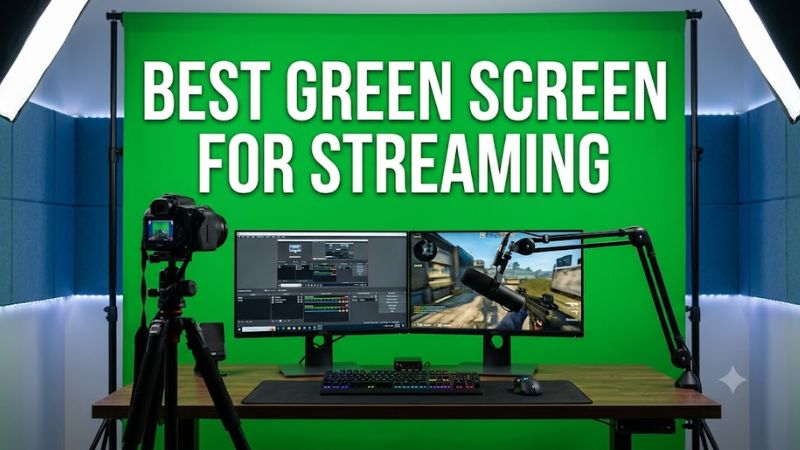
Choosing the best green screen for streaming depends on your room size, camera framing, and how often you need to pack away your setup. A collapsible panel suits a shared gaming room, while a fabric backdrop offers affordable coverage. This guide compares practical options and explains how to get cleaner chroma key results.
How to Choose a Green Screen for Streaming
The right backdrop should cover everything your camera sees behind you without crowding your gaming desk. Prioritize a smooth surface, adequate width, a mounting method that fits your room, and enough space to light the screen separately from your face. A more expensive screen cannot compensate for poor lighting or unsuitable camera framing.
1. Choose the Right Screen Size
For a seated face-cam overlay, a compact screen can work if it covers the entire background within your camera’s field of view. A wider-angle webcam, a reclining gaming chair, or frequent movement may require additional coverage. Check the dimensions before buying, and leave room for the screen to extend beyond the visible frame.
Standing streams, full-body content, and multiple people need substantially more coverage than a conventional desk setup. A backdrop around 5 × 7 feet can suit many seated creators, but it is not a universal minimum or guarantee of full-body coverage. Measure your actual camera framing and the distance between the camera, subject, and screen.
2. Pick a Mounting Style That Fits Your Room
A rigid pop-up or retractable screen is useful when you stream in a bedroom or shared office and need the space back afterward. A fabric backdrop on a stand costs less in many configurations, but it takes longer to assemble and requires a place to store the frame. Consider the complete setup, not just the fabric.
Wall-mounted screens work well when your desk stays in one place and you can safely install a suitable mount. Chair-mounted panels conserve floor space but cover less area than large studio backdrops. Before choosing a mounting system, confirm that your chair, wall, ceiling, or stand can support it and that the screen will not interfere with doors or equipment.
3. Look for Smooth, Matte Fabric
A green screen needs a reasonably uniform color and surface so chroma key software can distinguish the background from your face, hair, and clothing. Wrinkles create shadows and different shades of green, making the key harder to adjust. A tensioned panel or retractable screen can reduce this problem, while loose fabric may need ironing or steaming according to its care instructions.
Material labels alone do not determine image quality. Polyester, muslin, and other suitable fabrics can work when the surface is evenly lit and fills the camera frame. Avoid glossy or reflective material, and check how the backdrop is stored. Folding a fabric screen carelessly can introduce creases that take time to remove before a broadcast.
4. Plan Your Lighting and Software
A physical screen is only one part of a chroma key setup. You also need sufficient, reasonably even light across the green surface and separate lighting for your face. If one side of the backdrop is bright while the other is shadowed, software may remove parts of your outline or leave green patches around your shoulders.
OBS Studio includes a Chroma Key filter that can remove a green background from a video source. Streamlabs also supports chroma key workflows. You do not need a particular GPU simply to use a physical screen, although real-time background effects and other production features may have additional hardware requirements. Start with even lighting before spending money on more powerful equipment.
Top Green Screens for Streaming
The best green screen for streaming is not necessarily the most expensive one. These four options cover different needs: a retractable screen for a permanent desk, a foldable panel for a compact room, a larger collapsible panel for wider framing, and a simple fabric backdrop for a lower-cost studio. Check included mounting hardware and current availability before purchasing.
1. Elgato Green Screen MT — Best for a Permanent Streaming Desk
The Elgato Green Screen MT is a strong choice for creators who want a retractable backdrop without a floor-standing frame. Its screen measures approximately 78.74 × 70.86 inches, uses polyester fabric, and retracts into a metal casing. The extended surface is suited to seated streaming and many webcam compositions.
Its main advantage is convenient storage when the screen is mounted in the right location. However, the unit weighs approximately 11.9 pounds, and installation requires a suitable wall or ceiling mounting arrangement. Choose it if your streaming desk stays in place; consider a portable panel if you rent, share a room, or cannot install a permanent mount.
2. NEEWER 5 × 7 ft Collapsible Backdrop — Best Value for Flexible Setups
The NEEWER two-sided collapsible chroma-key backdrop measures 5 × 7 feet and has green and blue surfaces. Its spring-steel frame opens into shape and folds into a disc approximately 24.8 inches across. This makes it useful for creators who need a relatively large background without leaving a permanent frame assembled.
The reversible design is helpful if you wear green clothing or want to switch to a blue key color. The trade-off is that the frame and fabric must be handled carefully when folding and opening. A stand is included only in certain package configurations, so verify the contents before buying if you need a freestanding setup.
3. EMART Collapsible Chroma Key Panel — Best for Quick Setup
An EMART collapsible chroma-key panel is worth considering if you want a dedicated background that can be opened for a stream and put away afterward. Its main appeal is reducing the setup work associated with a separate fabric backdrop, support stand, and clips. Check the exact model dimensions because EMART sells different backdrop configurations.
The important limitation is that a rigid or spring-supported panel still needs enough room to open fully and enough coverage for your camera framing. Availability and included accessories can vary between models and retailers. Choose the version that covers your seated position without forcing you to keep your chair unnaturally still.
4. NEEWER Green Fabric Backdrop — Best for a Budget Studio
A plain green fabric backdrop is a practical option if you already have a compatible stand, wall hooks, or a crossbar. NEEWER offers fabric chroma-key backgrounds in different sizes and materials, including polyester options. This style can provide a broad background for a seated stream or a wider camera shot without paying for a retractable mechanism.
The main compromise is setup and fabric management. You must hang the backdrop evenly, secure it against movement, and address wrinkles before streaming. A fabric-only purchase may not include a stand, clips, or lighting. It is best for creators who have mounting equipment already or plan to build a semi-permanent streaming corner.
Comparison Table: Which Screen Should You Choose?
| Product | Best For | Key Spec | Compatibility | Watch Out For |
| Elgato Green Screen MT | Permanent desk setup | 78.74 × 70.86 in; retractable polyester screen | Suitable wall or ceiling mount | Installation and mounting space |
| NEEWER collapsible backdrop | Flexible, portable setup | 5 × 7 ft; reversible green and blue; spring frame | Freestanding or supported use, depending on package | Check whether a stand is included |
| EMART collapsible panel | Quick setup and storage | Dimensions vary by model | Depends on the selected panel and accessories | Confirm exact model and availability |
| NEEWER fabric backdrop | Budget studio | Fabric available in different sizes | Compatible stand, hooks, or crossbar | Wrinkles and potentially separate hardware |
Product availability changes, and the discontinued Elgato Green Screen should not be confused with the Green Screen MT. The original collapsible Elgato model has been discontinued according to the manufacturer’s product information, so treat remaining stock as a separate purchase decision rather than assuming it is a current-production option.
FAQ
Do I need a physical green screen to stream on Twitch?
No, you can stream on Twitch without a physical green screen by using a virtual background or background-removal feature supported by your software and hardware. A physical screen is useful when you want more control over background removal, especially around hair, glasses, and headset cables. The results depend on lighting, camera quality, and the software you use.
What size green screen is best for streaming?
A 5 × 7 ft screen is a useful starting point for many seated streamers, but the right size depends on camera framing and how much you move. Wider webcam angles and standing streams need more coverage. Check the visible background at your normal seating position before deciding on a final size.
Does a green screen improve streaming performance or FPS?
No, a green screen does not inherently increase gaming FPS or improve a PC’s rendering performance. It changes how your camera background appears, while chroma key processing adds work for your streaming software. If performance is a concern, monitor CPU and GPU usage in your normal streaming scene and adjust your production settings as needed.
Can I use a green screen with OBS Studio?
Yes, OBS Studio supports green-screen removal through its Chroma Key filter. Add your webcam as a Video Capture Device, open its Filters panel, and add Chroma Key under Effect Filters. Select green as the key color, then adjust similarity, smoothness, and spill reduction while checking your preview. Excessive adjustments can remove parts of your face or clothing, so change settings gradually.
Final Thoughts
The best green screen for streaming depends on how much room you have and whether you need to store the backdrop after each session. Choose the Elgato MT for a mounted desk, NEEWER for flexibility, or fabric for a lower-cost studio. Measure your camera frame first, then prioritize even lighting over extra features.