🛒 Best Price Today on Amazon
Prime members get fast, free shipping on everything above, plus member-only deals. New members get a 30-day free trial — cancel anytime.
For 2026, best msi gaming laptop choices depend less on the MSI badge than on GPU power, display, chassis size, and the exact configuration sold in the US. The current range spans RTX 5070 Ti through RTX 5090 systems, so matching the machine to your games and mobility needs matters more than the most expensive model.
How to Choose an MSI Gaming Laptop
Start with the graphics tier because it sets the ceiling for demanding gaming, then check display resolution and refresh rate. MSI’s current RTX 5090 systems can pair 175W graphics with high total CPU-GPU power, while thinner models trade some graphics power for lower weight. That distinction changes which family fits.
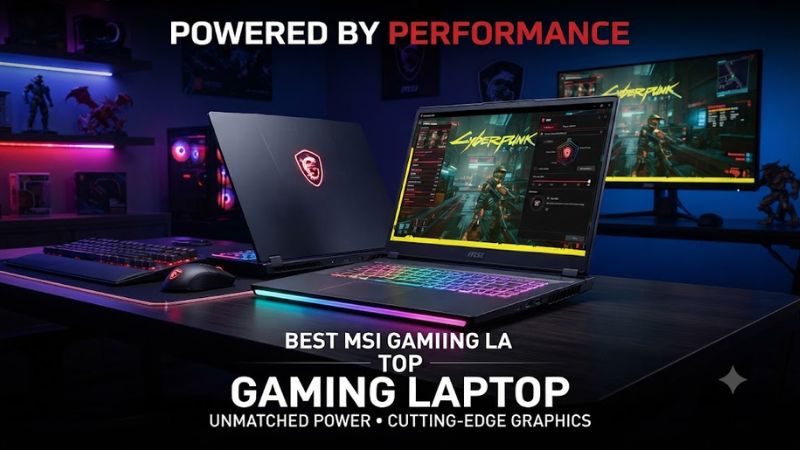
Prioritize GPU Power
For a high-end best msi gaming laptop, prioritize the GPU before secondary features. Current Raider, Titan, and Vector families can reach RTX 5090 Laptop GPU configurations, while the Stealth 16 AI+ reaches RTX 5080. Choose the strongest GPU your games and budget justify, rather than paying for a premium screen first.
GPU power also varies within one family, so the model name alone is not enough. MSI lists RTX 5070 Ti, RTX 5080, and RTX 5090 options for the Vector 16 HX AI, with different maximum graphics power figures. The exact SKU should be checked before purchase because performance can change materially between configurations.
Match the Display to the GPU
For the best msi gaming laptop display, match resolution to GPU power. QHD+ at 240Hz is a strong fit for current high-end 16-inch systems, while the Titan 18 HX AI uses an 18-inch UHD+ Mini LED panel at 120Hz. A higher resolution is most useful when the GPU can drive it at the settings you want.
Screen size also affects portability and desk use. The Raider 16 Max HX and Stealth 16 AI+ keep a 16-inch format, while the Titan 18 HX AI is much larger. OLED offers strong contrast and fast response, whereas Mini LED on the Titan emphasizes large-screen HDR-oriented viewing.
Check Memory and Storage Compatibility
Compatibility is straightforward because these are complete Windows 11 laptops rather than desktop parts, but configuration still matters. Current MSI models use DDR5 memory and NVMe M.2 storage, with slot counts varying by family. Check the exact regional specification before buying, especially for memory, SSD, display, and GPU variants.
Upgradeability is another practical compatibility check. The Raider 16 Max HX and Vector 16 HX AI provide two DDR5 memory slots, while the Titan 18 HX AI offers two memory slots and multiple M.2 positions. These parts are laptop-specific, so desktop DDR5, PCIe cards, and power supplies are not interchangeable.
Consider Cooling, Weight, and Noise
Thermal headroom is the fourth filter. Larger MSI chassis can carry more cooling and power, but they also add weight, while the Stealth 16 AI+ is listed at 1.99 kg. Independent reviews also note that performance-focused MSI systems can become loud under heavy loads, so acoustics should be part of the buying decision.
For the best msi gaming laptop for desk use, favor sustained power and cooling over thinness. For frequent travel, the lower weight of the Stealth can matter more than a higher peak specification. This criterion points toward the Raider or Vector for desk gaming, and the Stealth when mobility is a primary requirement.
Top Picks
The shortlist favors the Raider 16 Max HX for the broad high-end balance, the Vector 16 HX AI for value, the Titan 18 HX AI for maximum specification, and the Stealth 16 AI+ for portability. These picks use current manufacturer specifications and independent reviews, not detailed research by PC Gaming Universe.
| Product | Best For | Key Spec | Compatibility | Watch Out For |
| MSI Raider 16 Max HX | Best Overall | RTX 5090, QHD+ OLED 240Hz | Windows 11, DDR5, 2× M.2 | Price, plastic-heavy chassis |
| MSI Vector 16 HX AI | Best Value | RTX 5070 Ti, QHD+ 240Hz | Windows 11, DDR5, Gen4/Gen5 M.2 | Weight and noise |
| MSI Titan 18 HX AI | Maximum Performance | RTX 5090, UHD+ Mini LED 120Hz | Windows 11, DDR5, multiple M.2 | 3.6 kg chassis |
| MSI Stealth 16 AI+ | Portability | RTX 5080, QHD+ OLED 240Hz | Windows 11, DDR5, 2× Gen4 M.2 | 125W GPU limit |
MSI Raider 16 Max HX — Best Overall
MSI Raider 16 Max HX is the Best Overall best msi gaming laptop pick for buyers wanting flagship performance in a 16-inch format. Current configurations reach Core Ultra 9 290HX Plus and RTX 5090, with a QHD+ OLED 240Hz display. Its real weaknesses are premium pricing and a mostly plastic chassis.
The Raider suits buyers who keep the machine plugged in for demanding games but still want a smaller format than the Titan. MSI lists two DDR5 slots and two M.2 slots, while the RTX 5090 version carries 24GB GDDR7. Tom’s Hardware recorded low-to-mid-90 FPS in F1 24 at 2560×1600, Ultra High, DLSS off; that figure is configuration-specific.
MSI Vector 16 HX AI — Best Value
MSI Vector 16 HX AI is the Best Value best msi gaming laptop pick when gaming performance matters more than premium materials. Current configurations reach RTX 5090, RTX 5080, and RTX 5070 Ti, with the latter using 12GB GDDR7 and up to 140W graphics power. The exact CPU, display, and memory package varies by market.
The Vector fits a desk-focused buyer who wants a 16-inch QHD+ 240Hz option and broad upgrade support without Raider pricing. MSI lists two DDR5 slots up to 96GB and two M.2 slots with PCIe Gen4 and Gen5 support. Its weakness is portability: independent coverage has criticized battery life, bulk, and fan noise.
MSI Titan 18 HX AI — Best For Maximum Specification
MSI Titan 18 HX AI is the Best For maximum specification among these picks. Current configurations reach Core Ultra 9 285HX and RTX 5090 with 24GB GDDR7, while MSI specifies up to 270W combined CPU-GPU power. The 18-inch UHD+ Mini LED display runs at 120Hz, making this a desktop-replacement choice.
The Titan also offers unusually broad storage capacity, with two DDR5 slots up to 96GB and four M.2 positions in the current specification. It weighs about 3.6 kg and uses a 400W adapter, so size is its defining weakness. That makes it better suited to a permanent desk than frequent travel.
MSI Stealth 16 AI+ — Best For Portability
MSI Stealth 16 AI+ is the Best For portability because its current chassis is 1.99 kg and 16.65 mm at its thinnest point. The family reaches Core Ultra 9 386H and RTX 5080, paired with a 16-inch QHD+ OLED 240Hz panel and 90Wh battery. It is the lightest choice here.
The Stealth lists two DDR5 memory slots supporting up to DDR5-7200 and two PCIe Gen4 M.2 slots, plus Wi-Fi 7, Thunderbolt 4, HDMI 2.1, and 2.5GbE on the RTX 5080 specification. Its weakness is lower GPU power: MSI lists 125W maximum graphics power, so it is not the fastest sustained option under load in daily use.
FAQ
These four models cover the main buying decisions without treating one specification as universally superior. The Raider targets balanced high-end gaming, the Vector emphasizes value, the Titan maximizes size and power, and the Stealth favors mobility. The answers below keep those trade-offs clear for gaming.
Is MSI a Good Brand for Gaming Laptops?
Yes, MSI is a strong option for gaming laptops because its current range covers budget, mid-range, high-end, and portable systems. The lineup includes RTX 50-series graphics, modern Intel platforms, and multiple display formats, but specifications differ substantially between families and regional SKUs.
For the best msi gaming laptop, buyers should therefore compare the exact configuration rather than relying on the series name. GPU power, screen type, memory, storage, cooling, weight, and price can change the value proposition enough that two laptops from the same family may suit different users.
Which MSI Gaming Laptop Is Best for Most Gamers?
The Raider 16 Max HX is the strongest general high-end choice because it combines a 16-inch QHD+ OLED 240Hz panel with an RTX 5090 option and a more manageable format than the Titan. It also has practical connectivity and upgrade access, although its price is high.
For buyers wanting the best msi gaming laptop at a lower cost, the Vector 16 HX AI is easier to justify when its RTX 5070 Ti configuration is discounted. It gives up some premium materials and portability, but its high-power design and QHD+ display make it a sensible performance-first alternative.
Is the MSI Titan 18 HX AI Worth Buying?
Yes, the Titan 18 HX AI is worth buying when its large Mini LED display, RTX 5090 option, high power envelope, mechanical keyboard, and storage expansion match your priorities. MSI lists up to 270W combined CPU-GPU power and multiple M.2 positions, which suits a desktop-replacement role on a desk.
It is less compelling if your definition of the best msi gaming laptop is a portable machine or a straightforward QHD gaming system. The Titan’s roughly 3.6 kg chassis and 400W adapter are practical disadvantages for frequent travel, while the Raider can deliver a more compact premium experience.
Is the MSI Stealth 16 AI+ Good for Gaming?
Yes, the Stealth 16 AI+ is good for gaming because current configurations reach an RTX 5080 and a 240Hz QHD+ OLED display. Its 1.99 kg chassis makes it easier to carry than the Titan, while still offering modern connectivity and upgradeable memory and storage for demanding games at QHD settings.
For the best msi gaming laptop focused on travel, the Stealth is the clearest fit, but its 125W maximum GPU power means it targets a different balance from the heavier Raider, Vector, and Titan. Choose it for mobility first, then select the strongest GPU configuration your budget supports on the move.
Final Thoughts
The best msi gaming laptop for you is the one whose GPU power, display, weight, and upgrade options match how you actually use a notebook. Choose the Raider 16 Max HX for high-end balance, the Vector 16 HX AI for value, the Titan 18 HX AI for maximum specification, or the Stealth 16 AI+ for portability.