🛒 Best Price Today on Amazon
Prime members get fast, free shipping on everything above, plus member-only deals. New members get a 30-day free trial — cancel anytime.
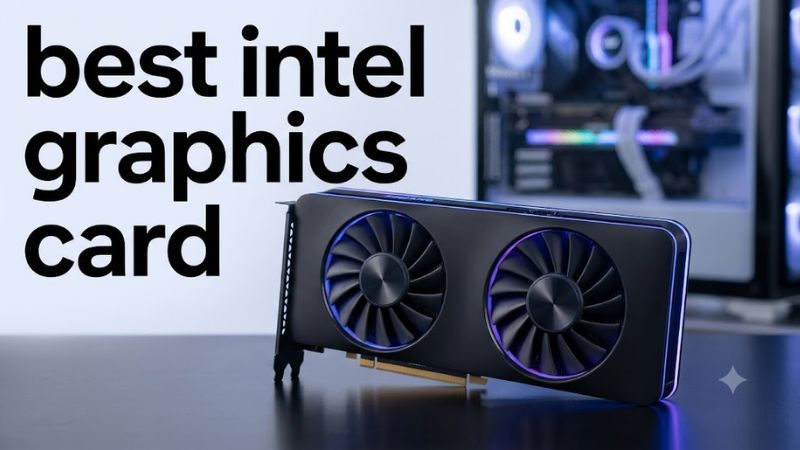
Choosing the best intel graphics card depends on your budget, target resolution, and the games you play. Intel’s Arc B-series discrete GPUs offer dedicated video memory, ray tracing, and XeSS upscaling for gaming PCs. Before buying, check game compatibility, motherboard support, power requirements, and current US pricing.
How to Choose an Intel Graphics Card
Match the GPU to Your Resolution
For most budget gaming builds, 1080p is a sensible starting point because it places less pressure on graphics performance and video memory than higher resolutions. The Arc B580 has 12GB of GDDR6 memory, while the B570 has 10GB. Either can suit a different budget, but game settings and driver support still affect results.
The best intel graphics card for a 1440p monitor is not automatically the most expensive option. Compare independent benchmarks from the games you actually play, including minimum frame rates where available. Averages alone can hide stuttering, and results from different CPUs, graphics presets, or upscaling modes should not be treated as directly comparable.
Check VRAM and Gaming Features
Video memory holds textures, rendering data, and other assets used by a game. The Arc B580’s 12GB capacity provides more room than the B570’s 10GB, which can be helpful with demanding textures or newer games. However, VRAM capacity alone does not determine performance; GPU processing power and memory bandwidth also matter.
Intel Arc cards support XeSS in compatible games, allowing supported implementations to render at a lower internal resolution and upscale the image. Feature availability and image quality vary by title and XeSS version. Check whether your favorite games support the relevant feature before paying extra for a capability you may rarely use.
Verify Platform Compatibility
A discrete Arc card requires a suitable motherboard expansion slot, adequate power delivery, and enough physical clearance inside the case. Intel’s B580 and B570 use a PCIe 4.0 x8 interface. They can operate in compatible PCIe slots, but the motherboard, processor, firmware, and driver configuration may influence performance and feature support.
Resizable BAR is particularly important to check for Arc gaming systems. Confirm motherboard firmware support, enable the feature when available, and install a current compatible graphics driver. Older platforms are not automatically unusable, but their performance may differ. Check the exact card manufacturer’s requirements before purchasing or replacing other components.
Compare Total System Cost
A graphics card’s purchase price is only part of the upgrade budget. Include any required power-supply replacement, case changes, and additional cooling if your current setup cannot accommodate the card. Intel’s reference B580 specification lists a 600W minimum power supply, but partner cards and complete systems may have different requirements.
The best intel graphics card for a low-cost PC is the model that fits the entire build without forcing unnecessary upgrades. Compare actual retailer prices rather than relying on launch pricing, which may no longer reflect availability. If two cards cost nearly the same, weigh their VRAM, warranty, dimensions, power needs, and performance in your preferred games.
Top Picks: The Best Intel Arc Cards to Consider
Intel’s current desktop Arc B-series lineup centers on the B580 and B570, with different manufacturers selling customized versions of these GPUs. The core graphics processor determines most gaming performance, while cooler design, clock speeds, dimensions, and power connectors distinguish individual models. The following shortlist prioritizes practical use cases rather than implying that every variant is faster.
| Product | Best For | Key Spec | Compatibility | Watch Out For |
| Intel Arc B580 Limited Edition | Best Overall | 12GB GDDR6; 456GB/s bandwidth | PCIe 4.0 x8; reference PSU 600W | Availability varies |
| Intel Arc B570 | Best Value | 10GB GDDR6; 380GB/s bandwidth | PCIe 4.0 x8 | Lower memory capacity |
| ASRock Arc B580 Steel Legend 12GB OC | Best For Cooling | 12GB GDDR6; 2800MHz listed GPU clock | PCIe 4.0 x8; recommended PSU 650W | 2.6-slot card |
| Sparkle Arc B580 TITAN OC | Best For Custom Builds | B580 GPU; triple-fan cooling | Check exact model’s power and clearance requirements | Larger cooler may not fit compact cases |
Best Overall: Intel Arc B580 Limited Edition
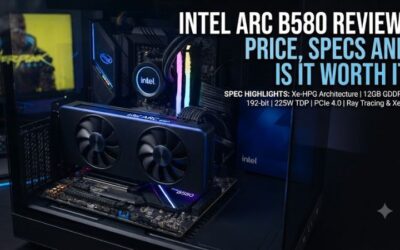
The Intel Arc B580 Limited Edition is the straightforward choice for a new budget gaming build. Its 12GB of GDDR6, 192-bit memory interface, and 456GB/s bandwidth provide a useful foundation for 1080p and selected 1440p games. Intel lists a 190W total board power and a 600W minimum PSU for its reference card.
Buy this model if you want Intel’s current mainstream gaming GPU without paying extra for a customized cooler. Its weakness is that stock and street prices can vary, and performance depends on the game and system configuration. Avoid assuming every older motherboard will deliver the same results without checking Resizable BAR support.
Best Value: Intel Arc B570
The Arc B570 is intended for buyers who want a lower-cost entry into Intel’s dedicated graphics lineup. Its 10GB of GDDR6, 160-bit memory interface, and 380GB/s bandwidth are suitable specifications for a budget-oriented gaming system. Its listed total board power is 150W, making its power demands lower than the reference B580.
Choose the B570 when its actual selling price leaves a meaningful saving compared with a B580. The trade-off is reduced memory capacity and graphics resources. It is less appealing when the price gap is small, or when your priority is demanding 1440p gaming with higher texture settings rather than keeping the initial purchase cost down.
Best For Cooling: ASRock Arc B580 Steel Legend 12GB OC
ASRock’s Steel Legend version uses the B580 GPU with a triple-fan cooler, a metal backplate, and customizable lighting. ASRock lists a 2800MHz GPU clock, 12GB of GDDR6, and two 8-pin power connectors. Its recommended PSU is 650W, and its dimensions are approximately 298 × 131 × 51mm.
Consider this card if your case has enough room and you prefer its cooling design and appearance. The additional cooler size can be inconvenient in compact systems, and a factory-overclocked specification does not guarantee a major gaming advantage. Compare its price with simpler B580 models before paying more for design features.
Best For Custom Builds: Sparkle Arc B580 TITAN OC
The Sparkle Arc B580 TITAN OC is another B580-based option, featuring the manufacturer’s TORN Cooling 2.0 design, three fans, and a metal backplate. Its appeal is primarily the partner-card implementation rather than a different GPU architecture. Buyers should verify the exact retailer listing for clock speed, dimensions, power connections, warranty, and regional availability.
Choose it when the price, cooling layout, and fit suit your system better than competing B580 cards. Do not assume that a triple-fan design will fit every mid-tower or small-form-factor case. Compare manufacturer dimensions with available clearance, and check that your PSU has the correct connectors before ordering.
FAQ
Is the Intel Arc B580 better than the B570?
The Arc B580 has more graphics resources and 12GB of VRAM, compared with the B570’s 10GB. That makes it the more capable specification on paper, but the best purchase depends on the price difference and performance in your games. Compare independent results using the same resolution, graphics settings, CPU, and driver version.
Do Intel Arc graphics cards work with older motherboards?
Intel Arc cards may work with older compatible motherboards, but platform support affects performance and feature availability. Check the motherboard’s firmware, PCIe slot, Resizable BAR support, and CPU compatibility before purchasing. A compatible slot alone does not guarantee the same performance as a newer, properly configured platform.
What power supply does an Intel Arc B580 need?
Intel specifies a 600W minimum PSU for its reference B580 card, while partner models may recommend different capacities. For example, ASRock recommends 650W for its Steel Legend B580. Follow the exact card manufacturer’s requirements and confirm that your PSU has the required connectors and sufficient capacity for the whole system.
Is an Intel Arc card worth buying for gaming?
An Intel Arc card can be worth buying if its current price, VRAM capacity, and performance suit your games and monitor. Check independent benchmarks and compatibility reports before choosing one. Buyers who rely on specific older games, specialized software, or demanding ray tracing should verify those workloads individually instead of assuming every title performs equally well.
Final Thoughts
The best intel graphics card for most budget-focused new builds is the Arc B580, thanks to its 12GB of VRAM and stronger specifications than the B570. The B570 makes sense when it costs substantially less, while partner models suit buyers with specific cooling preferences. Compare current prices, system compatibility, and game-specific benchmarks before deciding.