🛒 Best Price Today on Amazon
Prime members get fast, free shipping on everything above, plus member-only deals. New members get a 30-day free trial — cancel anytime.
High-resolution virtual reality demands more than strong average FPS. The best gpu for vr gaming at high resolution depends on headset resolution, refresh rate, rendering settings, and available VRAM. This guide compares premium and value-oriented graphics cards to help PCVR players choose hardware without overspending.
How to Choose a GPU for High-Resolution VR Gaming
Choosing a graphics card for PCVR requires a different approach from choosing one for conventional 1440p or 4K gaming. A headset renders separate images for both eyes, and demanding titles can increase the workload through supersampling, high refresh rates, and complex environments. Prioritize sustained rendering performance, sufficient VRAM, headset compatibility, and power requirements rather than relying on one specification.
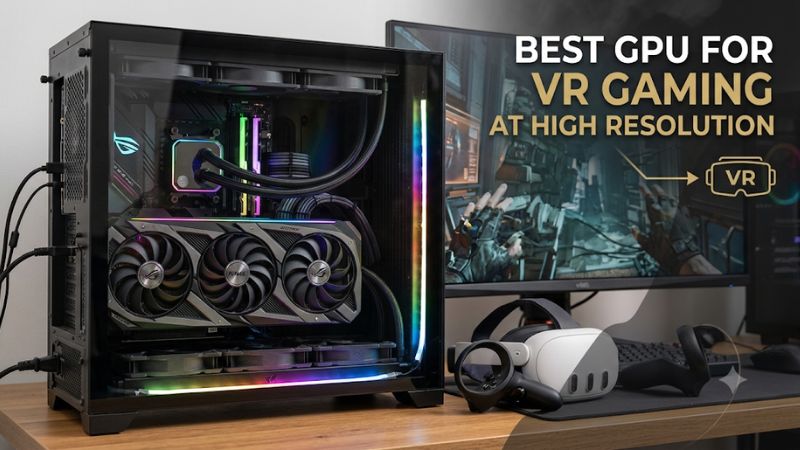
1. Rendering Performance Matters More Than Monitor Resolution
A headset’s advertised resolution does not always represent the resolution rendered by the GPU. VR applications can use distortion correction, render scaling, and supersampling, increasing the number of pixels processed beyond the panel’s native resolution. This makes demanding headsets particularly challenging for graphics cards.
For the best gpu for vr gaming at high resolution, prioritize strong performance at demanding resolutions rather than relying exclusively on conventional 1080p benchmarks. Independent 4K GPU results provide a useful starting point, but they cannot predict exact VR frame rates because headset runtimes, game engines, and rendering configurations differ.
2. VRAM Capacity and Memory Bandwidth
Video memory matters when rendering detailed environments, high-resolution textures, and complex simulations. A 16GB graphics card is a sensible starting point for premium PCVR, while 32GB provides additional headroom for particularly demanding workloads. However, capacity alone does not determine performance.
Memory bandwidth, GPU processing power, and architecture also influence rendering speed. An RTX 5080 with 16GB GDDR7 can outperform a slower card with more memory in many workloads. Consider VRAM alongside the complete GPU specification instead of treating capacity as a performance ranking.
3. Headset Compatibility and Connectivity
Check the headset manufacturer’s supported GPU requirements before purchasing. Meta Quest Link, SteamVR, and PlayStation VR2 on PC use different connection and software arrangements. A headset connected through USB or wireless streaming also places additional demands on encoding and system connectivity.
DisplayPort and HDMI requirements matter for headsets connected directly to a graphics card. Check the headset’s exact connection method, supported driver versions, and manufacturer’s compatibility documentation. A powerful GPU cannot compensate for an unsupported connection or an unsuitable PC configuration.
4. PSU, Case Clearance, and Cooling
High-end graphics cards can require substantial power and physical space. The RTX 5080 Founders Edition, for example, has a 360W total graphics power rating and an NVIDIA system power recommendation of 850W. Board-partner versions can have different dimensions and power requirements.
Before choosing the best gpu for vr gaming at high resolution, inspect your PSU’s capacity, available power connectors, case clearance, and airflow. A larger GPU also needs sufficient cooling to maintain its operating performance. Follow the exact requirements of the graphics card manufacturer rather than assuming every model uses reference specifications.
Top Picks: Best GPUs for High-Resolution VR
The following graphics cards cover four different buying priorities: maximum rendering power, premium headset support, balanced performance, and competitive raster performance for the money. Their specifications and manufacturer requirements provide a useful starting point, but exact VR performance still depends on the headset, game, runtime, and rendering resolution.
1. NVIDIA GeForce RTX 5090 – Best Overall
32GB GDDR7 · 512-bit memory interface · 575W total graphics power
The NVIDIA GeForce RTX 5090 is the strongest choice for enthusiasts who want to run demanding PCVR experiences at high rendering resolutions. Its 32GB GDDR7 memory and 512-bit memory interface provide substantial capacity and bandwidth for detailed environments, complex simulations, and other GPU-intensive workloads.
For particularly demanding headsets, the additional processing capability offers more room to increase render resolution and graphics quality. Pimax lists the RTX 5090 among its best-experience GPU options for the Crystal Super, making it a relevant choice for premium flight simulation and racing setups.
The main disadvantage is its substantial power and space requirements. NVIDIA specifies 575W total graphics power and a 1,000W required system power recommendation for its Founders Edition configuration. Its listed dimensions are 304mm long and 137mm wide, with additional room required for power cabling.
Who should buy it: Enthusiasts using premium high-resolution headsets, particularly those running demanding simulators or graphics-intensive VR applications.
Who should consider an alternative: Buyers using mainstream Quest headsets for less demanding games should consider the RTX 5080 or RTX 5070 Ti. The RTX 5090’s additional memory and processing capacity may not justify its expense for those workloads.
2. NVIDIA GeForce RTX 5080 – Best Premium Balance
16GB GDDR7 · 256-bit memory interface · 360W total graphics power
The RTX 5080 is a strong premium option for players who want substantial rendering performance without moving to the RTX 5090. Its 10,752 CUDA cores, 16GB GDDR7 memory, and 960GB/s memory bandwidth make it suitable for demanding gaming workloads.
Its combination of processing power and memory bandwidth is particularly relevant when running detailed VR environments at elevated render resolutions. It also supports DisplayPort 2.1b and HDMI 2.1b, although the headset’s own connection requirements determine which output is appropriate.
The limitation is its 16GB memory capacity, which is lower than the RTX 5090’s 32GB. Its 360W total graphics power and NVIDIA’s 850W system power recommendation also mean that upgrading an older PC may require a PSU replacement.
Who should buy it: Premium PCVR users who want high rendering performance for demanding games, simulation workloads, and high-resolution headsets.
Who should consider an alternative: Users who regularly work with particularly memory-intensive applications or want maximum VRAM capacity should consider the RTX 5090. More budget-conscious players can look at the RTX 5070 Ti.
3. NVIDIA GeForce RTX 5070 Ti – Best Performance Balance
16GB GDDR7 · 256-bit memory interface · 300W total graphics power
The RTX 5070 Ti offers a compelling balance of graphics processing capability and memory capacity. It features 8,960 CUDA cores, 16GB GDDR7 memory, and 896GB/s memory bandwidth. These specifications make it a reasonable candidate for high-quality PCVR without requiring a flagship graphics card.
Its 16GB memory capacity is useful for detailed textures and higher-resolution rendering workloads. NVIDIA also supports DLSS 4 features on the card, although the availability and usefulness of individual features depend on the game. Do not assume that frame generation will improve every VR application or replace the need for consistent native rendering performance.
The main trade-off is that it has less processing capacity than the RTX 5080 and RTX 5090. NVIDIA specifies 300W total graphics power and a 750W system power recommendation. Individual partner cards may have different dimensions and cooling requirements.
Who should buy it: Players who want a capable high-end VR graphics card for a mixture of modern games, racing simulations, and demanding PCVR experiences.
Who should consider an alternative: Users targeting the highest available headset resolutions or especially demanding simulation settings should consider the RTX 5080. Buyers prioritizing lower acquisition costs can also compare AMD’s RX 9070 XT.
4. AMD Radeon RX 9070 XT – Best AMD Value Alternative
16GB GDDR6 · 256-bit memory interface · 304W typical board power
The Radeon RX 9070 XT is an attractive alternative for buyers who prefer AMD graphics hardware. It includes 16GB GDDR6 memory, 64 compute units, a 256-bit memory interface, and up to 640GB/s memory bandwidth. Its PCIe 5.0 x16 interface also provides a modern connection to compatible desktop platforms.
Its specifications make it worth considering for PCVR users who want substantial graphics memory without paying for a flagship NVIDIA card. It also supports DisplayPort 2.1a and HDMI 2.1b, giving compatible display configurations access to modern connectivity standards.
However, its 16GB capacity does not make it equivalent to the RTX 5090 in demanding rendering workloads. Pimax’s published Crystal Super best-experience list names specific NVIDIA and older AMD models rather than the RX 9070 XT, so buyers of that headset should confirm support before choosing this card.
Pimax+1
Who should buy it: AMD-oriented PC builders who want a powerful gaming GPU with 16GB of memory and a strong specification profile.
Who should consider an alternative: Users prioritizing a headset manufacturer’s explicitly listed high-end GPU configurations or NVIDIA-specific software features should compare the RTX 5070 Ti and RTX 5080.
GPU Comparison Table
| Product | Best For | Key Spec | Compatibility | Watch Out For |
| RTX 5090 | Best Overall | 32GB GDDR7, 575W | Premium PCVR systems | High power and space requirements |
| RTX 5080 | Best Premium Balance | 16GB GDDR7, 360W | High-end desktop VR | Less VRAM than RTX 5090 |
| RTX 5070 Ti | Best Performance Balance | 16GB GDDR7, 300W | Upper-tier PCVR | Less processing power than RTX 5080 |
| RX 9070 XT | Best AMD Alternative | 16GB GDDR6, 304W | Compatible PCVR configurations | Confirm specific headset support |
Power figures refer to manufacturer reference specifications, not necessarily every aftermarket graphics card. Compatibility is conditional on headset and system requirements.
FAQ
1. What Is the Best GPU for High-Resolution VR Gaming?
The NVIDIA GeForce RTX 5090 is the strongest overall choice for high-resolution VR gaming. Its 32GB GDDR7 memory and substantial processing capability make it particularly suitable for demanding headsets and simulation applications. However, the RTX 5080 is a more balanced premium alternative for users who do not need flagship-level hardware.
When choosing the best gpu for vr gaming at high resolution, consider your headset’s recommended GPU tier rather than purchasing the most expensive card automatically. A mainstream headset and a premium headset with 4K-class resolution per eye can have very different requirements.
2. Is 16GB VRAM Enough for High-Resolution VR?
Yes, 16GB VRAM is a sensible capacity for many high-resolution PCVR configurations. Graphics cards such as the RTX 5080, RTX 5070 Ti, and RX 9070 XT offer this capacity, providing room for demanding textures and rendering workloads.
However, memory requirements depend on the application, headset resolution, and graphics settings. Users running heavily modified games or demanding simulation environments may benefit from 32GB. More VRAM does not automatically produce higher FPS if the GPU’s processing performance is insufficient.
3. Is an RTX 5070 Ti Good Enough for VR?
Yes, the RTX 5070 Ti is a capable option for many demanding PCVR setups. Its 16GB GDDR7 memory and 896GB/s bandwidth make it an attractive choice for players who want high-quality graphics without purchasing a flagship GPU.
It is particularly worth considering for Quest and SteamVR gaming, provided the complete system meets the headset requirements. For extremely demanding high-resolution headsets, an RTX 5080 or RTX 5090 provides more graphics processing capacity.
4. What Power Supply Do You Need for High-End VR GPUs?
The required PSU depends on the graphics card and the rest of the PC. NVIDIA recommends 1,000W system power for the RTX 5090 Founders Edition, 850W for the RTX 5080, and 750W for the RTX 5070 Ti. AMD recommends a minimum 750W PSU for the RX 9070 XT.
Before upgrading, verify the PSU’s actual model, available connectors, cable compatibility, and condition. Also check the graphics card manufacturer’s specific recommendations because aftermarket models can have different power requirements.
Final Thoughts
The best gpu for vr gaming at high resolution depends on how demanding your headset and favorite applications are. The RTX 5090 leads for enthusiasts, while the RTX 5080 and RTX 5070 Ti offer compelling alternatives. Compare headset requirements, PSU capacity, and available space before choosing your next GPU.