🛒 Best Price Today on Amazon
Prime members get fast, free shipping on everything above, plus member-only deals. New members get a 30-day free trial — cancel anytime.
Choosing the best gaming chair for adults means finding a seat that fits your body, supports your preferred sitting position, and remains comfortable during gaming or work. This guide compares options for different body sizes, budgets, and support needs, with practical advice on seat dimensions, materials, adjustability, and long-term value.
How to Choose a Gaming Chair for Adults
Adult gamers need more than an attractive racing-style design. The right chair should fit your height and weight, allow your feet to rest comfortably, and provide useful back and arm support. Start with measurements and adjustability rather than assuming a more expensive chair will suit everyone.
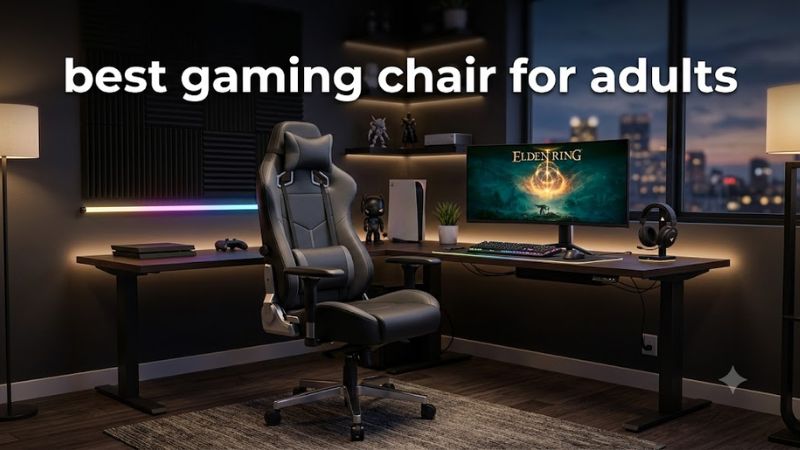
1. Match the chair to your height and weight
Check the manufacturer’s recommended height range, weight capacity, seat height, and usable seat width before choosing a chair. Maximum weight alone does not establish a good fit: a chair can support your weight while its backrest, seat depth, or side bolsters remain uncomfortable.
Your feet should rest flat on the floor when seated, with your knees near a right angle and enough space behind them to avoid pressure. If the seat is too deep, too high, or too narrow, look for another size or a different chair design.
2. Prioritize adjustable lumbar and arm support
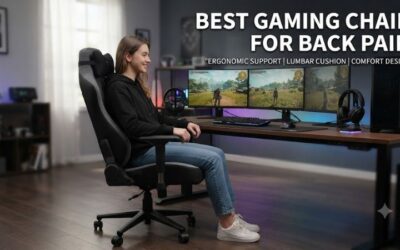
Lumbar support helps maintain a comfortable sitting position, but its shape and placement matter more than the number of adjustment settings. Built-in adjustable support lets you change its position without continually repositioning a loose cushion. A headrest can help when reclining, but it is not essential for every user.
Adjustable armrests are useful if you alternate between gaming, typing, and controller play. Look for settings that let your shoulders relax while your elbows remain near your body. Poorly positioned armrests can push your shoulders upward or prevent you from sitting close enough to your desk.
3. Choose upholstery for your room and habits
Fabric generally suits people who prefer a less slick seating surface and want to avoid the feel of synthetic leather. However, fabric can absorb spills and may require more careful cleaning. Leatherette or synthetic leather is usually easier to wipe down, although heat, friction, and wear can affect its appearance over time.
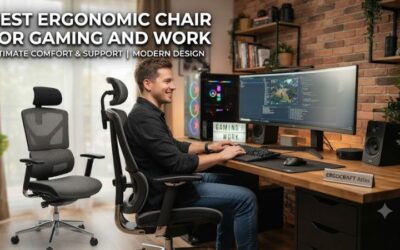
Mesh office chairs are another option for adults who prioritize airflow and a less bulky design. Gaming chairs often emphasize reclining, cushioning, and a distinctive appearance, while ergonomic office chairs may offer a more breathable backrest and a different approach to lumbar support.
4. Consider adjustments, warranty, and desk fit
A chair that reclines is not automatically ergonomic. Check whether it has a tilt mechanism, a locking recline, adjustable seat height, and armrests that fit under your desk. Also consider the base footprint, caster type, floor surface, and available room for reclining.
Review the warranty terms for upholstery, foam, the frame, and moving parts. These components may have different coverage periods or exclusions. Before purchasing, confirm the return policy and whether you must pay return shipping; the opportunity to return a chair that does not fit can matter more than an extra feature.
Top Gaming Chairs for Adults: Four Picks Compared
These recommendations cover different priorities rather than assuming one chair fits every adult. The Secretlab TITAN Evo emphasizes integrated lumbar adjustment, the CORSAIR TC100 RELAXED offers a simpler design, the Razer Iskur V2 focuses on adjustable back support, and the AndaSeat Kaiser 3 offers size options for larger users. Fit should determine your final choice.
1. Secretlab TITAN Evo — Best Overall
The Secretlab TITAN Evo is a strong starting point for adults who want a gaming-focused chair with integrated lumbar adjustment and extensive positioning options. Its four-way lumbar system adjusts vertically and in depth, while the magnetic memory-foam head pillow and adjustable armrests offer additional flexibility for desk work and reclining.
Its main trade-off is the firmer seating style and premium positioning. The available sizes and upholstery options affect fit and price, so check the current size chart instead of choosing solely by appearance. It is a suitable candidate for users who want an integrated support system, but those who prefer mesh or a softer seat should compare alternatives.
2. CORSAIR TC100 RELAXED — Best for Budget-Conscious Adults
The CORSAIR TC100 RELAXED is worth considering if you want a relatively straightforward gaming chair with a wider seating design. Manufacturer specifications list a 54 cm-wide seat base, 10 cm of seat-height adjustment, two-dimensional armrests, and a backrest that reclines between 90 and 160 degrees. Both fabric and leatherette variants are available.
The limitations are its simpler armrest adjustments and separate lumbar pillow. CORSAIR lists a maximum supported weight of 264 lb and a two-year warranty for this model. Check the current price and the exact upholstery variant before buying; it is best suited to adults who value basic adjustability over integrated lumbar mechanisms.
3. Razer Iskur V2 — Best for Adjustable Lumbar Support
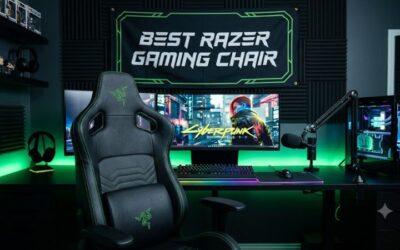
The Razer Iskur V2 stands out for its adaptive lumbar mechanism, designed to adjust to different back shapes and sitting positions. Razer lists four-dimensional armrests, a memory-foam head cushion, a steel frame, and a recline angle of up to 152 degrees. Its built-in lumbar support offers a different approach from chairs that rely on a loose cushion.
Razer specifies a recommended height range of 165–200 cm and a maximum supported weight of 300 lb. The chair’s more elaborate support system may appeal to adults who struggle to position a separate lumbar pillow, but it is not a substitute for individualized medical advice. Its premium positioning also makes it important to compare fit and cost before committing.
4. AndaSeat Kaiser 3 — Best for Big and Tall Adults
The AndaSeat Kaiser 3 is particularly relevant for adults who need a larger chair and more room around the seat. The manufacturer offers L and XL versions with different recommended body-size ranges, four-dimensional armrests, built-in adjustable lumbar support, and a magnetic head pillow. Fabric and synthetic-leather options are available, depending on the version.
The sizing distinction matters: the L version is listed for users approximately 4 ft 11 in to 6 ft 2 in and under 260 lb, while XL is intended for approximately 5 ft 11 in to 6 ft 11 in and 175–395 lb. These are manufacturer recommendations, not a guarantee of personal comfort. Check the precise model’s dimensions because the ranges overlap.
Quick Comparison Table
| Product | Best For | Key Spec | Compatibility | Watch Out For |
| Secretlab TITAN Evo | Overall gaming and desk use | Four-way lumbar adjustment | Select the appropriate size and upholstery | Firm seat; premium pricing |
| CORSAIR TC100 RELAXED | Simpler, budget-conscious setups | 54 cm seat base; 90–160° recline | Recommended maximum 264 lb | Pillow-based lumbar support; 2D armrests |
| Razer Iskur V2 | Adjustable lumbar support | 4D armrests; up to 152° recline | Recommended height 165–200 cm; maximum 300 lb | Premium cost and substantial footprint |
| AndaSeat Kaiser 3 | Larger body sizes | L and XL versions; 4D armrests | Choose size by height and weight | Larger footprint; dimensions vary by size |
Specifications above are based on manufacturer information. They describe design and fit, not independently comparable comfort scores. Prices are not listed because a current, like-for-like US price for each exact configuration has not been established here.
Getting the Best Fit and Long-Term Value
The right purchase depends on your measurements, daily routine, and willingness to pay for adjustment features. Before deciding which gaming chair for adults belongs in your setup, compare seat dimensions with your body and desk, then evaluate upholstery, maintenance, and warranty coverage. A suitable chair should work for both your primary gaming position and your normal breaks.
Check seat depth and width before buying
Measure from the back of your hips to just behind your knees to estimate the seat depth you need. When seated, you should have a small gap between the front edge and the backs of your knees. Your hips should fit without side bolsters pressing into your thighs, and your feet should reach the floor.
If you are shorter, a deep seat or high minimum seat height can be a problem even when the chair’s maximum weight capacity is generous. Taller users should pay attention to backrest height and shoulder clearance. Use the manufacturer’s dimension drawings rather than relying on labels such as regular, large, or XL.
Set up the chair around your desk
Adjust the seat height until your feet rest flat on the floor and your shoulders can relax. Position the armrests so your forearms receive support without forcing your elbows outward. Bring the chair close enough to your desk that you can reach your keyboard and mouse without leaning forward for extended periods.
Set the lumbar support to meet your lower back without creating excessive pressure. Recline when appropriate, but return to a comfortable working position when typing or using a mouse. No chair removes the need to change positions, stand, or take regular movement breaks during long gaming sessions.
Balance upholstery against maintenance
Fabric is a sensible option for users who dislike the feel of leatherette, but spills and accumulated dust require attention. Synthetic leather is generally easier to wipe clean, although cleaning products should follow the manufacturer’s care instructions. Avoid assuming that a premium finish will remain unchanged indefinitely under daily friction and heat.
Consider your room temperature, pets, snacks, and cleaning routine when selecting a finish. Also check whether replacement armrest pads or upholstery parts are available. A chair with replaceable components may be easier to maintain, but confirm the actual availability and cost rather than assuming every part can be purchased separately.
Evaluate the total cost, not just the feature list
The purchase price is only one part of ownership. Delivery, assembly, return shipping, warranty exclusions, and replacement components can affect the total cost. Compare current US prices for the exact size and material you intend to buy, and distinguish a temporary promotion from the normal listed price.
If you work and game at the same desk, an ergonomic office chair may be worth comparing against a racing-style model. Office chairs often emphasize breathable materials and posture adjustment, while gaming chairs commonly prioritize recline, cushioning, and appearance. Neither category automatically suits every adult, so use fit and adjustability as your deciding criteria.
FAQ
What is the best gaming chair for adults who sit all day?
The best choice is a chair that fits your body and allows comfortable, adjustable support throughout the day. The Secretlab TITAN Evo and Razer Iskur V2 offer integrated lumbar adjustment, while an ergonomic office chair may be preferable if you prioritize breathable mesh and a different seating design. Take regular movement breaks regardless of which chair you choose.
Are gaming chairs suitable for adults with larger body sizes?
Yes, provided the chair’s dimensions and weight rating match the user. The AndaSeat Kaiser 3 has L and XL versions with different recommended height and weight ranges. Check seat width, seat depth, and armrest spacing as well as the maximum load rating; a high weight limit alone does not establish a comfortable fit.
Is fabric or leatherette better for a gaming chair?
Fabric is often preferable if you want a less slick seating surface, while leatherette is convenient for wiping away everyday spills. Fabric can absorb liquids, and synthetic leather may feel warmer in some rooms. Choose based on your climate, cleaning habits, and personal preference rather than assuming either material is universally more durable.
How much should an adult spend on a gaming chair?
Spend according to fit, useful adjustments, materials, and warranty coverage rather than a fixed price target. Compare the current US price of the exact configuration, including delivery and return costs. A less expensive chair that fits correctly may be a better purchase than a premium model whose seat dimensions or lumbar support do not suit you.
Final Thoughts
The best gaming chair for adults is the one that fits your body, supports your preferred posture, and suits your budget. Start by measuring your seat and desk requirements, then compare the Secretlab TITAN Evo, CORSAIR TC100 RELAXED, Razer Iskur V2, and AndaSeat Kaiser 3 against those measurements before making your purchase.