🛒 Best Price Today on Amazon
Prime members get fast, free shipping on everything above, plus member-only deals. New members get a 30-day free trial — cancel anytime.
Choosing the best atx power supply means matching wattage, GPU connectors, efficiency, and case clearance to your build rather than buying the biggest unit available. These picks focus on modern gaming PCs, including upgrades with high-power graphics cards, while explaining compatibility, practical trade-offs, and which features deserve your money.
How to Choose an ATX Power Supply
The right PSU supplies enough continuous power for your CPU, graphics card, and other components while accommodating short power spikes. Before buying, check the GPU manufacturer’s power recommendation, the connectors your components require, your case’s PSU clearance, and the unit’s warranty. These factors matter more than wattage or efficiency labels alone.
1. Choose the Right Wattage
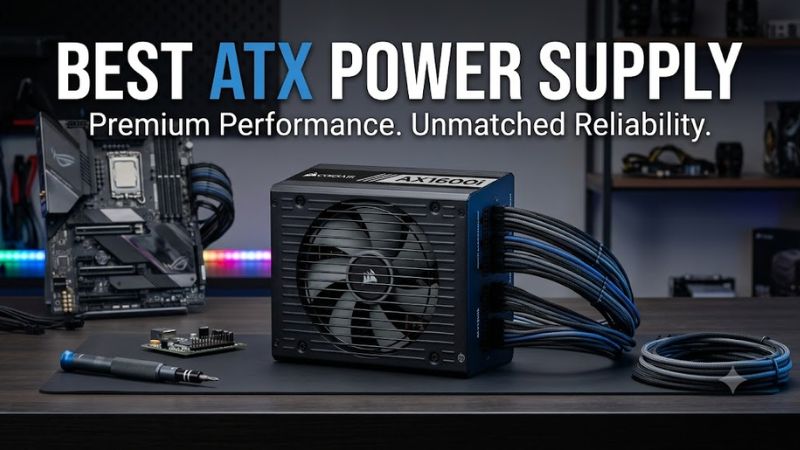
A 750W PSU can suit many midrange gaming PCs, while 850W is a useful starting point for numerous higher-performance configurations. Demanding flagship builds may need 1,000W or more, depending on the graphics card, processor, and other components. These are planning ranges, not universal requirements; check the exact hardware recommendations.
Avoid calculating capacity from the graphics card alone. The CPU, power limits, storage drives, cooling equipment, and transient loads also affect the total requirement. A quality PSU with appropriate headroom can accommodate upgrades, but excess wattage offers little benefit if your system does not need it.
2. Check GPU Connectors and ATX Standards
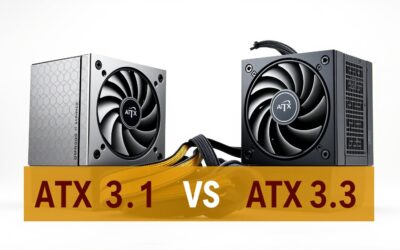
Modern graphics cards may use conventional PCIe 6+2-pin connectors or a 16-pin 12V-2×6 power connection. An ATX 3.1 PSU with a compatible native 12V-2×6 cable is a sensible choice for a new build using a supported modern GPU. Confirm the exact cable and connector specifications before purchasing.
The ATX 3.1 specification also addresses power excursions, which occur when components briefly demand substantially more power. A compatible PSU can make a modern build easier to configure, but the standard does not replace checking the graphics card’s wattage recommendation or the PSU’s actual output capacity.
3. Understand Efficiency and Modularity
An 80 PLUS Gold rating identifies an efficiency certification level, not a complete assessment of electrical quality, noise, or longevity. Better efficiency can reduce wasted energy and heat under comparable operating conditions, but actual results vary with load and input voltage. Independent reviews provide more useful insight into ripple, voltage regulation, acoustics, and protection behavior.
Fully modular units let you connect only the cables you need, helping cable management and airflow planning. Semi-modular and fixed-cable models can cost less. Never reuse modular PSU cables just because their connectors fit: pinouts can differ between models, and an incompatible cable can damage components.
4. Confirm Case Fit and Warranty
Most conventional ATX PSUs share a standard mounting format, but their lengths vary. Check the case specification and allow room for cable bends, especially when a large graphics card or drive cage limits space. SFX power supplies are smaller alternatives for compact cases, but they may require different mounting arrangements.
Warranty length is useful when comparing otherwise similar models, although it is not proof of superior performance. Review the manufacturer’s terms, regional support, and exact model revision. For a new gaming PC, prioritize reputable electrical design, the correct cables, and suitable capacity before paying extra for a premium efficiency label.
Top ATX Power Supply Picks for Gaming PCs
These recommendations cover balanced 850W builds, tighter budgets, and higher-capacity systems. The specifications below come from manufacturer information, not PC Gaming Universe laboratory measurements. Compare the exact model revision and local listing before ordering, because similarly named PSUs can use different standards or cables.
1. Best Overall: MSI MAG A850GL PCIE5
The MSI MAG A850GL PCIE5 is a practical choice for a modern gaming PC that needs 850W without an oversized enclosure. It offers 80 PLUS Gold efficiency, fully modular cabling, a native 16-pin GPU power cable, and a 140mm-long chassis. Its compact length can simplify installation in compatible ATX cases.
MSI lists a 120mm fluid-dynamic-bearing fan, two CPU EPS 4+4-pin connectors, four PCIe 6+2-pin connectors, and a 10-year warranty should be confirmed for the specific regional product listing. The main limitation is capacity: demanding flagship configurations may benefit from 1,000W instead. Choose this model when your component requirements fit its output.
2. Best Value: be quiet! Pure Power 12 M 850W
The be quiet! Pure Power 12 M 850W is worth considering if you want a modular power supply with a strong feature set for gaming. The manufacturer lists 80 PLUS Gold efficiency, a 120mm fan, two 12V rails, a native 600W 12VHPWR cable, and a 10-year warranty. It supports conventional PCIe 6+2-pin graphics connections too.
One important distinction is that the Pure Power 12 M 850W is an ATX 3.0 model, rather than the newer ATX 3.1 revision. Its native 12VHPWR connection is useful for compatible graphics cards, but buyers who specifically want ATX 3.1 and 12V-2×6 should compare the newer Pure Power 12 series. The best purchase depends on the price and exact revision available.
3. Best for Quiet-Focused Builds: be quiet! Pure Power 12 850W
The be quiet! Pure Power 12 850W is a suitable alternative for builders who want modern GPU connectivity and a quiet-focused design. The manufacturer specifies ATX 3.1 compliance, PCIe 5.1 compatibility, a native 12V-2×6 cable rated for up to 600W, three PCIe 6+2-pin connectors, and 80 PLUS Gold efficiency.
Its 120mm fan and 10-year manufacturer warranty make it a compelling option for a conventional gaming tower. However, the standard Pure Power 12 is not the same product as the Pure Power 12 M, so check modular-cabling details before buying. If you need a fully modular design, verify that the exact model listing meets that requirement.
4. Best Alternative for Multiple Drives and Accessories: MSI MPG A850G PCIE5
The MSI MPG A850G PCIE5 provides another 850W option for gaming PCs with several storage devices and a demanding graphics card. Its official specifications list a fully modular ATX chassis measuring 150 × 150 × 86mm, 80 PLUS Gold efficiency, a 135mm fluid-dynamic-bearing fan, and a native 16-pin GPU cable rated for up to 600W.
The connection layout includes two CPU EPS 4+4-pin connectors, six PCIe 6+2-pin connectors, and eight SATA power connectors. That offers flexibility for builds with multiple drives or expansion needs. The key trade-off is that this model is listed as PCIe 5.0-compatible and should not be confused with a newer ATX 3.1 revision. Check the standard and connector specification against your GPU before choosing it.
Quick Comparison Table
| Product | Best For | Key Spec | Compatibility | Watch Out For |
| MSI MAG A850GL PCIE5 | Overall gaming builds | 850W, Gold, modular | ATX; native 16-pin GPU cable | Verify GPU wattage needs |
| be quiet! Pure Power 12 M 850W | Value-conscious builds | 850W, Gold, modular | ATX 3.0; 12VHPWR | Not ATX 3.1 |
| be quiet! Pure Power 12 850W | Quiet-focused builds | 850W, Gold, ATX 3.1 | Native 12V-2×6 and PCIe 6+2 | Check modularity |
| MSI MPG A850G PCIE5 | Multi-drive builds | 850W, Gold, modular | ATX; native 16-pin GPU cable | Older specification revision |
FAQ
How many watts should a gaming PC power supply have?
Most builds should start with the graphics card and processor requirements, then account for other components and transient loads. A 750W or 850W PSU can suit many gaming systems, while high-power flagship builds may need 1,000W or more. Always check the exact GPU manufacturer’s recommendation.
Is an ATX 3.1 power supply better than ATX 3.0?
ATX 3.1 is a useful choice for a new build because it incorporates the updated 12V-2×6 connector specification. However, a quality ATX 3.0 PSU can still be suitable if it provides the required power and compatible connections. The specific unit’s design matters more than the version number alone.
Does a higher-wattage PSU improve gaming FPS?
No, a higher-wattage PSU does not automatically increase gaming FPS. It supplies power rather than directly improving graphics performance. Replacing an undersized or faulty unit may address power-related instability, but upgrading an adequate PSU alone is not an FPS optimization.
Can I reuse my old PSU cables with a new power supply?
No, you should not assume that modular cables are interchangeable between power supplies. Connector pinouts can differ even when plugs fit physically. Use the cables supplied with the new PSU or cables explicitly approved for its exact model, and follow the manufacturer’s installation instructions.
Final Thoughts
The best atx power supply depends on your graphics card, processor, available case space, and plans for future upgrades. For many new gaming builds, start by comparing the MSI MAG A850GL PCIE5 with a suitable ATX 3.1 alternative. Confirm the wattage, cable requirements, and exact model revision before placing your order.