Affiliate disclosure: As an Amazon Associate we earn from qualifying purchases. This post contains affiliate links — we may earn a small commission at no extra cost to you. This never affects our picks. Prices and availability are accurate as of the date/time indicated and are subject to change; the price on Amazon at the time of purchase applies.
- Quick Comparison Table
- 1. Logitech G PRO X3 Lightspeed: Best for Wireless Flagship Play
- 2. Razer BlackShark V3 X HyperSpeed: Best for Light, Long Sessions
- 3. Logitech G Pro X Wired: Best for Wired Plug-In Play
- 4. EKSA E1000 USB: Best for Basic USB Setups
- How to Choose
- Virtual 7.1 vs Multi-Driver Hardware Surround: What You’re Actually Buying
- Matching a 7.1 Headset to Your Game Genre
- Configuring Surround Processing Correctly on PC and Console
- Common Mistakes When Buying a 7.1 Headset
- Decision Table: Matching a Priority to a Pick
- Wired vs Wireless 7.1: Latency, Reliability, and Charging Trade-offs
- When a 7.1 Headset Is Overkill: Alternatives Worth Considering
- Why Some Games Still Sound Flat on a True 7.1 Headset
- Common Myths About 7.1 Surround Headsets
- Confirming Surround Is Actually Active Before You Judge a Headset
- Driver Specs, Impedance, and Why the Numbers on the Box Rarely Match What You Hear
- Ear Pad Material, Clamping Force, and Why Comfort Changes Over a Multi-Hour Session
- Frequently Asked Questions
- About the Author
- Related Articles
Quick answer: Among the best 7.1 surround sound headsets, the Logitech G PRO X3 Lightspeed is the top pick for wireless play. The Razer BlackShark V3 X HyperSpeed suits long, light sessions, the Logitech G Pro X wired suits plug-in simplicity, and the EKSA E1000 is a basic USB option.
This guide compares four gaming headsets whose listings state 7.1 surround sound. We rely on each listing’s published specs, such as driver size, connection type and battery life, because we did not run our own benchmarks. One point is worth knowing up front: 7.1 on a headset is a virtual effect produced by software or a USB sound chip, since two earcups cannot hold seven physical speakers.
Quick Comparison Table
| # | Model | Key specs (per listing) | Best for |
|---|---|---|---|
| 1 | Logitech G PRO X3 Lightspeed | 50 mm graphene drivers, 48 kHz mic, 7.1 surround, Bluetooth, PC and PS5 | Wireless flagship play |
| 2 | Razer BlackShark V3 X HyperSpeed | Wireless, 70-hour battery, HyperClear mic, 7.1, TriForce Gen-2 drivers, 270g | Light, long sessions |
| 3 | Logitech G Pro X Wired | Blue VO!CE, DTS 7.1, 50 mm drivers, USB/3.5mm, USB DAC | Wired plug-in play |
| 4 | EKSA E1000 USB | USB, 7.1 surround, noise-cancelling mic, RGB | Basic USB setups |
1. Logitech G PRO X3 Lightspeed: Best for Wireless Flagship Play
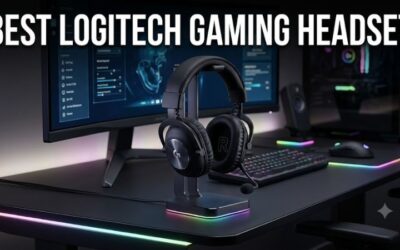
Specs per the listing: Logitech G PRO X3 Lightspeed gaming headset, 48 kHz mic, 50 mm graphene drivers, 7.1 surround, Bluetooth, PC and PS5, black.
The G PRO X3 is the most advanced headset here. Its large graphene drivers aim for clear sound, the 48 kHz microphone is meant for voice quality, and Lightspeed wireless is Logitech’s low-latency link for PC play. Bluetooth is added for phone or console audio when you do not want the dongle.
Battery life and weight are not stated in the listing, so check the maker page before buying if you play for many hours at a time. Platform support lists PC and PS5, so Xbox players should verify compatibility first. Use it if you want a wireless headset with a 7.1 mode and good mic.
- Pros: 50 mm graphene drivers; 48 kHz mic; wireless plus Bluetooth; 7.1 surround
- Cons: Battery life and weight not listed; Xbox support not stated

Logitech G PRO X3 Lightspeed Gaming Headset - Black | 48 kHz Mic, 50 mm Graphene Drivers, 7.1 Surround, Bluetooth, PC, PS5
Included for 'Best 7.1 Surround Sound Headsets for PC and Console Gaming' as a representative gaming product in this roundup; selection reflects the product set returned for this topic.
View on Amazon2. Razer BlackShark V3 X HyperSpeed: Best for Light, Long Sessions
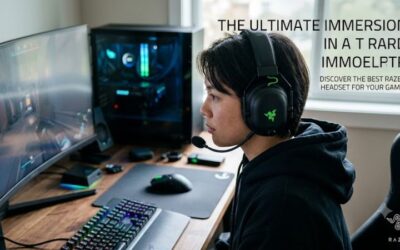
Specs per the listing: Razer BlackShark V3 X HyperSpeed wireless gaming headset for PC, 70-hour battery, HyperClear mic, 7.1 surround sound, TriForce Gen-2 drivers, 3 connectivity modes, 270g lightweight design.
The listing’s main selling point is endurance: a 70-hour battery and a 270g body suit long evening sessions and travel. Three connection modes give flexibility between the wireless dongle and other options, and the HyperClear mic is built for voice chat.
It is described as a headset for PC, so console players should check the maker page for compatibility. It sits below the Logitech flagship in features, but for the player who values battery life and low weight, it is the more comfortable choice on paper.
- Pros: 70-hour battery; 270g body; three connection modes; 7.1 surround
- Cons: Listed for PC use; fewer premium features than flagships

Razer BlackShark V3 X HyperSpeed Wireless Gaming Headset for PC, Black | 70-Hour Battery, HyperClear Mic, 7.1 Surround Sound, TriForce Gen-2 Drivers, 3 Connectivity Modes, 270g Lightweight Design
Included for 'Best 7.1 Surround Sound Headsets for PC and Console Gaming' as a representative gaming product in this roundup; selection reflects the product set returned for this topic.
View on Amazon3. Logitech G Pro X Wired: Best for Wired Plug-In Play
Specs per the listing: Logitech G Pro X wired gaming headset with detachable boom mic, Blue VO!CE, DTS 7.1, 50 mm drivers, USB/3.5mm, spare memory foam pads, USB DAC and bag, for PC, Xbox, PS5 and PS4.
A wired headset removes battery and latency worries. This one ships with a USB DAC, which is the sound card that produces the DTS 7.1 effect on PC, and it works across PC and consoles through its USB and 3.5mm options. Spare ear pads and a detachable mic are practical extras.
The trade is the cable and a design that is older than the newest wireless models. For desk gamers who want a reliable, well-equipped headset with no charging, it is the dependable pick.
- Pros: USB DAC included; DTS 7.1; detachable mic; spare pads; works across consoles and PC
- Cons: Cable limits movement; older design

Logitech G Pro X Wired Gaming Headset With Detachable Boom Mic - Black | Wired headset has Blue VO!CE, DTS 7.1, 50 mm drivers, USB/3.5mm, spare memory foam pads, USB DAC & bag, PC, Xbox, PS5, PS4
Included for 'Best 7.1 Surround Sound Headsets for PC and Console Gaming' as a representative gaming product in this roundup; selection reflects the product set returned for this topic.
View on Amazon4. EKSA E1000 USB: Best for Basic USB Setups
Specs per the listing: EKSA E1000 USB PC gaming headset with mic, 7.1 surround sound, noise-cancelling mic, RGB light, wired, for PS4, PS5, laptop and call center use.
The E1000 is the simple option. A USB connection gives you the 7.1 effect without a sound card, and the noise-cancelling mic makes it useful for calls as well as games. RGB lighting adds style without much fuss.
As a lesser-known brand, it deserves a quick look at the maker page for driver size, warranty and comfort details, which the listing does not state. Treat it as an entry point rather than a long-term headset.
- Pros: USB connection with 7.1; noise-cancelling mic; works with PC and consoles; RGB
- Cons: Driver size and warranty not listed; less proven brand
How to Choose
Understand what 7.1 really does
Virtual 7.1 surround simulates a multi-speaker setup by processing stereo audio. In shooters it can help with direction cues, but a well-tuned stereo headset can sound equally precise. Treat 7.1 as an extra feature and judge a headset mainly on comfort, mic quality and driver quality.
Wired or wireless
Wired headsets avoid charging and are simplest for desk use. Wireless gives freedom of movement; look for a 2.4 GHz dongle for low latency rather than Bluetooth alone, and a battery rated for 50 hours or more if you play daily.
Check platform support
Verify that the headset supports your platform. Some are listed for PC and PS5 only, while others work across Xbox and Switch. A USB headset usually works on PC and PlayStation, but Xbox needs specific support.
Weigh comfort and mic
For long sessions, look for weights under about 300g, soft ear pads and a headband that does not clamp. A detachable mic is useful when you want to listen without the boom. If you talk with teammates often, prioritize mic clarity over surround effects.
Plan for the rest of your audio setup
If you also use speakers or a sound bar, remember that a USB headset may take over your default audio output on PC. Set the headset as the communication device and keep speakers as the main output if you switch often. If you share the desk with other people, a headset with a mute switch or a flip-up mic makes calls and late-night play easier, so look for those controls in the listing.
Virtual 7.1 vs Multi-Driver Hardware Surround: What You’re Actually Buying
Most gaming headsets marketed with a “7.1” label create that effect through software, not through seven physical speakers packed into each earcup. A small number of drivers, usually one or two per side, play audio that has been processed to simulate directional cues, and the software layer does the work of making a footstep sound like it is coming from behind rather than from the left ear. A smaller set of headsets use genuinely separate drivers arranged around the ear to produce discrete channels without relying entirely on processing.
Neither approach is automatically better. Virtual surround through quality drivers and well-tuned software can sound more precise and less muddy than a cheap multi-driver design crammed into a small earcup, because physically separating several small drivers in a confined space often sacrifices the clarity of each individual channel. The practical question is not which technology is used but whether the result makes directional audio easier to read during actual play, which is something a spec sheet cannot answer on its own.
Matching a 7.1 Headset to Your Game Genre
Surround processing is tuned differently depending on what it needs to do, and the genre someone plays most should weigh heavily in the decision.
- Competitive first-person shooters: prioritize headsets known for sharp, precise footstep and gunshot localization over bass-heavy tuning, since picking out direction quickly matters more than cinematic impact.
- Open-world and story-driven games: a warmer, fuller sound signature with strong low-end often matters more here than pinpoint directional accuracy, since the goal is immersion rather than split-second positional reads.
- Team-based multiplayer with heavy voice chat: microphone clarity and background noise handling deserve equal weight to the surround processing itself, since teammates need to understand callouts as much as the player needs to hear the game.
- Console-first players: confirming which specific surround format a platform supports natively, rather than assuming any headset labeled 7.1 will activate it automatically, avoids a mismatch between what the box advertises and what actually turns on.
Configuring Surround Processing Correctly on PC and Console
A headset’s surround feature has to be enabled somewhere in software, and the exact steps differ by platform. On Windows, surround processing commonly runs through either the built-in spatial sound settings or a manufacturer’s own companion application, and only one of those should be active at a time; running both simultaneously can double-process the audio and make directional cues less clear rather than more. On console, surround support is usually tied to a specific licensed format, and whether a given game or dashboard menu outputs that format correctly is worth confirming with a quick dialogue or menu test immediately after setup rather than assuming it from the box alone.
A companion app, where one exists, is also where most of the useful tuning lives: equalizer presets built for footstep clarity, microphone sidetone level, and sometimes a toggle between a flatter competitive profile and a bassier cinematic one. Skipping the companion app and using a headset purely on its default wired or wireless connection often means missing out on exactly the tuning that made the surround processing worth buying in the first place.
Common Mistakes When Buying a 7.1 Headset
- Assuming “7.1” guarantees better footstep tracking than stereo. Processing quality and driver tuning matter more than the label; a well-tuned stereo headset can out-perform a poorly processed surround one for directional accuracy.
- Ignoring platform compatibility before buying. A format that works perfectly on PC may require a different cable, adapter, or licensed decoder to function the same way on a console.
- Judging comfort from a product photo instead of clamp force and padding type. Long sessions expose clamping pressure and ear-cup material choices that are impossible to evaluate from an image alone.
- Overlooking microphone quality in favor of audio specs. A headset chosen purely for its surround processing can still be a poor choice for team communication if the microphone is an afterthought.
- Running two surround software layers at once. Enabling both a system-level spatial audio setting and a manufacturer app’s processing at the same time frequently muddies directional cues instead of sharpening them.
Decision Table: Matching a Priority to a Pick
| If you mainly care about… | Lean toward… |
|---|---|
| Wireless freedom with flagship-level features | Logitech G PRO X3 Lightspeed |
| Long sessions without ear or head fatigue | Razer BlackShark V3 X HyperSpeed |
| Simple plug-in reliability with no pairing steps | Logitech G Pro X Wired |
| A straightforward, budget-friendly USB setup | EKSA E1000 USB |
This table is a starting point, not a substitute for weighing comfort and microphone needs against the specific games played most often, since no single priority captures everything that matters in a headset used for hours at a time.
Wired vs Wireless 7.1: Latency, Reliability, and Charging Trade-offs
A wired connection removes two variables at once: there is no battery to manage and no wireless latency, however small, standing between a game’s audio engine and the eardrum. For competitive play, a wired headset is still the most predictable option on the table, since its performance does not depend on how charged the battery is or how much wireless interference happens to be in the room on a given day. The cost is a literal cable running from the headset to the source, which some players find restrictive during fast physical movement or when switching quickly between a desk setup and a couch.
Wireless 7.1 headsets using a dedicated low-latency receiver, rather than standard Bluetooth, close most of that latency gap for the vast majority of players, and the convenience of a cable-free desk is significant for anyone who leans back, paces, or switches devices often. The remaining trade-off is charge management: a wireless headset that dies mid-session has no fallback unless it also supports a wired mode through the same cable used for charging. Checking whether a wireless model can be used wired while charging, rather than being completely unusable during a charge cycle, is worth confirming before buying if session length regularly runs long.
When a 7.1 Headset Is Overkill: Alternatives Worth Considering
Surround processing solves a specific problem, locating sounds in three-dimensional space, and that problem does not apply equally to every kind of play. A player who spends most of their time in slower-paced, narrative, or puzzle games gets comparatively little benefit from precise footstep localization and may be better served by a simpler stereo headset with strong overall sound quality and a comfortable fit for long sessions, often at a lower overall cost than a flagship surround model.
Open-back stereo headphones, while not built for gaming-specific features like a boom microphone, often deliver a wider, more natural soundstage for music and single-player exploration than a closed-back surround gaming headset, at the trade-off of leaking sound to anyone nearby and letting in more ambient room noise. For shared living spaces or late-night sessions where leaking audio is a real concern, that trade-off alone may rule out an open-back option regardless of its sound quality, pushing the decision back toward a closed, surround-capable design by default rather than by preference.
Why Some Games Still Sound Flat on a True 7.1 Headset
A multi-driver or virtual 7.1 headset can only reproduce positional cues that the game actually sends it. Many titles mix audio in stereo by default and rely on the engine’s internal panning rather than outputting a discrete multichannel stream, so switching a headset’s surround processing on does nothing if the game itself never generates a rear or side channel to decode.
Competitive shooters built around precise footstep and gunfire placement tend to mix audio with surround cues deliberately, which is why the same headset can sound dramatically more “3D” in one game than another. Checking a game’s own audio settings for a surround, binaural, or “headphone” output mode, rather than assuming the headset’s software handles everything, resolves most complaints about a 7.1 headset sounding no different from a stereo one.
Common Myths About 7.1 Surround Headsets
A few claims about surround headsets persist well past the point of being accurate, and they shape buying decisions more than the actual specs do.
- Myth: more physical drivers always mean better positioning. Driver count affects frequency separation more than directional accuracy; a well-tuned stereo driver pair with good virtual processing often localizes sound more precisely than a cheaply implemented multi-driver array.
- Myth: 7.1 headsets need matching 7.1 speakers to work. Headset surround, virtual or hardware, is self-contained and processes the signal internally; it has no relationship to a room’s physical speaker layout.
- Myth: a higher advertised channel count guarantees better footstep detection. Detection depends more on frequency response in the upper-mid range and the game’s own audio mix than on how many channels the headset claims to support.
- Myth: burn-in changes a headset’s surround imaging. Driver break-in can shift bass response slightly over the first hours of use, but it does not retrain how the headset renders directional cues.
- Myth: wireless surround headsets always introduce audible lag. Modern low-latency wireless protocols keep audio delay low enough that the difference from wired is not perceptible in most gaming scenarios; older Bluetooth-only implementations are the actual source of that reputation.
Confirming Surround Is Actually Active Before You Judge a Headset
On PC, surround processing can be enabled in three separate places at once: the headset’s own software, the game’s audio settings, and the operating system’s spatial sound setting for that output device. If any one of those three is left on stereo, the chain reverts to stereo even though the other two report surround as active, which is the most common reason a newly bought headset “doesn’t sound any different.”
On console, the picture is simpler but easy to miss: most platforms require spatial or surround audio to be turned on separately in the system’s audio output menu, and that setting does not carry over automatically when a headset is swapped for a different model. Running a dedicated surround test clip after any headset, platform, or cable change confirms the full chain is actually passing a multichannel signal rather than assuming the last configuration still applies.
Driver Specs, Impedance, and Why the Numbers on the Box Rarely Match What You Hear
Spec sheets for 7.1 headsets usually list driver size in millimeters, a frequency response range, and an impedance figure in ohms, but those numbers only describe the hardware’s ceiling, not how surround separation actually sounds in a game. A larger driver moves more air, which generally helps bass extension, but it does not by itself produce sharper directional cues; the virtual surround algorithm processing the stereo signal is a bigger factor than driver diameter once a headset clears entry-level build quality. Impedance matters mainly for headsets that skip a dedicated USB DAC and plug into a standard 3.5mm jack: anything rated well above average will sound noticeably quieter on a phone or basic motherboard audio jack without extra amplification, while headsets built for console and PC use through USB typically run lower so the onboard DAC can drive them at full volume. Frequency response ranges printed on packaging describe the outer limits a manufacturer tests for, not how flat or accurate the sound is across that range — two headsets with an identical printed range can sound very different once the maker’s own EQ tuning is applied.
Ear Pad Material, Clamping Force, and Why Comfort Changes Over a Multi-Hour Session
Most 7.1 headsets ship with either memory foam pads wrapped in synthetic leather or a breathable fabric mesh, and the choice affects long sessions more than the surround processing does. Leatherette pads seal more tightly around the ear, which helps passive noise isolation and keeps virtual surround cues more consistent, but they also trap heat and can feel damp after a few hours, especially in a warm room. Fabric or velour pads breathe better and stay cooler, at the cost of a slightly looser seal that lets a little outside noise in. Clamping force is rarely listed on a spec sheet, but it is the single biggest factor in whether a headset still feels comfortable after several hours; a headband that feels snug in a five-minute store test can become a pressure point over a long raid or match. Pads are also a wear item: foam flattens and leatherette cracks or peels with regular use over time, and headsets with widely available replacement pad kits tend to stay comfortable and sanitary for far longer than models where the pads are glued in permanently.
Frequently Asked Questions
Is 7.1 surround real?
No, it is a virtual effect created by software or a USB sound chip. It simulates direction using stereo drivers rather than seven speakers.
Do I need a USB DAC?
A USB DAC or USB connection is what usually provides the 7.1 effect on PC. On a plain 3.5mm connection, surround features may not work, so check the listing.
Wireless or wired for competitive play?
Both work. A 2.4 GHz wireless link is low latency, and wired avoids battery concerns. Bluetooth alone is the weakest option for timing.
Will these work on Xbox?
Not all do. The Logitech G Pro X wired lists Xbox, but others list PC and PS5. Check the platform list for each model.
How important is the microphone?
If you voice chat often, it matters as much as the drivers. Look for a detachable or boom mic with noise cancelling.