🛒 Best Price Today on Amazon
Prime members get fast, free shipping on everything above, plus member-only deals. New members get a 30-day free trial — cancel anytime.
Choosing the best razer headset depends on how you play, which devices you own, and how much you want to spend. Our shortlist covers competitive gaming, wireless convenience, budget-friendly audio, and feature-rich setups, with practical comparisons of connectivity, microphones, battery life, and limitations.
How to Choose the Best Razer Headset
The right headset should match your gaming platform and everyday habits, not simply offer the longest feature list. Prioritize connection type, microphone quality, comfort, and useful audio controls before paying extra for lighting, virtual surround sound, or advanced wireless features.
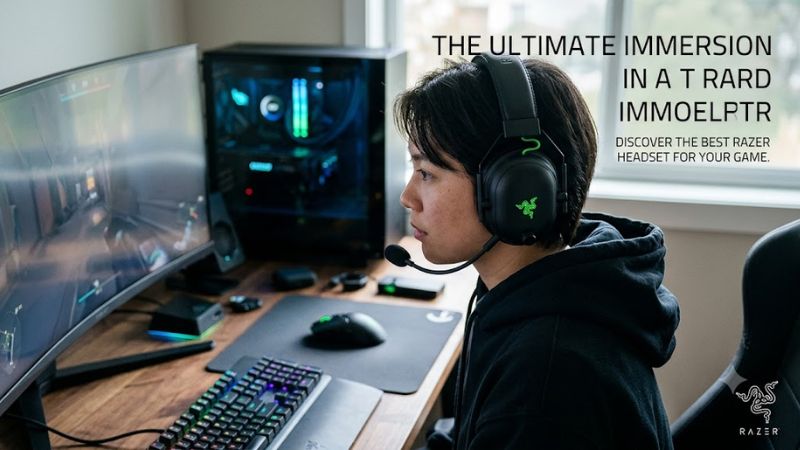
1. Choose the Right Connection
For competitive PC gaming, a dedicated 2.4 GHz wireless connection is generally a better starting point than Bluetooth because it is designed for low-latency audio. Wired USB headsets avoid battery management, while Bluetooth is useful for phones and casual listening. Check the included dongle and cable before buying.
If you want one headset for a gaming PC, console, and phone, compare the exact supported connections. A USB wireless dongle does not automatically work with every console, and a 3.5 mm connection may provide different features from a USB connection. Compatibility should come from the specific model’s documentation.
2. Consider Microphone Quality
A detachable or retractable boom microphone is useful for multiplayer games, Discord calls, and streaming. A larger microphone specification alone does not establish better voice quality, so consider independent listening assessments as well as the pickup pattern and supported software features.
The BlackShark line emphasizes competitive communication, while the Kraken V4 combines a retractable microphone with wireless connectivity and RGB lighting. If you frequently switch between gaming and work calls, consider whether you need a boom mic or prefer a more discreet design.
3. Balance Comfort and Battery Life
Weight, earcup dimensions, headband pressure, and cushion materials all affect long-session comfort. A lightweight headset can be easier to wear for extended periods, but individual fit matters more than any single specification. If possible, check the return policy before committing to a headset you have not worn.
Wireless battery estimates also depend on the model and enabled features. RGB lighting, simultaneous wireless connections, and other functions can reduce runtime. Treat manufacturer battery figures as maximum estimates under stated conditions rather than a promise of identical everyday use.
4. Pay for Features You Will Use
Virtual surround sound, equalizer controls, active noise cancellation, and RGB lighting serve different purposes. Surround processing can help create a positional audio effect, while equalizers let you adjust tonal balance. Neither automatically makes a headset better for every game or listener.
Consider software support before spending more. Some advanced THX Spatial Audio features require compatible Windows software, and console support differs by model. If you mainly play games on a console, prioritize verified console compatibility and a connection method that supports your intended setup.
Top Razer Headsets Worth Buying
These four picks cover different budgets and priorities, from competitive wireless play to wired gaming and everyday versatility. The recommendations are based on published specifications, official product information, and available independent reviews—not firsthand testing by PC Gaming Universe. US prices can change, so confirm the current listing before checkout.
| Product | Best For | Key Spec | Compatibility | Watch Out For |
| Razer BlackShark V3 Pro | Best overall | 50 mm drivers, ANC, up to 70-hour battery | PC and supported consoles; verify connection requirements | Premium feature set |
| Razer Kraken V4 | Wireless versatility | 40 mm titanium drivers, up to 70 hours with lighting off | PC, Mac, PlayStation, Switch and compatible devices | RGB reduces battery life |
| Razer Barracuda X | Everyday value | 40 mm drivers, 250 g, up to 50 hours | PC, supported consoles and mobile devices | Fewer premium audio features |
| Razer Kraken V4 X | Best wired option | 40 mm drivers, 310 g, USB-C/USB-A | PC, Mac, PlayStation, docked Switch and other supported devices | No wireless operation |
1. Razer BlackShark V3 Pro — Best Overall
The BlackShark V3 Pro is the strongest starting point for competitive gamers who prioritize communication and wireless performance. Razer lists upgraded 50 mm TriForce Bio-Cellulose drivers, hybrid active noise cancellation, a detachable 12 mm HyperClear Full Band microphone, and HyperSpeed Wireless Gen-2. It also supports simultaneous 2.4 GHz and Bluetooth audio.
Its stated battery life reaches 70 hours, and Razer advertises six hours of use from a 15-minute charge. THX Spatial Audio+ provides 7.1.4 positional audio on Windows 11 version 23H2 or later. That software requirement matters if you want the full spatial-audio feature set rather than ordinary stereo output.
The main trade-off is cost: the advanced microphone, ANC, and wireless features make this a premium choice rather than a basic headset upgrade. Choose it if competitive play and voice clarity are priorities. If you rarely use ANC or simultaneous audio, a less expensive model may offer better value.
2. Razer Kraken V4 — Best Wireless Versatility
The Kraken V4 suits players who want a gaming headset that also connects to a phone or other compatible device. It offers 2.4 GHz HyperSpeed Wireless, Bluetooth 5.3, and USB wired connectivity, alongside 40 mm TriForce Titanium drivers and a retractable HyperClear Super Wideband microphone. Razer’s US store lists a price of $179.99 for the standard model at the time of the retrieved listing.
Battery life is rated at up to 70 hours with lighting off and 35 hours with lighting on. That gives you a useful choice between longer sessions and RGB customization. The headset also supports THX Spatial Audio through compatible software, making it worth considering for players who want more control over their audio setup.
The limitation is that its lighting and wireless features do not suit everyone. The 350 g headset is heavier than the Barracuda X, and its standard version lacks the Kraken V4 Pro’s dedicated control hub and haptic features. Buy it for flexible connections and customizable appearance; skip it if you prefer a lighter headset or need no-frills wired audio.
3. Razer Barracuda X — Best for Everyday Value
The Barracuda X is a practical choice for players who want one lightweight headset for gaming and daily listening. Razer lists a 250 g design, 40 mm TriForce drivers, a detachable microphone, and up to 50 hours of battery life. Its SmartSwitch Dual Wireless feature supports switching between 2.4 GHz wireless and Bluetooth. The official US listing showed $99.99 for the standard model when retrieved.
Its lower weight is appealing for longer sessions, while the included USB-C wireless dongle and 3.5 mm audio cable provide options for compatible devices. The Bluetooth connection is useful for mobile listening, and the detachable mic makes the headset less conspicuous when you are away from your gaming setup.
The compromise is its more straightforward feature set. You do not get the BlackShark V3 Pro’s hybrid ANC or the Kraken V4’s RGB lighting. Platform support also depends on the connection method, so check the exact console and model requirements before ordering. Choose this headset if comfort, portability, and a more moderate budget matter more than premium extras.
4. Razer Kraken V4 X — Best Wired Option
The Kraken V4 X is suited to desktop gamers who would rather connect a cable than manage wireless charging. It has 40 mm TriForce drivers, a retractable HyperClear Cardioid microphone, Chroma RGB lighting, and a convertible USB-C/USB-A connection. Razer lists its weight at approximately 310 g, making it lighter than the standard Kraken V4.
Its wired connection means you do not need to monitor battery life, and the included adapter expands compatibility with supported USB-A and USB-C devices. The microphone retracts into the earcup when it is not needed. Windows users can access 7.1 surround sound through Razer’s compatible software, subject to the stated operating-system requirements.
The obvious limitation is cable dependence: it is not suitable for untethered gaming or walking around while listening. Its surround processing also requires software and does not replace the need for good source audio. Choose it for a straightforward gaming desk setup; consider the Barracuda X or Kraken V4 if wireless movement is important.
FAQ
Which Razer headset is best for competitive gaming?
The Razer BlackShark V3 Pro is the strongest pick for competitive gaming if you want low-latency wireless audio, ANC, and a detachable microphone. Its 2.4 GHz connection is designed for gaming, while its advanced spatial-audio features require compatible Windows software. You can also use standard audio without enabling those optional features.
Do Razer headsets work with PS5 and Xbox?
Razer headsets work with PS5 and Xbox when the specific model and connection method are supported. The BlackShark V3 Pro and Kraken V4 have different connectivity options, while the Kraken V4 X uses USB. The Barracuda X also supports multiple platforms. Check the official compatibility list for your exact model, because USB and wireless support can differ between consoles.
Is a wireless Razer headset better than a wired one?
A wireless Razer headset is better if you value movement and fewer cables, while a wired model is more suitable if you want to avoid charging and wireless setup. A dedicated 2.4 GHz connection is generally preferable to Bluetooth for responsive gaming audio. Your budget, platform, and preference for convenience should determine which option makes more sense.
Is the Razer Kraken V4 worth buying?
The Razer Kraken V4 is worth considering if you want wireless connectivity, RGB lighting, a retractable microphone, and USB audio in one headset. Its official US listing showed $179.99 when retrieved, but current discounts may change its value. If you do not need wireless features, compare it with the Kraken V4 X before spending more.
Final Thoughts
The best razer headset depends on which features will improve your everyday setup. Choose the BlackShark V3 Pro for competitive wireless play, the Kraken V4 for connectivity and RGB, the Barracuda X for lightweight versatility, or the Kraken V4 X for wired simplicity. Check current US pricing and your platform’s compatibility before buying.