- Top Pick: Acer A640 4K Webcam with AI Noise Canceling Mic for Streaming Meetings
- Best Value: NIVEOLI Webcam 4K with Microphone & Privacy Cover for PC/Laptop, USB Computer Camera Plug & Play with Auto Light Correction for Video Calls, Live Streaming Gaming & Online Meetings
- Premium Choice: NexiGo N680E Pro 4K Webcam with Ring Light, PDAF Autofocus, 1080p 60FPS, Dual Noise-Canceling Mics, Privacy Shutter, USB Plug-and-Play for Zoom, Teams, Twitch, Google Meet
If your GPU can push crisp frames but your face looks like a smudged JPEG on stream, the weak link is almost always the webcam. In 2026, 4K webcams have finally matured past the “marketing spec on the box” phase and into genuinely useful hardware, with larger sensors, faster autofocus, and on-camera processing that used to require a mirrorless camera and a capture card. For streamers, YouTubers, and competitive gamers who show a facecam, the right webcam is one of the highest-impact upgrades you can make short of better lighting.
- 4K vs 1080p60: Which Resolution Actually Matters for Streaming?
- Sensor Size and Low-Light Performance: The Spec That Really Counts
- Autofocus, Field of View, and HDR: Getting the Framing Right
- Comparison Table: Best 4K Webcams for Streaming in 2026
- Built-In Microphones, Mounting, and Software Ecosystems
- The Verdict: Which 4K Webcam Should You Buy?
- Related Guides
- Frequently Asked Questions
- Related Guides
- Related Articles
But shopping for a 4K webcam is genuinely confusing. Some cameras advertise “4K” while capping the frame rate at a stuttery 24 or 30 fps. Others prioritize a huge field of view that flatters a group call but distorts a single face at desk distance. And the gap between a small budget sensor and a proper 1/1.8-inch sensor is enormous once your room lights dim after sunset. This guide breaks down what actually matters, ranks the best 4K webcams you can buy right now, and helps you match a camera to your specific setup, whether that is a bright dedicated studio or a dim bedroom battlestation.
As an Amazon Associate we earn from qualifying purchases at no extra cost to you.





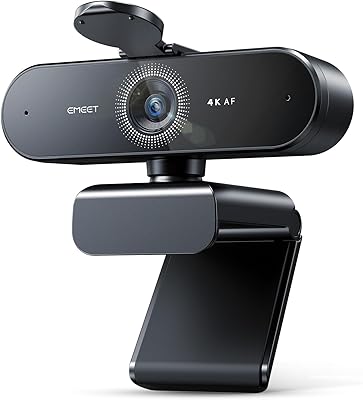
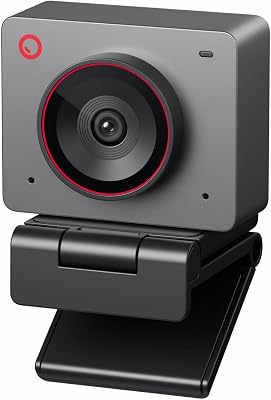


We evaluated cameras on resolution and frame-rate flexibility, sensor size and low-light behavior, autofocus reliability, field of view, built-in microphone quality, software depth, and mounting hardware, then weighed all of that against realistic 2026 street prices in USD.
As an Amazon Associate we earn from qualifying purchases. Prices and availability are accurate as of the date of publication and are subject to change.
🛒 Best Price Today on Amazon
Prime members get fast, free shipping on everything above, plus member-only deals. New members get a 30-day free trial — cancel anytime.
4K vs 1080p60: Which Resolution Actually Matters for Streaming?
Here is the counterintuitive truth that trips up most first-time buyers: for live streaming to Twitch or YouTube, 1080p60 often looks better than 4K30. Twitch caps most non-partner ingest around 6,000 kbps, and even YouTube compresses aggressively. A 4K feed gets downscaled and crushed by the platform’s encoder, so you rarely see true 4K detail on the viewer’s end. Meanwhile, 60 fps keeps your motion smooth, which is exactly what matters when you lean in, react, and gesture during gameplay.
So why buy a 4K webcam at all? Two reasons. First, capturing at 4K and downsampling to 1080p produces a sharper, cleaner 1080p image than a native 1080p sensor, because oversampling reduces noise and aliasing. Second, 4K gives you room to crop, punch in, or reframe in OBS without losing quality, which is invaluable for a picture-in-picture facecam. The best cameras in 2026 shoot 4K30 for recorded content and 1080p at 60 fps for live work, giving you both.
- Streaming live: Prioritize a camera that does clean 1080p60. Smooth motion beats resolution the viewer never receives.
- Recording YouTube/VOD: 4K30 is worth it. You keep detail and can crop in post.
- Small facecam overlay: 4K capture downscaled to a corner box looks razor sharp even at low bitrate.
For a deeper look at balancing capture quality with encoder load, see our guide on optimizing OBS settings for high-refresh gameplay.
Sensor Size and Low-Light Performance: The Spec That Really Counts
If you take one thing from this article, make it this: sensor size matters more than megapixels. A physically larger sensor gathers more light per pixel, which means less noise, better color, and a usable image when your key light is off and you are gaming by the glow of RGB and a monitor. The Elgato Facecam Pro and MK.2 use large 1/1.8-inch and comparable Sony STARVIS-class sensors, and the difference in a dim room is night and day versus a cheap 1/3-inch budget cam.
The Insta360 Link and Razer Kiyo Pro Ultra push this further. The Kiyo Pro Ultra famously packs a huge 1/1.2-inch sensor, one of the largest ever put in a consumer webcam, and it shows: it produces near-mirrorless shallow depth of field and holds detail in genuinely dark rooms. If you stream at night without professional lighting, sensor size should top your priority list, even ahead of resolution.
Low-light quality also depends on aperture. A brighter lens (a lower f-number like f/1.7 to f/2.0) lets more light hit the sensor. Pair a large sensor with a bright aperture and you get the coveted background blur that makes a webcam feed look cinematic rather than like a security camera. Still, no sensor replaces good lighting, so if you are on a budget, a $40 key light plus a mid-range webcam beats a flagship cam in the dark. Our streaming lighting setup breakdown covers affordable options.
Autofocus, Field of View, and HDR: Getting the Framing Right
Autofocus separates a premium 4K webcam from a frustrating one. Contrast-detect autofocus hunts and breathes, pulsing in and out of focus every time you move, which is distracting on stream. Phase-detect autofocus (PDAF), found on the Logitech MX Brio and Insta360 Link, locks quickly and stays locked. Elgato takes a different route on some models with a fixed-focus wide depth of field, which never hunts at all because everything at desk distance stays sharp. Both approaches work; what you want to avoid is slow contrast-only AF.
Field of view is the other framing lever. A narrow FOV (around 70 to 80 degrees) keeps a single face flattering and cuts out a messy room. A wide FOV (90 degrees or more) fits more of your setup or a second person but introduces distortion up close. Many 2026 cameras offer adjustable FOV in software so you can dial it in. The Insta360 Link goes furthest with a motorized gimbal that physically tracks and follows you around the room, ideal for creators who move, cook, or demo products on camera.
HDR helps when you are backlit, for example sitting in front of a bright window. It balances the exposure so your face is not a silhouette. Use it thoughtfully, though: HDR can reduce frame rate on some cameras and occasionally looks flat, so test both modes before committing your stream to it.
Comparison Table: Best 4K Webcams for Streaming in 2026
| Webcam | Resolution | Standout Feature | Best For | Approx Price (USD) |
|---|---|---|---|---|
| Elgato Facecam MK.2 | 1080p60 / 4K via upscale | Sony sensor, uncompressed feed, no-AF-hunt clarity | Streamers wanting reliable, tuned image quality | $150 |
| Elgato Facecam Pro | 4K60 | True 4K at 60 fps, large 1/1.8″ sensor | Creators recording 4K VOD content | $250 |
| Logitech MX Brio (Brio 4K) | 4K30 / 1080p60 | Phase-detect autofocus, dual noise-canceling mics | Hybrid work plus streaming, fast reliable AF | $200 |
| Insta360 Link | 4K30 | Motorized AI gimbal tracking, gesture control | Creators who move around or demo on camera | $180 |
| Razer Kiyo Pro Ultra | 4K30 | Massive 1/1.2″ sensor, best-in-class low light | Night streamers without pro lighting | $300 |
Where the Anker C series fits
Anker’s PowerConf and 4K webcams deserve a mention for value. They typically land between $60 and $130 and deliver competent 4K30 with AI framing and solid autofocus. They will not match the Kiyo Pro Ultra’s sensor or Elgato’s tuning, but for a first facecam or a secondary angle, an Anker 4K cam offers the most detail per dollar. If your budget is tight and you already have decent lighting, it is a smart entry point before stepping up to a flagship.
Built-In Microphones, Mounting, and Software Ecosystems
Do not rely on any webcam’s built-in microphone for your primary stream audio. Even the dual noise-canceling mics on the Logitech MX Brio, which are among the best onboard mics available, cannot compete with a dedicated USB or XLR microphone a few inches from your mouth. Treat webcam mics as a backup or a convenience for quick calls. If you are serious about audio, pair any of these cameras with a proper mic; see our roundup of the best USB microphones for streamers.
Mounting is an underrated practical concern. All five picks ship with a monitor clip, but check for a standard 1/4-inch tripod thread if you plan to use an arm, a light stand, or a low overhead angle. Elgato and Razer both integrate cleanly with their respective mounting ecosystems, and the Insta360 Link’s gimbal base is stable on a desk or tripod alike.
Software is where the ecosystems diverge sharply:
- Elgato Camera Hub: Deep manual controls (ISO, shutter, white balance, contrast) that let you tune the image like a real camera. Best for tinkerers who want a locked, consistent look.
- Logitech Logi Options+ / G Hub: Clean, approachable, with show-mode and framing presets. Great for users who want good results without fiddling.
- Insta360 Link Controller: Unlocks gimbal tracking, gesture control, whiteboard mode, and overhead desk view. The most feature-packed software here.
- Razer Synapse: Controls the Kiyo Pro Ultra’s HDR and image settings; functional but heavier than competitors.
The Verdict: Which 4K Webcam Should You Buy?
For most streamers and gamers, the Elgato Facecam MK.2 is the smart buy. Its Sony sensor, uncompressed feed, and no-nonsense fixed-focus clarity give you a reliably great 1080p60 image for live work at a fair price, and Camera Hub lets you tune it precisely. If you record 4K YouTube content, step up to the Facecam Pro for true 4K60. If autofocus speed and a clean hybrid work-and-play setup matter most, the Logitech MX Brio is the versatile all-rounder. Creators who move around should grab the Insta360 Link for its tracking gimbal. And if you stream at night without lighting, nothing beats the Razer Kiyo Pro Ultra’s enormous sensor, provided you can stomach the $300 price. Match the camera to your room and your content, invest in lighting and a real microphone, and your facecam will finally look as good as your gameplay.
Frequently Asked Questions
Is a 4K webcam worth it for Twitch streaming?
For live Twitch streaming, the practical benefit of 4K is not the resolution itself, since Twitch’s bitrate cap downscales your feed anyway. The real value is that a 4K sensor downsampled to 1080p produces a sharper, cleaner, less noisy image than a native 1080p webcam, and it gives you room to crop your facecam without losing quality. So yes, it is worth it, but for the image quality rather than literal 4K output.
Do I need good lighting if I buy a large-sensor webcam?
A large sensor like the one in the Razer Kiyo Pro Ultra dramatically improves low-light performance, but it does not replace lighting. Even the best sensor benefits enormously from a soft key light, which improves color accuracy, reduces noise further, and flatters your face. A budget key light plus a mid-range webcam often looks better than a flagship camera in a dark room.
What frame rate should I stream my facecam at?
Aim for 60 fps at 1080p for a live facecam whenever your camera and PC support it. Smooth motion makes your reactions and gestures look natural, which matters more to viewers than 4K resolution that the platform compresses away. Reserve 4K30 for recorded YouTube videos where you want maximum detail and the ability to crop in post.
Are built-in webcam microphones good enough for streaming?
Built-in webcam mics, even excellent ones like the Logitech MX Brio’s dual noise-canceling array, are fine for quick calls but not ideal for a serious stream. They sit too far from your mouth and pick up room noise. For professional-sounding audio, pair your webcam with a dedicated USB or XLR microphone positioned close to you, and use the webcam mic only as a backup.
Related Guides
- Best Streaming With A Capture Card 2026
- Best Headphone Stands: Reviewed and Compared (2026)
- Best Desk Mats for Gaming Setups: Reviewed and Compared (2026)
Top picks from this guide
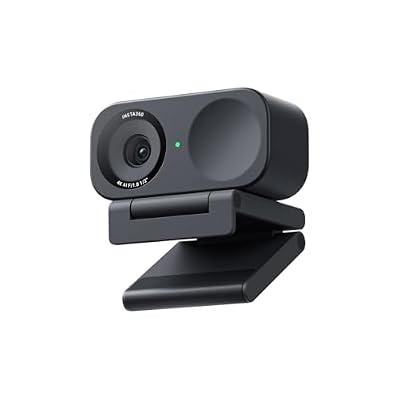 Insta360Insta360 Link 2C - 4K Webcam for PC/Mac, 1/2" Sensor,…$150 \xc2\xb7 99/100
 EMEETEMEET C960 4K Webcam for PC, PDAF Auto Focus, Dual…$46 \xc2\xb7 99/100
 EMEETEMEET S600 4K Webcam for Streaming, Sony 1/2.55'' Sensor, PDAF…$53 \xc2\xb7 98/100
 NexiGoNexiGo N680E Pro 4K Webcam with Ring Light, PDAF Autofocus,…$100 \xc2\xb7 98/100