🛒 Best Price Today on Amazon
Prime members get fast, free shipping on everything above, plus member-only deals. New members get a 30-day free trial — cancel anytime.
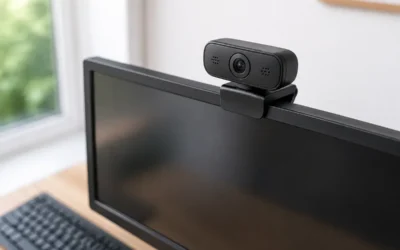
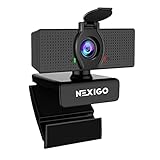
The best camera for streaming depends on budget and how much setup you accept: a quality 1080p60 or 4K webcam like the Elgato Facecam MK.2 or Logitech MX Brio is the right choice for most streamers, while a mirrorless camera for streaming such as the Sony ZV-E10 II or Canon EOS R50 delivers visibly better depth and low-light quality once you add a capture device and continuous power. The jump from webcam to mirrorless is real, but it only pays off if your lighting is already good.
This guide maps your situation to a camera class, explains the hidden costs of the mirrorless route, and gives settings that help any camera look better on Twitch or YouTube.

Logitech Brio Ultra 4K HD Webcam for Streaming and Meetings - Black
Included for 'Cameras for Streaming: Webcam vs Mirrorless Decision Matrix for 2026' because the listing specifies Black, details this guide uses to compare options.
View on Amazon
Logitech MX Brio Ultra HD 4K Webcam Collaboration and Streaming - Graphite
Included for 'Cameras for Streaming: Webcam vs Mirrorless Decision Matrix for 2026' because the listing specifies Graphite, details this guide uses to compare options.
View on Amazon
Insta360 Link 2 Pro – 4K PTZ Webcam for PC/Mac, 1/1.3” Sensor, Low-Light, AI Tracking, HDR, Directional Noise-Canceling Mics, Supports Stream Deck, Zoom, Teams, Twitch for Streaming or Meetings
Included for 'Cameras for Streaming: Webcam vs Mirrorless Decision Matrix for 2026' because the listing specifies 4K PTZ Webcam for PC/Mac and 1/1.3” Sensor, details this guide uses to compare options.
View on Amazon
OBSBOT Tiny 2 Lite 4K Webcam for PC, AI Tracking PTZ Streaming Camera
Included for 'Cameras for Streaming: Webcam vs Mirrorless Decision Matrix for 2026' because the listing specifies AI Tracking PTZ Streaming Camera, details this guide uses to compare options.
View on AmazonWhat Your Stream Actually Shows
Your face cam usually occupies a fraction of the stream canvas. In a typical gaming layout, the camera box is around 480 × 270 to 640 × 360 pixels on a 1920 × 1080 stream. That has two consequences:
- A 4K webcam for streaming rarely shows more detail in a small overlay; its real advantages are cropping room and better sensor processing.
- Frame rate, low-light noise and background blur affect perceived quality far more than raw resolution at that size.
For full-screen “Just Chatting” or talk streams, the camera fills the frame, and that is where a larger sensor makes an obvious difference.
Bandwidth and Encoding: The Hidden Load
Webcams send compressed video (usually MJPEG or H.264) or uncompressed frames over USB. Uncompressed YUY2 at 1080p60 needs about 2 Gbps, which is why many webcams compress at higher resolutions. A mirrorless camera outputs uncompressed HDMI, so the capture device carries the load instead:
| Source | Format | Link bandwidth | Connection needed |
|---|---|---|---|
| Webcam 1080p30 | Uncompressed YUY2 | ~1.0 Gbps | USB 3.0 port |
| Webcam 1080p60 | MJPEG compressed | ~0.1–0.3 Gbps | USB 2.0 can work |
| Webcam 1080p60 | Uncompressed YUY2 | ~2.0 Gbps | USB 3.0 port |
| Mirrorless via HDMI capture, 1080p60 | Uncompressed NV12 | ~1.5 Gbps | USB 3.0 capture device |
| Mirrorless via HDMI capture, 4K30 | Uncompressed NV12 | ~3.0 Gbps | USB 3.0 capture device with headroom |
Uncompressed sources avoid compression artifacts before your stream encoder touches the image, but they also need a dedicated USB 3.0 port. Sharing a hub with a capture card for gameplay causes dropped frames.
Camera Classes Compared
| Class | Examples | Strengths | Weaknesses | Typical price range |
|---|---|---|---|---|
| 1080p60 webcam | Elgato Facecam MK.2, Logitech C922 class | Plug and play, smooth motion | Small sensor, noisy in dim rooms | Usually $70–$150 |
| 4K webcam | Logitech MX Brio, Elgato Facecam Pro, Logitech Brio 4K | Cropping room, better processing | Still limited low-light and blur | Usually $150–$300 |
| AI-tracking webcam | Insta360 Link 2, OBSBOT Tiny 2 | Gimbal follows you, gesture control, larger sensors | Higher cost, motor can distract if overused | Usually $180–$330 |
| Mirrorless (APS-C vlog class) | Sony ZV-E10 II, Canon EOS R50, Sony a6400 | Large sensor, real background blur, low-light quality | Needs capture device, power adapter, lens choices | Usually $650–$1,100 with kit lens |
| Full-frame mirrorless | Sony a7 IV class | Best low-light and depth | Expensive, overkill for most streams | Usually $2,000+ |
Decision Matrix: Which Camera for Twitch Streaming
| Your situation | Recommended class | Why |
|---|---|---|
| Gaming stream, face cam in a corner, decent lighting | 1080p60 webcam | Overlay is small; smooth 60 fps matters most |
| Gaming plus occasional full-screen chats | 4K webcam | Crop to a tighter shot for chats without losing sharpness |
| You move around, stand, or demonstrate objects | AI-tracking webcam | Keeps you framed without a camera operator |
| Just Chatting, podcasts, IRL-at-desk content | Mirrorless APS-C | Full-frame view makes sensor quality obvious |
| Dim room you cannot light well | Mirrorless with a fast prime lens | Gathers far more light than any webcam |
The Real Cost of a Mirrorless Streaming Setup
A camera for Twitch streaming built around mirrorless gear needs more than the body:
- Clean HDMI output: the camera must output video without menus and focus boxes. The models above support it.
- Capture device: an Elgato Cam Link 4K or a capture card, usually $80–$130.
- Continuous power: a dummy-battery adapter, usually $20–$50. Batteries alone last a fraction of a typical stream.
- Lens: kit zooms work, but a fast prime around 16–24 mm at f/1.4–f/2 gives the blurred background people expect, usually $250–$600.
- Mount: a desk clamp or articulating arm keeps the camera stable at eye level.
- Heat: some compact bodies overheat during long recordings. Streaming over HDMI without recording internally reduces heat, and many vlog-focused bodies like the ZV-E10 II handle long sessions better than older models.
Adding it up, the mirrorless route usually costs $1,000–$1,800 all-in, compared with $70–$300 for a webcam.
Settings That Improve Any Streaming Camera
- Lock exposure and white balance. Auto modes change brightness and color as you move or as game light hits your face.
- Shutter speed: about 1/60 for 30 fps or 1/120 for 60 fps. Match your local power frequency (1/50 or 1/100 in 50 Hz regions) to avoid light flicker bands.
- Frame rate: 30 fps is fine for talk content; 60 fps suits fast-moving gaming face cams.
- Aperture on mirrorless: f/2–f/2.8 gives background separation while keeping both eyes in focus at desk distance.
- Autofocus: enable face or eye tracking on mirrorless; on webcams, lock focus if it hunts when you lean back.
- Light first: one soft key light at 45 degrees improves any camera more than an upgrade does.
Bottom Line
For most gaming streams, a 1080p60 or 4K webcam is the efficient choice because the face cam is small and convenience matters. Move to a mirrorless camera when your content puts your face full-screen or your room is hard to light, and budget for the capture device, dummy battery and lens before committing.