Affiliate disclosure: As an Amazon Associate we earn from qualifying purchases. This post contains affiliate links — we may earn a small commission at no extra cost to you. This never affects our picks. Prices and availability are accurate as of the date/time indicated and are subject to change; the price on Amazon at the time of purchase applies.
- Quick Comparison Table
- 1. CyberPowerPC Core i5-14400F with RTX 5060: Best for a balanced 1080p to 1440p build
- 2. CyberPowerPC Ryzen 5 5500 with Radeon RX 6500 XT: Best for a low-cost entry to PC gaming
- 3. CyberPowerPC Gamer Xtreme VR (Core i5-13400F): Best for VR-ready setups and general 1080p gaming
- 4. CyberPowerPC Ryzen 7 8700F with RTX 5060 Ti: Best for a step up in graphics power
- 5. CyberPowerPC Gamer Supreme (Ryzen 7 9800X3D, RTX 5070 Ti): Best for a flagship gaming desktop
- How to Choose
- Frequently Asked Questions
- About the Author
- Related Articles
Quick answer: The best gaming PCs here start with the CyberPowerPC Core i5-14400F and RTX 5060 as the balanced pick. The Ryzen 5 5500 model is the entry choice, the Core i5-13400F VR build adds VR focus, the Ryzen 7 8700F suits more power, and the Ryzen 7 9800X3D rig is the flagship.
A prebuilt gaming PC saves you from choosing and assembling parts, but the specs behind the name vary widely. This guide compares five desktops from one maker, CyberPowerPC, from a Radeon-based entry model to a flagship with an RTX 5070 Ti. The store catalog offers no other brand in this category, so we say so openly. All comparisons use the CPU, graphics card, memory and storage printed in each listing. We did not run our own benchmarks.
Quick Comparison Table
| # | Model | Key specs (per listing) | Best for |
|---|---|---|---|
| 1 | CyberPowerPC Core i5-14400F with RTX 5060 | Core i5-14400F, RTX 5060 8GB, 16GB DDR5, 1TB PCIe 4.0 | a balanced 1080p to 1440p build |
| 2 | CyberPowerPC Ryzen 5 5500 with Radeon RX 6500 XT | Ryzen 5 5500, RX 6500 XT 4GB, 8GB DDR4, 500GB SSD | a low-cost entry to PC gaming |
| 3 | CyberPowerPC Gamer Xtreme VR (Core i5-13400F) | Core i5-13400F 2.5GHz, RTX 5060 8GB, 16GB DDR5, 1TB | VR-ready setups and general 1080p gaming |
| 4 | CyberPowerPC Ryzen 7 8700F with RTX 5060 Ti | Ryzen 7 8700F, RTX 5060 Ti 8GB, 16GB DDR5, 1TB | a step up in graphics power |
| 5 | CyberPowerPC Gamer Supreme (Ryzen 7 9800X3D, RTX 5070 Ti) | Ryzen 7 9800X3D, RTX 5070 Ti 16GB, 32GB DDR5, 2TB | a flagship gaming desktop |
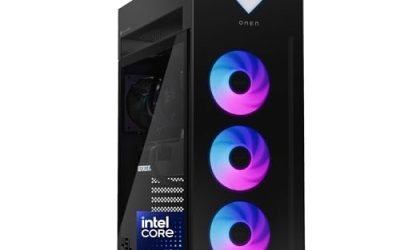
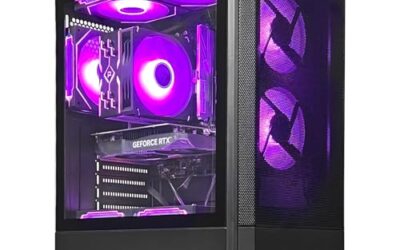
1. CyberPowerPC Core i5-14400F with RTX 5060: Best for a balanced 1080p to 1440p build
Specs per the listing: Intel Core i5-14400F, GeForce RTX 5060 8GB, 16GB DDR5, 1TB PCIe 4.0 SSD, WiFi ready, Windows 11 Home, Gamer Xtreme series, model GXiVR8060A47.
This is the sensible middle of the group. A Core i5-14400F is a capable gaming processor, and the RTX 5060 with 8GB is aimed at 1080p play with room for some 1440p in lighter games. Sixteen gigabytes of DDR5 is the modern baseline, and a 1TB PCIe 4.0 SSD holds several large games. The F in the processor name means there is no integrated graphics, so the graphics card is required, which is already included. The limits are 8GB of video memory and a single drive, both of which you can upgrade later.
- Pros: Solid CPU and GPU pairing; 16GB DDR5 and 1TB PCIe 4.0 SSD; Windows 11 Home included
- Cons: 8GB video memory limits future games; no integrated graphics fallback

CyberPowerPC Gaming PC, Intel Core i5-14400F, GeForce RTX 5060 8GB | Gamer Xtreme, 16GB DDR5, 1TB PCIe 4.0 SSD, WiFi Ready & Windows 11 Home (GXiVR8060A47)
Included for 'Best Gaming PCs: Five Prebuilt Desktops From Entry to High-End' as a representative home product in this roundup; selection reflects the product set returned for this topic.
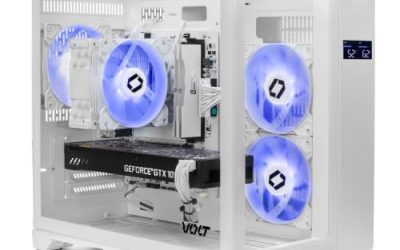
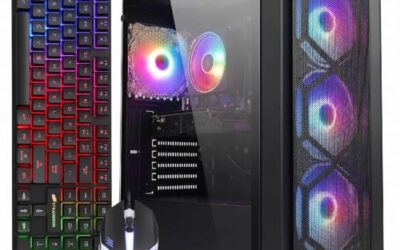
View on Amazon2. CyberPowerPC Ryzen 5 5500 with Radeon RX 6500 XT: Best for a low-cost entry to PC gaming
Specs per the listing: AMD Ryzen 5 5500, Radeon RX 6500 XT 4GB, 8GB DDR4, 500GB PCIe 4.0 SSD, WiFi ready, Windows 11 Home, Gamer Master series, model GMA3100A3.
This is the entry configuration, and its limits are plain. A 4GB graphics card and 8GB of DDR4 memory suit esports titles and older games at 1080p with reduced settings, but modern releases will push past both. The six-core Ryzen 5 5500 is an older platform with DDR4, so the upgrade path is shorter than on newer systems. It is a way to get a working Windows 11 gaming desk quickly, and memory and storage are easy to expand. Choose it only if budget is the top priority.
- Pros: Lowest spec of the five for tight budgets; Windows 11 Home included; PCIe 4.0 SSD
- Cons: 4GB graphics and 8GB memory are limiting; older DDR4 platform

CyberPowerPC Gaming PC, AMD Ryzen 5 5500, Radeon RX 6500 XT 4GB | Gamer Master, 8GB DDR4, 500GB PCIe 4.0 SSD, WiFi Ready & Windows 11 Home (GMA3100A3)
Included for 'Best Gaming PCs: Five Prebuilt Desktops From Entry to High-End' as a representative home product in this roundup; selection reflects the product set returned for this topic.
View on Amazon3. CyberPowerPC Gamer Xtreme VR (Core i5-13400F): Best for VR-ready setups and general 1080p gaming
Specs per the listing: Intel Core i5-13400F 2.5GHz, GeForce RTX 5060 8GB, 16GB DDR5, 1TB PCIe 4.0 SSD, WiFi ready, Windows 11 Home, Gamer Xtreme VR series, model GXiVR8060A40.
This desktop shares the RTX 5060, memory and storage with the 14400F model but pairs them with a Core i5-13400F, one generation older. The VR label in the series name signals that the maker targets virtual reality use, though the listing does not provide the exact VR requirements, so check that your headset’s needs are met before assuming compatibility. If VR matters to you, compare its published requirements on the headset maker page. If it does not, the 14400F build above makes a little more sense.
- Pros: RTX 5060 with 16GB DDR5; 1TB PCIe 4.0 SSD; VR-oriented line
- Cons: One CPU generation older than the 14400F model; VR support not detailed

CyberPowerPC Gamer Xtreme VR Gaming PC, Intel Core i5-13400F 2.5GHz, GeForce RTX 5060 8GB, 16GB DDR5, 1TB PCIe 4.0 SSD, WiFi Ready & Windows 11 Home (GXiVR8060A40)
Included for 'Best Gaming PCs: Five Prebuilt Desktops From Entry to High-End' as a representative home product in this roundup; selection reflects the product set returned for this topic.
View on Amazon4. CyberPowerPC Ryzen 7 8700F with RTX 5060 Ti: Best for a step up in graphics power
Specs per the listing: AMD Ryzen 7 8700F, GeForce RTX 5060 Ti 8GB, 16GB DDR5, 1TB PCIe 4.0 SSD, WiFi ready, Windows 11 Home, Gamer Master series, model GMA2900A3.
The Ryzen 7 8700F brings eight cores, which helps when you game and run other apps together, and the RTX 5060 Ti adds a graphics tier above the plain 5060. Note that this listing uses the 8GB version of the 5060 Ti, so the memory limit matches the cheaper cards; some versions of this GPU have 16GB, but not this one. The platform is DDR5 on a newer AMD socket, which gives a better upgrade path than the Ryzen 5 5500 system. It suits players who want a stronger CPU at 1440p.
- Pros: Eight-core Ryzen 7; RTX 5060 Ti tier; DDR5 platform
- Cons: Only 8GB of video memory; single 1TB drive

CyberPowerPC Gaming PC, AMD Ryzen 7 8700F, GeForce RTX 5060 Ti 8GB | Gamer Master, 16GB DDR5, 1TB PCIe 4.0 SSD, WiFi Ready & Windows 11 Home (GMA2900A3)
Included for 'Best Gaming PCs: Five Prebuilt Desktops From Entry to High-End' as a representative home product in this roundup; selection reflects the product set returned for this topic.
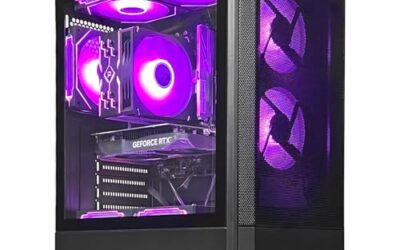
View on Amazon5. CyberPowerPC Gamer Supreme (Ryzen 7 9800X3D, RTX 5070 Ti): Best for a flagship gaming desktop
Specs per the listing: AMD Ryzen 7 9800X3D, GeForce RTX 5070 Ti 16GB, 32GB DDR5, 2TB PCIe 4.0 SSD, WiFi ready, Windows 11 Home, Gamer Supreme series, model SLC8480A10.
This is the high-end option. The Ryzen 7 9800X3D is a gaming-focused processor with stacked cache, the RTX 5070 Ti brings 16GB of video memory, and the system doubles memory to 32GB DDR5 and storage to 2TB. That combination aims at high-refresh 1440p and at 4K with upscaling. Prebuilts at this level also depend on the power supply and cooling, and the listing does not state either, so check the maker page for wattage and cooler type. It is the one to buy if you want to avoid upgrading for years.
- Pros: Top-tier CPU and 16GB GPU; 32GB DDR5 and 2TB SSD; suited to high-refresh 1440p and 4K
- Cons: Power supply and cooling not listed; highest tier of the group

CyberPowerPC Gaming PC, AMD Ryzen 7 9800X3D, GeForce RTX 5070 Ti 16GB | Gamer Supreme, 32GB DDR5, 2TB PCIe 4.0 SSD, WiFi Ready & Windows 11 Home (SLC8480A10)
Included for 'Best Gaming PCs: Five Prebuilt Desktops From Entry to High-End' as a representative home product in this roundup; selection reflects the product set returned for this topic.
View on AmazonHow to Choose
Start with the graphics card
The graphics card sets what resolution you can play. A 4GB card suits older and esports titles at 1080p. An RTX 5060 class card suits 1080p, and RTX 5060 Ti and above move toward 1440p. For 4K, look for 16GB of video memory. Because prebuilts make GPU upgrades awkward, buy the tier you want to keep rather than counting on a swap later. Note that two cards with similar names can differ in video memory, so read the exact GB figure in the title. A mid-tier card with more memory often ages better than a faster card with less, especially if you plan to raise texture settings.
Check CPU, memory and storage
A six or eight-core processor suits most games. DDR5 memory and a newer socket give a longer upgrade path than DDR4. Sixteen gigabytes of RAM is the practical minimum today, and 32GB helps with streaming or heavy multitasking. A 500GB drive fills quickly, so prefer 1TB or more, and check whether a second M.2 slot or drive bay is free for expansion. Look at the processor suffix too: an F means no integrated graphics, which is fine here because a graphics card is included, but it leaves you with no display output if the card ever fails.
Look beyond the headline specs
The listing may not name the power supply, motherboard or cooler, and in a prebuilt these decide how reliable and upgradeable the PC is. Check the maker page for the power supply wattage and efficiency rating, and for the case airflow. Ask whether standard parts are used, because proprietary parts make later upgrades harder. A clear parts list is a good sign. Airflow is just as important as parts, since a powerful card in a poorly ventilated case throttles. Look for mesh or vented panels and check the number of included fans, and keep the PC off carpet where dust enters the intake.
Know the trade-offs of buying prebuilt
A prebuilt saves time and includes Windows and a warranty, but costs more than the same parts bought separately and often uses mid-tier components in secondary positions. Read the warranty terms and the return policy, and check the weight, ports and wireless support. If you are comfortable building, a custom PC gives better value. If not, pick a configuration with a clear parts list. Also plan for the extras the listing does not include, such as a monitor, keyboard and mouse. A fast prebuilt on a 60Hz screen wastes much of its power, so match the monitor refresh rate and resolution to the graphics tier you buy.
Frequently Asked Questions
Is a prebuilt gaming PC worth it?
It is worth it if you want a ready-to-use system with a warranty and have no wish to build. Building your own can cost less for the same parts, but takes time and care.
How much video memory do I need?
4GB is limited, 8GB covers 1080p well, and 16GB gives headroom for 1440p and 4K. Newer games increasingly ask for more.
Are these PCs upgradeable?
Usually memory and storage are easy to expand, and the graphics card can be swapped if the power supply and case allow. Check the maker page for the power supply and slot details.
Do these desktops include a monitor?
The listings do not state that a monitor is included. Plan to buy a monitor, keyboard and mouse separately unless the listing says otherwise.
Can I play VR on these PCs?
Possibly on the VR-labelled model, but check your headset’s requirements first. The listings do not give detailed VR specifications.