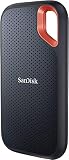
Within the WD My Passport family, only the solid state models behave like gaming drives: the My Passport SSD, with listed read speeds up to 1050MB/s over USB 3.2, loads game levels and moves library folders noticeably quicker than the spinning My Passport and My Passport Ultra hard drives, which suit bulk storage and backups far more than play. The rugged My Passport Go sits between them, an SSD with a lower listed 400MB/s read figure and a built-in cable. No USB external drive in this family matches an internal NVMe drive, so buy the SSD models for active libraries and the 4TB hard drives for sheer room.
As an Amazon Associate we earn from qualifying purchases
Quick Comparison
| Product | Best for | Key spec from title |
|---|---|---|
| WD 2TB My Passport SSD, Blue | Playing a rotating library from one small drive | 2TB solid state drive with password protection and hardware encryption |
| WD 4TB My Passport, Black | Holding a large back catalogue off the internal drive | 4TB portable hard drive, USB 3.1 and USB 3.0 compatible |
| WD 4TB My Passport Ultra, Silver | A metal-cased archive drive for a Windows desk setup | 4TB portable hard drive, USB-C and USB 3.1, WDBFTM0040BSL-WESN |
| WD 2TB My Passport Go SSD, Cobalt | Carrying a game library between home, office and LAN rooms | 2TB portable SSD with USB 3.0 and an integrated cable |
The Best Options
WD 2TB My Passport SSD, Blue

This is the My Passport to choose when games will actually launch from the external drive rather than sit in cold storage. Its listing pairs NVMe technology with read speeds up to 1050MB/s and write speeds up to 1000MB/s, figures no spinning model in this family approaches, so level loads and library transfers feel far closer to internal storage. The metal shell is shock and vibration resistant with drop resistance up to 6.5 feet, and at 1.62 ounces it vanishes into a laptop bag. Choose it for a rotating set of current titles on a gaming laptop or a compact desktop with a full internal drive.
Specs
- Capacity: 2TB solid state drive
- Model number: WDBAGF0020BBL-WESN
- Interface: USB 3.2, listed as USB-C 3.2 Gen 2 in the family comparison on the page
- Read speed: up to 1050MB/s, from the manufacturer section of the listing
- Write speed: up to 1000MB/s, from the manufacturer section of the listing
- Security: password protection with 256-bit AES hardware encryption
- Build: metal design, shock and vibration resistant, drop resistant up to 6.5 ft (1.98m)
- Dimensions: 3.54 x 1.77 x 0.39 inches
- Weight: 1.62 ounces
- Compatibility: Mac and PC, ready to use out of the box per the listing description
Best for: Gamers who play directly from the external drive and move between two machines.
Watch out for: Your PC needs a USB port that can feed a USB 3.2 Gen 2 drive, or speeds fall back to the slower port, so check the port spec on your motherboard or laptop first.
ASIN: B08F1MRQFD
WD 4TB My Passport, Black

Pick this hard drive when the problem is volume rather than load time: 4TB swallows a back catalogue of older titles, recorded clips and installers that would otherwise crowd the internal SSD. The listing names backup software with defense against ransomware, password protection, and USB 3.1 and USB 3.0 compatibility, and its own feature fields even list gaming among the specific uses for the product. As a mechanical drive it will load games slowly compared with the SSD models above, so treat it as the library vault: keep the games you replay often on internal storage and park the rest here.
Specs
- Capacity: 4TB mechanical hard disk
- Model number: WDBPKJ0040BBK-WESN
- Interface: USB 3.1 and USB 3.0 compatible, per the listing title
- Included cable: SuperSpeed USB-A cable (5Gbps), per the listing box contents
- Software: backup software with defense against ransomware, including Acronis True Image for Western Digital per the manufacturer section
- Security: password protection with 256-bit hardware encryption, per the family comparison on the page
- Form factor: 2.5 inches
- Dimensions: 4.22 x 2.95 x 0.75 inches
- Weight: 7.41 ounces
- Warranty: 3-year manufacturer limited warranty, per the listing details
Best for: Archiving a big Steam or launcher back catalogue while the internal drive holds current games.
Watch out for: It is a spinning drive, so keep it on a stable desk surface while it runs and never move it mid-transfer; also confirm the black WDBPKJ0040BBK-WESN model rather than a Mac-formatted variant.
ASIN: B07VTW2LPX
WD 4TB My Passport Ultra, Silver

The Ultra is the hard drive for a tidy Windows desk where the drive stays visible and handled often. Its anodized metal cover gives the 4TB chassis a firmer, more durable feel than the plain My Passport shell, and the listing adds a USB-C connection with a USB-C to USB-A adapter in the package, which suits newer gaming laptops that dropped full-size ports. You still get password protection with 256-bit AES hardware encryption and the same backup software story as the standard model. Load times remain hard drive load times, so this is an archive and overflow pick with a nicer shell and broader port fit, not a speed upgrade.
Specs
- Capacity: 4TB portable hard drive
- Model number: WDBFTM0040BSL-WESN
- Interface: USB-C and USB 3.1 compatible, per the listing title
- Adapter: USB-C to USB-A adapter included, per the manufacturer section of the listing
- Build: refined metal cover, anodized metal enclosure
- Security: password protection with 256-bit AES hardware encryption
- Formatting: formatted for Windows, per the listing bullets
- Software: backup software with defense against ransomware, per the listing title
- Dimensions: 4.33 x 3.21 x 0.83 inches
- Weight: 0.51 pounds
- Warranty: 3-year manufacturer limited warranty, per the listing bullets
Best for: Windows gamers who want a metal 4TB archive drive that plugs into USB-C or USB-A without hunting for adapters.
Watch out for: The listing says formatted for Windows, so Mac users face a reformat before use; also check that the silver WDBFTM0040BSL-WESN model is the one in your basket, not the separate Ultra for Mac listing.
ASIN: B07GK2PC5V
WD 2TB My Passport Go SSD, Cobalt

The Go is the travel member of the family: a 2TB SSD wrapped in a shock-absorbing rubber bumper, rated drop resistant up to 2 meters, with the USB cable built into the body so there is nothing loose to forget. Its listed read speed of up to 400MB/s is well below the My Passport SSD above, yet still clearly ahead of the spinning 4TB models when a game loads or a folder copies across. That mix suits a secondary library that rides in a backpack between a home rig, an office machine and a friend’s PC, where toughness and zero loose parts matter more than peak throughput.
Specs
- Capacity: 2TB solid state drive
- Model number: WDBMCG0020BBT-WESN
- Color: Cobalt trim, per the listing title
- Interface: USB 3.0 portable external storage, per the listing title
- Read speed: up to 400MB/s, per the listing specification fields reproduced in mirror records
- Cable: integrated USB cable built into the drive, per the listing box contents
- Build: rubber protective bumper, no moving parts, drop resistant up to 2 meters
- Dimensions: 3.7 x 2.6 x 0.39 inches, per the Amazon-derived listing record
- Weight: 1.94 ounces (55 grams)
- Software: WD Discovery software for WD Backup and WD Drive Utilities, per the listing box contents
Best for: A portable overflow library that travels in a bag and plugs in anywhere without a separate cable.
Watch out for: The built-in cable is short, so a rear desktop port or a hub may be needed; also verify the Cobalt WDBMCG0020BBT-WESN 2TB model, because the Go line also sells smaller capacities under near-identical names.
ASIN: B07MVWJZVS
What Matters Most
Solid state versus spinning platters
This single choice decides how a My Passport feels with games. Solid state models have no moving parts and the family SSD lists read speeds up to 1050MB/s, so maps, textures and save folders arrive quickly and copies finish in minutes rather than long waits. The spinning 4TB models trade that pace for room: they hold far more games per drive and make fine vaults, but launching a demanding title from them means visibly longer waits at every load screen. Match the drive type to the job before you look at any other spec on the page.
The USB port on your PC sets the ceiling
An external drive can only run as quickly as the port it plugs into. The My Passport SSD needs a USB 3.2 Gen 2 port to reach its listed read figure; on an older USB 3.0 port it still works, just at the lower ceiling of that connection. The Ultra hedges this with both USB-C and an included USB-A adapter, while the Go and the standard My Passport assume a full-size USB-A port. Before ordering, look up the port speeds on your motherboard or laptop and buy the model whose connector and adapter set matches what you actually own.
Capacity planning for a growing library
Modern game installs are large and they grow with updates, so capacity planning matters more than it did a few years ago. A 2TB SSD holds a healthy rotating set of current titles with room for patches, while a 4TB hard drive absorbs the back catalogue, recorded footage and the games you return to a few times a year. Many players end up pairing both roles: SSD for play, hard drive for storage. Count your current library size, add the titles you expect this year, and leave headroom rather than filling a new drive on day one.
Build, cable and desk habits
How a drive survives daily handling differs sharply across this family. The Go wraps its SSD in a rubber bumper with drop resistance up to 2 meters and hides its cable inside the body, a design made for bags and shared desks. The My Passport SSD uses a metal shell rated for drops up to 6.5 feet. The spinning models have no drop figure in their listings and dislike movement while running, so they belong on a stable surface with the cable routed where feet and chair wheels cannot catch it during a session.
Frequently Asked Questions
Can I play PC games directly from a My Passport drive?
Yes, with the right model. The My Passport SSD and My Passport Go are solid state, so games installed on them launch and load in a way that feels close to everyday internal storage for many titles. The spinning My Passport and My Passport Ultra also hold installed games, but load screens and texture streaming lag behind, so they suit storage and occasional play rather than your main rotation.
Will a My Passport SSD match my internal NVMe drive?
No, and the listings never claim that. The My Passport SSD lists read speeds up to 1050MB/s over a USB 3.2 connection, while an internal NVMe drive connects straight to the motherboard over PCIe with far more bandwidth available. Expect the external SSD to feel quick for loads and copies, yet still a step behind internal storage in large transfers and in games built around very rapid asset streaming.
Why choose a 4TB hard drive model at all?
Room, plainly. A 4TB My Passport or My Passport Ultra holds the games you are not playing this month, plus recordings, screenshots and backups, freeing the internal SSD for current titles. Both listings include backup software and password protection with 256-bit AES hardware encryption, which fits an archive role well. Buy one as a vault alongside faster storage, not as the drive your most demanding games launch from every evening.
Does the My Passport Go need a separate cable?
No. The Go has its USB cable built into the body, listed in its box contents as an integrated cable, so you plug the drive straight into a USB 3.0 port with nothing else to carry. The trade-off is cable length: the built-in lead is short, so a desktop with only rear ports may call for a hub or an extension lead at the desk.
Which My Passport suits a gaming laptop with only USB-C ports?
The My Passport Ultra is the simplest fit among the hard drives, since its listing includes USB-C plus a USB-C to USB-A adapter for older machines. The My Passport SSD is the stronger gaming pick and also connects over USB-C per the family comparison on its page. The standard My Passport and the Go assume USB-A, so on a USB-C-only laptop they need an adapter you supply yourself.