Streaming from a single PC on a budget is a balancing act. The same machine has to render your game, encode the broadcast, run your streaming software and keep chat, alerts and a browser alive in the background. Spend too little and either the game or the stream gives up first. The five prebuilt desktops below are the budget tier done properly, each putting the encoding work on the graphics card where it belongs.
Every pick uses an NVIDIA GeForce RTX graphics card, and that is deliberate. The NVENC encoder built into these cards handles the broadcast in dedicated hardware, so the processor is left free for the game itself. Around that encoder, we weighed core counts, memory capacity for a full streaming stack, and SSD size for saving local recordings.
As an Amazon Associate, we earn from qualifying purchases.
Table of Contents
- Quick Answer
- HP Victus 15L (Core i5-13400F, RTX 3050)
- Skytech Nebula (Ryzen 5 5500, RTX 4060)
- CyberPowerPC Gamer Master (Ryzen 5 7600, RTX 4060)
- iBUYPOWER SlateMesh (Ryzen 5 7600, RTX 4060)
- MSI Codex R2 (Core i5-14400F, RTX 4060 Ti)
- How to Choose a Budget Gaming PC for Streaming
- Who Should Skip These Budget PCs
- FAQ
- Final Verdict
Quick Answer
For most new streamers, the CyberPowerPC Gamer Master is the budget pick to beat: a Ryzen 5 7600, RTX 4060 with NVENC and AV1 encoding, and 16GB of DDR5 on a current platform. The Skytech Nebula matches it for 1080p streaming with a larger SSD, the HP Victus 15L is the compact entry point, and the MSI Codex R2 is the step up for 1440p broadcasts.
HP Victus 15L (Core i5-13400F, RTX 3050)

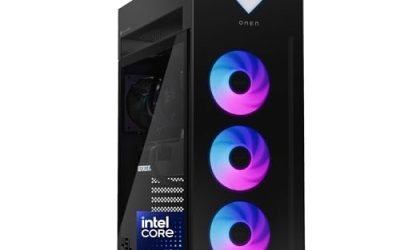
The Victus 15L is the entry point for a first streaming setup, and its small 15-liter case is part of the appeal: it fits on a crowded desk where a full tower would dominate. The Core i5-13400F is a ten-core processor, genuinely more CPU than most starter systems offer, so OBS, a chat window and a browser will not fight the game for threads.
The RTX 3050 carries an NVENC encoder, which is what makes streaming possible at this tier at all, but it is an older encoder generation: it handles H.264 broadcasts at 1080p, the format Twitch uses, without AV1 support. The honest limitation is the 8GB of system memory, the minimum a modern Windows PC should carry; adding a second memory stick is the first upgrade to plan, and the chassis accepts one. Storage is a 512GB SSD, and Wi-Fi 6 with Bluetooth 5.3 covers wireless peripherals. Treat this as the machine that proves streaming is for you before a bigger commitment.
Specs
- Processor: Intel Core i5-13400F, 10 cores
- Graphics: NVIDIA GeForce RTX 3050, 8GB GDDR6
- Memory: 8GB DDR4
- Storage: 512GB PCIe NVMe M.2 SSD
- Wireless: Wi-Fi 6 and Bluetooth 5.3
- Operating system: Windows 11 Home
- Model: TG02-1020h
Skytech Nebula (Ryzen 5 5500, RTX 4060)
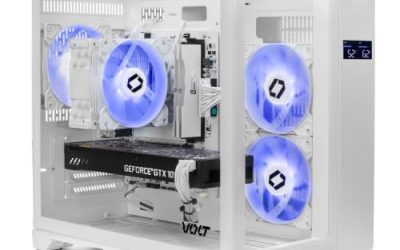
The Nebula is the budget 1080p streaming pick for buyers who want the newer encoder. Its RTX 4060 carries the current NVENC generation with AV1 encoding alongside H.264, which matters for platforms that accept AV1 and for cleaner local recordings. Because the encoder is dedicated hardware, the six-core Ryzen 5 5500 is left to run the game, OBS and your background apps, a workload it handles well at 1080p.
The supporting parts are sized sensibly. The 1TB NVMe SSD is double the capacity of several rivals here, and that space disappears fast once you save a local recording of every session alongside a game library. Memory is 16GB of DDR4, the comfortable baseline for a streaming stack, though the DDR4 platform limits future upgrades compared with the DDR5 systems below. A 650W Gold power supply is a step above the unrated units in many entry towers, and leaves room for a future graphics card swap. For esports titles and lighter games at 1080p, this is the straightforward recommendation.
Specs
- Processor: AMD Ryzen 5 5500, 3.6GHz base, 4.2GHz Turbo Boost, 6 cores
- Graphics: NVIDIA GeForce RTX 4060, 8GB GDDR6
- Memory: 16GB DDR4 3200
- Storage: 1TB NVMe SSD
- Power supply: 650W Gold
- Wireless: Wi-Fi (802.11AC)
- Operating system: Windows 11 Home
- Model: ST-NEBULA-1343-B-AM
CyberPowerPC Gamer Master (Ryzen 5 7600, RTX 4060)
The Gamer Master is the sensible center of this roundup. Its Ryzen 5 7600 is a six-core processor on AMD’s AM5 platform, and the platform is the point: the same motherboard family supports later processor generations and DDR5 memory, so this budget buy keeps an upgrade path open that the DDR4 systems here do not. Paired with 16GB of DDR5, it keeps a game, streaming software, a browser and a voice app running together smoothly.
The RTX 4060 brings the same NVENC encoder with AV1 support as the Nebula, so stream quality at 1080p is a match; the difference is everything around the card. The compromise is storage: the 500GB NVMe SSD fills quickly once a few large games and a folder of recordings are installed, so plan on managing the library or adding a second drive later, which the tower case allows. If you can only stretch the budget once, stretch it here, because the platform underneath lasts longest.
Specs
- Processor: AMD Ryzen 5 7600, 3.8GHz, 6 cores
- Graphics: NVIDIA GeForce RTX 4060, 8GB
- Memory: 16GB DDR5
- Storage: 500GB NVMe SSD
- Wireless: Wi-Fi ready
- Operating system: Windows 11 Home
- Model: GMA2700A
iBUYPOWER SlateMesh (Ryzen 5 7600, RTX 4060)
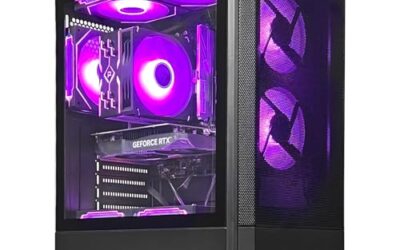
The SlateMesh matches the Gamer Master on the parts that decide stream and game performance: the same Ryzen 5 7600 processor class, an RTX 4060 with 8GB of video memory and the same AV1-capable NVENC encoder, 16GB of DDR5 memory rated at 5200MHz, and a 500GB NVMe SSD. In practice the two machines trade places depending on the game, so the choice comes down to the case.
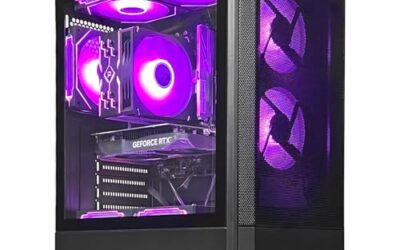
The SlateMesh case uses a mesh front panel and a tempered glass side, with RGB fans. Mesh airflow is a practical plus in a warm room, and a PC that sits on camera during a stream looks the part with the glass panel lit. iBUYPOWER builds from standard retail components, so a later memory upgrade or a larger SSD is a straightforward swap, which softens the 500GB storage compromise both AM5 systems share. Pick the Gamer Master for the plain tower, or the SlateMesh if the PC will be visible on your broadcast.
Specs
- Processor: AMD Ryzen 5 7600, 6 cores, 12 threads
- Graphics: NVIDIA GeForce RTX 4060, 8GB
- Memory: 16GB DDR5 5200
- Storage: 500GB NVMe SSD
- Operating system: Windows 11 Home
- Model: SlateMeshA5N4601
MSI Codex R2 (Core i5-14400F, RTX 4060 Ti)
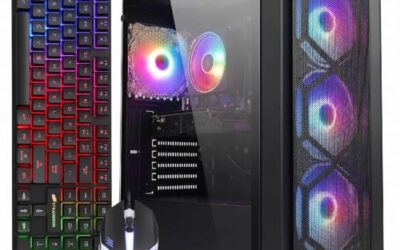
The Codex R2 is the step up within budget reach, and its RTX 4060 Ti is why. That extra graphics tier matters if your stream runs at 1440p, or if you play at 1080p with high settings while the encoder works alongside; the NVENC unit matches the RTX 4060 cards, including AV1, so the gain is in game headroom rather than encode features. The Core i5-14400F is a ten-core processor that keeps frame rates fed while chat and streaming apps run.
MSI builds the Codex R2 to be opened up again later: the design is described as DIY friendly, the power supply is an 80 Plus Gold unit, and the 16GB of DDR5 memory sits on a current Intel platform. The 1TB M.2 NVMe SSD matches the Nebula for library and recording space. A keyboard and mouse are included in the box, which removes two extra purchases from a first streaming setup. For broadcasters who expect to outgrow a starter machine quickly, this is the budget pick with the longest runway.
Specs
- Processor: Intel Core i5-14400F, 10 cores
- Graphics: NVIDIA GeForce RTX 4060 Ti, 8GB
- Memory: 16GB DDR5
- Storage: 1TB M.2 NVMe SSD
- Power supply: 80 Plus Gold
- Wireless: Wi-Fi
- Included: keyboard and mouse
- Operating system: Windows 11 Home
- Model: A14NUD5-213US
How to Choose a Budget Gaming PC for Streaming
Start with the encoder, not the frame rate. A budget streaming PC lives or dies on hardware encoding, so an NVIDIA RTX card with NVENC is the first requirement; the RTX 4060 and 4060 Ti here add AV1 encoding, which some platforms now accept, while the RTX 3050 covers the H.264 broadcasts Twitch uses. Encoding on the GPU is what lets a six or ten-core budget processor run the game and the stream at once.
Next, treat 16GB of memory as the streaming baseline. The game alone may fit in less, but streaming software, a browser, chat tools and voice apps all compete for the same pool, and the 8GB configuration in the Victus 15L is a starter specification to upgrade. Then look at the platform: the AM5 systems accept newer processors and DDR5 for years, while DDR4 systems upgrade less later.
Finally, budget for storage growth. A 500GB SSD holds an operating system, a handful of large games and only a modest archive of recordings, so either choose a 1TB system or plan a second drive. A wired Ethernet connection is the steadier choice for a broadcast when available.
Who Should Skip These Budget PCs
Skip the whole list if streaming is a long-term commitment at 1440p or 4K, because every system here is specified for 1080p broadcasts. Also skip these prebuilts if you want a dual-PC setup, which solves the problem with a second computer instead.
Within the list, skip the Victus 15L if you plan to keep recordings of every session, since its 8GB of memory and 512GB drive are starter specs. Skip the DDR4 systems if a long processor upgrade path matters more than today’s specification. And skip all five if your games are browser titles and light indies only, where a far simpler PC streams them without this hardware.
FAQ
Can a budget PC really stream and game at the same time?
Yes, at 1080p, provided the graphics card does the encoding. Every system here has an NVIDIA NVENC encoder, which handles the broadcast in dedicated hardware instead of loading the processor. That offload makes a six-core budget machine a workable single-PC streaming setup.
How much RAM does a streaming PC need?
Sixteen gigabytes is the comfortable target for a game plus streaming software, a browser, chat and voice apps. The 8GB configuration in the HP Victus 15L works as a starting point, but a second memory stick is the first upgrade to plan for.
Is AV1 encoding worth it on a budget PC?
It depends on your platform. Twitch broadcasts still use H.264, which every card here encodes, while AV1 support on the RTX 4060 and 4060 Ti helps on platforms that accept it and produces cleaner local recordings at the same bitrate. A genuine advantage, but not a reason to skip an otherwise suitable H.264 machine.
Can these PCs be upgraded later?
Yes. All five use standard desktop parts, so memory and storage upgrades are straightforward, and the AM5 systems also accept newer processors. Graphics card upgrades depend on power supply headroom, which is why the Gold-rated supplies in the Nebula and Codex R2 are worth noting.
Final Verdict
For most new streamers, the CyberPowerPC Gamer Master is the first budget PC to buy: a current AM5 platform, the right encoder for 1080p broadcasts, and room to grow. The Skytech Nebula matches its streaming ability with double the storage, the iBUYPOWER SlateMesh is the on-camera alternative, and the MSI Codex R2 is the step up for 1440p ambitions. The HP Victus 15L keeps the entry tier honest in a compact case, with a memory upgrade planned from day one.
Product and ASIN Reference
| Product | ASIN |
|---|---|
| HP Victus 15L (Core i5-13400F, RTX 3050) | B0C4WJJ5B1 |
| Skytech Nebula (ST-NEBULA-1343-B-AM) | B0D9KVXPP6 |
| CyberPowerPC Gamer Master (GMA2700A) | B0CTKSQKW5 |
| iBUYPOWER SlateMesh (SlateMeshA5N4601) | B0CCZYRNHK |
| MSI Codex R2 (A14NUD5-213US) | B0CTLSP2XB |