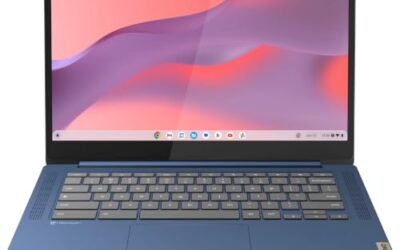
A dorm room is one of the hardest places for a gaming laptop to live. Desk space is measured in inches, a roommate may be sleeping a few feet away, and the same machine has to survive a full day of lectures before it ever launches a game. Loud fans, bulky 17-inch chassis and two-hour batteries are real problems here, not minor annoyances.
The five laptops below were chosen with shared living in mind. Each one keeps its footprint at 16 inches or under, offers a quiet or silent fan profile for late-night sessions, and carries a battery large enough for classes and library work. They span budget, mid-range and premium tiers, and every specification is taken from published manufacturer and listing data.
As an Amazon Associate, we earn from qualifying purchases.
Quick Answer
For most students, the ASUS TUF Gaming A14 is the dorm sweet spot: it is the lightest pick here, runs quietly on its efficiency profile, and still carries an RTX 4060. The Acer Predator Helios Neo 14 is the budget alternative, while the ROG Zephyrus G16 is the premium choice with the largest battery and an OLED screen.
Table of Contents
- Quick Answer
- Acer Predator Helios Neo 14
- ASUS TUF Gaming A14
- Lenovo Legion Slim 5 16
- Razer Blade 14 (2024)
- ASUS ROG Zephyrus G16 (2024)
- How to Choose
- Who Should Skip
- FAQ
- Final Verdict
Acer Predator Helios Neo 14

The Helios Neo 14 is the budget-tier way into this roundup, and its 14.5-inch chassis is the easiest fit for a narrow dorm desk. Acer pairs an Intel Core Ultra 7 155H with an RTX 4060, a combination that handles modern games at the panel’s native resolution with settings adjusted, and the 120Hz WQXGA screen is a clear step up from the 1080p panels common at this tier.
For shared rooms, PredatorSense includes a Quiet scenario profile that lowers fan speed for evening play, and the Thunderbolt 4 port allows a one-cable desk setup with an external monitor. The trade-offs are soldered memory and fans that become clearly audible when the machine is pushed at full power.
Specs
- Display: 14.5-inch IPS, 2560 x 1600, 120Hz
- Processor: Intel Core Ultra 7 155H
- Graphics: NVIDIA GeForce RTX 4060, 8GB GDDR6
- Memory: 16GB LPDDR5X (soldered)
- Storage: 1TB PCIe Gen 4 SSD
- Battery: 76Wh
- Weight: 1.9 kg
- Ports: Thunderbolt 4, USB-C 3.2 Gen 2, 2x USB-A 3.2 Gen 2, HDMI 2.1, microSD reader
- Wireless: Wi-Fi 6E, Bluetooth 5.3
- Operating system: Windows 11 Home
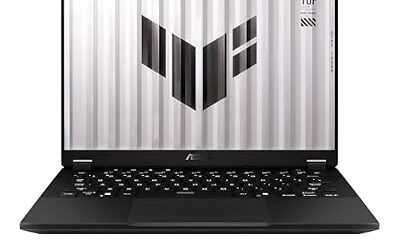
ASUS TUF Gaming A14

The TUF Gaming A14 is the pick that best matches dorm life. At 1.46 kg it is the lightest laptop here by a wide margin, so carrying it between lectures is painless, and the 73Wh battery is sized for long days away from an outlet. USB-C charging support means a compact charger can top it up in class, leaving the full-size adapter at the desk.
Performance is not sacrificed for size. The Ryzen AI 9 HX 370 and RTX 4060 run at up to 100W, the 165Hz G-SYNC panel keeps motion smooth, and a MUX switch with Advanced Optimus lets the machine favor battery life or frame rates as needed. Memory is soldered, but a second M.2 slot leaves room to grow storage.
Specs
- Display: 14-inch IPS, 2560 x 1600, 165Hz, G-SYNC
- Processor: AMD Ryzen AI 9 HX 370
- Graphics: NVIDIA GeForce RTX 4060, 8GB GDDR6, up to 100W
- Memory: 16GB LPDDR5X-7500 (soldered)
- Storage: 1TB PCIe 4.0 SSD, second M.2 slot
- Battery: 73Wh
- Weight: 1.46 kg
- Ports: USB4, USB-C 3.2 Gen 2, 2x USB-A, HDMI 2.1, microSD reader
- Wireless: Wi-Fi 6E
- Operating system: Windows 11 Home
Lenovo Legion Slim 5 16

Students who want a larger screen for coursework, split-screen study and strategy games should look at the Legion Slim 5 16. Its 16-inch 165Hz panel gives noticeably more working room than the 14-inch models, and this configuration pairs a Ryzen 7 8845HS and RTX 4060 with 32GB of memory and a 2TB SSD, so large game libraries and course software fit without juggling installs.
Legion’s thermal modes include a Quiet setting for shared spaces, switchable from the keyboard. Unlike the compact picks above, memory and storage are upgradeable, and the port selection includes wired Ethernet for dorm networks and a full-size SD reader. At about 2.3 kg it is the heaviest machine here, which is the price of the bigger screen.
Specs
- Display: 16-inch IPS, 2560 x 1600, 165Hz
- Processor: AMD Ryzen 7 8845HS
- Graphics: NVIDIA GeForce RTX 4060, 8GB GDDR6
- Memory: 32GB DDR5 (upgradeable)
- Storage: 2TB PCIe SSD
- Battery: 80Wh
- Weight: about 2.3 kg
- Ports: 2x USB-C, USB-A ports, HDMI 2.1, RJ45 Ethernet, SD card reader
- Wireless: Wi-Fi 6E
- Operating system: Windows 11 Home
Razer Blade 14 (2024)

The Blade 14 is the premium compact option. Its aluminum unibody is just 17.99 mm thin and weighs 1.84 kg, yet it fits an RTX 4070 running at up to 140W, the strongest graphics in this group relative to size. The vapor chamber cooling system and NVIDIA Whisper Mode support keep noise in check during evening sessions, and the 240Hz QHD+ display is the fastest panel here.
Both memory slots are upgradeable, which is rare in a 14-inch gaming laptop, and USB4 ports with 100W Power Delivery charging make it easy to study away from the main adapter. The 1080p webcam includes a privacy shutter, a thoughtful touch for a shared room. This configuration is the RZ09-05081ED3-R3U1 model in black.
Specs
- Display: 14-inch IPS, 2560 x 1600, 240Hz
- Processor: AMD Ryzen 9 8945HS
- Graphics: NVIDIA GeForce RTX 4070, 8GB GDDR6, up to 140W
- Memory: 32GB DDR5-5600 (upgradeable)
- Storage: 1TB PCIe 4.0 SSD
- Battery: 68.4Wh
- Weight: 1.84 kg
- Ports: 2x USB4 with 100W charging, 2x USB-A 3.2 Gen 2, HDMI 2.1
- Wireless: Wi-Fi 7
- Operating system: Windows 11 Home
ASUS ROG Zephyrus G16 (2024)

The Zephyrus G16 is the premium pick for students who want one screen that does everything. Its 16-inch OLED panel pairs a 240Hz refresh rate with a 0.2ms response time, so it suits fast games as well as movie nights, and the 90Wh battery is the largest in this roundup. At 1.85 kg it stays genuinely portable despite the bigger display.
This EXCaliberPC configuration (GU605MI-G16.U94070) combines a Core Ultra 9 185H with an RTX 4070 at up to 105W. Armoury Crate’s Silent profile keeps fan noise down for shared rooms, and the SD card reader, Thunderbolt 4 port and 1080p IR webcam round out a strong campus feature set. Memory is soldered at 16GB, which is the main compromise.
Specs
- Display: 16-inch OLED, 2560 x 1600, 240Hz, G-SYNC
- Processor: Intel Core Ultra 9 185H
- Graphics: NVIDIA GeForce RTX 4070, 8GB GDDR6, up to 105W
- Memory: 16GB LPDDR5X-7467 (soldered)
- Storage: 1TB PCIe 4.0 SSD
- Battery: 90Wh
- Weight: 1.85 kg
- Ports: Thunderbolt 4, USB-C 3.2 Gen 2, 2x USB-A, HDMI 2.1, SD card reader
- Wireless: Wi-Fi 6E
- Operating system: Windows 11 Home
How to Choose
Start with size. A 14-inch laptop disappears into a backpack and leaves room on a small desk, while a 16-inch model is better if the laptop is your only screen for essays and entertainment. Next, check the fan profiles: every pick here offers a quiet or silent mode, and using it for late-night play is the single biggest courtesy to a roommate.
Battery capacity matters more than brand claims. Models in the 73Wh to 90Wh range, like the TUF A14, Legion Slim 5 and Zephyrus G16, are the realistic choices for a full class schedule, while the Blade 14 trades some capacity for its thinner build. Also confirm how the laptop charges: USB-C charging support makes it far easier to borrow a charger or travel light between buildings.
Finally, think about upgrades and ports. Soldered memory on the Acer, TUF and Zephyrus models means choosing enough RAM on day one, while the Legion and Blade allow later upgrades. A wired Ethernet port, still found on the Legion, can be the difference between stable and unplayable online matches on crowded dorm networks.
Who Should Skip
Skip this category entirely if your dorm setup has room for a desktop, since a small PC and a basic laptop for class will usually outperform one gaming laptop at the same total budget. Students who mainly play lightweight esports titles should also skip the premium tiers here and keep the difference for other expenses.
These picks are also the wrong choice if you need all-day unplugged gaming, because no gaming laptop sustains full performance on battery, or if your course requires certified workstation graphics, where a dedicated mobile workstation is the safer purchase.
FAQ
Can you game in a dorm room without disturbing a roommate?
Yes, within reason. Use the quiet or silent fan profile each of these laptops provides, cap frame rates for late sessions, and play with headphones. Fan noise drops further when the laptop sits on a stand with clear airflow underneath.
Is a 14-inch gaming laptop big enough for classes and gaming?
For most students, yes. A 14-inch screen handles documents, lectures and games well, and the lighter chassis is easier to carry all day. If you regularly work with spreadsheets, code in split view or watch films with friends, a 16-inch model is more comfortable.
How long will these laptops last through a day of classes?
With light work such as notes, browsing and documents, the larger-battery models here are built for a typical class day, especially with the efficiency profile and reduced screen brightness. Gaming on battery is a different matter and drains any of them quickly, so keep gaming for plugged-in hours.
Is wired Ethernet worth it in a dorm?
Often, yes. Dorm Wi-Fi is shared by hundreds of devices, so a wired connection usually means lower and more stable latency for online games. The Legion Slim 5 includes an Ethernet port; the others need a USB-C adapter, which is an inexpensive addition.
Final Verdict
For the balance of weight, battery life, quiet operation and gaming power, the ASUS TUF Gaming A14 is the easiest recommendation for dorm life. The Acer Predator Helios Neo 14 covers the budget tier in the same compact spirit, and the Lenovo Legion Slim 5 16 adds a bigger screen, wired Ethernet and upgrades. Students who want the best build and display should step up to the Razer Blade 14 or the ASUS ROG Zephyrus G16, both of which stay genuinely portable while feeling like premium machines.
Product and ASIN Reference
| Product | ASIN |
|---|---|
| Acer Predator Helios Neo 14 (PHN14-51) | B0D3M3D8KC |
| ASUS TUF Gaming A14 (FA401WV) | B0DNJJPF6Q |
| Lenovo Legion Slim 5 16 (Ryzen 7 8845HS, RTX 4060) | B0DF2FW7P3 |
| Razer Blade 14 2024 (Ryzen 9 8945HS, RTX 4070) | B0CPP5W55Q |
| ASUS ROG Zephyrus G16 2024 (GU605MI) | B0CWCVHWT1 |