The best gaming PCs under $600 are the Volt X3 (Ryzen 5 2600, GTX 1070 8GB, 16GB RAM), the DeXwtzfn tower with a GTX 1660 Super, and the STGAubron RX 580 build with a 1TB SSD. Each pick is compared from listing specifications: graphics card, processor, memory, storage and wireless.
At this budget the graphics card is the part to read first, because prebuilt towers in this range tend to reuse older GPUs and generic cases. Streaming, 1440p and student use are covered in the buying section and the FAQ below.
Quick Comparison
| Model | Key specs per listing | Best for |
|---|---|---|
| Volt X3 V1.2 | Ryzen 5 2600, GTX 1070 8GB, 16GB DDR4, 512GB NVMe, Wi-Fi, Windows 11 Pro | Highest-tier GPU memory here |
| DeXwtzfn Gaming PC | Core i7 up to 4.0GHz, GTX 1660 Super 6GB, 16GB RAM, 512GB SSD, Wi-Fi 6 | Newer GPU generation, esports |
| STGAubron Core i7 / GTX 1650 | Core i7 up to 3.8GHz, GTX 1650 4GB, 16GB RAM, 512GB SSD, Wi-Fi 6 | Light gaming and video editing |
| STGAubron Core i7 / RX 580 | Core i7 up to 3.9GHz, RX 580 8GB, 16GB RAM, 1TB SSD, Wi-Fi 6 | Most storage in the group |
| Qehi Desktop | Core i7 up to 4.2GHz, RX 580 8GB, 16GB RAM, 512GB SSD, Wi-Fi 6 | Highest listed CPU clock |
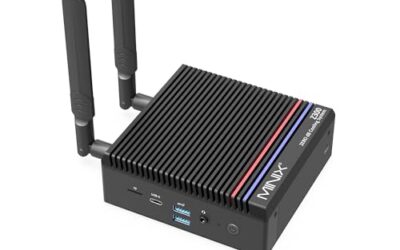
| ACEMAGICIAN S3A Mini | Ryzen 7 H 255 (8C/16T), Radeon 780M, 16GB RAM, 512GB PCIe 4.0 SSD | Tiny desks, integrated graphics |
The towers are compared from listing specifications and were not used by us. Almost every tower lists 16GB of memory and a 512GB drive, so the real separation is the graphics card and how much the listing tells you about the processor. Several listings give only a clock speed for the Core i7, not the model or generation, and that detail is marked as not listed in each pick.
Volt X3 V1.2

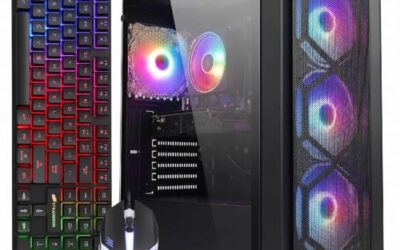
Volt X3 V1.2 Gaming PC Desktop Computer – Ryzen 5 2600 3.9GHz, NVIDIA GTX 1070 8GB, 16GB DDR4 RAM, 512GB NVMe SSD, 4 ARGB Fans, Wireless WiFi + Bluetooth, Windows 11 Pro 64-Bit Activated (White)
Included for 'Best Gaming PCs Under $600: Six Prebuilts Compared' because the listing specifies Ryzen 5 2600 3.9GHz and NVIDIA GTX 1070 8GB, details this guide uses to compare options.
View on AmazonSpec line: Ryzen 5 2600 3.9GHz, NVIDIA GTX 1070 8GB, 16GB DDR4, 512GB NVMe SSD, 4 ARGB fans, Wi-Fi and Bluetooth, Windows 11 Pro (white case).
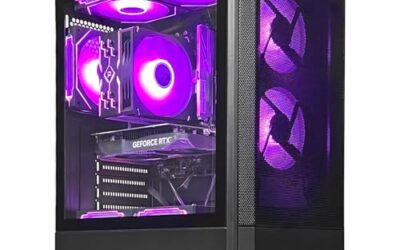
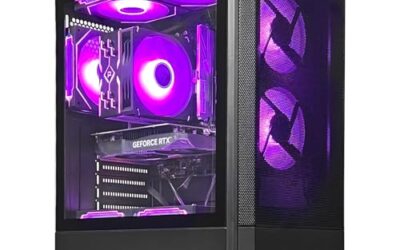
The Volt is the only tower here that names its exact processor, and it pairs it with the GTX 1070 and 8GB of graphics memory, the largest amount among the discrete GPUs in this group. It is an older platform, so you buy it for the graphics card and the clear parts list rather than for the newest features. An NVMe drive is a nice touch at this price, and the Windows 11 Pro licence is listed as activated. The trade-off is that the Ryzen 2600 is a few generations old, so expect it to be the limiting part in CPU-heavy games.
- Pro: 8GB GTX 1070 with a named Ryzen 5 CPU
- Pro: NVMe SSD and 16GB RAM
- Pro: Windows 11 Pro listed as activated
- Con: older processor generation
- Con: power supply details not listed
DeXwtzfn Gaming PC (GTX 1660 Super)

DeXwtzfn Gaming PC, Desktop Tower, i7 Processor Up to 4.0GHz, GTX 1660 Super 6GB Graphics, 16GB RAM, 512GB SSD, Windows 11 Home Computer, ARGB Fans, Temperature Display, WiFi 6, BT 5.3
Included for 'Best Gaming PCs Under $600: Six Prebuilts Compared' because the listing specifies Desktop Tower and i7 Processor Up to 4.0GHz, details this guide uses to compare options.
View on AmazonSpec line: Core i7 up to 4.0GHz, GTX 1660 Super 6GB, 16GB RAM, 512GB SSD, Windows 11 Home, ARGB fans, temperature display, Wi-Fi 6, Bluetooth 5.3.
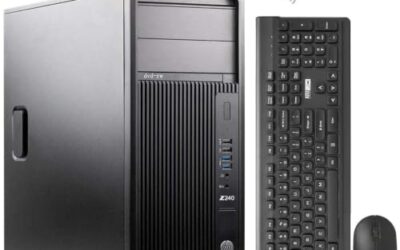
This tower trades some graphics memory for a newer GPU generation: 6GB on the 1660 Super instead of 8GB on the 1070. It also has the newest wireless in the group, Bluetooth 5.3 with Wi-Fi 6, and a front temperature display that makes thermals easy to watch. The listing gives only a clock speed for the i7, not the model number, so you cannot tell the processor generation from the page. That is the main reason to ask the seller or check the manual before ordering.
- Pro: GTX 1660 Super with 6GB graphics memory
- Pro: Wi-Fi 6 and Bluetooth 5.3
- Pro: temperature display on the case
- Con: i7 model and generation not listed
- Con: no SSD speed class given
STGAubron Gaming PC (Core i7, RX 580, 1TB SSD)

STGAubron Gaming PC Desktop,Core I7,RX 580 8G,16G RAM,1T SSD | Gaming Computer Tower for Streaming,Video Editing,Home,School,I7 up to 3.9GHz,ARGB Fan,WiFi 6,BT 5.0,4K HDMI,Win11 Home
Included for 'Best Gaming PCs Under $600: Six Prebuilts Compared' because the listing specifies Core I7 and RX 580 8G, details this guide uses to compare options.
View on AmazonSpec line: Core i7 up to 3.9GHz, RX 580 8GB, 16GB RAM, 1TB SSD, ARGB fan, Wi-Fi 6, Bluetooth 5.0, 4K HDMI, Windows 11 Home.
The 1TB drive is the headline here: it is double the storage of most towers in this group, which matters because large games now routinely run past 100GB. The RX 580 has 8GB of memory, matching the Volt. Wireless is Wi-Fi 6 with Bluetooth 5.0, a step older than the DeXwtzfn. As with the others, the Core i7 is listed by clock speed only. Pick this one if you install many games and do not want to add a drive immediately.
- Pro: 1TB SSD
- Pro: RX 580 with 8GB of memory
- Pro: 4K-capable HDMI output listed
- Con: CPU model not listed
- Con: Bluetooth 5.0 only
Qehi Desktop (Core i7, RX 580)

Qehi Desktop Computer,Core i7 16GB RAM 512GB SSD | RX580 8GB Gaming PC RGB | Prebuilt Tower Up to 4.2GHz,WiFi 6, for Gaming, Live Stream, Office, Home,Students-White
Included for 'Best Gaming PCs Under $600: Six Prebuilts Compared' because the listing specifies Core i7 16GB RAM 512GB SSD and RX580 8GB Gaming PC RGB, details this guide uses to compare options.
View on AmazonSpec line: Core i7 up to 4.2GHz, 16GB RAM, 512GB SSD, RX 580 8GB, RGB lighting, Wi-Fi 6, white tower.
The Qehi has the highest processor clock in the group and the same RX 580 as the STGAubron above, but with a 512GB drive. Its listing leans into the white-and-RGB look, which suits a visible desk setup. Like the others, it does not name the i7 model, so the clock figure is the only clue. It makes sense when you want a lighter-looking build and are happy to add storage later; otherwise the 1TB STGAubron is the better value on paper.
- Pro: highest listed CPU clock, up to 4.2GHz
- Pro: RX 580 8GB and Wi-Fi 6
- Pro: white RGB case
- Con: 512GB storage only
- Con: CPU model and PSU not listed
STGAubron Gaming PC (Core i7, GTX 1650)
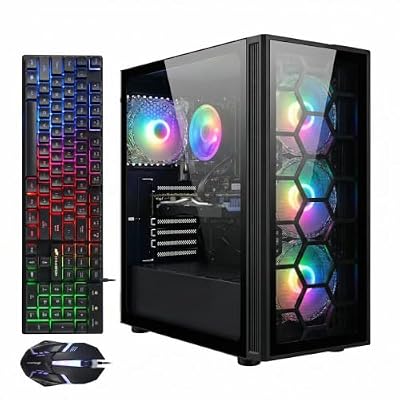
STGAubron Gaming PC Desktop,Core I7,GTX 1650 4G,16G RAM,512G SSD | Gaming Computer Tower for Streaming,Video Editing,Home,School,I7 up to 3.8GHz,ARGB Fan,WiFi 6,BT 5.2,4K DP,HDMI,Win11 Home
Included for 'Best Gaming PCs Under $600: Six Prebuilts Compared' because the listing specifies Core I7 and GTX 1650 4G, details this guide uses to compare options.
View on AmazonSpec line: Core i7 up to 3.8GHz, GTX 1650 4GB, 16GB RAM, 512GB SSD, ARGB fan, Wi-Fi 6, Bluetooth 5.2, 4K DisplayPort and HDMI, Windows 11 Home.
This is the lightest graphics option of the towers, with a GTX 1650 and only 4GB of graphics memory. The listing positions it for streaming, video editing, home and school, which fits a machine that does a bit of everything rather than pushing for top frame rates. Both DisplayPort and HDMI are listed, which helps when you plan to connect a monitor and a TV. If gaming is the main goal, choose one of the 8GB cards above; this one is for mixed use.
- Pro: DisplayPort and HDMI outputs listed
- Pro: 16GB RAM and 512GB SSD
- Pro: Wi-Fi 6 and Bluetooth 5.2
- Con: 4GB of graphics memory
- Con: i7 model not listed
ACEMAGICIAN S3A Gaming Mini PC

ACEMAGICIAN S3A Gaming Mini PC, Ryzen 7 H 255 (Up to 4.9GHz, 8C/16T), Radeon 780M Graphics, 16GB RAM, 512GB PCIe4.0 SSD, Mini Desktop Computer for Content Creation, Programming, Gaming & Home Office
Included for 'Best Gaming PCs Under $600: Six Prebuilts Compared' because the listing specifies Ryzen 7 H 255 (Up to 4.9GHz and 8C/16T), details this guide uses to compare options.
View on AmazonSpec line: Ryzen 7 H 255 (up to 4.9GHz, 8C/16T), Radeon 780M graphics, 16GB RAM, 512GB PCIe 4.0 SSD.
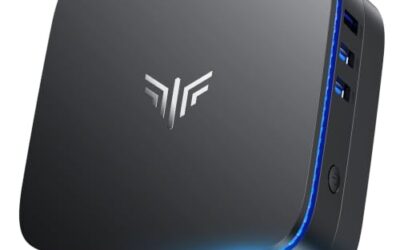
The only mini PC in the list, and the only one that uses integrated graphics. It has a modern 8-core, 16-thread processor and a fast PCIe 4.0 drive, so it feels quick for everyday tasks, programming and lighter games. It cannot be upgraded with a graphics card the way a tower can, and the Radeon 780M is not in the same class as a dedicated GPU, so treat it as a space-saving option rather than a replacement for the towers. The listing also does not state the case size or port count.
- Pro: modern 8-core Ryzen 7 with fast SSD
- Pro: very small footprint
- Pro: 16GB RAM listed
- Con: integrated graphics only
- Con: dimensions and ports not listed
How to Choose Under $600
Read the GPU name, then the memory
A GTX 1070 or RX 580 with 8GB gives more headroom for textures than a GTX 1650 with 4GB. A newer 1660 Super sits between them. If a listing says only gaming graphics without a model, skip it.
Look for 16GB of RAM and a 512GB drive
Every pick here meets those numbers. Below 16GB, a gaming tower struggles with modern titles; below 512GB, you will be deleting games within a month. A 1TB drive is a real bonus.
Gaming PCs for streaming
Streaming needs CPU headroom as well as a GPU. Choose a tower with a Core i7 or the 8-core Ryzen in the mini PC, and keep 16GB of RAM as the minimum. Closing background apps during a stream helps on any budget machine.
Gaming PCs for 1440p
At this ceiling, 1440p is a stretch. The 8GB cards can handle it in lighter titles with reduced settings, but expect 1080p to be the comfortable target. The 4GB GTX 1650 should stay at 1080p.
Gaming PCs for students
Students benefit from Wi-Fi 6, a dependable operating system licence and quiet operation. The mini PC is the easiest to fit in a dorm. Check the return window and warranty terms on the listing before you commit.
Check the unlisted parts
Budget prebuilts often skip the power supply, motherboard and case airflow details. Ask the seller for the PSU wattage before adding a bigger graphics card later.
Prebuilt or build it yourself
Building from parts gives you a known power supply, motherboard and case, but it needs time and a working knowledge of compatibility. A prebuilt at this budget saves the assembly and includes a Windows licence, which is a real part of the price. The cost is less transparency: a listing that names the GPU and RAM but not the board or PSU leaves you guessing about upgrade room.
Wireless, ports and display outputs
Wi-Fi 6 is listed on four of the six machines and is worth having if your router supports it. Count the display outputs too: a tower with both HDMI and DisplayPort is easier to pair with a monitor and a TV. The mini PC lists neither in the text we compared, so confirm them on the maker page before you buy.
Warranty and returns
Small-brand towers vary widely in support. Look for a stated warranty period and a clear return window on the listing page, and keep the packaging until you have confirmed the machine boots, installs updates and holds steady under a long game session.
Frequently Asked Questions
Can a gaming PC at this budget run modern games?
Yes, at 1080p with moderate settings, especially with the 8GB cards. Expect to lower settings in the newest demanding titles. Older and esports games run comfortably.
Is a GTX 1070 still worth buying?
It still handles many popular games at 1080p, and its 8GB of memory helps. It lacks RTX features, so the choice depends on price and which games you play.
Should I pick a mini PC or a tower?
Choose a tower for dedicated graphics and upgrades. Choose the mini PC for a small desk, since its integrated graphics are limited for demanding games.
Are these good for 1440p gaming?
Only the 8GB graphics cards stand a chance, and only with lowered settings. For reliable results, plan on 1080p and use 1440p for lighter games.
Do these towers come with Windows?
The listings name Windows 11 Home or Pro for the towers and mention activation for the Volt. The mini PC listing does not state an operating system here, so check the maker page.
Last updated: November 2026