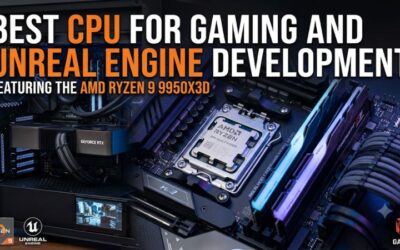
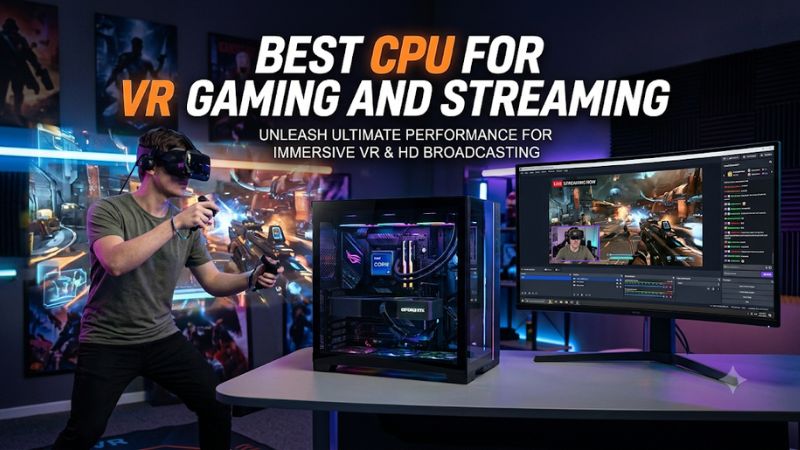
Choosing the best cpu for vr gaming and streaming requires balancing high gaming performance with enough processing capacity for broadcasting, recording, and background applications. AMD’s Ryzen X3D processors lead gaming-focused choices, while higher-core-count CPUs make more sense for demanding CPU-based encoding and multitasking.
How to Choose a CPU for VR Gaming and Streaming
A good VR streaming processor needs to maintain consistent game performance while supporting the applications running alongside the headset. However, buying the CPU with the most cores is not automatically the right decision. Your GPU, streaming encoder, headset resolution, motherboard, and preferred games all influence which processor offers the best overall experience.
1. Prioritize Gaming Performance and Frame Consistency
VR places particular importance on consistent frame delivery. A headset operating at a high refresh rate needs the PC to prepare frames within relatively tight timing windows. When CPU processing becomes a bottleneck, users may experience uneven frame delivery, missed frames, or additional latency.
The best cpu for vr gaming and streaming should therefore offer strong per-core performance, sufficient cache, and dependable gaming performance. AMD’s X3D processors are particularly interesting because their large L3 cache can benefit games that are sensitive to memory access and CPU scheduling.
2. Choose Enough Cores for Streaming Workloads
Streaming creates additional processing requirements, but the impact depends heavily on the encoder. OBS Studio supports software encoding through x264 and hardware encoding through technologies such as NVIDIA NVENC, AMD AMF, and Intel Quick Sync Video.
When using a compatible GPU encoder, the CPU does not need to perform all video encoding work. However, additional cores can help when running CPU-based encoding, recording, browser sources, voice applications, and other demanding background tasks.
OBS+1
3. Check Motherboard and Memory Compatibility
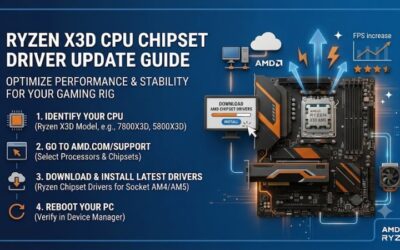
Processor compatibility should be confirmed before purchasing. AMD’s Ryzen 9000 desktop processors use the AM5 socket and DDR5 memory. Supported motherboards include selected A620, B650, B850, X670, and X870 models, although BIOS support depends on the specific motherboard and processor combination.
Intel’s Core Ultra 9 285K uses the LGA1851 socket and DDR5 memory. It requires a compatible LGA1851 motherboard rather than an older LGA1700 board. Check the manufacturer’s CPU support list and BIOS requirements before upgrading.
4. Consider Cooling and the Total System Budget
VR gaming and streaming can maintain substantial CPU and GPU workloads simultaneously. A processor that performs well in short gaming sessions may encounter different thermal and power conditions during longer workloads.
Consider the processor’s rated power, recommended cooling, case airflow, and motherboard power delivery. AMD’s 9850X3D and 9800X3D have a 120W default TDP, while the 9950X3D has a 170W default TDP. These figures are not equivalent to total system power consumption or maximum power draw.
AMD+2
Top CPUs for VR Gaming and Streaming
The following processors serve different types of VR users. Gaming-focused buyers should prioritize X3D performance, while creators who regularly encode through the CPU or run demanding applications alongside VR games may benefit from additional processing cores. The right choice depends on the workload rather than the processor’s advertised core count alone.
CPU Comparison Table
| Product | Best For | Key Spec | Compatibility | Watch Out For |
|---|---|---|---|---|
| AMD Ryzen 7 9850X3D | Best Overall | 8 cores, 16 threads, 96MB L3 cache | AM5, DDR5 | Limited core count for heavy CPU encoding |
| AMD Ryzen 9 9950X3D | Best for Gaming and Heavy Streaming Workloads | 16 cores, 32 threads, 128MB L3 cache | AM5, DDR5 | Higher cooling requirements |
| AMD Ryzen 7 9800X3D | Best Value Gaming Choice | 8 cores, 16 threads, 96MB L3 cache | AM5, DDR5 | Less multitasking headroom than 16-core CPUs |
| Intel Core Ultra 9 285K | Best Intel Alternative | 24 cores, 24 threads | LGA1851, DDR5 | Different gaming performance characteristics |
1. AMD Ryzen 7 9850X3D – Best Overall
The AMD Ryzen 7 9850X3D is a strong choice for enthusiasts prioritizing gaming performance. Its Zen 5 architecture, 3D V-Cache technology, and higher boost frequency make it particularly attractive for gaming systems where consistent CPU performance matters.
Its main specifications include:
-
8 cores and 16 threads.
-
Boost frequency up to 5.6 GHz.
-
96MB L3 cache.
-
120W default TDP.
-
AM5 socket and DDR5 memory support.
-
PCIe 5.0 support.
The processor is especially suitable for users who want a gaming-focused system and plan to use GPU-based streaming encoding. Its 8-core configuration provides capacity for ordinary multitasking without requiring a more expensive 16-core processor.
However, the 9850X3D is not automatically a better purchase than its predecessor. Tom’s Hardware reported relatively small gaming improvements over the 9800X3D alongside higher power consumption. That makes the price difference an important consideration. Users who regularly perform CPU-based encoding may also prefer the 9950X3D.
AMD+2
2. AMD Ryzen 9 9950X3D – Best for Gaming and Heavy Streaming Workloads
The AMD Ryzen 9 9950X3D is a more appropriate option for users who combine VR gaming with demanding production workloads. Its 16-core, 32-thread configuration provides substantially more parallel processing capacity than the eight-core X3D models.
Its main specifications include:
-
16 cores and 32 threads.
-
Boost frequency up to 5.7 GHz.
-
128MB L3 cache.
-
170W default TDP.
-
AM5 socket.
-
DDR5 memory support.
-
PCIe 5.0 support.
The additional cores are useful when running CPU-based x264 encoding, video production software, demanding background applications, and other multithreaded workloads. It also retains AMD’s 3D V-Cache technology, making it a compelling option when gaming and productivity are both important.
The disadvantage is its higher power and cooling requirements. It is also unnecessary for someone who primarily plays VR games and uses NVENC or another dedicated hardware encoder. Buyers should consider the 9850X3D or 9800X3D if gaming is their primary workload.
AMD+1
3. AMD Ryzen 7 9800X3D – Best Value Gaming Choice
The AMD Ryzen 7 9800X3D remains an excellent option for VR enthusiasts who want strong gaming performance without paying extra for a newer, slightly faster model.
Its main specifications include:
-
8 cores and 16 threads.
-
Boost frequency up to 5.2 GHz.
-
96MB L3 cache.
-
120W default TDP.
-
AM5 socket.
-
DDR5 memory support.
-
PCIe 5.0 support.
The processor combines Zen 5 architecture with second-generation 3D V-Cache technology. This configuration makes it particularly attractive for gaming-focused builds, especially when paired with a capable graphics card and sufficient memory.
Its limitation is the same as other eight-core options: users performing extensive CPU-based encoding and production work may benefit from more cores. Nevertheless, when GPU encoding handles the stream, the 9800X3D offers a sensible balance between gaming performance and multitasking capability. Independent reviews have also shown that its gaming performance remains close to the newer 9850X3D.
AMD+2
4. Intel Core Ultra 9 285K – Best Intel Alternative
The Intel Core Ultra 9 285K is worth considering for users who prefer an Intel desktop platform or want a processor with substantial multitasking capacity and integrated media capabilities.
Its specifications include:
-
24 total cores: 8 Performance-cores and 16 Efficient-cores.
-
24 threads.
-
Maximum turbo frequency of 5.7 GHz.
-
36MB Intel Smart Cache.
-
125W processor base power.
-
250W maximum turbo power.
-
LGA1851 socket.
-
DDR5 memory support.
-
Intel Quick Sync Video support.
One notable advantage is its integrated Intel Graphics and Quick Sync Video technology. OBS supports Intel Quick Sync as a hardware encoding option on compatible systems. This provides an additional encoding path when the application, driver, and configuration support it.
However, the 285K should not be selected simply because it has 24 cores. Its gaming performance differs from AMD’s X3D processors, and its maximum turbo power requires an appropriate cooling solution. It is better suited to buyers who value its Intel platform features and mixed workloads than those seeking the strongest gaming-focused option.
Intel+3
FAQ
1. Is an eight-core CPU enough for VR gaming and streaming?
Yes, an eight-core CPU is sufficient for many VR gaming and streaming setups. Processors such as the Ryzen 7 9800X3D and 9850X3D provide eight cores and 16 threads. When a compatible GPU encoder handles video encoding, the CPU has more capacity available for the game and background applications. CPU-based encoding and demanding multitasking may justify additional cores.
2. Is AMD better than Intel for VR gaming?
AMD’s X3D processors are particularly attractive for gaming-focused builds, but Intel remains a viable alternative. The best choice depends on the specific game, graphics card, streaming encoder, and motherboard platform. Compare independent gaming benchmarks rather than relying exclusively on core counts or maximum boost frequencies.
3. Does VR streaming require a Ryzen 9 processor?
No, VR streaming does not automatically require a Ryzen 9 processor. A Ryzen 7 processor can handle many gaming and streaming configurations, particularly when paired with a GPU that supports hardware encoding. A Ryzen 9 becomes more attractive when CPU-based encoding, video production, and demanding multitasking are regular parts of the workload.
4. Should I upgrade my CPU or GPU for better VR performance?
Upgrade the component responsible for the actual performance limitation. GPU limitations can affect rendering resolution, visual quality, and frame delivery, while CPU limitations can affect game simulation and frame preparation. Monitor CPU and GPU utilization, frame timing, and application performance before purchasing replacement hardware. A faster CPU cannot automatically solve a GPU bottleneck.
Final Thoughts
The best cpu for vr gaming and streaming depends on whether gaming performance or additional processing capacity matters most. The Ryzen 7 9850X3D is an excellent gaming-focused choice, while the Ryzen 9 9950X3D suits heavier workloads. Compare platform costs, cooling, and encoding requirements before making your final purchase.