🛒 Best Price Today on Amazon
Prime members get fast, free shipping on everything above, plus member-only deals. New members get a 30-day free trial — cancel anytime.
A prebuilt gaming PC with a firm ceiling of 1200 dollars sits in an awkward spot. It is enough money to land a current-generation graphics card, but only if the builder spends carefully on the rest. Some desktops at this level pair a strong graphics chip with a plain 16GB of memory and a single SSD, while others lean on a bigger processor and quietly settle for an older or smaller GPU. Since a game’s frame rate is driven mostly by the graphics card, the first job is reading past the RGB lighting and finding what is actually inside.
This guide is for a buyer who wants a ready-to-plug-in tower for 1080p gaming, streaming, or esports, without learning to assemble parts. Six desktops are compared below based on what their listings state, ranging from a machine with an RTX 5060 to a budget tower built around integrated graphics. In 2026, the gap between those two ends is large enough that the right pick depends heavily on whether you play new releases or older, lighter titles.
Quick Picks

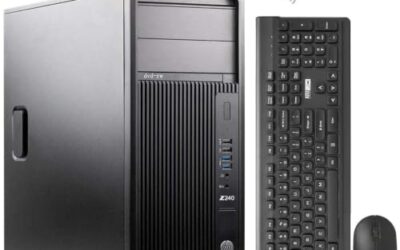
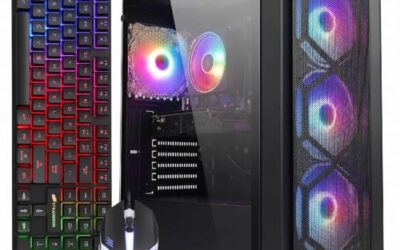
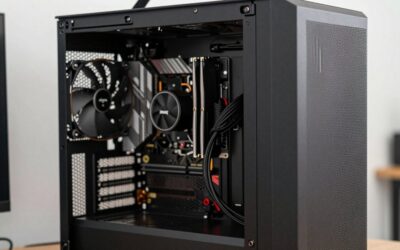
ZYNEEX Prebuilt Gaming Desktop PC, AMD Ryzen 5 5500, GeForce RTX 3050 6GB,16GB DDR4 3200MHz RAM, 1TB NVMe SSD, ARGB Air Cooling, Wi-Fi,Tower Computer for Gaming, Streaming, Editing




As an Amazon Associate we earn from qualifying purchases. Product prices and availability are accurate as of the date/time indicated.

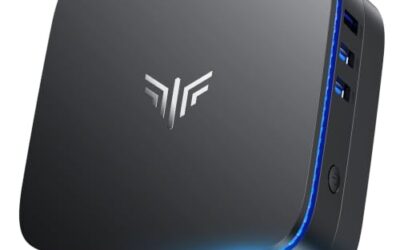
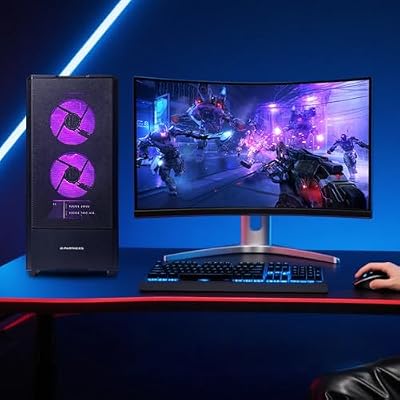
Qehi Desktop Computer,Core i7 16GB RAM 512GB SSD | RX580 8GB Gaming PC RGB | Prebuilt Tower Up to 4.2GHz,WiFi 6, for Gaming, Live Stream, Office, Home,Students-White


As an Amazon Associate we earn from qualifying purchases. Product prices and availability are accurate as of the date/time indicated.

Qehi Prebuilt Desktop Computer, Core i5 Gaming PC Tower, RX 560 4G,WiFi 6 | 16GB RAM, 256GB SSD, RGB Gamer PC, Home Office bundle Everyday Use Business Streaming,Study -White


As an Amazon Associate we earn from qualifying purchases. Product prices and availability are accurate as of the date/time indicated.

LXZ Gaming PC Desktop Computer, AMD Ryzen 5 5600GT, 16GB DDR4, 1TB NVME SSD, Prebuilt Tower PC with Integrated Graphics, WiFi, RGB Cooling Fans, for Home Office and Student, Sea View Room White


As an Amazon Associate we earn from qualifying purchases. Product prices and availability are accurate as of the date/time indicated.

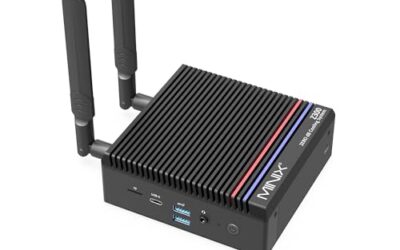
WIWB Gaming PC Desktop - Ryzen 7, Radeon RX 6500XT 4GB 512GB SSD 16GB RAM | DDR4, R7 4700LE, WiFi 6 for 1080p Gaming, Streaming, Esports, School & Home Office Prebuilt Tower Computer White


As an Amazon Associate we earn from qualifying purchases. Product prices and availability are accurate as of the date/time indicated.

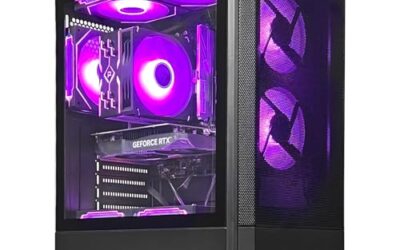
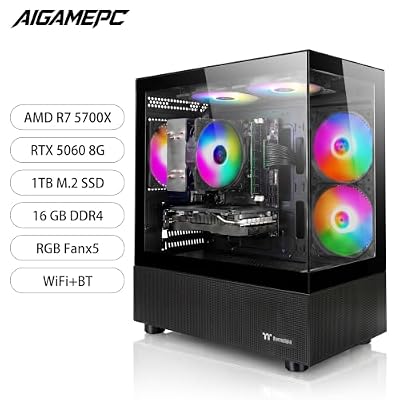
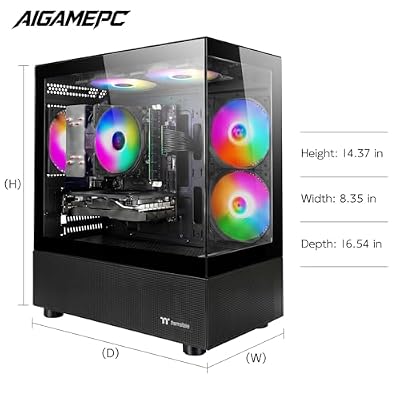
Prebuilt Gaming PC , AMD Ryzen 7 5700X, GeForce RTX 5060 Desktop,1TB SSD | 16GB DDR4 RAM, RGB Fan with Remote Control, WiFi+BT,Windows 11 pc gamer Desktop Computer




As an Amazon Associate we earn from qualifying purchases. Product prices and availability are accurate as of the date/time indicated.
| Product | Best for | Key spec from the title |
|---|---|---|
| ZYNEEX Ryzen 5 5500 desktop | Balanced 1080p with ample storage | RTX 3050 6GB, 16GB DDR4 3200MHz, 1TB NVMe SSD |
| Qehi Core i7 RX580 desktop | Older titles on a tighter budget | RX580 8GB, Core i7, 512GB SSD, WiFi 6 |
| Qehi Core i5 RX 560 desktop | Light games plus home office use | RX 560 4G, 16GB RAM, 256GB SSD |
| LXZ Ryzen 5 5600GT desktop | Esports and games on integrated graphics | Ryzen 5 5600GT, 1TB NVMe, integrated graphics |
| WIWB Ryzen 7 RX 6500XT desktop | 1080p esports and streaming | RX 6500XT 4GB, Ryzen 7 4700LE, 512GB SSD |
| Ryzen 7 5700X RTX 5060 desktop | Strongest graphics at the cap | RTX 5060, Ryzen 7 5700X, 1TB SSD |
How to Choose
Start with the graphics card, not the processor
For gaming at 1080p, the GPU decides most of the experience. A listing that leads with a high-core-count CPU but a modest GPU is usually weaker than one that does the reverse. Look for a dedicated card with at least 6GB of video memory if you play recent releases; 4GB cards can still run esports titles well but may struggle with newer games at high textures. Integrated graphics are fine for older games, but they are a different class from a dedicated card.
It also helps to compare cards by generation rather than by name alone. A newer entry-level card can outperform an older, larger-memory model in current engines, while more video memory still helps in games that load big textures. When two listings look close, favor the one with the newer architecture unless your library is mostly older titles.
Check memory and storage together
Sixteen gigabytes of RAM is the sensible baseline for gaming today, and every desktop here lists it. Pay attention to the memory generation: DDR4 is common in this price tier, and a listing that states 3200MHz gives you a clear speed. Storage matters just as much. A 256GB SSD fills quickly once a few large games are installed, so a 1TB NVMe drive is far more comfortable. If you pick a smaller drive, plan to add a second one.
NVMe drives load levels and boot Windows faster than older SATA drives, so a listing that names NVMe is a better sign than one that only says SSD. If the title does not state the type, treat it as unknown and ask before assuming top speeds.
Look at cooling, power, and upgrade room
Budget prebuilts often hide weak spots in the case airflow or the power supply. Listings that mention air cooling, extra fans, or a named heatsink give you something to evaluate, while vague RGB claims do not. Before you buy, check whether the seller lists the power supply wattage and the motherboard model, since both limit how easily you can swap in a stronger GPU later.
Ignore the headline clock speed and the extras
A line like “up to 4.2GHz” describes a boost ceiling, not typical game performance. Extras such as a remote-controlled fan, a pre-installed operating system, or a bundle that targets office use matter far less than the graphics card, RAM, and SSD. Budget models usually cut corners on the case, the power supply, and the motherboard rather than the parts that make the product page look impressive.
The 6 Best Options
ZYNEEX Ryzen 5 5500 with RTX 3050
This tower pairs a Ryzen 5 5500 with an RTX 3050 6GB, 16GB of DDR4 3200MHz, and a 1TB NVMe SSD, plus Wi-Fi and ARGB air cooling. For a shopper who wants a well-rounded mid-range machine, the combination of a dedicated card and generous storage is the most balanced of the budget group.
- Strength: a dedicated RTX 3050 with 6GB video memory and a 1TB NVMe drive.
- Strength: listed 3200MHz memory and a named air-cooling setup.
- Trade-off: it is a step below the RTX 5060 machine in graphics class.
Skip it if you want the strongest possible card for new releases at the cap. It is also a natural fit for a first gaming PC where the buyer wants the whole package, Wi-Fi included, without hunting for a separate adapter or extra drive.
Qehi Core i7 with RX580 8GB
The RX580 8GB is an older card, but eight gigabytes of video memory is generous for this tier. The title also lists a Core i7, 16GB of RAM, a 512GB SSD, and WiFi 6. It fits a player who mainly runs older or lighter games and wants a lot of memory on the card.
- Strength: 8GB of video memory on the card.
- Strength: Core i7 processor and WiFi 6 listed.
- Trade-off: the RX580 is an older generation and lacks the newest GPU features.
Skip it if you want current-generation graphics for recent titles.
Qehi Core i5 with RX 560 4G
This is the lightest gaming configuration here, with an RX 560 4G, a Core i5, 16GB of RAM, and a 256GB SSD. The listing leans toward home office and everyday use, with gaming as a secondary feature, so it fits households that need one computer for work, school, and occasional casual games.
- Strength: 16GB of RAM and WiFi 6 listed.
- Strength: suits mixed office and light-gaming use.
- Trade-off: the RX 560 and 256GB SSD are the smallest on the list.
Skip it if modern games are the main reason you are buying. A buyer in that position gets more from the ZYNEEX or RTX 5060 towers, which spend the budget on graphics instead of leaning on general-purpose features.
LXZ Ryzen 5 5600GT with Integrated Graphics
The LXZ tower relies on the integrated graphics of the Ryzen 5 5600GT rather than a separate card, with 16GB of DDR4 and a 1TB NVMe SSD. Its appeal is a clean upgrade path: you can add a dedicated GPU later and keep everything else. For esports and older games, the integrated chip can be enough.
- Strength: 1TB NVMe storage and 16GB DDR4.
- Strength: room to add a graphics card later.
- Trade-off: integrated graphics cannot match a dedicated card for modern games.
Skip it if you want strong frame rates in new releases right out of the box.
WIWB Ryzen 7 with RX 6500XT 4GB
WIWB pairs an R7 4700LE with a Radeon RX 6500XT 4GB, 16GB DDR4, and a 512GB SSD, with WiFi 6. The title targets 1080p gaming, streaming, and esports. It is a sensible middle ground if you want a dedicated card without stretching toward the top of the list.
- Strength: dedicated Radeon card aimed at 1080p esports and streaming.
- Strength: Ryzen 7 processor with WiFi 6.
- Trade-off: 4GB of video memory and a 512GB drive limit newer games.
Skip it if you want more than 4GB of graphics memory for high-texture titles.
Prebuilt Ryzen 7 5700X with RTX 5060
This is the strongest graphics listing in the group, pairing an RTX 5060 with a Ryzen 7 5700X, 16GB of DDR4, and a 1TB SSD. It also lists an RGB fan with a remote, WiFi and Bluetooth, and Windows 11. For a buyer who wants the newest graphics architecture within the 1200 dollar limit, this is the headline option.
- Strength: RTX 5060 graphics with a Ryzen 7 5700X processor.
- Strength: 1TB SSD, WiFi, Bluetooth, and Windows 11 listed.
- Trade-off: the unbranded title gives little detail about the case or power supply.
Skip it if you want a recognizable brand name behind the build.
Which One Fits Your Situation
You play new releases at 1080p
The Ryzen 7 5700X with RTX 5060 is the best match, since it has the newest graphics class on the list and a 1TB SSD for large installs. Pair it with a monitor that runs at a high refresh rate so the extra graphics headroom actually shows up on screen.
You want a balanced machine with plenty of storage
The ZYNEEX Ryzen 5 5500 with RTX 3050 offers a dedicated card, 3200MHz RAM, and a 1TB NVMe drive without the stretch toward the top.
You mostly play esports titles and stream
The WIWB Ryzen 7 with RX 6500XT is aimed squarely at that use, and the LXZ tower works if you plan to add a graphics card later. Both handle lightweight competitive games better than sprawling open-world releases, so match the pick to your library before buying.
You need one computer for work, school, and light games
The Qehi Core i5 with RX 560 handles that mix, and the Qehi Core i7 with RX580 gives more video memory if gaming matters a bit more.
If two towers seem equal on paper, let storage break the tie. A 1TB drive saves you from an immediate upgrade, and it is the one spec where the ZYNEEX, LXZ, and RTX 5060 listings clearly pull ahead of the smaller-drive models.
Common Mistakes
- Paying more for a bigger processor when the graphics card is the part that limits frame rates.
- Treating integrated graphics as equal to a dedicated card because the CPU is new.
- Buying a 256GB SSD and discovering that two big games fill it.
- Trusting RGB and “up to” clock speeds instead of reading the GPU and RAM lines.
- Skipping the power supply and motherboard details, which limit future upgrades.
Related guides
- Gaming Chairs For Back Pain With Lumbar Support
- Gaming Keyboards For Fps With Rapid Trigger
- Travel Backpack With Laptop Compartment
Frequently Asked Questions
Is 16GB of RAM enough for gaming?
Yes, for most current games at 1080p. All six desktops list 16GB, so the differences come from graphics, storage, and processor choice.
Is a prebuilt cheaper than building one?
It can be close, and prebuilts save time and include a warranty and operating system. Building gives you more control over the case, power supply, and upgrade path, which prebuilts often keep vague.
Can I upgrade the graphics card later?
Often, yes, but it depends on the power supply and case. Ask the seller for the wattage and motherboard model before relying on a future upgrade, especially with the integrated-graphics tower.
Does an older card like the RX580 still make sense?
It can for older and lighter games, since it has 8GB of video memory. For newer releases, a current-generation card gives more headroom and driver support.