🛒 Best Price Today on Amazon
Prime members get fast, free shipping on everything above, plus member-only deals. New members get a 30-day free trial — cancel anytime.
Best open ear headphones let you listen to music, calls, and game audio while remaining aware of nearby conversations and environmental sounds. The right choice depends on comfort, sound quality, microphone performance, battery life, and device compatibility. This guide compares leading designs and explains where open-ear listening works best.
How to Choose Open Ear Headphones
Open-ear headphones are useful when conventional earbuds feel intrusive or you want to hear your surroundings while listening. However, the category includes different designs, from earbuds that sit around the outer ear to bone-conduction models that transmit sound through vibrations. Understanding these differences helps you choose a comfortable option without sacrificing the features that matter most.
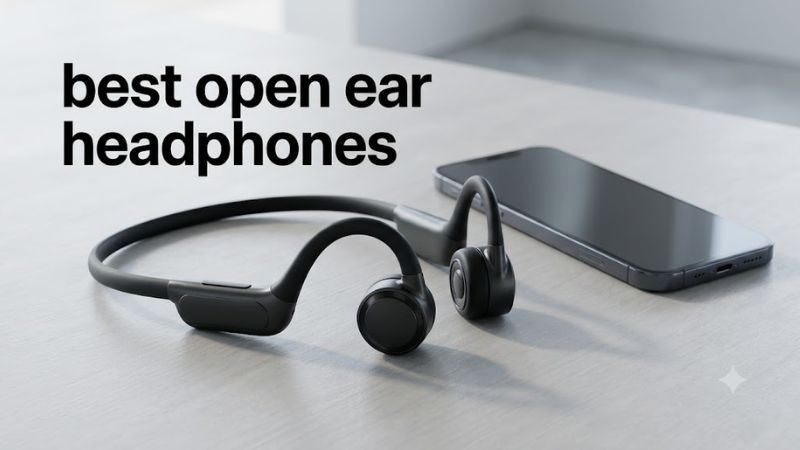
1. Choose the Right Open-Ear Design
Air-conduction models direct sound toward your ears without sealing the ear canals. Many use flexible ear hooks or curved clips to remain in position. They suit people who want music or podcasts without the plugged-ear sensation associated with conventional in-ear earbuds.
Bone-conduction headphones work differently by transmitting vibrations through contact points near the cheekbones. They are popular for running and outdoor activities, although the sensation may not suit everyone. For PC gaming, air-conduction earbuds are generally more practical for casual listening, but neither design automatically provides the isolation or microphone quality of a dedicated gaming headset.
2. Consider Sound Quality and Gaming Latency
Open-ear designs trade isolation for environmental awareness. Depending on the model, bass may sound less powerful than it does through sealed earbuds, and busy surroundings can make dialogue harder to hear. Look for independent reviews that discuss frequency response, distortion, and sound consistency rather than relying exclusively on marketing terms.
For PC gaming, wireless latency is another consideration. Standard Bluetooth audio can introduce a noticeable delay in some configurations, especially in timing-sensitive games. A model’s Bluetooth version alone does not establish its latency. If precise synchronization matters, consider a wired headset or a gaming headset with a dedicated low-latency wireless connection.
3. Check Comfort, Stability, and Water Resistance
Fit matters because open-ear headphones rest on or around the ears instead of relying on a sealed ear tip. Flexible hooks can help keep earbuds secure during walking and exercise, but glasses, earrings, and the shape of your ears may affect comfort. If possible, prioritize a return policy that lets you assess the fit during normal use.
Water-resistance ratings also differ. An IPX4 rating indicates protection against water splashes under specified test conditions, while an IP55 rating includes dust protection and resistance to water jets under specified conditions. Neither rating means a product is waterproof, and the charging case may have a different protection level from the earbuds.
4. Compare Battery Life and Device Compatibility
Manufacturers usually advertise maximum battery life under specified conditions, not guaranteed runtime in every situation. Volume, calls, audio processing, and other features can reduce playback time. Compare single-charge listening time with the additional capacity supplied by the charging case, and check whether quick charging is supported.
For a Windows gaming PC, confirm that the headphones support Bluetooth audio and that your computer has compatible Bluetooth hardware. A Bluetooth adapter may be necessary on desktops without built-in Bluetooth. Also check microphone support: a device can play audio correctly while still requiring a different Windows input selection or application permission for voice chat.
Top Open Ear Headphones Worth Considering
The best open ear headphones depend on whether you prioritize everyday convenience, exercise, calls, or casual PC gaming. These four options offer different approaches to open-ear listening, with manufacturer specifications helping distinguish their battery life, fit, and durability. They are not interchangeable with dedicated gaming headsets, particularly when low latency, microphone clarity, and sound isolation matter.
| Product | Best For | Key Spec | Compatibility | Watch Out For |
| Bose Ultra Open Earbuds | Premium everyday listening | Up to 7 hours without Immersive Audio | Bluetooth audio devices | Premium positioning; limited bass isolation |
| Shokz OpenFit 2+ | Extended listening and exercise | Up to 11 hours per charge; IP55 earbuds | Bluetooth audio devices | Does not isolate background noise |
| Nothing Ear (open) | Value and everyday use | Up to 8 hours per charge; IP54 | Windows PCs, Android, iOS with Bluetooth | Open design limits noise isolation |
| Sony LinkBuds Open | Lightweight daily wear | 11 mm drivers; up to 8 hours of music | Bluetooth audio devices | Ring-shaped design may not suit every ear |
1. Bose Ultra Open Earbuds — Best Overall for Premium Listening
The Bose Ultra Open Earbuds use a clip-style design that attaches around the outer ear instead of sealing the ear canal. Bose lists up to seven hours of playback with Immersive Audio turned off, Bluetooth 5.3, and an IPX4 rating for the earbuds. These features suit listeners who want music and calls while retaining awareness of their surroundings.
The main limitation is the open fit: nearby noise remains audible, and deep bass lacks the isolation of conventional sealed earbuds. Battery life also falls when Immersive Audio or Auto Volume is enabled. Choose this model if premium everyday listening is your priority; consider a less expensive alternative if you mainly need background audio while gaming at a desk.
2. Shokz OpenFit 2+ — Best for Long Listening Sessions
The Shokz OpenFit 2+ uses air-conduction audio and flexible ear hooks. Shokz specifies up to 11 hours of listening from a single charge and up to 48 hours with the charging case. The earbuds carry an IP55 rating, while the case does not share that protection level. These specifications make the model worth considering for long days involving work, walks, and exercise.
Its ear-hook design is worth considering if conventional earbuds tend to loosen during movement. However, comfort still depends on ear shape, and the open construction cannot block a noisy room. For PC gamers, it is better suited to casual audio, calls, and background music than competitive games where positional detail and synchronized sound are priorities.
3. Nothing Ear (open) — Best Value
The Nothing Ear (open) combines a silicone ear hook with an open sound design. Its official specifications include 14.2 mm dynamic drivers, Bluetooth 5.3, IP54 dust and water resistance, and up to eight hours of playback from the earbuds or 30 hours with the charging case. The US product listing has advertised the model at $99, although prices and availability can change.
Its feature set makes it a practical choice for listeners who want open-ear audio without moving into a premium price bracket. It also supports Microsoft Swift Pair and dual-device connection, useful features for compatible Windows setups. The trade-off is that it cannot provide the passive isolation or consistently low gaming latency of a suitable wired headset or dedicated wireless gaming system.
4. Sony LinkBuds Open — Best for Lightweight Everyday Wear
Sony’s LinkBuds Open use a distinctive ring-shaped driver arrangement intended to keep the ear canal open. Sony lists an 11 mm driver, Bluetooth 5.3, multipoint connectivity, an IPX4-equivalent water-resistance rating, and up to eight hours of continuous music playback. Each earbud weighs approximately 5.1 grams, including its fitting supports.
The lightweight design and multipoint support can suit someone switching between a computer and phone during the day. However, the ring-shaped fit is not comfortable for everyone, so individual fit matters more than the specification sheet suggests. Consider another model if you need stronger bass, better environmental isolation, or a headset microphone designed specifically for multiplayer communication.
FAQ
Are open ear headphones good for PC gaming?
Open-ear headphones can work for casual PC gaming, but they are not the best choice for every genre. They allow environmental sounds into your listening experience, which can be useful when you need to hear people nearby. However, open-ear Bluetooth earbuds may introduce latency, and many lack the boom microphone found on gaming headsets.
For competitive shooters, prioritize synchronized audio, positional accuracy, and clear voice chat. A dedicated gaming headset with a compatible low-latency wireless connection or wired audio is generally a more suitable starting point. Open-ear models make more sense for casual games, background music, and situations where remaining aware of your surroundings matters.
Do open ear headphones leak sound?
Yes, open-ear headphones can leak sound, and people nearby may hear your audio, especially at higher volume levels. The amount depends on the design, listening level, distance, and surrounding noise. Unlike sealed earbuds, open designs do not rely on closing off the ear canal to contain sound.
Keep the volume at a comfortable level and consider people around you in shared rooms, libraries, or offices. Open-ear headphones also do not protect your hearing simply because they leave the ear canal unobstructed. Prolonged exposure to loud audio can still damage hearing.
Are open ear headphones better than bone-conduction headphones?
Neither design is universally better because they transmit sound differently and suit different preferences. Air-conduction models direct sound toward the ear, while bone-conduction headphones use vibrations transmitted through contact points near the cheekbones. Fit, sound preference, comfort, and intended activity should determine your choice.
If you dislike vibrations against your head, start by considering air-conduction earbuds. If you prefer a design that does not sit inside or hook around each ear in the same way, bone conduction may be worth exploring. Try to compare comfort and audio quality rather than assuming either technology is automatically safer or sounds better.
Can open ear headphones replace a gaming headset?
Open-ear headphones can replace a gaming headset for casual listening, but they are not a universal substitute. Dedicated gaming headsets often offer a boom microphone, better isolation, and connection options designed to reduce audio delay. Those differences matter during team communication and competitive play.
Before replacing a headset, check microphone performance on your PC, the connection type, and whether audio delay affects your games. If you regularly play multiplayer shooters, a dedicated headset is generally the more practical choice. If you mainly play single-player games while remaining available to people around you, open-ear headphones can be a reasonable alternative.
Final Thoughts
The best open ear headphones balance comfort, sound quality, battery life, and awareness of your surroundings. Bose suits premium everyday listening, Shokz emphasizes long playback and exercise, Nothing offers a compelling feature set at a lower advertised price, and Sony provides a lightweight ring-shaped design. Compare current specifications and fit before choosing, especially if PC gaming is a priority.