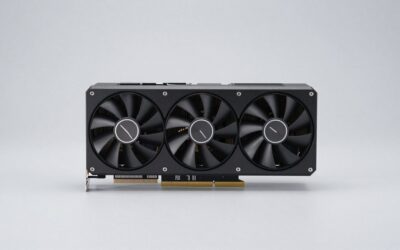
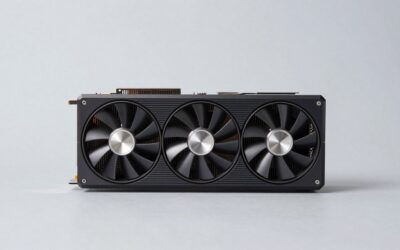
🛒 Best Price Today on Amazon
Prime members get fast, free shipping on everything above, plus member-only deals. New members get a 30-day free trial — cancel anytime.
The RTX 3090 is the faster card, roughly 15-25% ahead at 1440p and further ahead at 4K and in ray tracing, but the RX 7700 XT is the better buy for most gamers who only play at 1080p or 1440p because it costs far less, draws about 100 W less, and fits more cases. Pick the RTX 3090 if you need 24 GB of VRAM for 4K, heavy ray tracing, or AI and creator work; pick the RX 7700 XT for a sensible-budget gaming build.
This matchup pits a 2020 flagship against a 2023 upper-midrange card. Both are previous-generation hardware in 2026, sitting behind the RTX 50 series and Radeon RX 9000 lineup, so nearly every RTX 3090 bought today is a used card. That changes the math: the question is less “which is faster” and more “is the extra performance and memory worth the used price, the power draw, and the size”.
Quick answer: Our top pick in 2026 is the Architecture — our #1 rated choice. See the full ranked comparison, alternatives and buying advice below.
Specifications Compared
| Specification | RTX 3090 | RX 7700 XT |
|---|---|---|
| Architecture | Ampere | RDNA 3.0 |
| Release date | 1 September 2020 | 25 August 2023 |
| Launch MSRP | $1,499 | $449 |
| Shaders | 10496 CUDA cores | 3456 stream processors |
| Boost clock | 1695 MHz | 2544 MHz |
| Process | 8 nm | 5 nm |
| TDP | 350 W | 245 W |
| VRAM | 24 GB GDDR6X | 12 GB GDDR6 |
| Memory bus | 384-bit | 192-bit |
| Bandwidth | 936.2 GB/s | 432.0 GB/s |
| Cache | 6 MB L2 | 2 MB L2 + 48 MB L3 |
| Interface | PCIe 4.0 x16 | PCIe 4.0 x16 |
| Power connectors | 1x 12-pin | 2x 8-pin |
| Length / width | 336 mm, 3-slot | 267 mm, 2-slot |
| Outputs | 1x HDMI, 3x DisplayPort | 1x HDMI 2.1a, 2x DP 2.1, 1x USB-C |
Shader counts are not directly comparable between Nvidia and AMD architectures, so the 10496 vs 3456 figure exaggerates the real gap. Memory is a different story: the RTX 3090 has double the capacity and more than double the bandwidth, and that advantage is real at high resolutions.
Raster Performance by Resolution
Published review data and benchmark aggregates generally place the RTX 3090 roughly 15-25% ahead of the RX 7700 XT at 1440p. At 1080p the two are much closer, often within single digits, because a modern CPU becomes the limit before either GPU runs out of steam. At 4K the RTX 3090’s 384-bit bus and 24 GB stretch the lead into the 30-40% range in many titles.
For a sense of scale: in a demanding AAA game at 1440p high settings, if the RX 7700 XT lands around 80-90 fps, the RTX 3090 tends to sit around 95-110 fps. These ranges vary with game, CPU, and patch, and some AMD-friendly titles narrow the gap sharply.
Ray tracing
Ray tracing is where the older Nvidia card pulls clearly ahead. Ampere’s second-generation RT cores handle heavy ray-traced effects much better than RDNA 3, and in RT-heavy games the gap is usually well beyond the raster gap. In path-traced modes neither card is great, but the RTX 3090 remains playable with DLSS where the RX 7700 XT struggles.
Upscaling and frame generation
The RTX 3090 supports DLSS Super Resolution, including the DLSS 4 transformer model, which produces noticeably cleaner image quality than FSR 3.1. It does not support DLSS Frame Generation (that requires RTX 40 or newer), though it can use FSR 3 frame generation in games that offer it. The RX 7700 XT gets FSR 3.1 upscaling and frame generation plus AMD Fluid Motion Frames at the driver level. FSR 4 is officially reserved for RDNA 4 cards, so the RX 7700 XT does not get AMD’s best upscaler. On image quality with upscaling enabled, the RTX 3090 has the edge.
24 GB vs 12 GB: Who Actually Needs It?
For gaming, the realistic VRAM picture in 2026 looks like this:
- 1080p: 8-10 GB is typical; 12 GB is plenty.
- 1440p: 10-12 GB in most AAA titles, occasionally more with ultra textures and RT.
- 4K: 12-16 GB is common, which is where the RX 7700 XT starts making compromises.
The RTX 3090’s 24 GB is overkill for 1440p gaming but very useful for local AI models, large 3D scenes, and high-resolution video work. That non-gaming demand is also why used RTX 3090 prices stay higher than its gaming performance alone would justify.
Value Math: Performance per Dollar
Launch MSRPs were $1,499 vs $449, which no longer reflect the market, so a used-price comparison is more useful. In 2026 a used RTX 3090 often sells somewhere in the $650-$850 range, while the RX 7700 XT is commonly found around $300-$380 new or used. Taking midpoints ($750 vs $340) and a 20% performance lead at 1440p:
- RX 7700 XT: index 100 at $340 = $3.40 per performance point
- RTX 3090: index 120 at $750 = $6.25 per performance point
For gaming alone, the RX 7700 XT delivers close to double the performance per dollar. The RTX 3090’s price only makes sense when its 24 GB or CUDA support is part of the reason for buying it.
Power Draw, PSU and Case Clearance
The power difference is large. Using GPU TDP + CPU + about 150 W headroom:
- RTX 3090 + 125 W CPU: 350 + 125 + 150 = 625 W, so a quality 750 W PSU is the practical minimum, and 850 W is wiser with a high-power CPU since Ampere cards can spike briefly above rated power.
- RX 7700 XT + 125 W CPU: 245 + 125 + 150 = 520 W, so 650 W is comfortable.
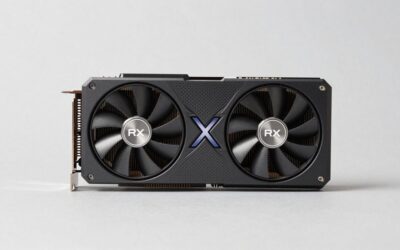
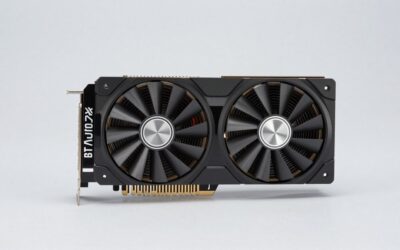
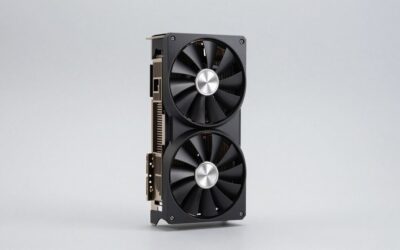
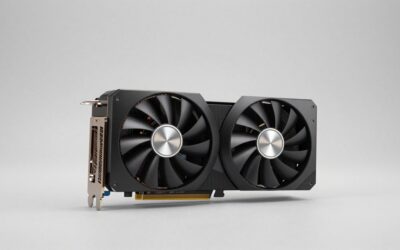
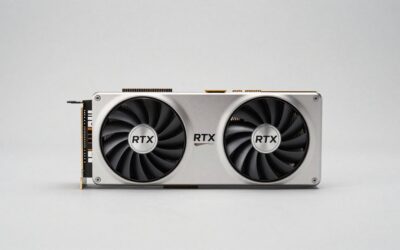
The RTX 3090 listing shows a single 12-pin connector, which matches the Founders Edition and requires the included adapter from two 8-pin cables; many partner models use two or three 8-pin plugs instead. Size is also a real concern: at 336 mm and three slots, the RTX 3090 needs a roomy mid-tower or full tower and blocks nearby expansion slots. The RX 7700 XT at 267 mm and two slots fits almost any ATX case.
Used RTX 3090 Buying Notes
Because the RTX 3090 is only available used in most regions, a few checks help:
- Memory temperatures: the GDDR6X chips on the back of the board run hot on some models, especially after years of heavy load. Ask for temperature readings under load if possible.
- Fan and thermal paste condition: a card from 2020 or 2021 may need repasting to run quietly.
- Connector type: confirm whether the card uses the 12-pin adapter or standard 8-pin plugs and that any adapter is included.
- Warranty: most original warranties have expired, so price that risk in.
Decision Guide
| If you… | Choose |
|---|---|
| Game at 1080p or 1440p on a budget | RX 7700 XT |
| Play at 4K or want ray tracing on | RTX 3090 |
| Run local AI models or heavy 3D/video work | RTX 3090 |
| Have a 550-650 W PSU and a compact case | RX 7700 XT |
| Want a warranty and lower power bills | RX 7700 XT |
| Want the best upscaling image quality | RTX 3090 (DLSS 4 transformer) |
It is also worth checking current-generation cards. An RTX 5070 or RX 9070 typically matches or beats the RTX 3090 in gaming while drawing less power and adding newer features such as DLSS Multi Frame Generation or FSR 4. Unless 24 GB is essential, those newer cards are often a better use of RTX 3090 money.
Frequently Asked Questions
Is the RTX 3090 still good for gaming in 2026?
Yes, the RTX 3090 still handles 1440p and 4K gaming well, especially with DLSS. It is roughly 15-25% faster than the RX 7700 XT at 1440p according to published review data. Its main drawbacks are high power draw, large size, and used-only availability.
Does the RX 7700 XT beat the RTX 3090 in any games?
In some AMD-optimized titles and in CPU-limited 1080p scenarios, the RX 7700 XT can come close to or occasionally match the RTX 3090. Across a broad game suite at 1440p and 4K, the RTX 3090 stays ahead. In ray tracing the RTX 3090 wins clearly.
What PSU do I need for an RTX 3090?
A quality 750 W power supply is the practical minimum for an RTX 3090 with a mainstream CPU. With a high-power processor, 850 W adds safety margin for brief power spikes. The RX 7700 XT runs comfortably on 650 W.
Can the RTX 3090 use DLSS 4?
The RTX 3090 supports DLSS 4 Super Resolution and Ray Reconstruction with the transformer model. It does not support DLSS Frame Generation or Multi Frame Generation, which need RTX 40 and RTX 50 cards. It can still use FSR 3 frame generation in games that include it.
Is 12 GB on the RX 7700 XT enough?
For 1080p and most 1440p gaming, 12 GB is enough in 2026. A few demanding titles with ultra textures or ray tracing at 1440p and above can exceed it. Lowering texture quality slightly usually fixes stutter in those cases.
Ready to decide? Our #1 pick for 2026 is the Architecture.
Live price & availability on Amazon.