🛒 Best Price Today on Amazon
Prime members get fast, free shipping on everything above, plus member-only deals. New members get a 30-day free trial — cancel anytime.
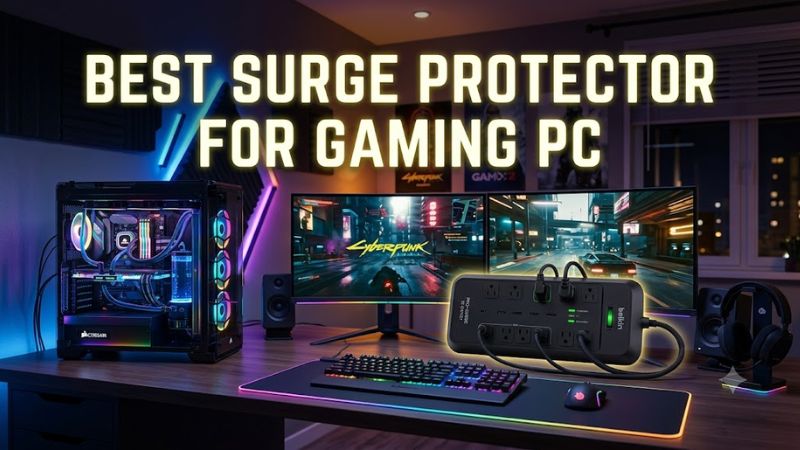
Choosing the best surge protector for gaming pc setups means looking beyond outlet count and price. A gaming tower, monitor, router, and accessories all need suitable electrical protection. Prioritize recognized safety certification, a documented surge rating, sufficient outlet spacing, and a grounded connection rather than assuming every power strip offers surge suppression.
How to Choose a Surge Protector for a Gaming PC
The right surge protector should match your electrical system, connected equipment, and desk layout. Joule ratings help compare energy-absorption capacity, but they do not predict how a device will perform against every surge. Certification, the manufacturer’s specifications, protection-status indicators, and appropriate circuit loading all matter when selecting a unit for a gaming setup.
Compare Surge Energy Ratings
A joule rating describes how much surge energy a protector is designed to absorb under specified conditions. Higher ratings can provide more absorption capacity, but they do not guarantee that a connected PC will survive every electrical event. Compare published manufacturer specifications and look for a model with a clearly stated rating rather than choosing by appearance alone.
For the best surge protector for gaming pc use, consider the value of the equipment and the electrical risks in your home alongside the rating. A model in the 2,000-joule range or higher is a reasonable starting point for comparing mainstream options, not a universal safety threshold. Protection quality also depends on construction, certification, and the severity of a surge.
Check Safety Certification and Protection Status
In the United States, look for a surge protective device certified to the applicable UL 1449 requirements, or an equivalent recognized certification such as ETL listing to the relevant standard. Verify the exact model number in the certifier’s directory. A manufacturer’s general claim about safety does not establish that every product in its range has the same certification.
A protection indicator can help show whether the unit’s surge-suppression circuitry remains functional, although indicator designs vary. Read the manual to understand what the light means and replace the protector if its protection status indicates failure. Certification and status indicators provide useful evidence, but neither makes a power strip immune to direct lightning strikes or severe electrical faults.
Choose Enough Outlets and the Right Layout
Count the devices that need AC power: the computer, display, speakers, network equipment, and other accessories. Allow for bulky power adapters that can block neighboring sockets. Six outlets may suit a simple desk, while a larger setup may benefit from a strip with more outlets and wider spacing. Do not exceed the device’s current or wattage limits.
Cable length, plug orientation, mounting options, and the position of the master switch also affect daily use. A flat plug can help a desk sit closer to a wall, while widely spaced sockets can accommodate large adapters. The best surge protector for gaming pc setups should fit the room without requiring another power strip to extend its reach.
Match the Protector to Your Electrical System
US-market surge protectors commonly use grounded 120-volt AC connections and plugs designed for US receptacles. Check the product label for its voltage, amperage, and wattage limits, and confirm that the wall outlet is properly grounded. A protector designed for a different country’s mains voltage or socket format may be unsuitable even if the plug can be adapted.
The computer’s power supply rating does not directly determine the surge protector’s joule rating. A 750-watt PSU does not require a protector with a mathematically derived joule figure; instead, check the total connected load against the strip’s electrical rating. Buyers outside the United States should select equipment certified for their local electrical standards and supply voltage.
Top Picks: Surge Protectors Worth Comparing
These recommendations reflect published specifications and independent buying-guide coverage, not detailed research by PC Gaming Universe. Check the exact model and current regional listing before purchase, since specifications, availability, and warranty conditions can change. The Anker 351 is a versatile starting point, while the other options address different priorities in outlet capacity, surge rating, and desk space.
| Product | Best For | Key Spec | Compatibility | Watch Out For |
| Anker 351 Power Strip | Best Overall | 12 AC outlets; 2,100 joules | US 125V AC, 15A, up to 1,875W | Five-foot cord |
| One Beat 6-Outlet Surge Protector | Best Value | Six AC outlets; 900 joules | Verify exact regional model and outlet rating | Lower joule rating |
| Monoprice 12-Outlet Surge Protector | Best For High Surge Rating | 12 AC outlets; 4,320 joules | Check the exact model’s electrical label | Limited warranty |
| ECHOGEAR ShockBlocker 8 | Best For Entertainment Setups | Eight outlets; 3,420 joules | Confirm local voltage and plug compatibility | No USB charging ports |
Best Overall: Anker 351 Power Strip
The Anker 351 is a strong general-purpose candidate for a gaming desk that needs numerous connections. Anker lists 12 AC outlets, two USB-A ports, one USB-C port, and 2,100 joules of surge protection. Its flat plug and angled outlet arrangement can help organize a computer, monitor, speakers, and charging accessories without crowding every socket.
Its published US specifications list a 125V, 15A AC output limit of 1,875 watts, so calculate the total connected load rather than assuming every device can draw its maximum simultaneously. The five-foot cord may also restrict desk placement. Choose it if you want a versatile power strip, but verify its certification and protection indicators before purchase.
Best Value: One Beat 6-Outlet Surge Protector
The One Beat six-outlet model is aimed at buyers who need a compact, relatively inexpensive option for a smaller desk. Independent coverage from Tom’s Guide lists six AC outlets, three USB charging ports, and a 900-joule rating. That arrangement may suit a computer and a few accessories if the total load remains within the manufacturer’s limits.
The trade-off is lower surge-energy capacity than the other listed candidates, along with limited published warranty information in the cited buying guide. Do not choose it solely because it costs less or has USB ports. Confirm the precise model, safety listing, and protection-status features before connecting expensive equipment. It is less suitable when you need extensive outlet capacity or stronger published surge-energy specifications.
Best For High Surge Rating: Monoprice 12-Outlet Surge Protector
The Monoprice 12-outlet surge protector is worth comparing when a large setup needs many AC sockets and a high published surge-energy rating. Tom’s Guide lists 4,320 joules, 12 AC outlets, two USB charging ports, and a six-foot cord. Its grounding and protection indicators are also useful features to investigate when choosing a protector for a shared computer and entertainment workspace.
The principal compromise is warranty coverage: the cited review lists a 12-month warranty and no connected-equipment protection. A high joule rating alone does not establish overall superiority, so check the exact model’s certification, electrical limits, and replacement policy. Consider this option if outlet capacity and surge-energy rating matter more to you than an extended warranty or a flat wall plug.
Best For Entertainment Setups: ECHOGEAR ShockBlocker 8
The ECHOGEAR ShockBlocker 8 is a candidate for a desk or entertainment center with several AC-powered devices. Tom’s Guide lists eight outlets, 3,420 joules of surge protection, a six-foot cord, and EMI/RFI noise filtering. Its protection indicator and stated five-year warranty are additional features worth checking against the current manufacturer’s documentation before buying.
Its main limitation is the absence of USB charging ports and a smaller outlet count than the Anker and Monoprice models. Noise filtering is not a substitute for surge protection, proper grounding, or good electrical wiring, and it should not be expected to increase gaming performance. Choose it when its outlet layout and filtering features fit your setup, after confirming that the exact model is suitable for your region.
FAQ
Do gaming PCs need a surge protector?
Yes, a surge protector is a sensible way to reduce the risk of damage from voltage spikes. A PC power supply provides some internal protection, but it is not a substitute for a suitable external surge protective device. Choose a grounded, appropriately certified model and check its protection indicator periodically. Severe lightning events and faulty building wiring can still exceed a consumer protector’s capabilities.
How many joules should a gaming PC surge protector have?
There is no single joule rating that guarantees suitable protection for every gaming PC. A rating around 2,000 joules or higher is a useful comparison point for many desktop setups, but certification, construction, and the nature of the electrical surge matter too. Compare the manufacturer’s documented rating and replace the protector when its protection status indicates that suppression is no longer available.
Is a surge protector better than a UPS for gaming?
A surge protector and an uninterruptible power supply serve different purposes. A surge protector helps limit damaging voltage spikes, while a UPS can provide temporary battery power during an outage and may also include surge protection. If unexpected shutdowns threaten a gaming session or ongoing work, compare UPS capacity, runtime, output waveform, and the connected equipment’s load before choosing a suitable unit.
Can I plug a gaming PC and monitor into one surge protector?
Yes, provided the protector is designed for the electrical supply, properly grounded, and rated for the combined load. Add the PC, monitor, and accessories’ power requirements and stay within the manufacturer’s limits. Never plug one power strip or surge protector into another. If the outlet is loose, ungrounded, hot, or damaged, stop using it and have a qualified electrician inspect the installation.
Final Thoughts
The best surge protector for gaming pc setups depends on your outlet needs, local electrical supply, and preferred protection features. The Anker 351 offers a useful balance of AC outlets and charging ports, while Monoprice and ECHOGEAR publish higher joule ratings. Verify certification, grounding, and warranty terms before buying, and consider a UPS if outages are a concern.