🛒 Best Price Today on Amazon
Prime members get fast, free shipping on everything above, plus member-only deals. New members get a 30-day free trial — cancel anytime.
Choosing the best backlit keyboard means balancing readable legends, comfortable switches, useful lighting controls, and a layout that fits your desk. For PC Gaming Universe, these recommendations focus on manufacturer specifications and independent reference material rather than in-house hardware testing. The right choice depends on how you play, type, and use your computer.
How to Choose a Backlit Keyboard
The right backlit board should make keys easy to identify without distracting you from the screen. Start with lighting coverage, switch feel, layout, and computer compatibility. Manufacturer specifications can establish the available features, but they cannot predict whether a particular keyboard will feel comfortable during long gaming sessions.
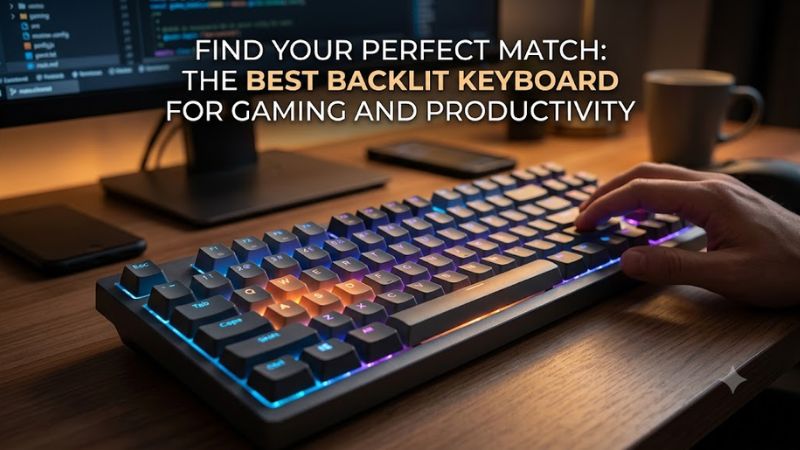
Lighting Type and Visibility
Per-key RGB gives you control over individual keys, while zone-based lighting groups keys into larger sections. White backlighting can suit a restrained office setup, whereas RGB offers more customization. Check whether brightness can be adjusted directly on the keyboard, especially if you frequently switch between daytime work and evening gaming.
Switch Feel and Noise
Mechanical switches use individual switching mechanisms, with linear, tactile, and clicky options providing different sensations. Membrane keyboards generally use a rubber-dome mechanism and can suit shoppers who prefer a softer typing experience. Neither category is automatically quieter in every configuration, so consider the switch design and your surroundings before choosing.
Layout and Desk Space
Full-size keyboards retain the number pad for spreadsheets and numerical entry. Tenkeyless models remove that section to leave more room for mouse movement, while compact layouts sacrifice additional keys to reduce desk footprint. Check the placement of arrow keys, function keys, and media controls before choosing a smaller board for everyday use.
Compatibility and Connectivity
For a desktop PC, a wired USB keyboard is usually straightforward to connect, provided the computer has a compatible port. Software-based lighting customization may require a supported operating system and an internet connection for installation. Confirm the keyboard’s physical layout, regional key legends, software support, and any special features you intend to use.
Top Picks: Backlit Keyboards Worth Considering
The following recommendations cover different budgets and typing preferences. They are based on published specifications and product information, not PC Gaming Universe laboratory measurements. Prices and availability can change, so check the manufacturer’s current listing before buying.
| Product | Best For | Key Spec | Compatibility | Watch Out For |
| Logitech G513 | Best Overall | Mechanical switches; LIGHTSYNC RGB | Wired USB; check current OS support | Premium price; availability varies |
| Corsair K55 CORE RGB | Best Value | Membrane switches; 10-zone RGB | USB-A; Windows 10 or macOS 10.15 or later for listed software support | No mechanical switch feel |
| SteelSeries Apex 3 TKL | Best for Quiet Gaming | Membrane switches; IP32 rating | Wired USB; confirm OS and software support | No number pad |
| Logitech G213 Prodigy | Best for Everyday Use | Five-zone LIGHTSYNC RGB; integrated palm rest | Wired USB; check G HUB support | Larger footprint |
Best Overall: Logitech G513
The Logitech G513 is worth considering if you want a mechanical gaming keyboard with customizable lighting and a more substantial build. Logitech lists LIGHTSYNC RGB, an aluminum-alloy construction, a detachable memory-foam palm rest, and USB passthrough. Its lighting system supports individual-key customization, making it suitable for users who want more control than basic zone lighting provides.
Its main drawback is cost and availability. Logitech’s US listing has shown a price of $149.99, although stock and pricing may change. The G513 makes the most sense for someone who values mechanical switches, a palm rest, and a premium construction. Budget-focused shoppers or anyone seeking a compact wireless keyboard should compare alternatives before purchasing.
Best Value: Corsair K55 CORE RGB
The Corsair K55 CORE RGB combines membrane switches with customizable 10-zone RGB lighting, dedicated media controls, and a Win Lock shortcut. Corsair also specifies a 1,000Hz report rate and 12-key selective rollover. Those features make it a practical option for everyday gaming without requiring a mechanical-switch budget or a complicated setup.
The trade-off is its membrane typing feel and selective rollover, which may matter during demanding multi-key inputs. The full-size version also occupies more desk space than a tenkeyless model. Choose it if you want accessible lighting controls and quieter-style key action; look elsewhere if individual mechanical switches are essential to your preferences.
Best for Quiet Gaming: SteelSeries Apex 3 TKL
The SteelSeries Apex 3 TKL is a useful choice for shared rooms, late-night gaming, or desks where mouse space matters. It uses whisper-quiet gaming switches, provides RGB illumination, and includes dedicated multimedia controls. SteelSeries also advertises IP32 water and dust resistance, offering some protection against limited exposure to dust and dripping water under specified conditions.
Its smaller layout leaves out the number pad, so frequent numerical entry may be less convenient. Its membrane-style switch mechanism will also feel different from traditional mechanical switches. Consider this model if you want a compact gaming board with media controls, but remember that a resistance rating is not permission to submerge the keyboard or ignore spills.
Best for Everyday Use: Logitech G213 Prodigy
The Logitech G213 Prodigy combines five customizable LIGHTSYNC lighting zones with Mech-Dome keys, an integrated palm rest, adjustable feet, and dedicated media controls. Logitech describes the keys as full-height, with a 4mm travel distance and a 50g actuation force. The design suits people who want a familiar full-size layout for both general computing and gaming.
The limitation is that Mech-Dome keys are not individual mechanical switches, despite their mechanical-inspired feel. Five lighting zones also offer less per-key control than the G513. The G213 is a sensible candidate for buyers who value a palm rest and straightforward controls, but users who want extensive individual-key lighting should compare mechanical alternatives.
How These Picks Compare in Practice
Backlighting is primarily a visibility and customization feature, not a direct measure of gaming performance. A higher report rate alone does not establish lower end-to-end input latency, and these four models should not be ranked by FPS without comparable measurements. No standardized gaming benchmark with matching resolution, settings, system hardware, and independent source is presented here.
For software support, use the manufacturer’s official downloads and compatibility documentation. Logitech G HUB is relevant to Logitech lighting customization, while Corsair iCUE supports the K55 CORE RGB. SteelSeries provides product-specific software and support information for the Apex range. Confirm your exact model and regional version before installing software.
FAQ
Is RGB better than single-color backlighting?
RGB is better for customization, but single-color lighting can be just as useful for visibility. RGB supports multiple colors and effects, while a single-color keyboard offers a simpler appearance. Choose according to your lighting preferences rather than assuming more colors improve typing accuracy or gaming performance.
Are backlit mechanical keyboards better for gaming?
Mechanical keyboards are not automatically better for every player. Switch feel, key rollover, layout, and input latency all influence the experience. A membrane keyboard may be preferable for someone who values softer key action or lower cost, while mechanical switches provide a different range of tactile and audible options.
Can I use a backlit keyboard with any PC?
Most wired USB keyboards work with many modern PCs, but advanced features may need additional software or operating-system support. Check the manufacturer’s compatibility list, connector type, and driver requirements. If you use a regional keyboard layout or a specialized gaming feature, confirm that the exact model supports it before buying.
Does keyboard backlighting affect gaming FPS?
Keyboard backlighting does not normally produce a meaningful FPS increase or decrease on its own. Frame rates depend primarily on the CPU, GPU, game settings, and other system factors. Lighting can affect power consumption on wireless models, but that is different from a direct improvement in game rendering performance.
Final Thoughts
The best backlit keyboard depends on your preferred switch feel, lighting controls, layout, and budget. The Logitech G513 suits mechanical-keyboard enthusiasts, the Corsair K55 CORE RGB offers accessible zone lighting, and the Apex 3 TKL favors compact use. Compare current prices and regional compatibility before choosing a keyboard for your setup.