🛒 Best Price Today on Amazon
Prime members get fast, free shipping on everything above, plus member-only deals. New members get a 30-day free trial — cancel anytime.
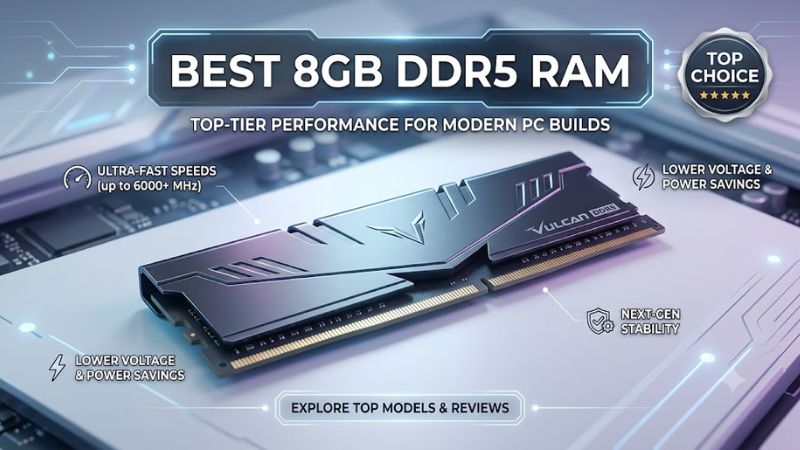
Choosing the best 8gb ddr5 ram means balancing compatibility, memory speed, upgrade plans, and cost. An 8GB module can suit a budget desktop or provide a temporary upgrade, but it is a limited capacity for modern gaming. Check your motherboard, processor, and existing memory before choosing a module.
How to Choose 8GB DDR5 RAM
The right memory depends on more than its advertised transfer rate. A suitable module must match your motherboard’s memory generation and physical slot, operate within the processor’s supported specifications, and fit your upgrade plan. For gaming, consider whether adding a second module or buying a larger matched kit would make better long-term use of your budget.
Choose Compatibility Before Speed
DDR5 desktop memory uses a different physical layout from DDR4, so the two generations cannot be interchanged. Check the motherboard manual and qualified vendor list before purchasing. The Kingston FURY Beast 8GB DDR5-5600 is one option for a compatible desktop, while the Corsair Vengeance 8GB DDR5-5200 targets supported Intel desktop platforms.
A motherboard supporting DDR5 does not necessarily support every module at its advertised profile speed. The processor’s memory controller, BIOS version, motherboard design, and DIMM configuration all affect achievable speeds. Confirm the exact part number against the manufacturer’s compatibility resources instead of relying on the product family’s name alone.
Understand Transfer Rate and Latency
DDR5-5200 and DDR5-5600 describe transfer rates in millions of transfers per second, commonly written as MT/s. Higher transfer rates can increase theoretical bandwidth, but actual gaming performance also depends on the CPU, game engine, graphics settings, and memory configuration. Moving to a faster module does not automatically deliver a noticeable improvement in every game.
CAS latency, or CL, describes the delay between a memory read command and the beginning of data delivery under specified conditions. Compare both transfer rate and timings rather than judging a module by its CL number alone. For a budget 8GB purchase, compatibility and total capacity are generally more important than paying extra for a small speed advantage.
Plan for a Practical Upgrade
One 8GB module can help an existing DDR5 desktop reach a working configuration, but it leaves less memory available for Windows, background applications, launchers, and games. A PC that runs out of physical memory may rely more heavily on its storage drive, which can contribute to stuttering and slower application switching. Check the memory requirements of the games you actually play.
If your motherboard has another available slot, a second compatible module may increase total capacity and memory bandwidth. However, buying a matching pair at the outset can simplify configuration and reduce the uncertainty involved in mixing modules. The best 8gb ddr5 ram purchase is therefore often a temporary upgrade rather than the ideal final capacity for a new gaming PC.
Check the Upgrade Path
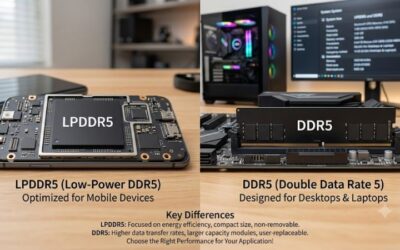
Before buying, count the occupied memory slots and identify the motherboard’s maximum supported capacity. Small-form-factor systems and some prebuilt computers can impose additional restrictions, including limited slots or vendor-specific configurations. Laptop memory also differs from desktop UDIMMs, so a standard desktop module should not be assumed to fit a laptop.
Consider whether a larger kit offers better value than purchasing one module now and another later. Memory prices and availability change, and a later module with the same advertised speed may use different chips or timings. For a new gaming build, compare the full cost of an appropriate dual-module kit with the cost of building around a single 8GB stick.
Top Picks for the Best 8GB DDR5 RAM
These recommendations focus on identifiable desktop memory modules rather than unsupported price rankings. Manufacturer specifications establish capacity, timings, and advertised transfer rates, but they do not establish a universal gaming-performance winner. Prices and availability vary by retailer, and no price ranking is included without a current, comparable US retail listing.
| Product | Best For | Key Spec | Compatibility | Watch Out For |
| Kingston FURY Beast DDR5 | Best Overall | 8GB, 5600 MT/s, CL40 | Compatible DDR5 desktop boards | Check the exact SKU and supported profile |
| TEAMGROUP ELITE DDR5 | Best Value | 8GB, 4800 MT/s, CL40 | Compatible DDR5 desktop boards | Lower transfer rate than faster options |
| Corsair Vengeance DDR5 | Best for Intel Builds | 8GB, 5200 MT/s, CL40 | Intel 600- and 700-series DDR5 boards listed by Corsair | Advertised profile requires suitable platform support |
| ADATA XPG LANCER BLADE DDR5 | Best for Low-Clearance Builds | 8GB option; 5600 MT/s configuration | Compatible DDR5 desktop boards | Verify the exact model and profile |
Best Overall: Kingston FURY Beast DDR5
The Kingston FURY Beast is a sensible starting point for buyers seeking an established gaming-memory product line. Kingston lists an 8GB single-module option at DDR5-5600 CL40, alongside larger capacities and multiple speed grades. Its heat spreader provides a conventional desktop memory design without requiring RGB lighting, making it suitable for restrained builds.
Buy this module when its exact part number appears on your motherboard’s compatibility list and you intend to expand capacity later. Kingston lists Intel XMP 3.0 support and AMD EXPO across the product family, but that does not mean every 8GB SKU includes both profiles. Its main limitation is capacity: an individual 8GB module is not the preferred endpoint for a modern gaming system.
Best Value: TEAMGROUP ELITE DDR5
TEAMGROUP ELITE DDR5 is worth considering when a straightforward memory module matters more than decorative lighting or an elaborate heatsink. Its published desktop specifications include an 8GB DDR5-4800 CL40 option operating at 1.1V, with a standard 288-pin, non-ECC, unbuffered DIMM design. That makes it a practical candidate for compatible desktop upgrades.
Choose it if the price is competitive and your system supports the specific module. Its lower transfer rate makes it less attractive when a faster module costs approximately the same, and its plain appearance may not suit an RGB-focused build. Compare the complete product code before ordering, since TEAMGROUP sells multiple capacity and timing variants within the ELITE family.
Best for Intel Builds: Corsair Vengeance DDR5
Corsair Vengeance offers a clearly specified 8GB DDR5-5200 module with CL40-40-40-77 timings, a 1.25V advertised profile voltage, and a 1.1V default SPD voltage. Corsair identifies the CMK8GX5M1B5200C40 model as an Intel XMP product compatible with listed Intel 600- and 700-series motherboards. These details make checking the exact configuration straightforward.
Choose this module when your Intel desktop supports the model and its profile, and when you prefer a low-clearance heat spreader. Do not assume that the advertised 5200 MT/s profile will activate automatically on every board. Its Intel-oriented profile is also a reason to check platform-specific documentation carefully before pairing it with an AMD system.
Best for Low-Clearance Builds: ADATA XPG LANCER BLADE
ADATA’s XPG LANCER BLADE DDR5 line uses a low-profile heat spreader designed to reduce clearance concerns around nearby components. Its product documentation lists an 8GB capacity option and several speed grades, including a 5600 MT/s configuration. The range also supports Intel XMP 3.0 and AMD EXPO on suitable systems, depending on the selected module and profile.
This is a useful candidate when a compact case or large CPU cooler makes memory height relevant. However, confirm the exact part number before purchasing because the family includes different capacities, timings, and voltages. The heat spreader does not resolve the central limitation of an 8GB module, and a larger kit may be a more appropriate purchase for a new gaming PC.
Frequently Asked Questions
Is 8GB DDR5 RAM enough for gaming?
Eight gigabytes of DDR5 can run some games, but it is a restrictive capacity for a modern gaming PC. Windows, background programs, game launchers, and the game itself share available memory, leaving less room for demanding titles and multitasking.
For a new gaming build, compare the cost of a 16GB or 32GB configuration before committing to an 8GB module. The larger capacity can reduce memory pressure, although actual frame rates depend on the game, processor, graphics card, and other system components.
Is DDR5-5600 better than DDR5-4800?
DDR5-5600 has a higher advertised transfer rate than DDR5-4800, but that does not guarantee a meaningful gaming improvement. Real-world results depend on memory timings, processor architecture, platform limits, and whether a game is constrained by memory bandwidth.
Check the supported speed of your processor and motherboard before paying more for faster memory. An advertised XMP or EXPO speed may require a BIOS setting, and the system may operate at a lower default rate until the appropriate profile is enabled.
Can I mix two different 8GB DDR5 RAM modules?
You can sometimes combine different DDR5 modules, but matching capacity alone does not guarantee compatibility or stability. Differences in timings, memory chips, voltage profiles, and supported transfer rates may cause both modules to operate at a common lower speed or require additional configuration.
For a more predictable upgrade, use a compatible matched kit or consult the motherboard manufacturer’s memory guidance. If you combine modules, verify the total capacity and operating speed in BIOS or Windows, then check system stability before relying on the configuration for gaming.
Should I buy one 8GB stick or a 16GB DDR5 kit?
A 16GB matched DDR5 kit is generally the more practical choice for a new budget gaming PC when the price difference is reasonable. Two compatible modules can also enable the platform’s intended multi-channel memory configuration, while one 8GB module leaves less capacity available for games and background tasks.
A single 8GB module makes more sense when you are upgrading an existing computer, working within a strict budget, or planning a near-term expansion. Check available motherboard slots, existing memory specifications, and the cost of the complete upgrade before deciding.
Final Thoughts
The best 8gb ddr5 ram depends on your motherboard, processor, budget, and upgrade plans. Kingston FURY Beast, TEAMGROUP ELITE, Corsair Vengeance, and ADATA XPG LANCER BLADE each offer a different reason to consider them. For a new gaming PC, compare larger matched kits before buying, and confirm the exact module’s compatibility.