🛒 Best Price Today on Amazon
Prime members get fast, free shipping on everything above, plus member-only deals. New members get a 30-day free trial — cancel anytime.
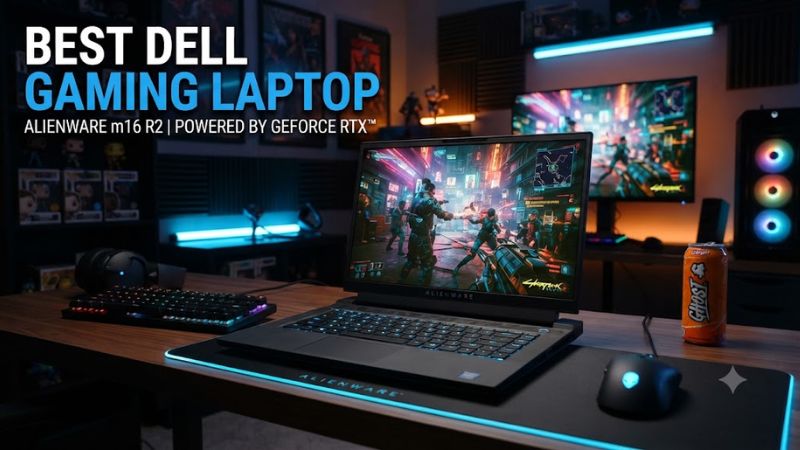
Dell’s current gaming lineup ranges from the compact Alienware 15 to the flagship Area-51 family. The best Dell gaming laptop depends on your target resolution, GPU tier, display, memory setup, and how much weight you can accept. These picks use current 2026 configurations and independent benchmark context.
How to Choose a Dell Gaming Laptop
GPU class should come first because it sets the practical ceiling for demanding games, ray tracing, and higher resolutions. For 1080p, the Alienware 15 is the natural entry point. For 1600p, the 16X Aurora or 16 Area-51 makes more sense, while the 18 Area-51 targets buyers who want maximum graphics headroom.
Match the GPU to Your Resolution
For the best Dell gaming laptop at a value-focused level, the Alienware 15 is not necessarily the model with the largest GPU. TechRadar’s 2026 review measured 90.2 fps in Cyberpunk 2077 at 1080p Medium on an RTX 5050 configuration. That suits mainstream gaming without Area-51 pricing. It also keeps the target resolution manageable.
Alienware 15 suits players who want a compact 15.3-inch gaming machine with current RTX graphics. Dell offers AMD Ryzen 200 Series or Intel Core Series 2 processors, with up to an RTX 5060 and a WUXGA 165Hz display. The platform is aimed at 1080p gaming rather than flagship 1600p workloads. Exact CPU, GPU, and memory choices vary by configuration.
Pick a Display That Fits the GPU
Display resolution should match the GPU rather than simply chasing a high refresh rate. Alienware 15 uses a 1920×1200 165Hz class panel, while the 16X Aurora and 16 Area-51 can use 2560×1600 240Hz displays. The 18 Area-51 raises the screen size to 18 inches while retaining 2560×1600 and 300Hz. That suits sharper gaming and desktop use.
An OLED panel is most useful when image quality, contrast, and fast response matter alongside gaming speed. Dell lists a 2560×1600 240Hz OLED option for the 16X Aurora and 16 Area-51. Buyers who mainly play competitive titles should still compare GPU capability and refresh targets rather than choosing OLED by itself.
Check Platform and Upgrade Compatibility
Compatibility is straightforward because these are complete Windows laptops rather than desktop platforms. Current models use Windows 11, mobile NVIDIA GPUs, and DDR5 memory, so there is no desktop socket, PCIe card, or ATX power-supply requirement. Upgrade paths vary, however, so the exact configuration should be checked before purchase.
Memory configuration can change the value of a laptop even when the CPU and GPU look attractive. Alienware 15 configurations use replaceable DDR5, while the larger models offer higher capacity choices. Buyers should check whether the selected configuration uses one or two memory modules because bandwidth can affect some gaming workloads.
Consider Weight and Thermal Headroom
Battery life should be treated as a secondary factor on high-power gaming laptops. The Area-51 models carry large integrated batteries, but demanding gaming still favors wall power. The Alienware 15 is easier to carry, while the 16X Aurora offers a middle ground for users who move between desk and classroom or office.
Thermal headroom is the final selection criterion for high-performance models. Area-51 systems use larger chassis and high-power adapters to support stronger GPUs, but that design increases weight. The 16X Aurora sits between the 15 and Area-51 ranges when performance matters but a full desktop replacement is unnecessary.
Top Picks
Top picks should be judged by the configuration, not only the family name. Dell’s current range spans RTX 5060 through RTX 5090, with different displays, memory capacities, and storage options. The table below keeps the recommendations tied to a specific role while flagging the main compromise that could change the buying decision.
| Product | Best For | Key Spec | Compatibility | Watch Out For |
| Alienware 16 Area-51 | Best Overall | RTX 5080; 2560×1600 OLED 240Hz | Windows 11; DDR5 | Heavy chassis |
| Alienware 15 | Best Value | Up to RTX 5060; 1920×1200 165Hz | Windows 11; replaceable DDR5 | Basic display options |
| Alienware 16X Aurora | Best For 1600p OLED | RTX 5070 Ti 12GB; OLED 240Hz | Windows 11; DDR5 | High configuration cost |
| Alienware 18 Area-51 | Best For Maximum Performance | RTX 5090 24GB; 2560×1600 300Hz | Windows 11; DDR5 | Very heavy |
Alienware 15: Best Value
For the best Dell gaming laptop at a lower price, Alienware 15 is the Best Value pick for 1080p gaming when OLED image quality is less important. Dell offers up to RTX 5060 graphics and replaceable DDR5, while its 15.3-inch WUXGA 165Hz screen keeps the target resolution clear.
Who should buy it: players who want a smaller Alienware chassis for esports, mainstream AAA games, school, or general work. Who should not: buyers seeking premium color reproduction or high-end 1600p performance. Its real weaknesses are the basic display on many configurations and single-channel memory on some retail setups.
Alienware 16X Aurora: Best For 1600p OLED
For the best Dell gaming laptop with a 1600p OLED focus, Alienware 16X Aurora combines RTX 5070 Ti graphics with a 2560×1600 240Hz OLED option. Dell also lists up to 64GB memory, giving the model useful headroom for gaming, streaming, and heavier multitasking without moving to the largest chassis.
Notebookcheck’s 2026 review found the RTX 5070 Ti configuration about 15% faster in gaming than the previous RTX 5070 model. The weakness is cost and configuration flexibility: the 5070 Ti is tied to the higher Core Ultra 9 option, while the OLED panel is not especially bright in SDR.
Alienware 16 Area-51: Best Overall
For the best Dell gaming laptop at high-end 1600p, Alienware 16 Area-51 uses a larger chassis for high-power RTX graphics. Current Dell configurations reach RTX 5090, and the model can pair that GPU class with a 2560×1600 240Hz OLED display. Its chassis also leaves more room for cooling and power delivery.
Tom’s Hardware’s 2026 review used Core Ultra 9 290HX Plus, RTX 5080, and 32GB DDR5. At native 2560×1600 with ray tracing on, high graphics, and no upscaling or frame generation, Resident Evil Requiem ran at 87–113 fps. The main weakness is portability, with the chassis around 3.4kg at maximum weight.
Alienware 18 Area-51: Best For Maximum Performance
For the best Dell gaming laptop when maximum performance matters, Alienware 18 Area-51 is the Best For Maximum Performance and is meant mostly for desk use. Dell offers RTX 5090 with 24GB GDDR7, up to 64GB DDR5, and an 18-inch 2560×1600 300Hz display.
Notebookcheck found its RTX 5090 configuration generally 5–15% faster than the average RTX 5090 laptop in its database. In a 4K high-ray-tracing workload with DLSS Quality and frame generation, it reached 75.4 fps. The real weakness is size: the maximum configuration weighs about 4.34kg before the adapter.
FAQ
These four models cover the practical Dell gaming range, from the value-oriented Alienware 15 to the flagship Area-51 systems. The answers below separate resolution, configuration, and upgrade concerns so the best Dell gaming laptop choice stays tied to the workload rather than the product badge.
Which Dell Gaming Laptop Is Best for 1080p Gaming?
Which Dell gaming laptop is best for 1080p gaming? Alienware 15 is the practical choice for 1080p because its 1920×1200 165Hz display matches the performance class of its RTX 5050 and RTX 5060 configurations. That avoids paying for a larger chassis and higher-resolution panel when the target is straightforward Full HD-class gaming.
TechRadar’s 2026 review of an Alienware 15 with RTX 5050 recorded 90.2 fps in Cyberpunk 2077 at 1080p Medium without upscaling. For the best Dell gaming laptop at this size, remember that Dell now lists RTX 5060 as the top GPU option, so the benchmark is configuration-specific.
Is the Alienware 16X Aurora Good for 1600p Gaming?
Is the Alienware 16X Aurora good for 1600p gaming? Yes, the Alienware 16X Aurora is a strong 1600p option when configured with RTX 5070 Ti and its 2560×1600 display. The combination gives it a clearer performance target than lower-tier configurations, while the OLED option adds higher-end display characteristics.
Notebookcheck’s 2026 review found the RTX 5070 Ti version roughly 15% faster in gaming than the previous RTX 5070 model. Dell lists 12GB GDDR7 for the current RTX 5070 Ti option, but the higher GPU is tied to the Core Ultra 9 configuration, adding a meaningful platform cost.
Should You Buy the Alienware 16 Area-51 or 18 Area-51?
Should you buy the Alienware 16 Area-51 or 18 Area-51? Choose the 16 Area-51 for a smaller flagship system, and choose the 18 Area-51 when maximum GPU performance and the larger screen matter more than portability. Both can reach RTX 5090, so chassis scale becomes the key difference.
Independent reviews support the Area-51 family’s high performance, but the 18-inch model carries the larger weight and power-use penalty. The 16 Area-51 is already a substantial desktop-style laptop, while the 18 Area-51 is better treated as a machine that travels occasionally rather than one designed for daily commuting.
Are Dell Gaming Laptops Upgradeable?
Are Dell gaming laptops upgradeable? Yes, several current Alienware models provide replaceable memory and SSD options, but the exact upgrade path depends on the model and configuration. Alienware 15 supports replaceable DDR5, while the 16X Aurora has two SODIMM slots and two M.2 SSD slots according to Notebookcheck’s 2026 review.
Upgrade planning still requires checking the exact service documentation and factory configuration. Do not assume every memory kit, SSD format, or capacity is supported across the entire Alienware range. For a purchase meant to last several years, selecting adequate memory and storage at checkout can be simpler than relying on future expansion.
Final Thoughts
The best Dell gaming laptop is the one whose GPU, display, and chassis match how you actually play. Alienware 15 is the practical 1080p choice, 16X Aurora suits 1600p OLED gaming, and Area-51 models target high-end performance. Check the exact Dell configuration before buying because memory, storage, and display options vary.