🛒 Best Price Today on Amazon
Prime members get fast, free shipping on everything above, plus member-only deals. New members get a 30-day free trial — cancel anytime.
A best headphone stand for a gaming desk should match your headset size, available desk space, and need for extras such as USB ports or RGB. Current 2026 options range from simple under-desk mounts to powered aluminum stands, so the right choice depends more on your setup than on appearance alone.
How to Choose a Headphone Stand for a Gaming Desk
The main criteria are stability, headset clearance, desk footprint, and useful extras. A weighted desktop design suits frequent headset access, while an under-desk mount saves surface space. USB and audio features can also matter, but they should match the devices already connected to your PC rather than add ports you will not use.
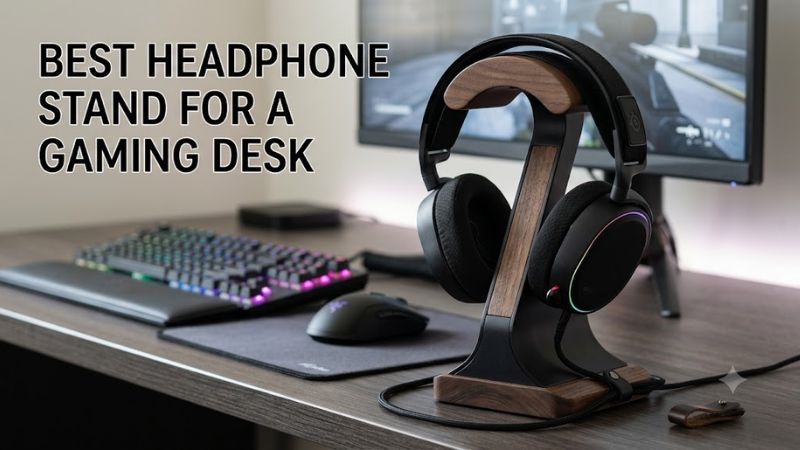
Stability and Headset Support
For a desktop stand, the base should resist sliding when you lift the headset with one hand. The Razer Base Station V2 Chroma uses an aluminum construction, rubberized base, and a taller 278 mm design intended for larger headphones, making it suitable for users who want a fixed display stand.
The best headphone stand for a gaming desk also needs enough clearance for the headband and earcups. Razer states that the Base Station V2 Chroma supports headphones up to 278 mm in height, while its wide rubberized ledge is designed to help secure heavier models and reduce contact pressure on the headband.
Desk Space and Mounting
A full desktop stand consumes valuable space beside a keyboard or mousepad, so it is not ideal for every workstation. Elevation Lab’s AnchorPro takes the opposite approach, mounting beneath the desk with adhesive or screws and keeping the headphones below the main work surface.
For a best headphone stand for a gaming desk in a compact setup, under-desk mounting can be more practical than RGB hardware. AnchorPro is designed for both gaming and heavy audiophile headphones, while its StowStrap keeps a headphone cable routed under the desk instead of hanging across the floor.
USB, Audio, and RGB Features
Extra connectivity separates gaming-focused stands from basic holders. Razer’s model provides two USB 3.1 ports and a 3.5 mm combo port with an integrated DAC, while Corsair’s ST100 adds two USB 3.1 Gen 1 Type-A ports, a 3.5 mm analog connection, and software-controlled audio features.
These extras only make sense when your PC setup can use them. The best headphone stand for a gaming desk with a wired analog headset can benefit from a built-in audio connection, while a wireless headset owner may care more about convenient USB access for charging or peripherals.
Compatibility With Your Setup
Compatibility here means more than whether the hanger physically holds a headset. USB-equipped models need a free PC USB connection, while 3.5 mm audio features require an analog headset connection. RGB synchronization also depends on the manufacturer’s software ecosystem, such as Razer Chroma or Corsair iCUE.
A simple mount avoids most software and connection requirements. Elevation Lab says AnchorPro accommodates gaming and audiophile headphones, while the Tilted Nation stand is designed to fit all headsets and connects its two-port USB hub through USB. For a basic holder, PC operating-system support is not required.
Top Picks for Gaming Desks
These four picks cover different buying priorities rather than one identical design. The selection uses current manufacturer listings and specifications available on September 29, 2026, with pricing included only where a current manufacturer price was visible. None requires a particular CPU, GPU, motherboard socket, RAM type, or PCIe generation.
| Product | Best For | Key Spec | Compatibility | Watch Out For |
| Razer Base Station V2 Chroma | Best Overall | 278 mm height; 2× USB 3.1 | PC USB; 3.5 mm headsets | Premium feature set |
| Tilted Nation RGB Gaming Headset Stand | Best Value | 2× USB 3.0; mouse bungee | USB-equipped PC setup | Uses desk space |
| Corsair ST100 RGB | Best For iCUE Setups | 9-zone RGB; 2× USB 3.1 Gen 1 | PC USB; 3.5 mm analog headsets | $79.99 price |
| Elevation Lab AnchorPro | Best For Small Desks | Under-desk mount; cable strap | Adhesive or screw mounting | No USB or RGB |
Razer Base Station V2 Chroma — Best Overall
The Razer Base Station V2 Chroma combines a headset stand, two USB 3.1 ports, a 3.5 mm combo port with built-in DAC, and Chroma RGB. Its 278 mm height gives larger headsets more room, while the aluminum body and rubberized base suit users who want a substantial desktop accessory.
This best headphone stand for a gaming desk fits buyers already using Razer peripherals and wanting one central accessory for headset storage, USB devices, and wired audio. It is less suitable if you only need a passive hanger, because the additional electronics and software features add complexity that a simple stand does not need.
Tilted Nation RGB Gaming Headset Stand — Best Value
The Tilted Nation RGB Gaming Headset Stand costs $49.99 from the manufacturer and combines a headset holder with a mouse bungee, two USB 3.0 ports, weighted construction, non-slip grips, and dynamic or static RGB lighting. The company lists the USB hub at up to 5GB data transfer speeds.
It is a useful best headphone stand for a gaming desk when a wired mouse and USB accessories already occupy your workspace. The weakness is footprint: you are buying a multifunction desktop accessory rather than a compact hanger. It should not be the first choice for users who want to keep every accessory off the desk surface.
Corsair ST100 RGB — Best For iCUE Setups
The Corsair ST100 RGB is listed at $79.99 and uses aluminum construction with a rubberized base. It provides nine-zone customizable RGB lighting, two USB 3.1 Gen 1 Type-A ports, and a 3.5 mm analog jack with virtual surround features controlled through Corsair iCUE.
The best headphone stand for a gaming desk in an iCUE-focused setup can be a stand that contributes to the existing lighting and control system. The ST100 is not ideal for someone seeking a low-cost passive holder, however, because its $79.99 manufacturer price pays for features that are unnecessary if storage is the only requirement.
Elevation Lab AnchorPro — Best For Small Desks
Elevation Lab lists AnchorPro at $15.99 and describes it as an under-desk headphone mount made from a fiber-reinforced composite. It can be installed with its supplied adhesive or screws, supports gaming and audiophile headphones, and includes a StowStrap for keeping cords routed beneath the desk.
For a best headphone stand for a gaming desk where surface area is limited, AnchorPro avoids placing another object beside the keyboard. Its real weakness is also its simplicity: there are no USB ports, DAC, or RGB controls. Users wanting a visual centerpiece or integrated connectivity should choose a desktop model instead.
FAQ
What should I look for in a gaming headphone stand?
Look for a stable base, sufficient headband clearance, and a mounting style that suits your desk, then consider USB, audio, or RGB features only if they match your setup. Razer lists 278 mm of stand height, while Corsair provides two USB ports and a 3.5 mm analog connection on its ST100.
The best headphone stand for a gaming desk therefore depends on the headset and workspace rather than a universal size specification. Large headsets need enough clearance, compact desks may favor under-desk mounting, and users with several wired peripherals may get more practical value from a USB-equipped stand.
Do headphone stands work with wireless gaming headsets?
Yes, a passive headphone stand works with wireless gaming headsets because the stand only needs to support the headset physically. Razer and Corsair offer desktop stands with USB ports, while Elevation Lab’s AnchorPro provides a physical mount without requiring the headset itself to use a wired connection.
For wireless models, placement becomes especially useful when a charging cable needs to remain nearby. AnchorPro is designed to route cords under the desk, while powered desktop stands can provide accessible USB ports for compatible charging cables.
Is an RGB headset stand worth paying more for?
RGB is mainly a lighting and ecosystem feature, so its value depends on whether you want synchronized desktop lighting. The Razer Base Station V2 Chroma integrates with Chroma, while Corsair’s ST100 provides nine-zone RGB control through iCUE.
A best headphone stand for a gaming desk does not need RGB to store headphones safely. If your setup already uses compatible lighting software, synchronization can make the extra cost more relevant; otherwise, a simpler stand or under-desk mount can provide the same basic storage function for less.
Can a headphone stand damage the headband?
A stand can create unwanted pressure if its contact area is narrow or poorly shaped, so the headband should rest naturally without being sharply compressed. Razer specifically describes its wider rubberized ledge as a way to balance heavier headphones and help protect headband padding.
The safer choice is therefore a support surface that distributes contact rather than concentrating pressure on one small edge. For unusually large or heavy headphones, check the manufacturer’s dimensions and mounting guidance before buying instead of assuming every desktop stand has the same physical clearance.
Final Thoughts
The best headphone stand for a gaming desk depends on whether you prioritize desktop features, RGB integration, USB access, or saved workspace. Razer suits feature-heavy Razer setups, Tilted Nation combines storage with a mouse bungee, Corsair fits iCUE users, and AnchorPro favors compact desks.