🛒 Best Price Today on Amazon
Prime members get fast, free shipping on everything above, plus member-only deals. New members get a 30-day free trial — cancel anytime.
A best monitor riser for a gaming desk should match your screen weight, available desk depth, preferred height, and storage needs. As of September 29, 2026, current options range from simple aluminum platforms to adjustable steel risers and feature-rich RGB models.
How to Choose a Monitor Riser for a Gaming Desk
The right riser depends on four things: height, load capacity, platform size, and compatibility with your desk setup. A fixed platform works when its height suits your seating position, while an adjustable model offers more flexibility. Check the monitor base dimensions and rated load before buying, especially with large displays.
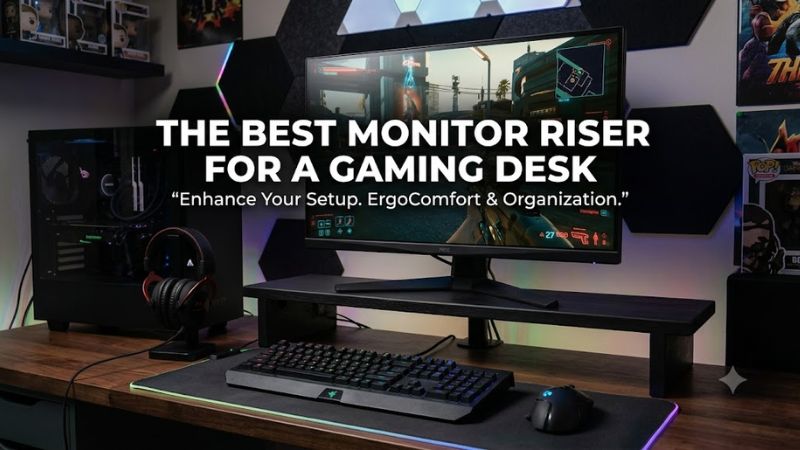
Match the riser height to your seating position
A fixed riser can work well when you already know how much lift your monitor needs. VIVO’s 12-inch aluminum model adjusts from 4.5 to 6.5 inches, while HUANUO’s three-level design offers 3.94, 4.72, and 5.51 inches. The best monitor riser for a gaming desk is therefore not automatically the tallest one.
Measure your normal seated position before choosing a fixed-height platform. Your monitor should not force you to tilt your head upward, and the riser should still leave practical space for a keyboard or other accessories underneath. Adjustable legs are useful when several people share the same desk or chair settings change.
Check monitor weight and base dimensions
Load capacity matters more than the screen’s advertised diagonal size because monitors with the same panel size can have very different stand weights. Razer rates its Monitor Stand Chroma for devices up to 44 pounds, while the VIVO STAND-V000SB supports up to 33 pounds.
Also check the physical footprint of your monitor stand. Razer specifies a supported shelf area of 19.7 by 8.27 inches, while the VIVO aluminum riser measures 16 by 8.25 inches. A wide display can fit the platform while its original base still extends beyond the usable surface.
Decide how much storage you actually need
A monitor riser can reclaim the desk area directly below the display, but the useful amount varies substantially. HUANUO provides storage below its platform, while BONTEC’s two-tier design creates a dedicated lower shelf for keyboards and accessories. These layouts suit gaming desks where controllers, hubs, or keyboards compete for surface space.
If your desk already has enough storage, a simple aluminum platform may be easier to position. VIVO’s 12-inch model uses a 12-by-8-inch platform and adjusts between 4.5 and 6.5 inches, so it prioritizes height control without adding a large second shelf.
Match features to your gaming setup
Compatibility also means checking whether extra features fit your computer rather than assuming they work automatically. The Razer Monitor Stand Chroma supports Windows 10/11, macOS 10.14 and newer, and Chrome OS, with USB-C connectivity required for its hub features. Its HDMI output supports one display up to 3840×2160 at 60Hz.
For a straightforward setup, passive risers avoid software and connection requirements entirely. The best monitor riser for a gaming desk may therefore be a basic platform if you only need height and storage. RGB and USB connectivity add convenience, but they also introduce additional cables and host-device requirements.
Top Picks
The four picks below cover different desk priorities rather than assuming every gaming setup needs the same design. HUANUO focuses on adjustable height, VIVO on compact aluminum construction, Razer on connectivity and RGB, and BONTEC on two-tier storage. Prices can change, so the table uses current manufacturer or retailer listings where available.
| Product | Best For | Key Spec | Compatibility | Watch Out For |
| HUANUO 3-Level Adjustable Monitor Riser | Best Overall | 3 heights; 44-lb capacity | Single monitor, laptop, printer, or console | Platform is less suitable for very wide bases |
| VIVO STAND-V000SB | Best Value | 4.5–6.5-in adjustment; 33-lb capacity | Single display or other desktop device | Smaller 12 × 8-in platform |
| Razer Monitor Stand Chroma | Best For RGB and Connectivity | 44-lb capacity; USB-C hub and HDMI | Windows 10/11, macOS 10.14+, Chrome OS | Fixed height and high price |
| BONTEC 2-Tier Wooden Monitor Stand | Best For Storage | 5.6-in height; 66-lb capacity | Monitor, laptop, printer, accessories | MDF construction and fixed height |
HUANUO 3-Level Adjustable Monitor Riser
HUANUO is the best monitor riser for a gaming desk when height flexibility is more important than premium materials or integrated connectivity. Its three positions are 3.94, 4.72, and 5.51 inches, and its rated capacity is 44 pounds. The ventilated platform also leaves storage underneath for peripherals.
The main weakness is its relatively modest platform footprint compared with larger desk shelves, so users with unusually wide monitor bases should measure first. It makes more sense for a single monitor, laptop, printer, or console than for a broad multi-monitor shelf. Buyers wanting aluminum construction or RGB features should consider another pick.
VIVO STAND-V000SB
VIVO’s STAND-V000SB is a practical value option for users who want adjustable height without a large furniture-style riser. It has a 12-by-8-inch platform, supports up to 33 pounds, and adjusts from 4.5 to 6.5 inches. The current VIVO listing shows a $34.99 price.
The limitation is its smaller surface and lower load rating than the HUANUO or BONTEC options. It suits a single display whose stand fits comfortably on the 12-by-8-inch platform, but it is less appropriate for oversized bases or heavy equipment combinations. Buyers wanting extensive under-desk storage may also prefer a two-tier design.
Razer Monitor Stand Chroma
Razer’s Monitor Stand Chroma is the best monitor riser for a gaming desk when connectivity and lighting are part of the setup rather than optional extras. Its anodized aluminum body supports devices up to 44 pounds and includes two USB 3.2 Type-A ports, one USB 3.2 Type-C port, HDMI 2.0, and Chroma RGB lighting.
The major weakness is cost: Razer’s US store currently lists it at $229.99. Height is fixed at 3.09 inches, and full hub functionality requires a USB-C host supporting 15W. Users who only need a passive shelf can spend substantially less on simpler models.
BONTEC 2-Tier Wooden Monitor Stand
BONTEC is the best monitor riser for a gaming desk when reclaiming storage space is the main goal. Its current listing specifies a 16.5-inch width, MDF construction, a two-tier layout, and a 66-pound maximum load. The design provides a separate lower area for keyboards, notebooks, hubs, or other desk accessories.
Its real compromise is material and height flexibility: MDF is engineered wood rather than solid wood or aluminum, and the 5.6-inch lift is fixed. That makes it less suitable for users who need a smaller elevation or frequently change seating positions. Measure the monitor base and available desk depth before assembly.
FAQ
Is a monitor riser good for a gaming desk?
Yes, a monitor riser can raise a display and free the desk area beneath it for a keyboard or accessories. The best monitor riser for a gaming desk depends on whether your priority is adjustable height, storage, compactness, or connectivity. A riser does not inherently increase game performance or frame rate.
A riser is also different from a monitor arm because it keeps the display on the desktop rather than attaching it through a clamp or grommet. That makes it straightforward for desks where drilling or edge clamping is undesirable, although a riser offers less positioning range than an adjustable arm.
What size monitor can a monitor riser hold?
Monitor size alone does not determine compatibility because the stand base and total weight also matter. Razer supports devices up to 44 pounds within a 19.7-by-8.27-inch shelf area, while VIVO’s STAND-V000SB supports up to 33 pounds on its 12-by-8-inch platform.
For a large or curved display, measure the original monitor stand rather than relying on the screen diagonal. A 32-inch or larger monitor may physically fit above a riser while its base extends beyond the platform, so the footprint should be checked before purchase.
Do monitor risers improve gaming performance?
No, a monitor riser does not directly improve FPS, input latency, GPU performance, or CPU performance. Its practical role is positioning: it can raise the screen, create storage space underneath, and change how much of the desk surface remains available for gaming peripherals.
For competitive gaming, screen height is one part of physical setup rather than a graphics setting. If the monitor is already positioned comfortably and the desk has enough usable space, replacing the stand may provide little practical benefit. Choose a riser for positioning or organization rather than expecting a frame-rate change.
Is RGB worth paying more for in a monitor riser?
RGB is mainly a setup and connectivity feature, so its value depends on whether you want integrated lighting and ports. The Razer Monitor Stand Chroma combines Chroma RGB with USB and HDMI connectivity, while basic VIVO and HUANUO risers focus on height and desk organization instead.
The Razer model also costs substantially more than the simpler alternatives, with a current US list price of $229.99. If the best monitor riser for a gaming desk only needs to raise one display, a passive platform can avoid paying for features you will not use.
Final Thoughts
The best monitor riser for a gaming desk is the one whose height, load rating, platform size, and features match the actual setup. HUANUO offers three height positions, VIVO provides a compact adjustable aluminum platform, Razer adds RGB and connectivity, and BONTEC emphasizes storage. Measure first, then choose the simplest design that fits.