🛒 Best Price Today on Amazon
Prime members get fast, free shipping on everything above, plus member-only deals. New members get a 30-day free trial — cancel anytime.
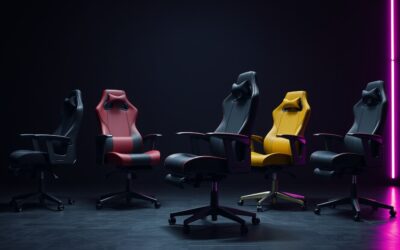
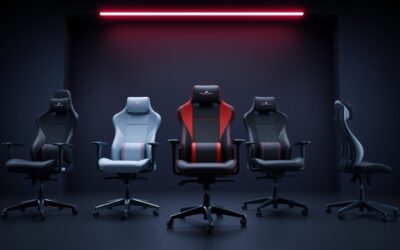
Choosing the best gaming chair for back pain starts with fit, not a racing-seat look. The right model should place adjustable lumbar support at your lower back, let your feet rest flat, and keep your shoulders relaxed. For existing pain, a chair can improve sitting comfort but is not a medical treatment.
How to Choose a Gaming Chair for Back Pain
Start with four checks: lumbar adjustment, body fit, armrest positioning, and upholstery. These matter more than RGB or deep recline. The four picks below cover different needs, with each model offering a different compromise between support, adjustability, size, price, and the amount of lumbar control you can fine-tune.
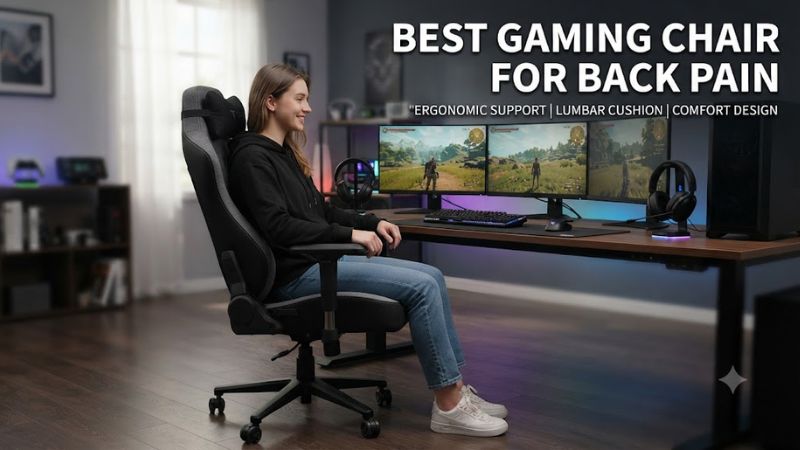
Adjustable Lumbar Support
For the best gaming chair for back pain, adjustable lumbar support matters because the curve has to meet your lower back rather than sit too high or low. Razer’s Iskur V2 NewGen uses a 6D adaptive system, while Secretlab’s TITAN Evo uses four-way L-ADAPT support. Both offer more tuning than a loose cushion.
The important question is how much control you actually need. The Iskur V2 NewGen provides three-axis lumbar control, while TITAN Evo provides four-way lumbar positioning. A more complex mechanism is useful only if its position matches your body and does not force you away from the desk.
Body Fit and Size
For the best gaming chair for back pain, seat dimensions and size ranges are just as important. Secretlab offers S, R, and XL sizes, while AndaSeat’s Kaiser 4 has L and XL options. Check the maker’s height and weight ranges before buying; a chair that is too small can limit support even when its lumbar mechanism is highly adjustable.
Compare seat height, depth, backrest height, and usable width with your current chair. Secretlab’s TITAN Evo S is for users up to 169 cm and 90 kg, while its XL covers 181–205 cm and 80–180 kg. These ranges guide fit; body proportions and desk height still matter.
Armrest Positioning
Armrests should let your elbows stay near your sides without forcing your shoulders upward. Four-dimensional arms give more positioning choices than 2D designs, but adjustment only helps when the chair also fits your desk height. Your forearms should stay supported without forward reach or raised shoulders during play or work.
Armrest width and backward travel can matter as much as adjustment count. A chair with excellent lumbar support can still feel wrong if the arms push your elbows outward. Set the seat first, then place the armrests for relaxed wrists and shoulders at the desk, especially when using a keyboard and mouse for long sessions.
Upholstery and Movement
For the best gaming chair for back pain, upholstery changes how a chair feels during long sessions. Fabric can be preferable if you run warm, while synthetic leather is easier to wipe clean. Movement matters too: recline and tilt let you vary posture instead of holding one position for hours.
Independent reviews put comfort claims in context. The Razer Iskur V2 has received praise for lumbar adjustability but criticism for a relatively short seat cushion and heat retention from synthetic leather. The Corsair TC100 RELAXED uses fabric or leatherette and a simpler lumbar pillow, trading control for lower cost.
Top Picks
These picks for the best gaming chair for back pain use current manufacturer specifications and independent reviews available in September 2026. They are not medical recommendations; comfort varies with body shape, sitting habits, desk height, and pain source. Use fit data first; then choose the key trade-off for your setup.
| Product | Best For | Key Spec | Compatibility | Watch Out For |
| Secretlab TITAN Evo | Best Overall | 4-way lumbar, 165° recline | S/R/XL; up to 180 kg | Medium-firm seat |
| Razer Iskur V2 NewGen | Adjustable lumbar | 6D lumbar, 152° recline | Up to 136 kg | Shorter seat |
| AndaSeat Kaiser 4 | Big and tall | Pop-out lumbar, 6D arms | L/XL; XL up to 180 kg | Large XL frame |
| CORSAIR TC100 RELAXED | Best Value | Adjustable lumbar pillow, 160° | Up to 188 cm, 120 kg | 2D armrests |
Secretlab TITAN Evo — Best Overall
Secretlab TITAN Evo — Best Overall for the best gaming chair for back pain. The current TITAN Evo is available in S, R, and XL, with four-way L-ADAPT lumbar support, 4D armrests, and recline from 85 to 165 degrees. The XL supports 80–180 kg and 181–205 cm, while S and R cover smaller users.
Secretlab’s main weakness is its medium-firm seat feel, which may not suit someone who prefers softer cushioning. The Regular size is recommended below 100 kg. Buy it when you want broad adjustment and clear size choices; skip it if you strongly prefer soft office-chair cushioning or dislike firm gaming-seat cushioning.
Razer Iskur V2 NewGen — Adjustable Lumbar
Razer Iskur V2 NewGen — Best for Adjustable Lumbar Support. Its 6D adaptive lumbar system provides height, depth, and swivel control, giving more tuning than a simple fixed cushion. Razer rates it for users up to 136 kg, and the backrest reclines to 152 degrees, with 4D armrests for desk positioning.
Independent reviews note two practical weaknesses: the seat cushion is relatively short, and synthetic leather can retain heat. That favors buyers who value lumbar adjustment over plush seating. Its premium price also makes the extra controls the main reason to choose it rather than a simpler gaming chair.
AndaSeat Kaiser 4 — Big and Tall
AndaSeat Kaiser 4 — Best for Big and Tall Users Seeking the best gaming chair for back pain. The Kaiser 4 comes in L and XL sizes; the XL is rated for 181–210 cm and 80–180 kg. Its pop-out lumbar can be positioned and locked at an angle, while 6D armrests provide extensive adjustment for taller or broader desk setups.
The main caution is size selection: XL targets a substantially larger frame, so a smaller user should not choose it simply for extra capacity. AndaSeat lists 15° rocking alongside the 135° recline. Buy it when the L or XL fit matches your measurements, not merely because the capacity looks generous.
CORSAIR TC100 RELAXED — Best Value
CORSAIR TC100 RELAXED — Best Value. The TC100 uses a wider seat, 2D armrests, an adjustable lumbar pillow, and a 90–160-degree backrest range. CORSAIR lists a 120 kg maximum weight and recommends it for users up to 188 cm. Fabric and leatherette versions are available, offering two material options.
Its real compromise is adjustment depth: the lumbar support is a pillow rather than an integrated multi-axis system, and the armrests move in fewer directions than the premium picks. PCGamesN also notes rigid neck-pillow placement. Choose it when price and a roomy seat matter more than maximum lumbar customization.
FAQ
Back pain is not a single-chair problem, so no gaming seat is universal. If symptoms persist, radiate, follow an injury, or occur away from sitting, seek medical advice instead of repeated chair changes. For ordinary desk discomfort, start by checking fit and posture; research also links static sitting behavior and fewer breaks with low-back-pain prevalence.
How do I choose the right model when shopping for the best gaming chair for back pain?
Choose by body fit and adjustable lumbar position first, then compare seat depth, armrests, and upholstery. The TITAN Evo, Iskur V2 NewGen, Kaiser 4, and TC100 RELAXED target different combinations of those traits rather than one posture or sitting style.
For a smaller user, Secretlab’s Small size covers up to 169 cm and 90 kg, while Regular covers 170–189 cm and below 100 kg. For larger frames, Kaiser 4 XL and TITAN Evo XL provide higher-capacity sizing. Check the manufacturer’s range before ordering and compare seat height and depth with your desk.
Is the Razer Iskur V2 NewGen worth considering for back pain?
It is worth considering when highly adjustable lumbar support is the priority, because its 6D system provides height, depth, and swivel control. Razer also gives it a 152-degree recline and a 136 kg maximum weight rating, making lumbar control its defining feature.
Its shorter seat cushion and warmer synthetic-leather surface are reasons some users may prefer another model. The Iskur V2 NewGen is most relevant when you want to tune lumbar pressure closely and are comfortable paying for that mechanism instead of prioritizing softer cushioning or cooler fabric.
Is the Secretlab TITAN Evo good for long gaming sessions?
It is designed for long sitting and combines four-way lumbar adjustment, 4D armrests, a multi-tilt base, and up to 165 degrees of recline. Its medium-firm foam may feel too firm for buyers who want a softer, more cushioned seat during extended sessions.
Fit remains decisive. TITAN Evo is offered in S, R, and XL, with XL recommended for 181–205 cm and 80–180 kg. That range gives taller and heavier users a defined option, while smaller users should compare their measurements with the S or R recommendations before choosing.
Can a gaming chair cure back pain?
No, a gaming chair cannot be treated as a cure for back pain. A well-fitted chair can change sitting support and comfort, but persistent symptoms need medical attention. Mayo Clinic advises medical evaluation for symptoms such as pain spreading down the legs, weakness, numbness, tingling, or pain following injury.
A chair can still be useful within a better desk setup. Keep your feet supported, set the seat so your hips are stable, adjust lumbar support to your natural lower-back curve, and bring armrests to relaxed elbow height. Change position regularly instead of holding one posture for an entire session.
Final Thoughts
For most buyers, choosing the best gaming chair for back pain comes down to support type and fit, not one universal winner. Secretlab emphasizes size options, Razer emphasizes lumbar control, AndaSeat targets larger frames, and CORSAIR keeps the design simpler. Choose the model whose dimensions match your body first.