🛒 Best Price Today on Amazon
Prime members get fast, free shipping on everything above, plus member-only deals. New members get a 30-day free trial — cancel anytime.
For best graphics card for apex legends, the right choice depends on resolution, refresh rate, CPU balance and budget. Current-generation options range from the RTX 5060 Ti and RX 9060 XT for high-refresh 1080p to the RTX 5070 and RX 9070 for demanding 1440p or 4K setups.
How to Choose a Graphics Card for Apex Legends
Apex Legends is relatively light by modern GPU standards, but high-refresh play changes the buying decision. The official recommended GPU is still the older GTX 970 or Radeon R9 290, while competitive players generally need more headroom for 144Hz, 240Hz or higher displays.
Match the GPU to Your Resolution
At 1080p, a mid-range current-generation GPU can already produce high frame rates, so spending substantially more on graphics hardware may shift the bottleneck toward the CPU. For 1440p, the graphics card matters more, while 4K places considerably more load on the GPU. This makes resolution the first filter when comparing cards.
The best graphics card for apex legends at 1080p does not need to be the most expensive model. Independent Apex gameplay data shows how strongly the CPU can affect high-FPS results, with one RTX 5060 Ti system using a Ryzen 7 3800X averaging 131 FPS at 1080p with very-low settings.
Consider Your Monitor Refresh Rate
A 60Hz monitor does not require the same GPU target as a 240Hz display. For competitive settings, the RTX 5060 Ti and RX 9060 XT class can make sense for high-refresh 1080p, while stronger cards provide more room for 1440p. Your CPU also becomes increasingly important when chasing very high frame rates.
Apex Legends has a 300 FPS in-game ceiling, so buying a much faster GPU solely to exceed that number is not useful. Independent testing of the RTX 5060 Ti has also shown that Apex can reach the 300 FPS ceiling at Full HD under its test conditions, illustrating why monitor resolution and CPU capability matter alongside GPU selection.
Check VRAM and Platform Compatibility
Current cards differ significantly in memory capacity. NVIDIA’s RTX 5060 Ti is available with 8GB or 16GB GDDR7, while AMD’s RX 9060 XT comes in 8GB and 16GB configurations. The RX 9070 provides 16GB GDDR6, making memory capacity an important specification when comparing cards for higher resolutions.
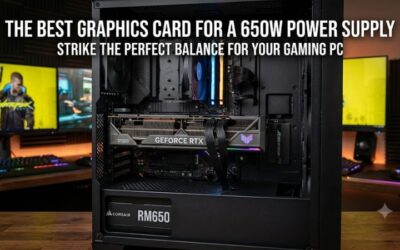
Compatibility also includes more than the PCIe slot. NVIDIA lists a 600W required system power rating for the RTX 5060 Ti, while AMD specifies 450W minimum PSU capacity for the RX 9060 XT. Actual add-in-card dimensions vary by manufacturer, so check the specific card’s length, slot width, connector and case clearance before ordering.
Balance the GPU With the CPU
A faster graphics card cannot guarantee higher Apex FPS when the processor is limiting frame delivery. This is particularly relevant at 1080p and competitive settings, where the GPU may have unused capacity. A balanced system can therefore provide a better upgrade path than putting most of the budget into graphics hardware.
For example, an independent RTX 5070 result paired with a Ryzen 7 9800X3D recorded 220 FPS at 4K, while the GPU operated at 86% usage. Another RTX 5070 result at 1440p with a Ryzen 5 3600X averaged 140 FPS, showing why benchmark results should always be read alongside the test platform.
Top Picks for Apex Legends
The current-generation choices below cover different use cases rather than assuming one GPU suits every Apex player. The benchmark figures are included as reference points from independent gameplay data, not as universal performance guarantees. Results vary with CPU, memory, game settings, drivers, resolution and the specific graphics-card model.
| Product | Best For | Key Spec | Compatibility | Watch Out For |
| NVIDIA GeForce RTX 5070 | Best Overall | 12GB GDDR7, 250W | PCIe graphics slot, 650W system power | 12GB VRAM |
| AMD Radeon RX 9070 | Best 1440p | 16GB GDDR6, 220W | PCIe 5.0 x16, 650W PSU | Larger power requirement than mid-range cards |
| NVIDIA GeForce RTX 5060 Ti 16GB | Best Value | 16GB GDDR7, 180W | PCIe graphics slot, 600W system power | High-FPS results remain CPU-sensitive |
| AMD Radeon RX 9060 XT 16GB | Best Budget 1440p | 16GB GDDR6, 160W | PCIe 5.0 x16, 450W PSU | Lower performance tier |
NVIDIA GeForce RTX 5070 — Best Overall
The RTX 5070 combines 12GB GDDR7 with a 250W total graphics power rating, and NVIDIA specifies a 650W required system power level. Its reference design uses PCIe power options including two 8-pin cables through the supplied adapter or a suitable 300W-or-greater PCIe Gen 5 cable.
For the best graphics card for apex legends when 1440p and other demanding games matter, the RTX 5070 provides substantial GPU headroom. One independent Apex result using a Ryzen 7 9800X3D recorded 220 FPS at 4K, although its 99 FPS 1% low demonstrates why average FPS alone should not define expectations.
AMD Radeon RX 9070 — Best 1440p
The RX 9070 carries 16GB of GDDR6 on a 256-bit interface, with 220W typical board power and AMD’s 650W minimum PSU recommendation. It uses PCIe 5.0 x16 and requires two 8-pin power connectors on the reference specification.
An independent Apex gameplay result using an RX 9070 XT is not directly interchangeable with the RX 9070, so it should not be treated as the same-card benchmark. For the RX 9070 itself, a separate benchmark source estimates 158 FPS at 1440p Ultra with an Intel Core i5-13400; because this is an estimate rather than a standardized laboratory run, use it as directional data.
NVIDIA GeForce RTX 5060 Ti 16GB — Best Value
The RTX 5060 Ti 16GB provides 16GB of GDDR7 and 180W total graphics power, while NVIDIA specifies 600W required system power. It supports either an 8-pin PCIe connection or a compatible 300W-or-greater PCIe Gen 5 cable through the supplied adapter.
This card suits players who want strong 1080p performance without moving into higher GPU power classes. An independent Apex session using the RTX 5060 Ti with a Ryzen 7 3800X and 32GB DDR4 averaged 131 FPS at 1080p on very-low settings, with a 112 FPS 1% low, illustrating the effect of the CPU and test configuration.
AMD Radeon RX 9060 XT 16GB — Best Budget 1440p
The RX 9060 XT 16GB offers 16GB GDDR6, a 160W typical board power rating and a 450W minimum PSU recommendation. AMD lists PCIe 5.0 x16 connectivity and one 8-pin auxiliary connector, although individual partner cards can differ in physical dimensions and cooling design.
For players considering the best graphics card for apex legends on a more modest system, the RX 9060 XT 16GB keeps the power requirement below the higher-tier options while retaining substantial VRAM. One independent Apex result recorded 155 FPS at 1440p with an older Core i7-9700K, but the test identified the CPU as a limitation, so faster processors can change the result considerably.
Frequently Asked Questions
Apex Legends does not require a modern high-end GPU to run, but choosing between current cards depends on resolution, refresh rate, CPU performance and the rest of the games you play. The official recommended GPU remains the GTX 970 or Radeon R9 290, so modern cards provide considerably more hardware capability than the published baseline.
What GPU Do I Need for 1440p Apex Legends?
For 1440p Apex Legends, current mid-range cards such as the RTX 5060 Ti 16GB or RX 9060 XT 16GB can be considered, while the RTX 5070 and RX 9070 provide more GPU headroom. Actual FPS depends heavily on CPU, graphics settings and the refresh-rate target of the monitor.
The best graphics card for apex legends at 1440p therefore depends on whether the priority is competitive settings or higher image quality. Independent data for an RX 9060 XT system recorded 155 FPS at 1440p, while an RTX 5070 system with a different CPU recorded 140 FPS in another session, demonstrating why cross-system FPS comparisons need context.
Is 16GB VRAM Necessary for Apex Legends?
No, 16GB VRAM is not a published requirement for Apex Legends. The official recommended graphics cards are much older and have lower memory capacities, while independent testing of the RTX 5060 Ti found that Apex’s VRAM use remained below 7GB even at 4K in that test configuration.
A 16GB card can still make sense when the PC also runs newer games, uses higher resolutions or is expected to remain in service for several years. The important distinction is between what Apex requires today and what additional VRAM may provide for other workloads or future games.
Is RTX 5070 Overkill for Apex Legends?
For 1080p Apex Legends, an RTX 5070 can provide more GPU capability than necessary when the goal is simply to reach high frame rates on competitive settings. At high refresh rates, CPU performance can become a major factor before the GPU reaches full utilization.
At 1440p or 4K, however, the RTX 5070 has a clearer role because higher resolution increases graphics workload. NVIDIA rates the card at 250W and recommends a 650W system power level, so the rest of the PC should be checked before installation.
Should I Buy NVIDIA or AMD for Apex Legends?
Both NVIDIA and AMD have current-generation GPUs suitable for Apex Legends, so the choice should be based on the complete card specification, current price, system compatibility and the games you play beyond Apex. The RTX 5060 Ti offers 16GB GDDR7, while the RX 9060 XT 16GB uses 16GB GDDR6.
For the best graphics card for apex legends, compare the complete platform rather than assuming a brand determines FPS. AMD’s RX 9070 has 16GB GDDR6 and 220W board power, while NVIDIA’s RTX 5070 has 12GB GDDR7 and 250W total graphics power, giving each a different specification profile for a gaming PC.
Final Thoughts
The best graphics card for apex legends depends on the monitor and CPU as much as the GPU itself. RTX 5060 Ti 16GB and RX 9060 XT 16GB suit balanced systems, while RTX 5070 and RX 9070 provide more room for 1440p and 4K. Check PSU, connectors and case clearance before buying.