🛒 Best Price Today on Amazon
Prime members get fast, free shipping on everything above, plus member-only deals. New members get a 30-day free trial — cancel anytime.
- Start With the Edition Problem, Because It Invalidates Half of All Minecraft Gifts
- Java vs Bedrock: What Actually Works on Each
- Realms and Server Subscriptions: The Gift They Will Use Every Day
- Skins, Marketplace Credit and the Gift Card Trap
- Mods and the Hardware That Runs Them
- Peripherals: A Mouse and Headset That Fit a Younger Player
- Books, Building Guides, LEGO and Physical Merchandise
- A Second Screen for Watching Tutorials While Building
- Budget Tiers: What to Get for Roughly What You Want to Spend
- What Not to Buy
- A Short Safety Note for Parents
- Buying Around the Holidays
- Frequently Asked Questions
The short answer: before you buy anything for a Minecraft player, find out which edition they play — Java or Bedrock. That one detail decides whether a Realms subscription, a skin pack, a mod or a gift card will actually work. After that, the safest gifts are a Realms subscription, a decent headset, more RAM, and LEGO sets.
Start With the Edition Problem, Because It Invalidates Half of All Minecraft Gifts
Minecraft is two different games sharing a name. Java Edition runs only on Windows, macOS and Linux computers. Bedrock runs on Xbox, PlayStation, Switch, phones, tablets and Windows PCs. They share neither servers nor purchases, and a child on Java cannot play with a friend on a Switch.
This is the most common reason a Minecraft gift goes unused. Marketplace skin packs bought on Bedrock do nothing on Java. Mods written for Java do nothing on Bedrock. A Realms subscription bought on the wrong platform cannot be transferred. None of that is obvious from the store page, which is why thoughtful presents end up in a drawer.
How to Find Out Which Edition They Have
Three quick checks cover almost every case:
- What do they play on? A console, phone or tablet means Bedrock. Only a computer can run Java.
- Check the launcher. The desktop Minecraft Launcher shows Java Edition and Bedrock Edition as separate tabs; Bedrock also launches straight from the Microsoft Store or Xbox app.
- Listen to the vocabulary. Forge, Fabric, NeoForge, CurseForge, Modrinth, OptiFine or shaders means Java. Marketplace, Minecoins or “playing with my friend on Switch” means Bedrock.
One modern wrinkle: buying Minecraft on a Windows PC now includes both editions in a single purchase, so a PC player may own both and switch depending on who they play with. Ask which one they actually open — that is the one to target. If you are buying a whole setup rather than an add-on, our guide to a sensible first gaming PC build is the better starting point.
Java vs Bedrock: What Actually Works on Each
| Gift type | Java Edition | Bedrock Edition |
|---|---|---|
| Realms subscription | Yes — Java Realms, invite-only, sold separately | Yes — Realms Plus, includes a rotating Marketplace catalogue |
| Marketplace skin/world packs (Minecoins) | No — Marketplace does not exist on Java | Yes — this is the only place Minecoins are spent |
| Custom skins | Free — upload any image to the account | Free basic skins; premium packs cost Minecoins |
| Mods (Forge / Fabric / NeoForge) | Yes — and they are free downloads | No — Bedrock uses add-ons and behaviour packs instead |
| Shaders (Iris, OptiFine-style) | Yes — GPU-heavy, this is where hardware matters | Limited — RTX/ray tracing on some devices only |
| Cross-play with console friends | No | Yes — the main reason kids prefer it |
| Large public community servers | Yes — Hypixel-style servers are Java territory | Yes, but a different, smaller server ecosystem |
| Where to buy credit | Nothing to buy; mods are free | Microsoft/Xbox, PlayStation, Nintendo eShop, Apple, Google — must match their device |
Realms and Server Subscriptions: The Gift They Will Use Every Day
A Realm is a small private world that stays online whether or not the owner’s computer is on, so friends can drop in any time. For a player whose social life happens inside the game, that beats almost any physical present, and it is invite-only — the reason many parents prefer it to public servers.
Buy it on the platform they play on: Java Realms through the Minecraft site or launcher, Realms Plus through their device’s store. These renew monthly, so set a reminder about the first renewal.
Skins, Marketplace Credit and the Gift Card Trap
On Java, skins are free: you upload a PNG to the account and that is it. Paid skin packs are a Bedrock Marketplace product bought with Minecoins, and Minecoins are a safe way to let a child pick their own cosmetics — but the card has to match the storefront their device uses. An Xbox card does nothing on a PlayStation; a Nintendo eShop card does nothing on an iPad.
Mods and the Hardware That Runs Them
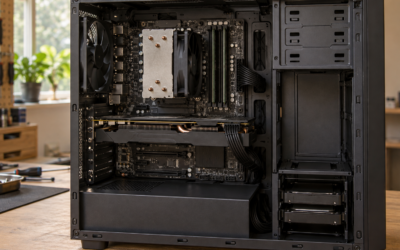
This is where parents underestimate what helps. Modded Minecraft is not demanding the way a modern shooter is — it leans on memory and single-threaded CPU performance. A big modpack loads thousands of extra items and world-generation rules, and a machine with 8 GB of RAM will stutter and crash on packs that run smoothly with 16 GB. A RAM upgrade is often the highest-impact gift here and far cheaper than a graphics card; check the existing memory and free slots first, since many laptops are soldered shut. Our breakdown of how much RAM a gaming PC actually needs covers what to look for.
Shaders are the opposite case: pure GPU load. If they want Minecraft to look like the screenshots on YouTube, the graphics card is the bottleneck, and even a modest modern GPU transforms it. Read our notes on picking a budget graphics card, and confirm power supply and case clearance — a card that does not fit is a miserable thing to unwrap. Never buy the mods themselves: they are free on CurseForge and Modrinth.
Peripherals: A Mouse and Headset That Fit a Younger Player
Most gaming peripherals are built around adult hands and heads. For a child, weight, size and comfort matter far more than sensor numbers or RGB lighting.
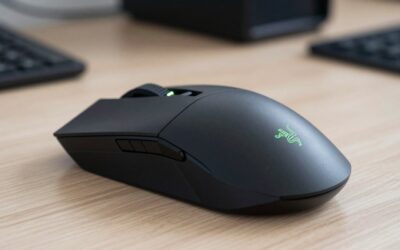
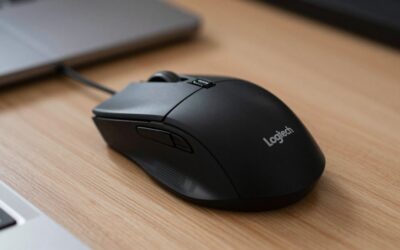
For a mouse, pick something light and physically small — a large ergonomic shell forces a child into an awkward claw grip. For a headset, a wired 3.5 mm model is the pragmatic choice: it works on a PC, a Switch, an Xbox controller and a tablet with no pairing, charging or firmware updates. Look for a headband that tightens small enough, soft earcups and a flip-to-mute microphone.
Trade-offs: wireless is convenient but adds charging, and cheap wireless adds latency. Ignore “7.1 surround” as a deciding factor — on budget headsets it is software processing, not extra drivers. For a child playing on a console in a shared room, the headset matters far more than the mouse; our gaming headset buying guide goes deeper on fit and microphone quality.
Books, Building Guides, LEGO and Physical Merchandise
The official Mojang handbooks — redstone, combat, building — are genuinely useful for a player who has run out of ideas, they work regardless of edition, and they are one of the few gifts that pulls a child off the screen while still being about the thing they love.
LEGO Minecraft is the reliable physical gift: it maps onto what they already enjoy, scales from small impulse sets to large centrepiece builds, and has no edition to get wrong. Plush mobs and light-up torches delight younger children and disappoint teenagers, so age matters more here than anywhere else on this list.
A Second Screen for Watching Tutorials While Building
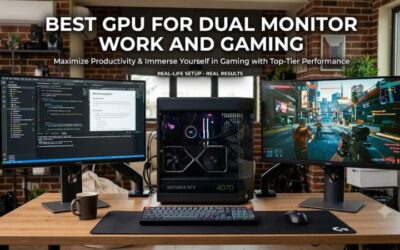
Watch a child build something ambitious and you will see them pause a video, switch windows, rewatch three seconds, switch back. A second monitor — or an old tablet on a stand — removes that friction. It need not be large, fast or colour-accurate, and it keeps earning its place long after the Minecraft phase ends. Check the graphics card’s spare ports first; our dual monitor setup guide has the details.
Budget Tiers: What to Get for Roughly What You Want to Spend
| Tier | Best choice | Why it works | Watch out for |
|---|---|---|---|
| Stocking filler | LEGO Minecraft small set, official handbook, plush mob | No edition, account or platform to get wrong | Teenagers outgrow plush toys fast |
| Modest | Marketplace credit (Bedrock), wired headset, small mouse | Used immediately and constantly | Credit must match their store; check headband sizing |
| Mid | Realms subscription, RAM upgrade, budget 1080p monitor | Fixes real friction: playing with friends, modpack crashes, tutorial juggling | Confirm RAM type and upgradeable slots first |
| Big | Graphics card upgrade, full peripheral set, large LEGO build | Shaders and heavy modpacks finally run properly | Check PSU wattage, case clearance and CPU pairing |
What Not to Buy
- Third-party “mod packs” sold as products. Anyone charging for a modpack, launcher or “ultimate mod bundle” is reselling other people’s free work, and those downloads are a common malware vector. Point the child at CurseForge or Modrinth.
- Anything promising free Minecoins or in-game currency. Generators and codes sold outside official stores are scams or account-theft attempts, and a compromised Microsoft account takes the game with it.
- Gift cards for the wrong platform’s store. The most common miss of all. Match the card to the device, not to the game.
- Hardware that does not physically fit. Cards, RAM and mounts all carry compatibility constraints; if you cannot verify them, a gift receipt is part of the present.
A Short Safety Note for Parents
Three things worth knowing. On a private Realm, the people your child talks to are people they invited; on a large public server they are strangers, and that is a meaningfully different situation — Realms are invite-only and capped at a small group, which is exactly why they are the calmer option. The controls mostly live in the Microsoft account rather than the game: a child account managed through Microsoft Family Safety sets who they can communicate with, and consoles add their own layer in Xbox, PlayStation or Nintendo account settings. On Java, in-game chat can also be switched off in the chat settings. Ten minutes in those menus beats any rule enforced afterwards.
Buying Around the Holidays
Hardware discounts cluster around the big sales periods, so RAM, monitors and graphics cards are worth price-watching. Subscriptions and gift cards rarely discount — but they buy in minutes with nothing to ship, which helps when you have left it late. For more ideas, see our gifts for PC gamers roundup.
Frequently Asked Questions
How do I tell if my child plays Java or Bedrock without asking?
Look at the device. Any console, phone or tablet means Bedrock, because Java runs only on computers. On a Windows PC, open the Minecraft Launcher: it lists Java and Bedrock as separate tabs, and the one they actually launch is the one that counts. Talk of Forge, Fabric or shaders confirms Java; talk of the Marketplace or Switch cross-play confirms Bedrock.
Is a Realms subscription better than buying a skin pack or Minecoins?
For most children, yes. A Realm is a persistent private world their friends can join at any time, so it gets used daily and feeds the social side of the game they care about most, while cosmetics are enjoyed once and forgotten. The exception is a child who plays mostly solo and collects skins, where Marketplace credit fits better.
Will more RAM really improve Minecraft performance?
For modded Java Minecraft, dramatically so. Large modpacks load thousands of extra blocks, items and world-generation rules into memory, and a system with 8 GB will hitch during chunk loading or crash outright on packs that run comfortably with 16 GB. For vanilla Minecraft the difference is much smaller. Check for free slots and upgradeable memory first, since many laptops have neither.
Can I buy mods as a gift?
No, and you should not try. Minecraft mods and modpacks are distributed free by their creators through CurseForge and Modrinth, and nobody has the right to charge you for them. Sites selling “premium mod bundles” or custom launchers are reselling free work at best and distributing malware at worst. If you want to support modding, the meaningful gift is hardware that runs mods well.
What is the safest gift if I genuinely cannot find out which edition they play?
Choose something edition-agnostic: LEGO Minecraft sets, official Mojang handbooks and building guides, a wired 3.5 mm headset, a small mouse, or a monitor. None of these depend on Java versus Bedrock, none require an account, and none can be locked to the wrong storefront. Save subscriptions, Minecoins and platform gift cards for when you know the answer for certain.