
🛒 Best Price Today on Amazon
Prime members get fast, free shipping on everything above, plus member-only deals. New members get a 30-day free trial — cancel anytime.
How to reduce input lag remains a vital priority for competitive gamers who demand instant onscreen responsiveness. High display latency causes frustrating delays that compromise accuracy during intense matches. Our comprehensive guide helps you select optimal hardware to fix latency issues once and for all.
How to Choose Low Latency Hardware
Understanding how to reduce input lag starts with evaluating the fundamental hardware components that transmit your physical actions into digital results. Every device along your signal path introduces measurable delay that affects overall responsiveness. Selecting equipment designed for high speed ensures seamless play during moments.
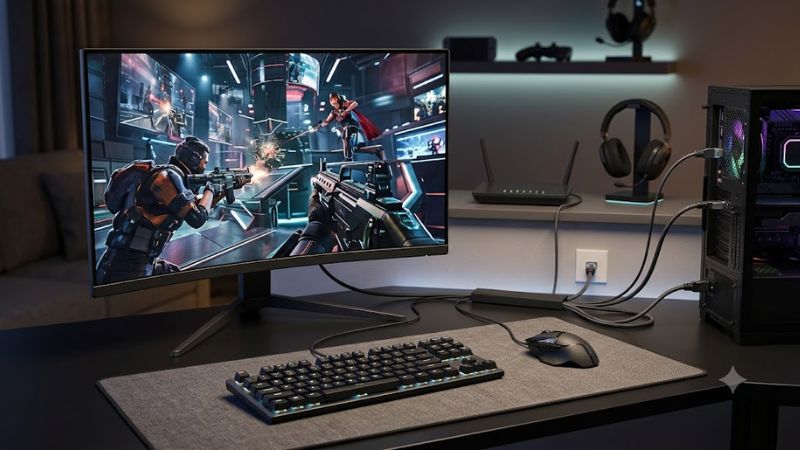
Look for High Display Refresh Rates
Display panels serve as the primary bottleneck for visual responsiveness during fast paced video games. High refresh rates update the onscreen image far more frequently, which dramatically decreases the time elapsed between user action and visual feedback. Gamers should prioritize monitors capable of reaching at least 144Hz frequency.
Fast response times complement elevated refresh rates by accelerating pixel state changes on screen. Modern gaming displays feature response metrics as low as one millisecond, eliminating motion blur and ghosting artifacts. Purchasing a panel with advanced pixel overdrive settings guarantees crisp action and instant reactions.
Prioritize High Peripheral Polling Rates
Learning how to reduce input lag requires close attention to the communication frequency between peripherals and your computer. Polling rates determine how many times per second your mouse or keyboard reports positional data to your system. Higher polling values significantly shorten processing delays for smoother cursor movements.
Standard gaming mice traditionally operate at a polling rate of 1000Hz, which yields a tiny delay of one millisecond. Advanced modern controllers now support rates up to 8000Hz to push latency down into sub-millisecond territory. Upgrading your input peripherals offers an immediate improvement in tactical aiming accuracy.
Opt for Direct Wired Connections
While wireless technology has made incredible strides in recent years, wired connections still offer unrivaled signal consistency. Physical cables remove potential radio interference caused by neighboring wireless routers and electronic devices. Using a high quality USB connection keeps overall signal transmission pure and fast.
Connecting your system directly to your display via high bandwidth DisplayPort or HDMI cables prevents frame buffer delays. Standard television processors often add image enhancements that create unwanted latency unless bypassed. Selecting direct connection modes ensures raw video data travels instantly from your graphics card.
Top Gear Picks for Minimum Latency
Selecting top performing gear remains the most reliable strategy on how to reduce input lag across any gaming setup. Premium peripherals integrate hardware acceleration and ultra fast controllers to deliver instantaneous response times. Below is a detailed breakdown of top hardware solutions currently available on the market.
| Product Name | Device Category | Key Latency Feature | Ideal User | | Asus ROG Swift PG27AQN | Gaming Monitor | 360Hz Refresh Rate | Esports Gamers | | Razer Viper V3 Pro | Wireless Mouse | 8000Hz Polling Rate | Competitive FPS Players | | Wooting 60HE+ | Mechanical Keyboard | Rapid Trigger Switches | Rhythm & FPS Gamers | | DualSense Edge | Game Controller | Low Latency Wireless | Console & PC Gamers |
Asus ROG Swift PG27AQN Monitor
The Asus ROG Swift PG27AQN stands out as an exceptional choice for esports enthusiasts seeking supreme visual fluidity. Featuring a blistering 360Hz refresh rate and ultrafast IPS technology, this display renders sharp visual motion with minimal delay. It serves competitive players who need every microsecond of speed available.
Pros include its incredible motion clarity and integrated Nvidia Reflex Latency Analyzer for precise measurement. Cons involve a higher price tag and demanding hardware requirements to achieve maximum frame rates. Overall, this monitor provides extraordinary performance that gives competitive players a clear tactical advantage.
Razer Viper V3 Pro Gaming Mouse
The Razer Viper V3 Pro delivers flawless tracking performance paired with ultra lightweight ergonomics for fast sweeps. Designed specifically for professional FPS competitors, it incorporates an optical sensor capable of extreme precision. Its optical switches eliminate debouncing delays to register clicks almost instantly.
Players researching how to reduce input lag will appreciate its impressive 8000Hz wireless polling rate capability. Pros consist of top tier battery life, flawless wireless reliability, and ultra responsive clicks. Cons are limited to a symmetrical shape that may not suit users who prefer aggressive ergonomic palm grips.
Wooting 60HE+ Mechanical Keyboard
The Wooting 60HE+ revolutionized input speed by introducing analog Hall Effect switches into competitive gaming keyboards. Gamers who demand immediate key actuation benefit from customizable actuation points down to a fraction of a millimeter. This feature allows rapid directional changes without waiting for full key reset.
Its Rapid Trigger technology dynamically resets keys the moment your finger moves upward for unmatched responsiveness. Pros include endless custom software profiles and unprecedented actuation control across every key. Cons are the compact 60 percent layout and a higher initial price compared to traditional boards.
DualSense Edge Wireless Controller
Console enthusiasts looking for how to reduce input lag on modern hardware should consider the DualSense Edge controller. Designed for PlayStation and PC gamers, this controller offers customizable stick sensitivity and trigger stops. Reducing physical trigger travel distance allows players to fire weapons much faster.
It provides wired connection options via a lockable cable to prevent accidental disconnections during tournament play. Pros include swappable stick modules, back buttons, and premium build quality throughout. Cons center around shorter battery runtime compared to standard controllers when operating in wireless modes.
Frequently Asked Questions
Addressing common inquiries about how to reduce input lag helps users troubleshoot specific hardware and software configurations. Many latency issues stem from improper system settings or unoptimized cable routing rather than broken equipment. The following section clarifies critical questions regarding responsiveness.
Does High Frame Rate Decrease Delays?
Generating higher frame rates within your game engine directly reduces overall end-to-end system latency for every user. When your graphics card produces more frames per second, the display receives fresher information much faster. This reduces the time between physical input registration and updated onscreen movement.
Even if your display refresh rate is lower than your rendering speed, higher frame output keeps inputs responsive. Understanding how to reduce input lag requires pairing robust graphics hardware with optimized in-game settings. Lowering graphics settings slightly yields higher frame rates and noticeable latency drops.
Can Cable Quality Improve Response Time?
Using proper high speed display cables prevents video transmission bottlenecks that lead to frame dropping and visual artifacting. DisplayPort 1.4 or HDMI 2.1 cables support massive data bandwidth required for high refresh rates and resolutions. Inferior cables can cause signal instability or limit available refresh options.
Similarly, quality USB cables ensure consistent polling rates for high performance gaming keyboards and precision mice. Shielded cables prevent external electromagnetic interference from degrading signal integrity during rapid button presses. Investing in certified cables guarantees reliable data delivery for competitive setups.
How Does Game Mode Lower TV Latency?
Modern smart televisions process video signals through complex algorithms designed to enhance movie color and smooth out motion. These post-processing features introduce substantial display latency that makes interactive gaming feel sluggish. Enabling Game Mode bypasses non-essential image processing circuits entirely.
By sending raw video signals straight to the display panel, television latency drops from over one hundred milliseconds to single digits. Console players should always verify that Game Mode or Auto Low Latency Mode is active on their display. This simple setting adjustment creates a dramatically faster gaming experience.
Final Thoughts
Mastering how to reduce input lag transforms your gaming experience by providing instant control and eliminating frustrating delays. Upgrading to high refresh rate displays and fast peripherals ensures your skills shine without technical bottlenecks. Choose the right gear today to enjoy flawless responsiveness and peak victory.









