Dust is the silent killer of gaming PC performance. Over a few months, a fine layer builds up on fan blades, heatsink fins, and intake filters, choking airflow and pushing your CPU and GPU temperatures higher. The result is louder fans, thermal throttling, and shorter component lifespan, all from something that takes fifteen minutes to fix.
This 2026 guide covers how to safely clean your PC fans and dust filters, how often to do it, and the small upgrades, like proper magnetic dust meshes, that keep dust out in the first place. Done right, a cleaning session can drop your temperatures several degrees and make your rig noticeably quieter.
As an Amazon Associate we earn from qualifying purchases at no extra cost to you.
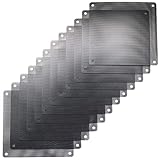


![MoKo 400x300mm DIY PC Case Dust Mesh Filter, [4 Pack] PVC Dustproof Magnetic Dust Filter Cover, PC Mesh Grill with Magnetic Frame Strip Computer Cooler Fan Dust Filter for Computer PC Case, Black](https://m.media-amazon.com/images/I/51YgJYNN2-L._SL160_.jpg)


⚡ Save on Your Next PC — Amazon Prime
Prime members get fast free shipping on the systems above, plus early access to Prime Day & Black Friday PC deals. New members get a 30-day free trial.
Watch: How to Clean Your PC Fans and Filters — Video Review
Gather the Right Tools First
You do not need a professional cleaning kit, but a few items make the job faster and safer for your hardware. A can of compressed air or an electric air duster is the core tool. Add a soft microfiber cloth, isopropyl alcohol for stubborn grime, and a small anti-static brush. If you plan to reuse your intake filters, a set of replacement PC dust filters like the ThreeBulls 120mm PVC mesh or the MoKo DIY case dust mesh lets you swap in fresh ones while the old set dries.
- Compressed air or a rechargeable air duster (avoid vacuums, which generate static).
- Microfiber cloth and cotton swabs for blades and shrouds.
- A soft brush to loosen caked dust before blowing it out.
Power Down and Open Up Safely
Shut down the PC, switch off the PSU, and unplug the power cable. Press the power button once to discharge residual electricity. Move the case to a well-ventilated area, ideally outdoors or over a hard floor, since you are about to release a surprising amount of dust. Remove both side panels and, if your case has them, pop out the front and top dust filters. Many cases use magnetic filters, so they lift off in seconds.
Clean the Fans Without Damaging Bearings
Here is the critical technique: hold each fan blade still with a finger before blowing compressed air across it. Letting compressed air spin a fan freely can drive it far past its rated RPM and damage the bearing or generate a voltage spike through the motor. Blow dust off the blades, then clean the heatsink fins on your CPU cooler and GPU by directing short bursts through the fin stack. For grime that will not budge, a cotton swab lightly dampened with isopropyl alcohol wipes blades clean.
Wash and Reinstall the Dust Filters
Reusable mesh filters like the MoKo or IMSurQltyPrise fan filter grills can be rinsed under water, gently patted, and left to air-dry completely before reinstalling, never put a damp filter back into a running system. If a filter is torn or permanently clogged, replace it; a fresh magnetic mesh over each intake is the cheapest performance insurance you can buy. Reinstall filters, close the panels, and you are done.
Tips
- Clean every three to six months: homes with pets or carpet need the shorter interval; dust accumulates faster than most people expect.
- Hold fans still before blasting them: free-spinning a fan with compressed air is the number-one way people damage cooling hardware.
- Add filters to every intake: covering intake fans with magnetic mesh keeps 90 percent of dust out and makes future cleanings trivial.
- Run positive air pressure: setting more intake than exhaust fans forces air out through gaps rather than sucking dust in through them.
Frequently Asked Questions
How often should I clean my PC fans?
Every three to six months for most setups. If you have pets, smoke, or place the PC on carpet, aim for the three-month end of that range. A quick monthly glance at your intake filters tells you when a full cleaning is due.
Can I use a vacuum cleaner to clean my PC?
It is not recommended. Vacuums generate static electricity that can discharge into sensitive components. If you must use one, keep the nozzle a few inches away and pair it with compressed air to dislodge dust, but a dedicated air duster is the safer choice.
Why do I need to hold the fan blades still?
Blowing compressed air spins the fan far beyond its designed speed. That over-spin can wear the bearing prematurely and, because the motor acts as a generator when spun, can send a small voltage back into the system. Pinching a blade to keep it stationary avoids both risks.
Will cleaning my fans lower temperatures?
Usually yes, and sometimes dramatically. A heatsink clogged with dust can run 5 to 15 degrees hotter than a clean one. Clearing the fins and filters restores designed airflow, which lowers temperatures, reduces fan noise, and prevents thermal throttling.
Conclusion
Cleaning your PC fans and filters is the highest-value, lowest-cost maintenance you can perform. With compressed air, a brush, and a set of fresh dust filters, fifteen minutes every few months keeps temperatures low, fans quiet, and components healthy for years. Hold those blades still, dry your filters fully, and set up magnetic mesh on every intake, and your next cleaning will be even easier.