- Top Pick: CORSAIR Vengeance RGB DDR5 RAM 32GB (2x16GB) Up to 6000MHz CL36-44-44-96 1.35V Intel XMP 3.0 Desktop Computer Memory – White (CMH32GX5M2E6000C36W)
- Best Value: Lexar Thor Z RGB DDR5 RAM 32GB Kit (2x16GB) 6000MHz CL38 DRAM 288-Pin UDIMM
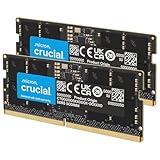
- Premium Choice: Crucial 32GB DDR5 RAM Kit (2x16GB), 5600MHz (or 5200MHz or 4800MHz) Laptop Memory 262-Pin SODIMM, Compatible with Intel Core and AMD Ryzen 7000, Black – CT2K16G56C46S5
Memory is the one component people still buy on autopilot, and in 2026 that’s an expensive habit. DDR5 has been the default for new gaming platforms for several generations now — AMD’s AM5 socket and Intel’s current desktop chips accept nothing else — while DDR4 soldiers on as the value option holding up millions of AM4 and 12th/13th/14th-gen Intel machines. Both standards run modern games perfectly well. They are not, however, interchangeable, and choosing wrong usually means an unplanned motherboard purchase.
The short version: your CPU and motherboard decide this for you, not your preference. What you actually control is whether you commit to a DDR5 platform now and buy memory that stays relevant for the rest of the decade, or squeeze another two or three years out of a DDR4 rig for a fraction of the price. Below we cover the real in-game performance gap, where each standard still makes sense, and which kits are worth your money today.
As an Amazon Associate we earn from qualifying purchases at no extra cost to you. Product prices and availability are accurate as of the date shown and are subject to change.




⚡ Save on Your Next PC — Amazon Prime
Prime members get fast free shipping on the systems above, plus early access to Prime Day & Black Friday PC deals. New members get a 30-day free trial.
Watch: DDR5 vs DDR4 RAM: Does It Matter in 2026? — Video Review
Quick Verdict
DDR5 is the correct choice for any new build in 2026 — it’s faster, denser, cheaper per gigabyte than it has ever been, and it’s the only option on current sockets. DDR4 is still a smart buy in exactly one scenario: you already own a DDR4 motherboard and want more capacity or a modest speed bump without replacing your CPU, board, and RAM in one go.
Key Differences
- Bandwidth: Mainstream DDR5 kits run 6000–6400 MT/s, roughly double the 3200–3600 MT/s that DDR4 realistically tops out at, which matters most for 1% lows and CPU-bound frame rates.
- Latency: DDR4 has tighter CAS timings on paper (CL16 vs CL36–38), but DDR5’s higher clocks mean real-world latency in nanoseconds is now comparable or better.
- Channel architecture: Each DDR5 module carries two independent 32-bit sub-channels, so a two-stick kit feeds the memory controller four channels rather than two — a big win in multi-threaded workloads.
- Power and regulation: DDR5 drops to 1.1V nominal (1.35V for XMP/EXPO profiles) and moves voltage regulation onto the module itself via an integrated PMIC, improving signal stability at high frequencies.
- Capacity: DDR5 supports far denser dies, making 32GB the new baseline and 64GB kits genuinely affordable; DDR4 boards are commonly capped at 128GB with much bulkier configurations.
- Compatibility: The notch position differs and the standards are electrically incompatible. No adapter exists, and no board accepts both types simultaneously.
DDR5: The Default for New Gaming Builds
DDR5 has matured into a boring, reliable purchase, which is the highest praise a RAM standard can get. The sweet spot for AMD Ryzen 7000/9000 systems is 6000 MT/s with CL30–CL38 timings, since that’s where the Infinity Fabric runs in sync. Kits like the CORSAIR Vengeance RGB DDR5 32GB (2x16GB) 6000MHz CL36 in white, the TEAMGROUP T-Force Vulcan DDR5 32GB 6000MHz CL38, and the Lexar Thor Z RGB DDR5 32GB 6000MHz CL38 all land squarely in that window, differing mainly in aesthetics and heat-spreader height.
Intel’s memory controller tolerates higher frequencies more comfortably, so the CORSAIR Vengeance DDR5 32GB (2x16GB) up to 6400MHz kit is the better pick for a current-gen Intel build, while the 6000MHz Vengeance version is the safer, cheaper, universally compatible option for either platform. Laptop and mini-PC owners aren’t left out: the Crucial 32GB DDR5 SODIMM kit (2x16GB, 5600MHz) is a straightforward capacity upgrade for Ryzen 7000-series and modern Intel Core notebooks that ship with a stingy 16GB.
DDR4: The Budget and Upgrade Path
DDR4 isn’t obsolete — it’s just finished. A 32GB 3600 CL16 kit paired with a Ryzen 5 5600X3D or 5700X3D still delivers frame rates that sit within a handful of percent of a mid-range DDR5 system at 1440p and above, where the GPU is doing the heavy lifting. If you already own the board, that’s a lot of gaming performance for very little money.
The catch is the ceiling. DDR4 platforms receive no new CPUs, memory prices no longer fall meaningfully, and you’re buying into a socket with zero upgrade path. Spending money on DDR4 in 2026 only makes sense as a stopgap — never as the foundation of a build you expect to keep improving.
Which Should You Buy?
- For a new gaming PC: DDR5, no exceptions — a 32GB 6000MHz kit such as the Vengeance RGB CL36 or T-Force Vulcan CL38.
- For a current Intel build: Pick the Vengeance DDR5 6400MHz kit to take advantage of the higher-clock headroom.
- For an existing AM4 or DDR4 Intel rig: Stay on DDR4 and put the savings toward a GPU upgrade instead.
- For streaming and content creation: DDR5’s sub-channel design and easy path to 64GB make it the clear pick.
- For a laptop or SFF machine: The Crucial 32GB DDR5 SODIMM kit is the simplest, most compatible upgrade available.
Frequently Asked Questions
Can I put DDR5 in a DDR4 motherboard?
No. The modules are keyed differently and electrically incompatible. Moving to DDR5 requires a new motherboard and, in most cases, a new CPU.
Is 32GB enough for gaming in 2026?
Yes. 32GB is the comfortable standard for gaming plus browser tabs, Discord, and background apps. 16GB now causes stutter in several open-world titles; 64GB only pays off for heavy creative workloads.
Does CL36 vs CL38 actually matter?
Barely. At the same 6000 MT/s, the difference amounts to roughly 1–2% in CPU-limited scenarios. Buy on price, capacity, and clearance rather than chasing two clock cycles.
Do I need to enable XMP or EXPO?
Absolutely. Out of the box, DDR5 runs at a conservative JEDEC speed. Enable the XMP 3.0 or EXPO profile in BIOS or you’ve paid for performance you’ll never see.