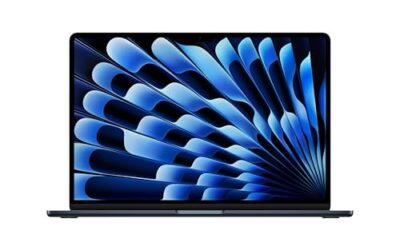
- Top Pick: Microsoft Surface Pro (2026), 13-inch Premium Performance 2-in-1 Laptop, Snapdragon X2 Elite Processor, Touchscreen OLED Display, 16GB RAM, 1TB SSD Storage, Windows 11 Copilot+ PC Built for AI, Black
- Best Value: Microsoft Surface Pro 2-in-1 Laptop/Tablet (2024), Windows 11 Copilot+ PC, 13" Touchscreen OLED Display, Snapdragon X Elite (12 Core), 16GB RAM, 256GB Storage, Black, Amazon Exclusive
- Premium Choice: Microsoft Surface Pro 2-in-1 Laptop/Tablet (2024), 13" OLED Touchscreen Display, 16GB RAM, 512GB Storage | Windows 11 Copilot+ PC, Snapdragon X Elite (12 Core), Dune
Microsoft’s Surface line has embraced OLED, and the results are stunning. A Surface with an OLED touchscreen delivers inky blacks, vivid color, and the kind of contrast that makes everything from spreadsheets to films look richer. Paired with efficient Snapdragon X-series silicon, these are among the most desirable Windows portables you can buy.
This review examines the OLED-equipped Surface lineup, including the Surface Pro 2-in-1 and the newer Surface Pro and Surface Laptop models with Snapdragon X Elite and X2 Elite processors. The focus is on display quality, portability, and the trade-offs of the Arm platform in daily use.
As an Amazon Associate we earn from qualifying purchases at no extra cost to you.


🎮 Get More From Your Setup — Free
Prime Gaming gives you free PC games every month, in-game loot, and a free Twitch channel sub — plus fast free shipping on all the gear above. New members get a 30-day free trial.
Watch: OLED Surface Laptop — Video Review
Design & Build
Surface hardware remains the design benchmark for Windows devices. The Surface Pro 2-in-1 models combine a premium magnesium chassis with a detachable design that works as both tablet and laptop, while the clamshell Surface Laptop offers a more traditional, lap-friendly form. The OLED touchscreens are the centerpiece, thin-bezeled and razor sharp, with excellent touch and pen response. Build tolerances are tight, the kickstand on the Pro models feels solid, and color options like Black, Platinum, and Dune keep things elegant. These are devices you are proud to carry.
Performance
The Snapdragon X Elite and newer X2 Elite chips make these Surfaces fast and remarkably efficient. Everyday work, browsing, office apps, video, and light creative tasks feels snappy, and battery life is excellent thanks to the Arm architecture. The OLED panels genuinely enhance the experience, making media and photo work more vivid. The 2026 Surface Pro with the X2 Elite and 16GB RAM represents the current peak, while the 2024 Snapdragon X Elite models remain highly capable. As with all Arm Windows PCs, most apps run natively or through smooth emulation, though a few legacy x86 programs and demanding games are outside the comfort zone. For AI-accelerated Copilot+ features, these are top-tier.
Pros & Cons
- Pro: Gorgeous OLED touchscreens with deep blacks and vibrant color.
- Pro: Premium build quality and versatile 2-in-1 or clamshell forms.
- Pro: Excellent battery life and quiet, efficient Snapdragon performance.
- Pro: Strong NPUs for Windows Copilot+ AI features.
- Con: Some legacy x86 apps run via emulation with reduced speed.
- Con: Not intended for serious gaming or heavy specialized software.
- Con: Premium pricing, and accessories like the pen and keyboard add cost.
Alternatives to Consider
If you rely on niche x86 software or want to game, a traditional Intel or AMD laptop is the safer route. Within the Surface family, the Surface Pro 2-in-1 is the pick for those who want tablet flexibility and pen input, while the clamshell Surface Laptop suits people who prefer a fixed keyboard and lap comfort. Buyers wanting the latest silicon and best longevity should target the 2026 models with the Snapdragon X2 Elite and 16GB or more RAM.
Step-by-Step: Checking a Surface Before You Buy
- Confirm the display type on the specific configuration. Not every Surface model or generation offers an OLED panel, so read the spec sheet on the listing instead of assuming.
- Identify the processor family. Snapdragon X-series machines run Windows on Arm, which changes which software runs natively.
- List the apps you rely on, especially anything with a driver or anti-cheat component.
- Decide between the laptop form factor and the detachable tablet style, since keyboard and stand needs differ.
- Check memory and storage. Windows and apps on an Arm chip still need enough RAM to stay smooth.
OLED Strengths and Watch-Outs
| Use case | What OLED offers | What to watch |
|---|---|---|
| Video and photos | Deep blacks and strong contrast | Color accuracy depends on the display profile in use |
| Office work | Sharp text and rich color | Bright white documents draw more power than dark themes |
| Travel | Thin, light designs | Battery depends on brightness and workload |
| Long static screens | Excellent in motion | Fixed elements left for hours can raise burn-in concerns |
For creative work, an OLED panel is most useful when the color mode and brightness are set deliberately. Content graded for standard displays can look more vivid than intended if the panel runs in a wide-gamut mode without color management.
Common Mistakes
- Buying a Surface for the display and overlooking which processor it carries.
- Expecting every Windows program to run natively on Arm. Windows includes an emulation layer for many x64 programs, but results vary by app.
- Assuming demanding games will behave like they do on a desktop PC. Anti-cheat and GPU limits can block some titles.
- Leaving a bright, static layout on screen all day when a dark theme and screen timeout would reduce wear.
Troubleshooting
- An app will not launch: look for an Arm-native version, or check the developer’s compatibility page.
- Colors look oversaturated: open the Windows display settings and pick a color profile that matches the work you are doing.
- Battery drains quickly: lower the brightness, switch to a dark mode, and look at which background apps are running.
- Screen flicker at low brightness: some OLED panels dim in ways that bother sensitive eyes, so raise the brightness a notch and see whether it settles.
Related Guides
- What's The Best Gaming Laptop (2026)
- Best Ten Best Gaming Laptops (2026)
- Laptop Attachment Screen (2026)
- Best Gaming Laptop Battery (2026)
Frequently Asked Questions
Is the OLED screen worth it on a Surface?
If you value display quality, absolutely. OLED delivers deeper blacks, higher contrast, and more vibrant color than LCD, making media, photos, and even everyday content look noticeably better.
Will my apps run on the Snapdragon Surface?
Most will. Native Arm apps run natively and many x86 apps run through emulation. Mainstream software works well; verify any niche or older programs before buying.
Surface Pro or Surface Laptop?
Choose the Pro if you want a detachable 2-in-1 with pen and tablet use. Choose the Laptop if you prefer a traditional clamshell that is more comfortable on your lap.
How is the battery life?
Excellent. The Snapdragon X and X2 chips are highly efficient, letting these Surfaces last a full workday of mixed use on a charge.
Verdict
An OLED Surface is one of the most refined Windows experiences available, blending a beautiful display with efficient, long-lasting performance. The 2026 Surface Pro with the Snapdragon X2 Elite leads the range, while the OLED Surface Pro 2-in-1 remains the best pick for those who want tablet versatility and pen input.