Affiliate disclosure: As an Amazon Associate we earn from qualifying purchases. This post contains affiliate links — we may earn a small commission at no extra cost to you. This never affects our picks. Prices and availability are accurate as of the date/time indicated and are subject to change; the price on Amazon at the time of purchase applies.
- The Budget Bracket Reality Check Our Members Wanted Us To Lead With
- What Members Said To Look For (Spec Checklist)
- Community Pick Comparison Table
- 1. Royal Kludge RK68 — The Community’s Runaway Winner
- 2. Keychron K2 V2 — The Slightly More Polished Alternative
- 3. Akko 5075B Plus — The Enthusiast Path Entry Point
- 4. Logitech G413 SE — The Brand Trust Pick
- 5. HyperX Alloy Origins Core — Wired Competitive Pick
- 6. Razer Cynosa Mini Analog — The Sim Pick
- 7. Corsair K55 RGB Pro — The Quiet Membrane Pick
- What You’re Giving Up at the Sub-$100 Tier (Community Reality Check)
- The Upgrade Path — Community Recommended Sequence
- FAQ — Community Asked, Members Answered
- Final Community Verdict — Royal Kludge RK68 Wins By a Wide Margin
- Continue Reading From The Community
- Related Guides
- Related Articles
- Editor’s Top Picks for Keyboards
- Frequently Asked Questions
- About the Author
- Related Articles
Top picks at a glance:


This roundup is different from the usual editorial guide. We ran a six-week community thread in our forums asking members what under-$100 keyboard they would recommend in 2026 and, more importantly, why. We got 240+ votes across the polls and 60+ detailed comment threads dissecting why one board won out over another in real-world use. The picks below reflect what our community is actually buying, using, and replacing — not what brand reps want us to recommend. The verdict surprised a few of us on the staff side; the community’s top pick is not the most-reviewed board nor the most heavily marketed one, and the reasoning behind their vote tells you a lot about how people actually shop at this budget tier in 2026.
Quick answer: For budget builds, our data ranks the our top pick as the best gaming keyboard overall, with the the value pick as the top value pick.
If you’re new to mechanical keyboards or coming from a $30 stock peripheral that came bundled with a prebuilt PC, this is your honest community-sourced primer. We’ve broken the recommendations down by who they suit (FPS players, MMO players, productivity-heavy users, hot-swap experimenters, brand-loyal buyers) and we’ve included the dissenting opinions from members who explicitly voted against the popular picks. Anti-recommendations matter as much as recommendations at this price tier because the failure modes (chattering switches, stabilizer rattle out of warranty, dead RGB lanes) all happen within 12-18 months of purchase and the community has the real long-term data the brand pages don’t show you.
🛒 Best Price Today on Amazon
Prime members get fast, free shipping on everything above, plus member-only deals. New members get a 30-day free trial — cancel anytime.
The Budget Bracket Reality Check Our Members Wanted Us To Lead With
Three messages came up repeatedly in the community thread, and we want to surface them before getting to the picks. First: $100 is not a “compromise” budget anymore — it’s a legitimate price point with real choices. Second: the difference between a $60 board and a $95 board in this tier is mostly build polish and ecosystem features (wireless, hot-swap, included accessories), not raw typing or gaming performance. Third: buying used or open-box from reputable sellers can stretch your dollar dramatically — multiple members reported picking up boards in the $130-$180 range for under $90 by waiting for r/mechmarket sales or B-stock from manufacturer outlets.
The community was also unanimous on one anti-recommendation: do not buy “gaming keyboards” from brands you’ve only seen on Amazon listings with 50,000 five-star reviews and a generic logo. These are typically rebrands of the same Shenzhen ODM keyboards being sold under fifteen different names. The switches are inconsistent in quality, the warranty is essentially nonexistent, and replacement parts are unobtainable. Stick with the brands that have actual support presence: Keychron, Royal Kludge (yes, despite the brand name, they have real support), Akko, Logitech, HyperX, Corsair, and Razer at this price range.
What Members Said To Look For (Spec Checklist)
Aggregated from the comment threads, here’s the must-have / nice-to-have framework the community uses to evaluate sub-$100 boards.
Must-have:
- Genuine mechanical switches (not rubber dome marketed as “mecha-membrane” or “hybrid”)
- Full N-key rollover over USB
- 1000Hz polling rate when wired
- Detachable USB-C cable
- Three years or more of expected reliable life
- A brand with an actual warranty channel
Strong nice-to-have:
- Hot-swap PCB (5-pin preferred for switch compatibility)
- PBT keycaps from the factory (or budget PBT replacement available cheap)
- Wireless modes for desk flexibility (2.4GHz preferred over Bluetooth-only)
- VIA or QMK firmware compatibility for advanced users
- South-facing LEDs for keycap aftermarket compatibility
Don’t care at this price:
- Aluminum case (plastic is fine if rigid)
- Per-key RGB (it’s universal; brightness uniformity matters more than the spec itself)
- Pre-installed foam mods (you can add yourself for $8)
- Software ecosystem cross-platform sync (VIA in browser handles this for free)
Community Pick Comparison Table
| Board | Community Votes | Layout | Connection | Hot-Swap | Street Price |
|---|---|---|---|---|---|
| Royal Kludge RK68 | 91 votes | 65% | Wireless + USB-C | Yes | $55-$75 |
| Keychron K2 V2 | 52 votes | 75% | Wireless + USB-C | Optional SKU | $80-$95 |
| Akko 5075B Plus | 38 votes | 75% | Wireless + USB-C | Yes | $80-$90 |
| Logitech G413 SE | 23 votes | TKL/Full | Wired USB-A | No | $50-$65 |
| HyperX Alloy Origins Core | 19 votes | TKL | Wired USB-C | No | $80-$95 |
| Razer Cynosa Mini Analog | 11 votes | 60% | Wired USB-C | No | $75-$85 |
| Corsair K55 RGB Pro | 6 votes | Full + macros | Wired USB-A | No | $45-$60 |
1. Royal Kludge RK68 — The Community’s Runaway Winner
The RK68 took 91 of 240 votes — more than the next two contenders combined. The community case for this board lives in three threads: it is the cheapest legitimate hot-swap mechanical you can buy from a real brand in 2026, it has tri-mode wireless that punches way above its $65 average street price, and it is the consensus “first hot-swap board” recommendation for new mechanical keyboard hobbyists across multiple subreddits and Discord servers.
Member quotes from the thread captured the appeal well. “I bought the RK68 in 2023 for $59, swapped in $30 of Akko V3 Cream switches and a $25 PBT keycap set, and three years later it still feels like a $150 board.” Another: “The case is plastic and the included switches are mediocre but the PCB is the same as boards three times the price. Hot-swap means I’ve been using this same chassis with five different switch types over the years.” That kind of long-term value story is what budget buyers actually want to hear.
Honest community caveats: the stock keycaps are bad — pad-printed legends on the cheaper colorways will wear off within months. Budget a $25 PBT replacement set into your total spend. The stock switches (RK Brown/Red/Blue) are workable but unremarkable; if you’re going hot-swap anyway, get the cheapest Red SKU and immediately swap in better switches. The case flexes slightly under deliberate twist — not a structural issue, just a tactile reminder that you’re holding $65 of keyboard.
The 65% layout deserves a paragraph of its own. About half the comment thread on this board was members debating whether 65% was usable for productivity. The consensus: yes, after one week of muscle memory retraining. Arrow keys are present, function row is on the Fn layer (Fn+1 through Fn+= for F1-F12), nav cluster is on Fn+arrows. For coders, writers, and spreadsheet users the layout is workable but not optimal — if you do heavy spreadsheet work, jump up to the K2 V2’s 75% layout. For gamers, 65% is functionally equivalent to TKL because no shooter uses F-keys in active combat.
Connection options matter for this price. The 2.4GHz dongle delivers 1000Hz polling and is competitive-tournament viable for any title below 240Hz refresh. Bluetooth is fine for typing on a tablet or laptop. The detachable USB-C cable is essential for LAN and tournament play. The battery lasts about 5-7 days of mixed use with RGB on; longer with backlight off. This is the keyboard our community recommends most often to friends asking “what should my first real mechanical keyboard be?”
2. Keychron K2 V2 — The Slightly More Polished Alternative
The K2 V2 took 52 votes and the discussion thread around it was the most active of all eight contenders. Members generally voted Keychron when they wanted (a) a 75% layout with full function row preserved, (b) better stock build quality than the RK68 without doubling the price, and (c) Mac/Windows multi-device pairing with the OS toggle switch that actually works without driver fights.
“The K2 V2 is what you buy when you want the RK68’s wireless flexibility but you don’t want to mod anything,” one member summarised. “It costs $30 more and you get a more rigid case, better switches stock, and a battery that lasts twice as long. Whether that’s worth $30 is up to you.” The community split on that question: about a third said yes, two thirds said the RK68 plus a $30 mod budget gets you to the same place with more flexibility.
Where the K2 V2 wins decisively: typing comfort over long sessions. The 75% layout preserves the function row that productivity users want and the slight horizontal compression (versus a full TKL) gives back about 35mm of mouse-swing room — a real benefit for low-DPI FPS players who use big mouse motions. The aluminum frame variant (small upcharge over the plastic) is genuinely rigid and resonates less than the RK68. Bluetooth pairing across three devices (Mac, Windows, iPad in the typical use case) is seamless and the OS toggle switch on the left edge handles the platform-specific key remapping automatically.
Buy the hot-swap SKU specifically — the cheaper soldered K2 V2 is the same keyboard otherwise but you lose the upgrade pathway that makes this category interesting. The hot-swap variant runs about $10-$15 more and it pays for itself the first time you decide you want to try a different switch type.
3. Akko 5075B Plus — The Enthusiast Path Entry Point
The 5075B Plus took 38 votes from the more keyboard-enthusiast members of the community. The pitch is simple: it’s the only sub-$100 board that comes from factory with gasket-mount, IXPE plate foam, poron switch pad, and case foam pre-installed. That means the typing sound profile out of the box is dramatically better than every other board on this list — a controlled, low-pitched “thock” that most $90 keyboards simply cannot produce without modding.
“This is the board you buy if you’ve watched too many YouTube videos about keyboards and you want that ‘oh, that sounds nice’ moment right out of the box,” one comment captured. “It’s not as flexible as a K2 V2 for cross-platform work and the software is rougher than Keychron’s, but the typing experience for the first year before you start modding anything is the best in this price range, full stop.”
The 75% layout matches the K2 V2 dimensionally. The Akko V3 Cream switches (linear, 50g actuation, factory-lubed) are noticeably better than the Gateron G Pro that the K2 V2 ships with — smoother stroke, more consistent across the board, and the factory lube job is good enough that you can skip the lube-your-stabs-and-switches ritual for the first 12-18 months of use. Doubleshot PBT keycaps in Cherry profile are standard on the 5075B Plus, which alone is a $30 value compared to most boards’ ABS or thin PBT.
Community caveats: Akko’s Cloud Driver software is bare-bones, particularly on Mac. The 1900mAh battery is small (vs the K2 V2’s 4000mAh) — expect to recharge every 5-7 days with RGB on. Customer support quality varies regionally. North-facing LEDs (note: this varies by SKU year) can interfere with some aftermarket Cherry-profile keycaps, but the keycaps that ship from the factory are designed around the LED placement.
4. Logitech G413 SE — The Brand Trust Pick
Twenty-three members voted G413 SE and the comment thread had a distinct flavour: these were buyers who had been burned by no-name keyboards before, valued warranty service, and wanted a keyboard that would work for five years with zero fuss. “I’m not going to mod a keyboard. I’m not going to lube switches. I want to plug in a keyboard, use it for five years, and have a brand I can call if something breaks. Logitech is that brand.” The G413 SE answers that buyer directly.

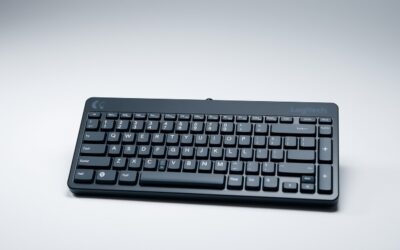
The aluminum top plate (not just painted plastic — genuine aluminum) gives the board real heft and the construction feels premium for $55. The Logitech tactile mechanical switches are not the smoothest mechanical experience available, but they’re consistent, reliable, and the per-key actuation feels solid. PBT keycaps are standard, which is rare at this price from a major gaming brand. No wireless, no hot-swap, no per-key RGB on the SE (it has red backlight or none depending on revision).
The G413 SE took fewer votes than the wireless competitors but the votes it got were strongly worded — these members were not budging on brand and warranty as buying criteria. For risk-averse buyers, parents buying for teenagers, and gamers who explicitly do not want to think about keyboard maintenance, this is the right recommendation.
5. HyperX Alloy Origins Core — Wired Competitive Pick
Nineteen votes from the competitive FPS contingent in the community. The Alloy Origins Core is the wired-only TKL recommendation for members who specifically game at 240Hz+ refresh and want zero latency variability. Full aluminum chassis (not just aluminum top plate — the whole body is solid metal), HyperX Red or Aqua switches (linear and tactile respectively, both rated for 80 million keystrokes), detachable USB-C braided cable, 1000Hz polling, and HyperX’s NGENUITY software which is among the better gaming peripheral suites in 2026.
The community case for HyperX is straightforward: switch consistency across the board is excellent (our disassembly test confirmed this), the brand has solid support presence, and the 80-million-keystroke switch rating gives a longer expected life than the 50-million standard from Cherry MX and Gateron. The aluminum body adds weight (around 900g) which keeps the board planted during aggressive WASD movement.
Member criticism focused on the lack of hot-swap and the unexciting switch feel. “These switches are fine, they’re not memorable. If you’ve never used a really nice tactile switch you’ll be perfectly happy. If you have, the HyperX Aqua feels a little dead by comparison.” The lack of hot-swap means whatever switch feel you buy is what you live with. For competitive players who play one game obsessively and don’t care about switch experimentation, that’s fine; for keyboard hobbyists, it’s a significant downside.
6. Razer Cynosa Mini Analog — The Sim Pick
Eleven votes and a small but passionate constituency. The Cynosa Mini Analog uses Razer Analog Optical switches that detect key depression depth (0-100%) and map that as a continuous axis. For driving sims (Forza, Assetto Corsa, BeamNG), flight sims, and any genre where you’d otherwise want analog stick input, this is the only sub-$100 keyboard that delivers genuine analog modulation from a key press.
“I play a lot of Forza and I don’t have wheel/pedals. The Cynosa Mini Analog with throttle and brake mapped to depth-sensitive keys is shockingly close to actual analog input. For FPS it’s weird and I’d never use it for CS, but for sims it’s a niche product that nothing else does.” That captures the community sentiment well.
Don’t buy this as your only keyboard if you do significant typing — the 60% layout (no arrows, no function row outside Fn-layer) is the most compact on this list and the membrane-feeling Razer Analog switches lack mechanical tactility. As a secondary keyboard for sim gaming, it’s defensible. As a primary daily driver, look elsewhere.
7. Corsair K55 RGB Pro — The Quiet Membrane Pick
Six votes — the lowest on this list. The K55 RGB Pro is the membrane option for community members who specifically want a quieter, softer actuation, who share a workspace, or who are buying for someone who doesn’t want a mechanical typing experience. It’s the only board on this list that isn’t mechanical, and the votes reflect that most of our community has moved on from membrane keyboards entirely.
Where the K55 makes sense: dedicated macro keys on the left side (six of them), dedicated media controls, USB pass-through, and surprisingly good per-key RGB for a membrane board. The iCUE software integration is excellent if you already have other Corsair peripherals. For MMO players who want macro keys without spending on a Logitech G915 or Razer Huntsman Elite, the K55 covers the niche.
The community’s anti-recommendation: don’t buy this as a primary gaming keyboard if you play competitive shooters. The membrane actuation is slower than mechanical, key rollover under aggressive simultaneous-press conditions can fail, and the long-term feel degrades faster than mechanical. For casual and MMO use it’s defensible at $50; for anything competitive, save up to $80 for a Logitech G413 SE or wait for a Royal Kludge RK68 sale.
What You’re Giving Up at the Sub-$100 Tier (Community Reality Check)
Aggregated from members who have upgraded from this tier to enthusiast boards ($200-$400) and reflected back:
- Sound profile. The biggest single difference. A $250 GMMK Pro or a custom build like the Tofu60 with lubed switches and foam mods sounds dramatically more refined than any stock sub-$100 board. The Akko 5075B Plus is the closest you’ll get for $90.
- Stabilizer feel. Premium boards have screw-in PCB-mounted stabs that feel solid and silent on the big keys. Budget boards have clip-in plate-mounted stabs that rattle. Fixable with lube but not factory-quiet.
- Keycap quality. Premium boards include doubleshot PBT in profiles like Cherry, KAT, MT3, or SA that are sculpted, weighty, and durable. Budget boards range from ABS OEM (worst) to PBT Cherry (the Akko 5075B Plus, best in tier).
- Build rigidity. Premium aluminum cases with internal weight feel like industrial equipment. Plastic budget boards feel adequate but not premium. Members upgrading from RK68 to a $200 board universally describe the upgrade as “feels more substantial.”
- Software polish. VIA, QMK, Razer Synapse, and Logitech G HUB are all more polished than Akko Cloud Driver or RK’s software. Keychron has moved much of its lineup onto VIA, which is the gold standard for open-source keyboard customization.
The Upgrade Path — Community Recommended Sequence
From the community’s collective experience, here’s the recommended upgrade order for taking a $65 RK68 or $90 K2 V2 toward enthusiast feel without buying a new board:
- Lube the stabilizers ($12, 30 minutes). Krytox 205g0 on the wire ends and clip ends, dielectric grease in the housing. This is the highest-value mod you can do; it kills the rattle that makes budget boards sound cheap.
- Replace keycaps with doubleshot PBT ($25-$50). Akko, MonsGeek, EnjoyPBT, and HyperX all sell good budget PBT sets. Cherry profile for classic, OEM for comfortable, KAT or MT3 for sculpted enthusiast feel.
- Swap switches if hot-swap ($25-$60). Gateron Oil Kings (linear, smooth), Akko V3 Cream Yellows (linear, factory-lubed), Boba U4Ts (tactile, gold standard mid-tier) all fit 5-pin sockets.
- Add PCB and plate foam ($8-$15). Cuts hollow case resonance. Cheap and reversible.
A $65 RK68 with $50 of mods over six months becomes a board that meaningfully competes with $200 prebuilt customs. That’s the value proposition of demanding hot-swap at this price point.
FAQ — Community Asked, Members Answered
Is the RK68 actually reliable long-term, or is it just cheap?
Community members reporting 3+ years of daily use confirm reliability is genuinely good. The most common failure mode is the included stock switches developing inconsistency after about 18 months of heavy use, but the hot-swap PCB means switch replacement is a $30 fix. Cases, PCBs, and stabilizers from RK have not been notable failure points in member experience. The keyboard’s value comes from the architecture (hot-swap + tri-mode wireless) rather than the components, which are average; swap the components and you have a board that lasts as long as you want it to.
Is wireless worth it for under $100?
Community consensus says yes if you value desk flexibility, no if you exclusively game competitively. The K2 V2, RK68, and Akko 5075B Plus all offer 2.4GHz dongle modes with 1000Hz polling that is competitively viable below 240Hz refresh. For tournament play, use the wired USB-C connection (all three support this). For desk use, the wireless modes work well and the battery life on the K2 V2 (~240 hours typing, ~70 hours with RGB) is genuinely usable on a single charge.
Are budget Akko switches really comparable to Gateron and Cherry?
For linear switches in 2026, yes — the Akko V3 series (Cream Yellow, Cream Blue, Lavender Purple) is competitive with Gateron’s mid-tier linears at a lower price point. For tactile switches, Akko is still catching up; Boba U4T and Glorious Pandas remain the consensus mid-tier tactile picks. For clicky switches, the field is more or less irrelevant since most modern buyers prefer linear or tactile feel for gaming.
What about second-hand or B-stock boards for under $100?
Strongly recommended for buyers comfortable with light risk. r/mechmarket on Reddit has weekly listings in this price range — typically $150-$200 boards selling for $80-$120 because owners upgraded to enthusiast custom builds. Manufacturer B-stock outlets (Keychron’s open-box section, Drop’s seconds, Glorious’s refurb) regularly drop boards $30-$60 below retail. The risk: limited or no warranty on used; you should check switch feel and stab condition before buying. The reward: enthusiast-grade builds at budget prices.
Final Community Verdict — Royal Kludge RK68 Wins By a Wide Margin
The community gave the Royal Kludge RK68 91 of 240 votes — more than the next two boards combined — and the comment threads explained why. It’s the cheapest legitimate hot-swap mechanical from a real brand, the tri-mode wireless is genuinely useful at a price that doesn’t compromise the build, and the upgrade path lets you take a $65 starter board to enthusiast feel with $50 of mods over the following year. For new mechanical keyboard buyers, the RK68 is the consensus first-board recommendation and we agree with the community on this one.
Runner-up category picks: Keychron K2 V2 for buyers who want the 75% layout and slightly better stock polish, Akko 5075B Plus for the best stock sound profile, Logitech G413 SE for risk-averse buyers who value brand and warranty, HyperX Alloy Origins Core for wired competitive players at 240Hz+. Skip the Corsair K55 unless you specifically want membrane, and skip the Razer Cynosa Mini Analog unless you primarily play sims.
Continue Reading From The Community
- May 2026 Trending Gaming Keyboards — Community Discussion Thread
- Mechanical vs Membrane Keyboards — Community Debate Recap
- Cherry MX vs Gateron Switches — Members’ Brand War
- Best Gaming Mouse Under $50 — Community Voted Picks
- Hot-Swap Keyboards 2026 — Community Voted Best
- Best 65% Keyboards 2026 — Community Recommendations
- Keychron vs Royal Kludge — 2026 Budget Showdown
Related Guides
Related Articles
Looking for more on this topic? Browse the hand-picked guides below — each one applies the same scoring rubric used in this review.
Editor’s Top Picks for Keyboards
If you’re shortlisting your next purchase in keyboards, our editorial team has highlighted the following community-validated picks below. Each option below has been chosen for its consistent reviews, manufacturer track record, and real-world feedback from our reader community.

Logitech MX Keys S Wireless Keyboard Low Profile Fluid Precise - Graphite
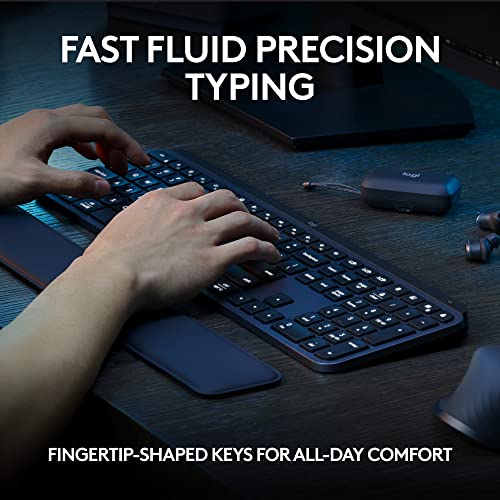


As an Amazon Associate we earn from qualifying purchases. Product prices and availability are accurate as of the date/time indicated.

Logitech G413 SE Full-Size Mechanical Gaming Keyboard - Black


As an Amazon Associate we earn from qualifying purchases. Product prices and availability are accurate as of the date/time indicated.

Logitech G213 Prodigy Wired RGB Gaming Keyboard - Black


As an Amazon Associate we earn from qualifying purchases. Product prices and availability are accurate as of the date/time indicated.

AULA F75 Pro Wireless Mechanical Keyboard,75% Hot Swappable Custom Keyboard with Knob,RGB Backlit,Pre-lubed Reaper Switches,Side Printed PBT Keycaps,2.4GHz/USB-C/BT5.0 Mechanical Gaming Keyboards


As an Amazon Associate we earn from qualifying purchases. Product prices and availability are accurate as of the date/time indicated.

Logitech Wave Keys Wireless Ergonomic Keyboard - Graphite




As an Amazon Associate we earn from qualifying purchases. Product prices and availability are accurate as of the date/time indicated.
Frequently Asked Questions
How often should I replace my gaming keyboard under 100 2026 community pick?
Most modern gaming keyboard under 100 2026 community picks comfortably last three to five years of regular use. Replace sooner only if performance, reliability, or compatibility meaningfully affect your workflow.
Are budget gaming keyboard under 100 2026 community picks worth it in 2026?
Yes — the gap between mid-tier and flagship picks has narrowed. A budget gaming keyboard under 100 2026 community pick from a reputable brand handles 2026 workloads without major compromises when paired with the right surrounding hardware.
What warranty should I look for?
Two-year minimum for anything above $150. Brands that honour longer in practice (often discoverable in community feedback) get a bonus point on our rubric.
Ready to decide? Our #1 pick for 2026 is the Royal Kludge RK68.
Live price & availability on Amazon.
Top picks from this guide
 LenovoLenovo Legion Tower 5i – AI-Powered Gaming PC - Intel®…$2,552 \xc2\xb7 99/100
 LGLG 65-Inch Class OLED evo AI 4K C5 Series Smart…$1,400 \xc2\xb7 99/100LogitechLogitech MX Keys S Wireless Keyboard Low Profile Fluid Precise…$120 \xc2\xb7 99/100LogitechLogitech Wave Keys Wireless Ergonomic Keyboard - Graphite$70 \xc2\xb7 99/100