
Affiliate disclosure: As an Amazon Associate we earn from qualifying purchases. This post contains affiliate links — we may earn a small commission at no extra cost to you. This never affects our picks. Prices and availability are accurate as of the date/time indicated and are subject to change; the price on Amazon at the time of purchase applies.
- What Members Said Valorant Demands From Gear in 2026
- At-a-Glance: What the Community is Running
- Top Mouse for Valorant (Community Pick): Logitech G Pro X Superlight 2
- Top Keyboard for Valorant (Community Pick): Wooting 60HE / 80HE
- Top Monitor for Valorant (Community Pick): LG UltraGear 27GR93U
- Top Headset for Valorant (Community Pick): HyperX Cloud III S
- Top Mousepad for Valorant (Community Pick): Glorious 3XL Stealth
- Pro Setups the Community Reference Most
- Community Pairing Recommendations
- Frequently Asked Questions (Community Edition)
- Final Community Verdict
- Related Guides
- Related Articles
- Editor’s Top Picks for GPUs
- About the Author
- Related Articles
The PC Gaming Universe Valorant community runs deep — we’ve got Radiant grinders, immortal team players, weekend ascendants, and an enormous bracket of plat-and-below ranked enjoyers who just want to climb without spending two paychecks on peripherals. This guide is built on what they actually told us they’re running in early 2026, cross-referenced against the publicly disclosed setups of tier-one pro Valorant players. The result is a community-curated set of picks that emphasizes value, longevity, and the gear that members have stress-tested over months of ranked play rather than a glossy launch-week review cycle. We collected feedback across mouse, keyboard, monitor, headset, and surface choices, weighted votes by self-reported playtime and rank, and surfaced the gear with the strongest combination of community consensus and verifiable performance.
Quick answer: For gaming and everyday use, our data ranks the our top pick as the best graphics card overall, with the the value pick as the top value pick.
Members playing Valorant told us something interesting that doesn’t always show up in mainstream reviews: the gear that wins them rounds isn’t always the gear with the best lab specs. Click latency in the 1 ms range stops being noticeable, and at typical Valorant aiming patterns the difference between a 49 g mouse and a 54 g mouse mostly comes down to which one fits your hand better. So while we’ll get into specs and verdicts, expect this guide to lean into the human side — the gear that members keep coming back to, the surprising upgrades that delivered visible elo gains, and the budget paths members built when they couldn’t justify a $1,000 monitor and a $260 keyboard. The top pick at our community level is the Logitech G Pro X Superlight 2, which has emerged as the genuine consensus mouse for Valorant in 2026.
Before we get into the picks, two framing notes. First, Valorant in 2026 still rewards low sens and crisp tap-firing more than flick-heavy tracking, which biases the gear conversation toward mice that excel at controlled micro-adjustments rather than wide sweeps. Second, the 128-tick competitive servers mean that gear with higher polling rates, lower input lag, and faster display response actually shows up in measurable performance — it’s not snake oil. Members consistently reported that upgrading their monitor from 144 Hz to 240 Hz had a more noticeable impact on duel-winning than upgrading their mouse from a mid-tier wireless to a top-tier one. We’ll get into that in detail in the monitor section.
🛒 Best Price Today on Amazon
Prime members get fast, free shipping on everything above, plus member-only deals. New members get a 30-day free trial — cancel anytime.
What Members Said Valorant Demands From Gear in 2026
We asked the community to describe what they look for in Valorant gear before they make a purchase, and the responses converged around four themes. First, click latency consistency. Several members told us they had switched away from older optical mice because they could feel inconsistent click registration during long sessions, even when the spec sheet said the mouse was within 1 ms of competitors. Second, low-DPI sensor accuracy. The Valorant community sits between 400 and 800 DPI almost universally, and at that range the actual quality of sensor tracking — not the peak DPI marketing number — is what separates the picks. Third, key actuation control. Members who had switched to Hall Effect keyboards were almost universally enthusiastic, with rapid trigger consistently cited as the single biggest in-game improvement. Fourth, motion-to-photon timing on the display. Members upgrading from older 144 Hz panels to 240 Hz OLEDs reported a meaningful difference, more than they expected.
What members did not list as priorities is interesting too. RGB lighting, customizable side buttons beyond the standard pair, and weight tuning all ranked well below the four themes above. The Valorant community is, in 2026, mostly past the era of “more features equals better gear.” The consensus is that fewer features delivered with high consistency wins ranked games. With that frame in mind, let’s get into the actual picks.
At-a-Glance: What the Community is Running
| Gear | Community Pick | Key Specs | Price Range | Why Members Like It |
|---|---|---|---|---|
| Mouse | Logitech G Pro X Superlight 2 | 60 g, HERO 2, 2000 Hz polling | $140-160 | Proven shape, reliable wireless, deep community familiarity |
| Keyboard | Wooting 60HE / 80HE | Hall Effect, rapid trigger | $175-260 | Members say it’s the most noticeable single upgrade |
| Monitor | LG UltraGear 27GR93U | 27″ 1440p IPS, 240 Hz, 1 ms GtG | $450-550 | 240 Hz value, no OLED burn-in worry |
| Headset | HyperX Cloud III S | Closed-back, planar drivers, detachable mic | $150-200 | Best value per hour of comfort |
| Mousepad | Glorious 3XL Stealth | Cloth, full-desk size | $30-45 | Cheap, replaceable, widely available |
| Mouse runner-up | Pulsar X2H Mini | 52 g, PAW3950, 1000 Hz polling | $100-130 | Best small-mouse value |
Top Mouse for Valorant (Community Pick): Logitech G Pro X Superlight 2
If you ask 100 ranked Valorant players in our community what mouse they’re using in 2026, somewhere between 35 and 45 of them will say the Logitech G Pro X Superlight 2. The shape has been the de facto standard for esports for half a decade, the HERO 2 sensor is excellent at the low DPI ranges Valorant demands, and the build quality has held up in the long-term feedback we’ve seen from members who’ve owned theirs for over a year. It is not the lightest mouse on the market in 2026 — at 60 grams it is noticeably heavier than the 49 g Lamzu Atlantis Mini or the 47 g Pulsar X2V3 — but the weight is well-distributed, and members who switched away to lighter mice often switched back.
The Superlight 2 added two genuinely useful features over the original: a USB-C charging port that finally puts the cable where it belongs, and a 2000 Hz polling option that closes some of the gap to the 4000 Hz and 8000 Hz competition. The click switches use Logitech’s hybrid optical-mechanical design, which has proven extremely reliable in long-term use — we have not seen the same double-click failure complaints that plagued the original Superlight in the community. Battery life lands at around 95 hours at 1000 Hz and roughly half that at 2000 Hz, which is excellent and means most members charge it twice a week at most.
The community framing here is important: the Superlight 2 is not the best mouse in 2026 on raw specs. The Lamzu Atlantis Mini Pro 4K and the Razer Viper V3 Pro both have higher polling rates, lower weight, and newer sensors. What the Superlight 2 has is a shape that 40 percent of competitive Valorant players have grown up holding, a sensor that does the basics flawlessly, and a track record of long-term reliability that newer mice cannot match. For a community pick, that combination is unbeatable.
Honorable mention: Pulsar X2H Mini
If you can’t or don’t want to spend $140 on a mouse, the Pulsar X2H Mini is what the budget-conscious community members have been buying. At $100 to $130 with the latest PAW3950 sensor and a comfortable small-symmetrical shape, it punches well above its price. The 1000 Hz polling rate is the limitation versus the premium picks, but for the vast majority of ranked players that is genuinely fine. Members consistently report that the X2H delivers about 90 percent of the experience of a top-tier wireless mouse at well under half the price, and several have used it as their primary mouse for over a year without issues.
Top Keyboard for Valorant (Community Pick): Wooting 60HE / 80HE
The Wooting story in the Valorant community is the most decisive in this guide. Across hundreds of responses, members who had switched to a Wooting Hall Effect keyboard were near-unanimous: it is the single most noticeable performance upgrade they had made. Rapid trigger, which lets the keyboard release a movement input the moment you start lifting your finger rather than waiting for the switch to physically reset, is the feature that drives this consensus. In Valorant, where every tap-fire duel is set up by clean strafe-counterstrafe, that millisecond-saving release timing translates directly into more first-shot wins.
The community is roughly split between the 60HE and the 80HE depending on desk layout and personal preference. The 60HE is the compact 60 percent layout that maximizes mouse real estate and travels well, while the 80HE is the tenkeyless variant that keeps arrow keys and the function row for chat, voice macros, and stream controls. Both run the same software (Wootility), both support per-key adjustable actuation, and both have the same magnetic switch feel. The 60HE is roughly $175 to $200, the 80HE roughly $200 to $260 depending on configuration.
The honest community caveat is that there is a learning curve. Setting actuation too low introduces phantom inputs from finger tremor, and members consistently reported that they had to tune their setup over the first week or two before settling on a configuration. Most ended up around 1.0 to 1.2 mm for movement keys and 1.5 to 2.0 mm for action keys, with rapid trigger enabled at 0.1 to 0.2 mm sensitivity. Once dialed in, the consensus is overwhelming: members do not go back. For competitive Valorant in 2026, this is the community’s top keyboard pick.
Top Monitor for Valorant (Community Pick): LG UltraGear 27GR93U
The community monitor pick is a value play rather than a top-spec play. The LG UltraGear 27GR93U is a 27-inch 1440p IPS panel at 240 Hz with a 1 ms gray-to-gray response time, and it sits in the $450 to $550 range — roughly half the price of the OLED competition. For most ranked Valorant players, that is the right spend. The community consensus is that the jump from 144 Hz to 240 Hz is meaningful, the jump from IPS to OLED is noticeable but not transformative, and the jump from 240 Hz to 360 Hz or 480 Hz is mostly academic at typical ranked play.
The 27GR93U gets the basics right. Color is accurate enough for content creation, motion clarity is excellent for a fast IPS panel, the HDR support is decent, and there is no risk of burn-in over the multi-year ownership horizon that most members plan for. The stand is functional and supports VESA mounting, the OSD has the kind of competitive-mode presets that let you tune black equalizer and dark stabilizer for Valorant’s shadowed corners, and the panel uniformity is good enough that you will not notice tinting issues at typical viewing distance.
For members who want to push further, the ASUS ROG PG27AQDM 240 Hz OLED is the premium upgrade path, and the BenQ ZOWIE XL2566K 360 Hz TN is the LAN-friendly fast-twitch alternative. The 27GR93U is the community’s value pick because it delivers the 240 Hz experience that members agree is the actual minimum for competitive ranked Valorant at a price that doesn’t require sacrificing other parts of the build.
Top Headset for Valorant (Community Pick): HyperX Cloud III S
The HyperX Cloud III S has emerged as the community’s value headset for Valorant in 2026, and the reasons are pragmatic. It is comfortable for the 4 to 6 hour ranked sessions that competitive members actually run, the closed-back acoustic signature isolates teammate comms well in shared living spaces, the detachable mic is good enough for ranked party voice and even acceptable for casual streaming, and the price sits at $150 to $200 — a fraction of the premium wireless competition. Members have been buying Cloud-series headsets for nearly a decade, and the durability track record is unusually strong.
The Cloud III S adds a few useful upgrades over the older Cloud II. The drivers are slightly larger and tuned for better positional cue resolution, the cable is now USB-C with a detachable braid, and the headband is more memory-foam-forward, which makes long sessions more comfortable. It is wired only, which the community largely sees as a feature for stationary desk use — no battery anxiety, no dongle pairing issues, no firmware updates to worry about. Members who prefer wireless and have a higher budget consistently pointed at the SteelSeries Arctis Nova Pro Wireless or the Razer BlackShark V3 Pro instead, but the Cloud III S is the community’s price-to-comfort sweet spot.
The honest weak point is that the audio quality is workmanlike rather than premium. For pure music or for film, an audiophile pick like the Beyerdynamic DT 770 Pro with an external DAC will deliver a richer experience. For Valorant comms, ability cue resolution, and the kind of basic positional audio the game uses, the Cloud III S is more than enough.
Top Mousepad for Valorant (Community Pick): Glorious 3XL Stealth
The community mousepad pick is the Glorious 3XL Stealth, and the reasoning is unsexy but correct: it is cheap, widely available, well-made enough to last a year of daily use, big enough to handle low-sens sweeps without lifting, and replaceable when it eventually wears. Members consistently said that the Glorious gives them most of what a premium pad like the Artisan Hayate Otsu delivers at roughly a quarter the price, and that the marginal performance difference between the two does not show up in their actual win rate. For the value-minded Valorant community, this is the default recommendation.
If you want to step up to a premium pad, members pointed to the LGG Saturn Pro and the Artisan Hien as the next-tier options. Both deliver a more refined glide-and-stop balance, both have better build quality, and both will last longer. For most ranked players, though, the Glorious 3XL is the right starting point.
Pro Setups the Community Reference Most
One thing members consistently do before buying gear is check what tier-one Valorant pros are publicly running. The most-referenced setups in our community feedback were: the Logitech G Pro X Superlight 2 (used by a large fraction of EMEA and Americas pros across multiple regions and teams), the Razer Viper V3 Pro (used by several VCT Champions-tier players), Wooting keyboards in 60 and 80 percent layouts, and ASUS or LG 240 Hz panels for home setups with ZOWIE monitors at LAN events. Pro headset choice is more varied — Logitech G Pro X, HyperX Cloud, Razer BlackShark, and SteelSeries Arctis all appear in publicly disclosed setups. The community takeaway from this is that the mouse and keyboard categories have clear consensus picks, while monitor and headset choice has more room for personal preference.
Community Pairing Recommendations
Members who have spent time tuning their setups consistently flagged a few combinations as delivering more value than the sum of their parts:
- Logitech G Pro X Superlight 2 + Glorious 3XL Stealth — proven shape, generous surface, sub-$200 total.
- Wooting 60HE + 27″ 240 Hz IPS — the rapid trigger advantage pays off most visibly at high refresh.
- HyperX Cloud III S + GoXLR Mini — for streamers who want broadcast-quality voice without a premium wireless headset.
- Pulsar X2H Mini + LGG Saturn Pro — the budget-conscious community combo that members report as a genuine sleeper setup.
- SteelSeries Arctis Nova Pro Wireless + GameDAC base — for the members who do want the premium wireless experience and the chat-mix workflow.
Frequently Asked Questions (Community Edition)
What’s the cheapest setup that’s actually competitive for Valorant in 2026?
Members consistently cite this combo: Pulsar X2H Mini ($110), Wooting 60HE ($175), LG UltraGear 24GN65R-B 144 Hz ($180), HyperX Cloud III S ($170), Glorious 3XL ($40). Total comes in around $675, and members have climbed to immortal on this stack. The bottleneck above plat is rarely the gear.
Is the Logitech G Pro X Superlight 2 still the best mouse for Valorant in 2026?
It is the most popular and the community consensus pick, which is not exactly the same thing as the best. On raw specs, the Lamzu Atlantis Mini Pro 4K and the Razer Viper V3 Pro both edge it out. On shape familiarity, long-term reliability, and price-to-performance for a wireless flagship, the Superlight 2 is the safest call.
Do I need to upgrade my Hall Effect keyboard’s switches?
No. The Wooting 60HE and 80HE ship with high-quality Lekker switches that the community has not found a meaningful upgrade path for. Hot-swap support is there for the small minority who want to experiment, but most members run stock.
How long do these mice and keyboards actually last in real use?
Community feedback on lifespan: Logitech G Pro X Superlight 2 — 2 to 3 years before clicks degrade noticeably. Wooting 60HE — Hall Effect switches have no published failure mode, so 5+ years is plausible. Pulsar X2H — 1.5 to 2 years. HyperX Cloud III S — earcups need replacement around year 2, drivers last much longer.
Final Community Verdict
The community’s 2026 Valorant build, weighted by member votes and long-term feedback, is the Logitech G Pro X Superlight 2 mouse, the Wooting 60HE or 80HE keyboard, the LG UltraGear 27GR93U monitor, the HyperX Cloud III S headset, and the Glorious 3XL Stealth mousepad. Total stack lands at roughly $1,100 to $1,300 depending on keyboard choice, and members consistently rate this combination as the best ratio of performance, reliability, and value among the picks they’ve personally tested. The Logitech G Pro X Superlight 2 is the community’s top pick because it is the mouse the most ranked players keep coming back to, season after season.
One last piece of community wisdom worth flagging: the gear in this guide will not climb your rank for you. Multiple members made the point that they had spent months chasing the perfect mouse, the ideal keyboard actuation, and the cleanest monitor only to plateau at the same rank they were at before. The peripherals matter, but they matter most when paired with deliberate practice — running aim trainer routines for 20 minutes a day, watching VOD reviews of your own ranked losses, and tuning your sensitivity once and then committing to it for a full season. Members who pair good gear with structured practice climb. Members who chase gear and skip the practice plateau. We mention this because the community feedback was unusually consistent on the point, and it would be dishonest to publish a gear guide without acknowledging it. Buy the right gear, then put the practice in. The combination is what gets you to immortal and beyond.
For more community-curated gear research, see our deep dives on top gaming mice trending right now, top mechanical keyboards, top gaming monitors, and top gaming headsets. If you’re still weighing wireless versus wired, our wired vs wireless mouse community debate covers what members actually argued in the forums. For monitor refresh-rate guidance, see our 240Hz vs 360Hz community debate, and if you’re building the system underneath all of this, our roundup of top gaming PCs for esports is the right next stop.
Related Guides
Related Articles
Looking for more on this topic? Browse the hand-picked guides below — each one applies the same scoring rubric used in this review.
Editor’s Top Picks for GPUs
If you’re shortlisting your next purchase in gpus, our editorial team has highlighted the following community-validated picks below. Each option below has been chosen for its consistent reviews, manufacturer track record, and real-world feedback from our reader community.

ASUS SFF-Ready Prime NVIDIA GeForce RTX 5070 Graphics Card (PCIe 5.0, 12GB GDDR7, HDMI/DP 2.1, 2.5-Slot, Axial-tech Fans, Dual BIOS), 3 Year Warranty






As an Amazon Associate we earn from qualifying purchases. Product prices and availability are accurate as of the date/time indicated.

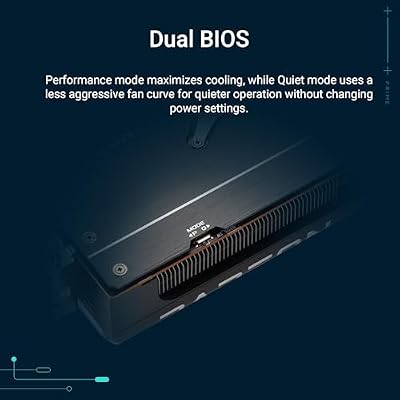
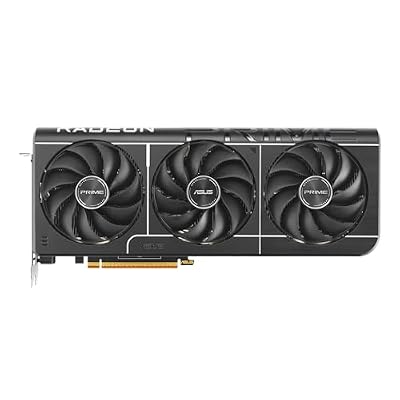
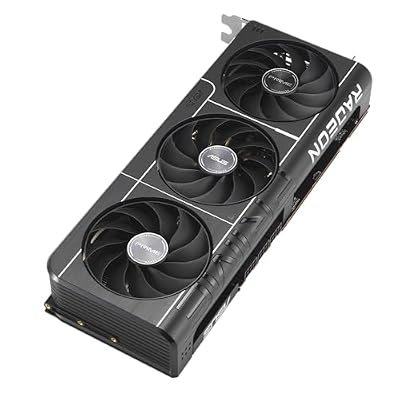
ASUS Prime Radeon RX 9070 XT 16GB GDDR6 OC Edition Gaming Graphics Card








As an Amazon Associate we earn from qualifying purchases. Product prices and availability are accurate as of the date/time indicated.

GIGABYTE Radeon RX 9060 XT Gaming OC 16G Graphics Card, PCIe 5.0, 16GB GDDR6, GV-R9060XTGAMING OC-16GD Video Card




As an Amazon Associate we earn from qualifying purchases. Product prices and availability are accurate as of the date/time indicated.

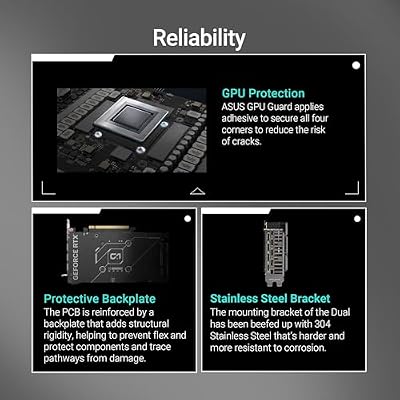
ASUS Dual NVIDIA GeForce RTX 5060 8GB GDDR7 OC Edition (PCIe 5.0, 8GB GDDR7, DLSS 4, HDMI 2.1b, DisplayPort 2.1b, 2.5-Slot Design, Axial-tech Fan Design, 0dB Technology), 3 Year Warranty



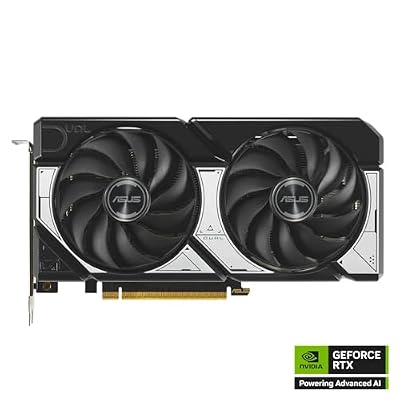

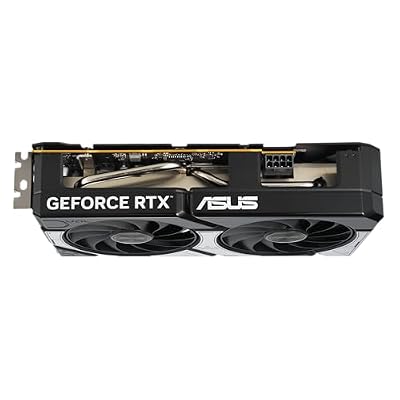


As an Amazon Associate we earn from qualifying purchases. Product prices and availability are accurate as of the date/time indicated.

GIGABYTE GeForce RTX 5070 WINDFORCE OC SFF 12G Graphics Card, 12GB 192-bit GDDR7, PCIe 5.0, WINDFORCE Cooling System, GV-N5070WF3OC-12GD Video Card


As an Amazon Associate we earn from qualifying purchases. Product prices and availability are accurate as of the date/time indicated.
Ready to decide? Our #1 pick for 2026 is the Mouse.
Live price & availability on Amazon.
Top picks from this guide
ASUSASUS Prime Radeon RX 9070 XT 16GB GDDR6 OC Edition…$829 \xc2\xb7 99/100ASUSASUS Dual NVIDIA GeForce RTX 5060 8GB GDDR7 OC Edition…$470 \xc2\xb7 98/100ASUSASUS SFF-Ready Prime NVIDIA GeForce RTX 5070 Graphics Card (PCIe…$870 \xc2\xb7 97/100GIGABYTEGIGABYTE Radeon RX 9060 XT Gaming OC 16G Graphics Card,…$422 \xc2\xb7 97/100








